Steps to reproduce
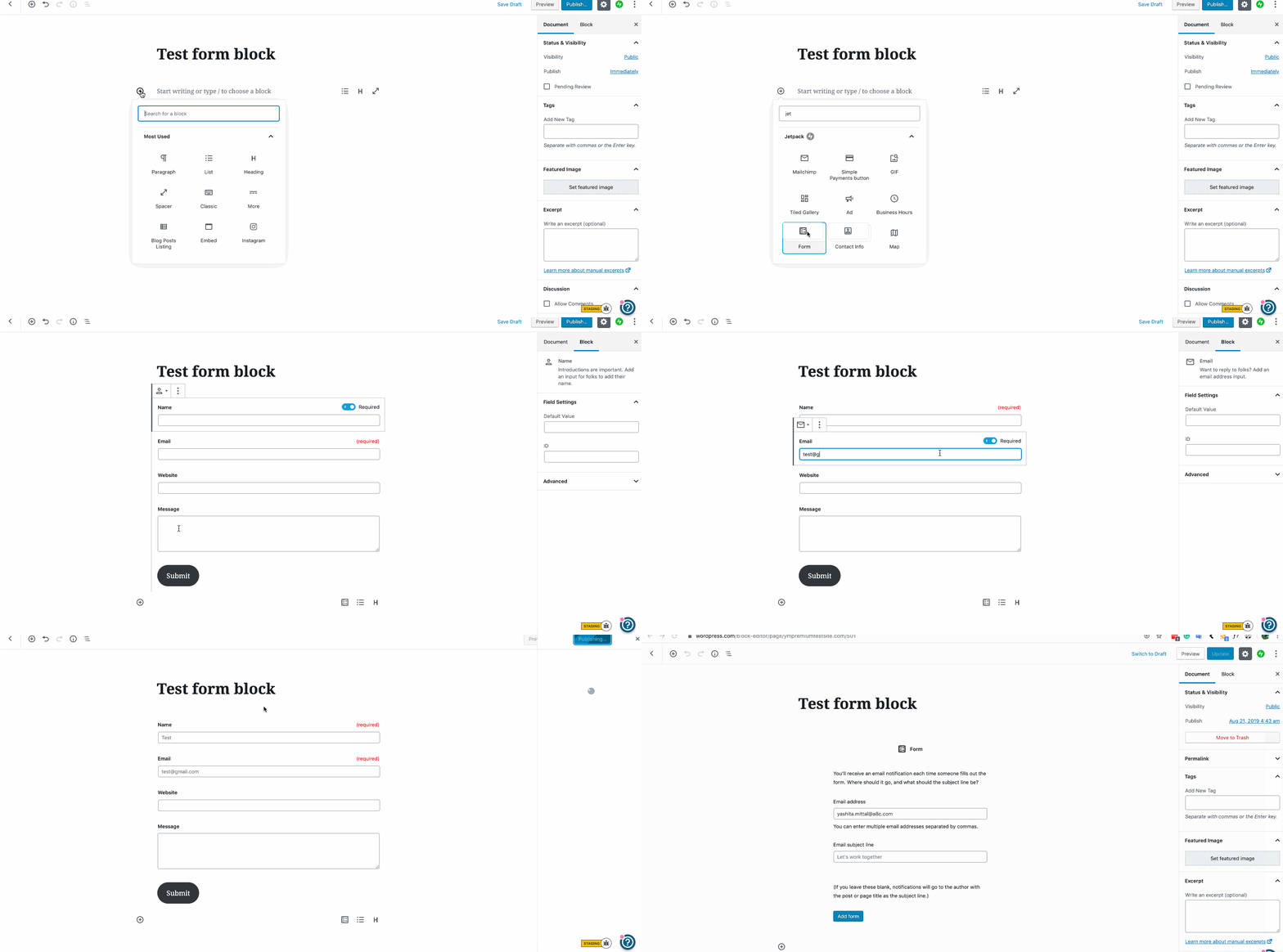
- Navigate to a Gutenberg Editor page and add the Form Block
- Enter an Email Adress and Subject Line
- Submit these
- Click on the Submit button and change the color of the button
- Save / Publish the Page
- Reload the Editor page
What I expected
The expected behaviour would be, that the form would mount right back to the block view where you see all the fields you setup, including the custom color.
What happened instead
On remounting the editor displayed the initial screen again. Once you click add form again all the fields you previously setup are still there, but the submit button loses its custom color.
Browser / OS version
macOS 10.14.4
Safari 12.1
WordPress 5.1.1
Jetpack 7.2.1
Gutenberg 5.6.1
Screenshot / Video
https://youtu.be/p-723vG3Ufs
#user-report


Steps to reproduce
What I expected
The expected behaviour would be, that the form would mount right back to the block view where you see all the fields you setup, including the custom color.
What happened instead
On remounting the editor displayed the initial screen again. Once you click add form again all the fields you previously setup are still there, but the submit button loses its custom color.
Browser / OS version
macOS 10.14.4
Safari 12.1
WordPress 5.1.1
Jetpack 7.2.1
Gutenberg 5.6.1
Screenshot / Video
https://youtu.be/p-723vG3Ufs
#user-report