

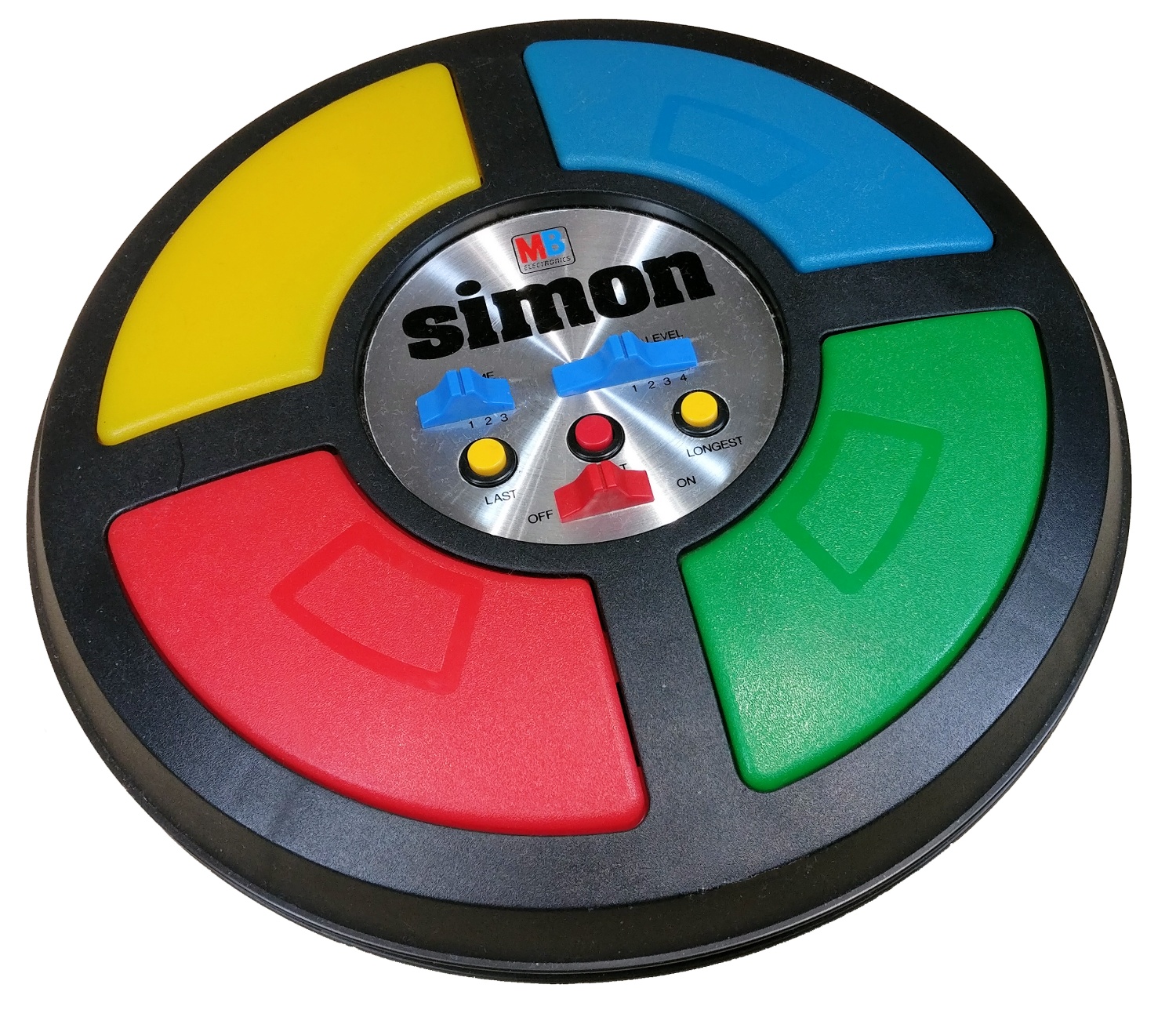
Simon is a memory based game that used to be very popular during the 70s. The player needs to remember the sequence of colours. Each colour is accompanied with its respective tone. The player needs to follow the sequence, and with each round, a new color is added to the sequence. The game ends when the player makes a mistake or times out.
- NXP's LPC2378 (32-bit ARM microcontroller)
- Breadboard
- 4 LEDs (for color display)
- 4 Push buttons (for user input)
- 16x2 LCD Display (for score feedback)
- Wires (duh!)
The core game engine implemented in C. This file handles:
-
Game State Management: Tracks the current sequence, player progress, score, and high score
-
Sequence Generation: Uses ADC (Analog-to-Digital Converter) to generate pseudo-random sequences
void Generate_Sequence(void) {
  for (j = 0; j < 48; j++) {
    read_adc();  // Read analog value from ADC
    sprintf(cVal, "%f", ((AD_lastcheck / 10.0) * (3.2 / 1023)));
    sequence[j] = cVal[7] % 4;  // Use last digit mod 4 for randomness
  }
}
Why: ADC noise provides entropy for sequence generation; the value is scaled and modulo 4 to get one of four button choices.
-
LED & Audio Feedback: Each sequence item lights up an LED and plays a unique tone
void Light_LED(int led_index) {
  if (led_index == 0) {
    FIO0SET = LED1_PIN;  // Set GPIO pin high
    buzzer(1);           // Play tone 1
    Clear_LEDs();
  }
  // ... similar for LEDs 2, 3, 4
}
Why: Provides both visual and auditory cues to the player, mimicking the original Simon game.
-
Input Validation: Checks if player button presses match the sequence
int Check_Player_Input(int led_index) {
  Light_LED(button_press);
  if (sequence[player_index] == led_index) {
    player_index++;
    if (player_index == sequence_length) {
      player_index = 0;
      return 1;  // Round complete, advance to next round
    }
  } else {
    return -1;  // Player failed
  }
}
Why: Core game mechanic: validates user input and handles win/loss conditions.
-
Timeout Mechanism: 4-second timer for player response; times out after no input
void enable_timer(void) {
  T0PR = 1;
  T0MR0 = 1200 - 1;   // Match register for timer interval
  T0MCR = 3;          // Interrupt and reset on match
  T0TCR = 1;          // Start timer
  while (count3 < 4000) {
    if (T0IR & (1 << 0)) {
      T0IR = (1 << 0);  // Clear interrupt flag
      count3++;
    }
    if (button_press != -1) break;  // Player responded
  }
}
Why: Enforces a time limit for player input, adding difficulty to the game.
Manages 16x2 character LCD in 4-bit mode (uses only 4 data pins for reduced wiring):
-
Pin Configuration: Uses P1.24-P1.27 for data, P1.28-P1.31 for control lines
#define PIN_E                 0x80000000  // Enable (strobe)
#define PIN_RW                0x20000000  // Read/Write
#define PIN_RS                0x10000000  // Register Select
-
Busy Waiting: Checks LCD busy flag before writing data
static unsigned char wait_while_busy (void) {
  do {
    status = lcd_read_status();
  } while (status & 0x80);  // Busy flag is bit 7
  return (status);
}
Why: Ensures LCD is ready for the next command; prevents data corruption.
-
4-bit Data Writing: Sends each byte in two 4-bit nibbles
void lcd_write_cmd (unsigned char c) {
  wait_while_busy();
  LCD_RS(0);
  lcd_write_4bit (c>>4);     // Send upper 4 bits
  lcd_write_4bit (c);        // Send lower 4 bits
}
Why: 4-bit mode reduces GPIO pins required from 8 to 4 (plus 3 control lines).
-
Display Output: Prints game state (current score, high score, messages)
sprintf(highscore_msg, " CS: %d    HS: %d", score, highscore);
set_cursor(0, 0);
lcd_print(highscore_msg);
Low-level GPIO control for LEDs:
-
Initialization: Configures P2.0-P2.7 as outputs
void LED_Init(void) {
  PINSEL10 = 0;       // Disable ETM, enable GPIO
  FIO2DIR = 0x000000FF;  // P2.0..7 as outputs
  FIO2MASK = 0x00000000;
}
-
LED Operations:
LED_On(num): Turns on LED at pinnumviaFIO2SET(set bits)LED_Off(num): Turns off LED at pinnumviaFIO2CLR(clear bits)LED_Out(value): Sets all 8 LEDs based on a byte value
Reads analog input for randomness and button state detection:
-
ADC Initialization:
void init_adc() {
  PCONP |= (1 << 12) | (1 << 1) | (1 << 22) | (1 << 2);  // Enable ADC, DAC blocks
  PINSEL1 = 0x254000;  // Configure pin functions
  DACR = 0x0;         // DAC initial output
}
-
Reading ADC:
void read_adc() {
  AD0CR = 0x00200004;      // Select ADC channel 2
  AD0CR |= (1 << 24);      // Start conversion
  for (i = 0; i < 99999; i++);  // Wait for conversion
  AD_lastcheck = (AD0DR2 >> 6) & 0x3FF;  // Read 10-bit result
}
Where: Channel 2 of ADC block 0 (pin 0.25)
Why: Provides entropy source for random sequence generation.
Event-driven button input using external interrupts:
- Button Press Handlers: External interrupts EINT0-EINT3 map to the 4 buttons
Why: Interrupt-driven approach is more responsive than polling; frees CPU for other tasks.
__irq void eint0_irq(void) {
  button_press = 0;        // Record button 0 pressed
  EXTINT = 0x01;          // Clear interrupt flag
  VICVectAddr = 0;        // Acknowledge to VIC
}
ARM assembly startup routine that:
-
Initializes CPU Clocks: Sets up PLL to 72 MHz from 12 MHz oscillator
; Configure PLL multiply (M=12) and divide (N=1)
; CCLK = (2 * M * Fosc) / N = (2 * 12 * 12MHz) / 1 = 72MHz
LDR R3, =PLLCFG_Val    ; PLLCFG = 0x0000000B (M-1=11, N-1=0)
STR R3, [R0, #PLLCFG_OFS]
-
Sets Up Stack Pointers: Different stacks for each CPU mode (User, IRQ, FIQ, etc.)
LDR R0, =Stack_Top
MSR CPSR_c, #Mode_IRQ:OR:I_Bit:OR:F_Bit
MOV SP, R0
SUB R0, R0, #IRQ_Stack_Size  ; Decrement for next mode
-
Copies Interrupt Vectors to RAM (if RAM_INTVEC defined)
-
Jumps to Main C Code: Calls
main()after hardware initialization
- Initialization: Setup GPIO, ADC, LCD, interrupts, timers
- Generate Sequence: Create 48-item random sequence using ADC noise
- Game Loop:
- Display current score & high score on LCD
- Play sequence to player with LEDs & audio
- Wait for player to match sequence (4-second timeout per input)
- Validate each button press
- If all buttons in sequence pressed correctly → advance to next round
- If mistake or timeout → game over; show final score
- Restart: Return to step 1 for a new game
- Toolchain: Keil MDK (ARM C/C++ Compiler)
- Target: LPC2378 ARM7 (48 MHz default, PLL configurable to 72 MHz)
- Memory: 512 KB Flash, 64 KB SRAM
README generated by Copilot[Claude Haiku 4.5]! (few manual edits though)