
Sequelize, like Active Record in Rails, is an ORM. ORM or Object Relation Mapping, acts an interface between the objects and the database.
Sequelize is a promise-based Node.js ORM for Postgres, MySQL, MariaDB, SQLite and Microsoft SQL Server.
To install:
npm install sequelize
You'll also have to manually install the driver for your database of choice:
$ npm install --save pg pg-hstore # Postgres
$ npm install --save mysql2
$ npm install --save mariadb
$ npm install --save sqlite3
$ npm install --save tedious # Microsoft SQL Server
In this case, we will utilize the driver for PostgreSQL:
npm install pg pg-hstore # Postgres
npm install --save-dev sequelize-cli
Sequelize CLI [Node: 10.15.0, CLI: 5.5.0, ORM: 5.11.0]
npx sequelize [command]
Commands:
| Command | What it does | Aliases |
|---|---|---|
| sequelize db:migrate | Run pending migrations | |
| sequelize db:migrate:schema:timestamps:add | Update migration table to have timestamps | |
| sequelize db:migrate:status | List the status of all migrations | |
| sequelize db:migrate:undo | Reverts a migration | |
| sequelize db:migrate:undo:all | Revert all migrations ran | |
| sequelize db:seed | Run specified seeder | |
| sequelize db:seed:undo | Deletes data from the database | |
| sequelize db:seed:all | Run every seeder | |
| sequelize db:seed:undo:all | Deletes data from the database | |
| sequelize db:create | Create database specified by configuration | |
| sequelize db:drop | Drop database specified by configuration | |
| sequelize init | Initializes project | |
| sequelize init:config | Initializes configuration | |
| sequelize init:migrations | Initializes migrations | |
| sequelize init:models | Initializes models | |
| sequelize init:seeders | Initializes seeders | |
| sequelize migration:generate | Generates a new migration file | [aliases: migration:create] |
| sequelize model:generate | Generates a model and its migration | [aliases: model:create] |
| sequelize seed:generate | Generates a new seed file | [aliases: seed:create] |
There are two options:
- Passing connection parameters to a Sequelize constructor
- Passing a single connection URI
const Sequelize = require('sequelize');

// Option 1: Passing parameters separately
const sequelize = new Sequelize('database', 'username', 'password', {
  host: 'localhost',
  dialect: /* one of 'mysql' | 'mariadb' | 'postgres' | 'mssql' */
});

// Option 2: Passing a connection URI
const sequelize = new Sequelize('postgres://user:pass@example.com:5432/dbname');We use the authenticate() function to verify the connection is OK
sequelize
  .authenticate()
  .then(() => {
    console.log('Connection has been established successfully.');
  })
  .catch(err => {
    console.error('Unable to connect to the database:', err);
});Sequelize will keep the connection open by default, and use the same connection for all queries. If you need to close the connection, call sequelize.close() (which is asynchronous and returns a Promise).
Again, there are two ways to to define a model with Sequelize:
Sequelize.Model.init(attributes, options):sequelize.define
Using method 1:
const Model = Sequelize.Model;
class User extends Model {}
User.init({
  // attributes
  firstName: {
    type: Sequelize.STRING,
    allowNull: false
  },
  lastName: {
    type: Sequelize.STRING
    // allowNull defaults to true
  }
}, {
  sequelize,
  modelName: 'user'
  // options
});
Using method 2:
const User = sequelize.define('user', {
  // attributes
  firstName: {
    type: Sequelize.STRING,
    allowNull: false
  },
  lastName: {
    type: Sequelize.STRING
    // allowNull defaults to true
  }
}, {
  // options
});
Important: The above code tells Sequelize to expect a table named users in the database with the fields firstName and lastName.
The table name is automatically pluralized by default.
Sequelize also defines by default the fields id (primary key), createdAt and updatedAt to every model.
Finder methods are intended to query data from the database. They do not return plain objects but instead return model instances.
// search for known ids
Project.findByPk(123).then(project => {
  // project will be an instance of Project and stores the content of the table entry
  // with id 123. if such an entry is not defined you will get null
})

// search for attributes
Project.findOne({ where: {title: 'aProject'} }).then(project => {
  // project will be the first entry of the Projects table with the title 'aProject' || null
})If you want Sequelize to automatically create the table (or modify it as needed) according to your model definition, you can use the sync method, as follows:
// Note: using `force: true` will drop the table if it already exists
User.sync({ force: true }).then(() => {
  // Now the `users` table in the database corresponds to the model definition
  return User.create({
    firstName: 'John',
    lastName: 'Hancock'
  });
});
Note: If you want to avoid calling .sync() for every model, you can also call sequelize.sync() which will sync all models.
// Find all users
User.findAll().then(users => {
  console.log("All users:", JSON.stringify(users, null, 4));
});

// Create a new user
User.create({ firstName: "Jane", lastName: "Doe" }).then(jane => {
  console.log("Jane's auto-generated ID:", jane.id);
});

// Delete everyone named "Jane"
User.destroy({
  where: {
    firstName: "Jane"
  }
}).then(() => {
  console.log("Done");
});

// Change everyone without a last name to "Doe"
User.update({ lastName: "Doe" }, {
  where: {
    lastName: null
  }
}).then(() => {
  console.log("Done");
});
For a full list of querying: visit Querying Docs
- BelongsTo
- HasOne
- HasMany
- BelongsToMany
class Task extends Model {}
Task.init({ title: Sequelize.STRING }, { sequelize, modelName: 'task' });


class User extends Model {}
User.init({ username: Sequelize.STRING }, { sequelize, modelName: 'user' });


User.hasMany(Task); // Will add userId to Task model
Task.belongsTo(User); // Will also add userId to Task model
The above code will generate the following SQL:
CREATE TABLE IF NOT EXISTS "users" (
  "id" SERIAL,
  "username" VARCHAR(255),
  "createdAt" TIMESTAMP WITH TIME ZONE NOT NULL,
  "updatedAt" TIMESTAMP WITH TIME ZONE NOT NULL,
  PRIMARY KEY ("id")
);

CREATE TABLE IF NOT EXISTS "tasks" (
  "id" SERIAL,
  "title" VARCHAR(255),
  "createdAt" TIMESTAMP WITH TIME ZONE NOT NULL,
  "updatedAt" TIMESTAMP WITH TIME ZONE NOT NULL,
  "userId" INTEGER REFERENCES "users" ("id") ON DELETE
  SET
    NULL ON UPDATE CASCADE,
    PRIMARY KEY ("id")
);NPM Installs
npm install sequelize sequelize-cli pg pg-hstore
- sequelize: npm library
- sequelize-cli: allows us to interact with DB through
sequelize - pg: postgresql client for Node.js
- pg-hstore: node package for seralizing and deserializing JSON data
This part will be unique to your database parameters:
// takes in database name, username, password
const sequelize = new Sequelize('class_demo', 'postgres', 'postgres', {
  host: 'localhost',
  dialect: "postgres"
});
sequelize.authenticate().then(() => {
  console.log("Success!");
}).catch((err) => {
  console.log(err);
});
To test database, run nodemon and see if you see a Success message.
touch .sequelizerc.sequelizerc
const path = require('path')

module.exports = {
  config: path.resolve('./database/config', 'config.json'),
  'models-path': path.resolve('./database/models'),
  'seeders-path': path.resolve('./database/seeders'),
  'migrations-path': path.resolve('./database/migrations'),
}
Sequelize uses the .sequelizerc file to generate the config and the model using the specified path.
This part will be different depending on your DB instance.
{
  "development": {
    "username": "postgres",
    "password": "postgres",
    "database": "class_demo",
    "host": "127.0.0.1",
    "dialect": "postgres"
  },
  "test": {
    "username": "postgres",
    "password": "postgres",
    "database": "class_demo",
    "host": "127.0.0.1",
    "dialect": "postgres"
  },
  "production": {
    "username": "postgres",
    "password": "postgres",
    "database": "class_demo",
    "host": "127.0.0.1",
    "dialect": "postgres"
  }
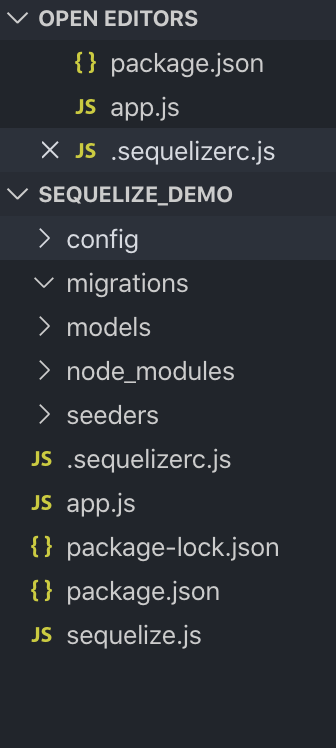
}npx sequelize init
This will generate a folder structure like the one below:
We are going to create the following models:
- User
- Post
- Comment
npx sequelize model:generate --name User --attributes name:string,email:string

npx sequelize model:generate --name Post --attributes title:string,content:text,userId:integer

npx sequelize model:generate --name Comment --attributes postId:integer,comment:text,userId:integer
Each of the above commands will generate a migration in:
/database/migrations and a model in /database/models
We observe the folllowing migrations:

We are going to modify the migrations for Post and Comment, specifically by setting allowNull to false.
postId: {
  type: Sequelize.INTEGER,
  allowNull: false
},
comment: {
  type: Sequelize.TEXT
},
userId: {
  type: Sequelize.INTEGER,
  allowNull: false
},In models/index.js add the following:
const fs = require('fs');
const path = require('path');
const Sequelize = require('sequelize');
const envConfigs =  require('../config/config');

const basename = path.basename(__filename);
const env = process.env.NODE_ENV || 'development';
const config = envConfigs[env];
const db = {};

let sequelize;
if (config.url) {
  sequelize = new Sequelize(config.url, config);
} else {
  sequelize = new Sequelize(config.database, config.username, config.password, config);
}

fs
  .readdirSync(__dirname)
  .filter(file => {
    return (file.indexOf('.') !== 0) && (file !== basename) && (file.slice(-3) === '.js');
  })
  .forEach(file => {
    const model = sequelize['import'](path.join(__dirname, file));
    db[model.name] = model;
  });

Object.keys(db).forEach(modelName => {
  if (db[modelName].associate) {
    db[modelName].associate(db);
  }
});

db.sequelize = sequelize;
db.Sequelize = Sequelize;

module.exports = db;We will define the following:
- A User has many posts
- A Post belongs to a user
- A Post has many comments
- A Comment belongs to a post
Editing the models files:
/database/models/user.js
module.exports = (sequelize, DataTypes) => {
  const User = sequelize.define('User', {
    name: DataTypes.STRING,
    email: DataTypes.STRING
  }, {});
  User.associate = function(models) {
    // associations can be defined here
    User.hasMany(models.Post, {
      foreignKey: 'userId',
      as: 'posts',
      onDelete: 'CASCADE',
    });

    User.hasMany(models.Comment, {
      foreignKey: 'userId',
      as: 'comments',
      onDelete: 'CASCADE',
    });
  };
  return User;
};
/database/models/post.js
module.exports = (sequelize, DataTypes) => {
  const Post = sequelize.define('Post', {
    title: DataTypes.STRING,
    content: DataTypes.TEXT,
    userId: DataTypes.INTEGER
  }, {});
  Post.associate = function(models) {
    // associations can be defined here
    Post.hasMany(models.Comment, {
      foreignKey: 'postId',
      as: 'comments',
      onDelete: 'CASCADE',
    });

    Post.belongsTo(models.User, {
      foreignKey: 'userId',
      as: 'author',
      onDelete: 'CASCADE',
    })
  };
  return Post;
};
/database/models/comment.js
module.exports = (sequelize, DataTypes) => {
  const Comment = sequelize.define('Comment', {
    postId: DataTypes.INTEGER,
    comment: DataTypes.TEXT,
    userId: DataTypes.INTEGER
  }, {});
  Comment.associate = function(models) {
    // associations can be defined here
    Comment.belongsTo(models.User, {
      foreignKey: 'userId',
      as: 'author'
    });
    Comment.belongsTo(models.Post, {
      foreignKey: 'postId',
      as: 'post'
    });
  };
  return Comment;
};To execute the migration files, run: npx sequelize db:migrate
In order to populate the data with sample data, we want to run the following commands for each model:
npx sequelize seed:generate --name User

npx sequelize seed:generate --name Post

npx sequelize seed:generate --name Comment
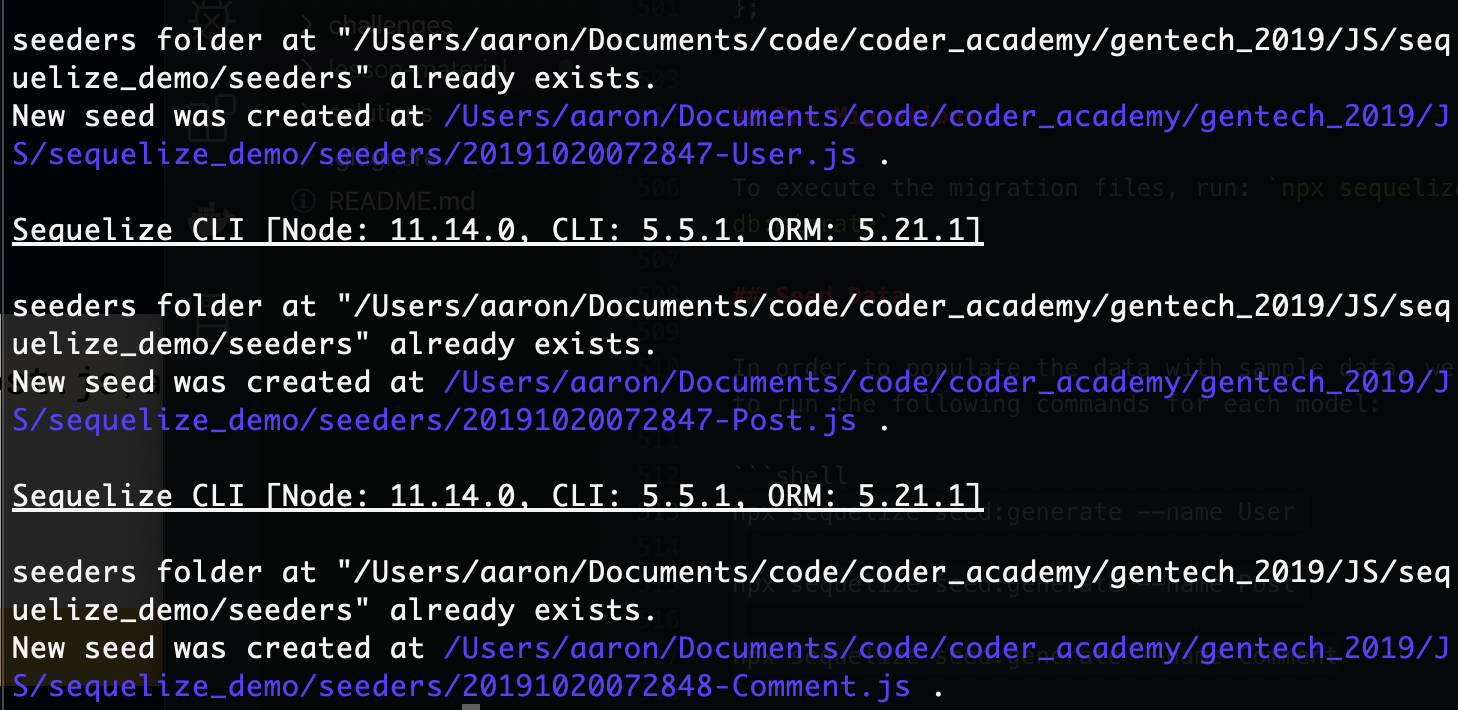
You should see confirmation like the below figure:
In our /seeders/ folder, we edit our seed files for each model.
/seeders/...Comment.js
module.exports = {
  up: (queryInterface, Sequelize) =>
    queryInterface.bulkInsert(
      "Comments",
      [
        {
          userId: 1,
          postId: 2,
          comment:
            "Nulla mollis molestie lorem. Quisque ut erat. Curabitur gravida nisi at nibh.",
          createdAt: new Date(),
          updatedAt: new Date()
        },
        {
          userId: 2,
          postId: 1,
          comment:
            "Maecenas tincidunt lacus at velit. Vivamus vel nulla eget eros elementum pellentesque. Quisque porta volutpat erat.",
          createdAt: new Date(),
          updatedAt: new Date()
        }
      ],
      {}
    ),

  down: (queryInterface, Sequelize) =>
    queryInterface.bulkDelete("Comments", null, {})
};
/seeders/....Post.js
module.exports = {
  up: (queryInterface, Sequelize) =>
    queryInterface.bulkInsert(
      "Posts",
      [
        {
          userId: 1,
          title: "hispotan de nu",
          content:
            "Nulla mollis molestie lorem. Quisque ut erat. Curabitur gravida nisi at nibh.",
          createdAt: new Date(),
          updatedAt: new Date()
        },
        {
          userId: 2,
          title: 'some dummy title',
          content:
            "Maecenas tincidunt lacus at velit. Vivamus vel nulla eget eros elementum pellentesque. Quisque porta volutpat erat.",
          createdAt: new Date(),
          updatedAt: new Date()
        }
      ],

      {}
    ),

  down: (queryInterface, Sequelize) =>
    queryInterface.bulkDelete("Posts", null, {})
};
/seeders/....User.js
module.exports = {
  up: (queryInterface, Sequelize) => queryInterface.bulkInsert(
    'Users',
    [
      {
        name: 'Jane Doe',
        email: 'janedoe@example.com',
        createdAt: new Date(),
        updatedAt: new Date(),
      },
      {
        name: 'Jon Doe',
        email: 'jondoe@example.com',
        createdAt: new Date(),
        updatedAt: new Date(),
      },
    ],
    {},
  ),

  down: (queryInterface, Sequelize) => queryInterface.bulkDelete('Users', null, {}),
};
To execute the seeds, run the following command:
npx sequelize db:seed:all

router.post('/', async (req, res) => {
  try {
    const post = await models.Post.create(req.body);
    return res.send(post)
  }
  catch (error) {
    return res.status(500).send(error)
  }
})
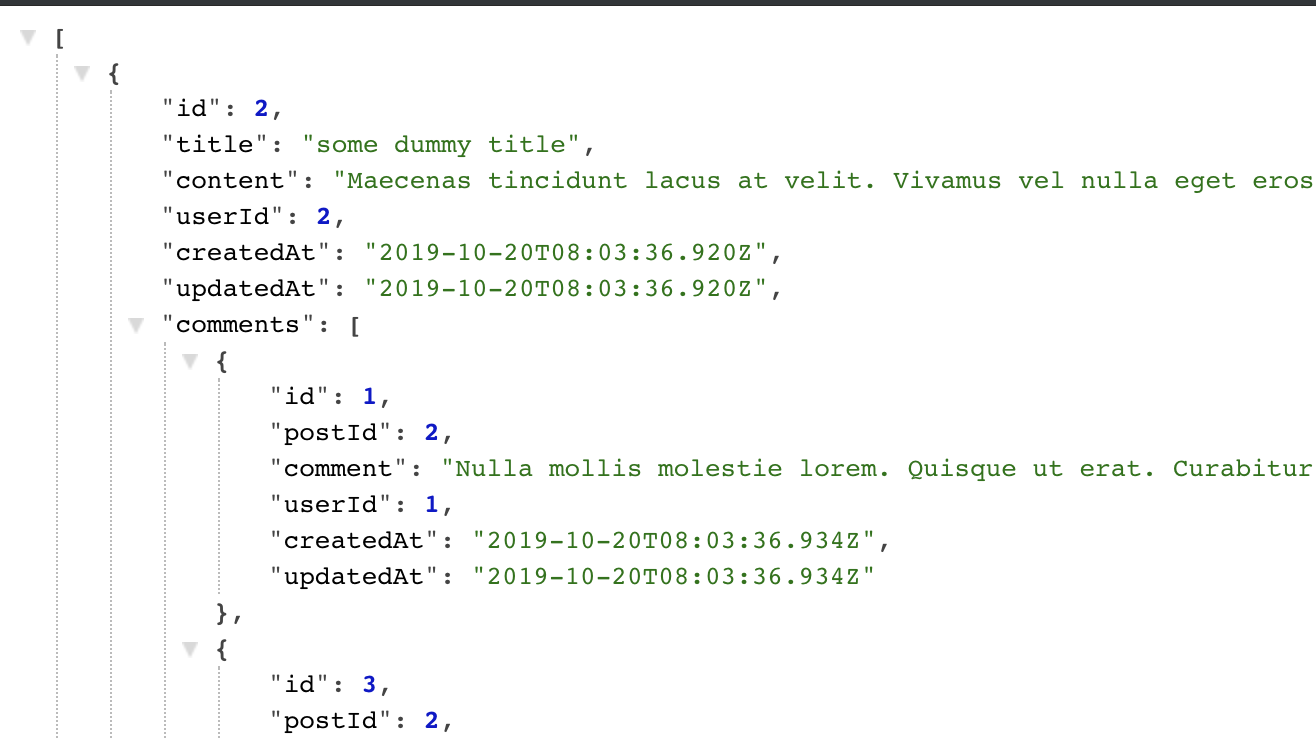
router.get('/', async (req, res) => {
  try {
    const posts = await models.Post.findAll({
      include: [
        {
          model: models.Comment,
          as: 'comments'
        },
        {
          model: models.User,
          as: 'author'
        }
      ]
    });
    return res.send(posts)
  }
  catch (error) {
    return res.status(500).send(error)
  }
})
router.patch('/:id', async (req, res) => {
  try {
    const id = req.params.id;
    const updated = await models.Post.update(req.body,
      {
        where: { id: id }
      });

    if (updated) {
      const updatedPost = await models.Post.findOne({ where: { id: id } });
      return res.status(200).send(updatedPost)
    }
    else {
      throw new Error('Post not found');
    }
  }
  catch (error) {
    return res.status(500).send(error.message);
  }
})router.delete('/:id', async (req, res) => {
try {
const id = req.params.id;
const deleted = await models.Post.destroy(
{
where: { id: id }
});
if (deleted) {
return res.send("Post deleted");
}
else {
throw new Error("Post not found");
}
} catch (error) {
return res.status(500).send(error.message);
}
})