!хДщпщъ(реезыЖ..шюшииюсщ.ьА018пМ.уьидуьюзтп)




- In the script description, click the "Direct Link" button
- The tab will open the script code
- Press Cmd/Ctrl + S for download
- If you see ".jsx.txt" in the name when saving, delete ".txt"
- AlignTextBaseline
v0.1.1 — upd, 09.02.2024 - InsertText
v0.1 — new, 11.07.2025 - MakeNumbersSequence
v0.5.2 — upd, 03.06.2026 - MultiEditText
v0.3.1 — upd, 18.07.2025 - ReplaceFormattedText
v0.1 — 29.12.2022 - TextBlock
v0.2.1 — upd, 02.05.2025 - ToggleTextStyles
v0.1 — new, 09.12.2025


Allows point texts to be vertically aligned based on the baseline of its font, not its bounds. The native Align panel is tied either to the bounding box of the point text or to the curves via Align to Glyph Bounds, which does not give a consistent result for mixed fonts and sizes.
Note
Vote on Uservoice to add this feature to Illustrator.


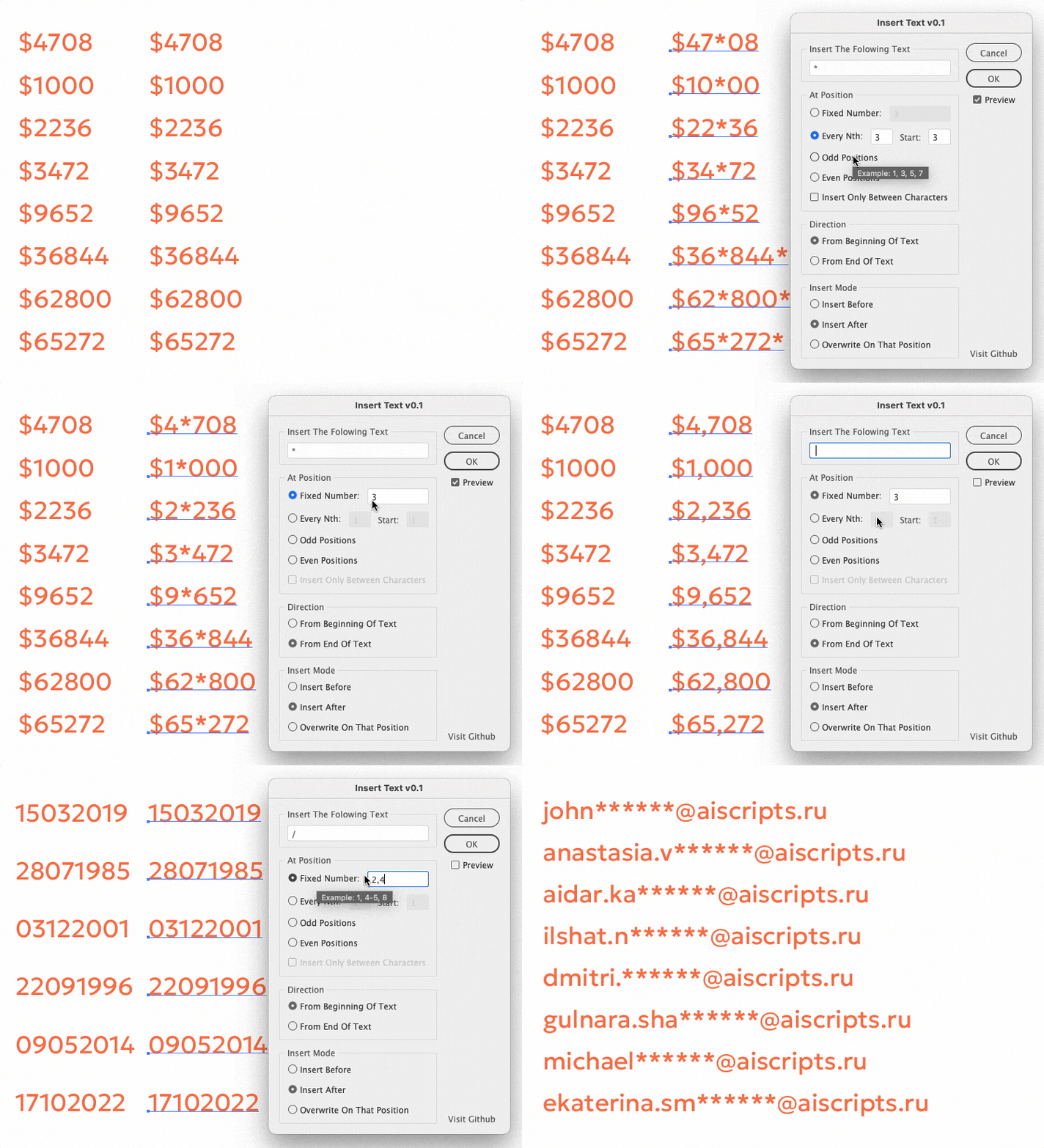
Inserts or replaces text at specified positions within selected text frames.
For comparison, the standard Edit → Find and Replace… function searches for character matches in text. InsertText, however, works with character index positions—even if the content of the text frames differs. Supports various insertion modes: fixed positions, every N characters, odd/even positions.
Examples of bulk insertion tasks
- Indexes, SKUs, numbers: A123 → SKU-A123
- Price tags: 1999 → $1,999
- Phone numbers: +73700957369 → +7 370 095 73 69
- Date/time separators: 11072025 → 11/07/2025
- Prefix/suffix additions: 150 → 150 cm

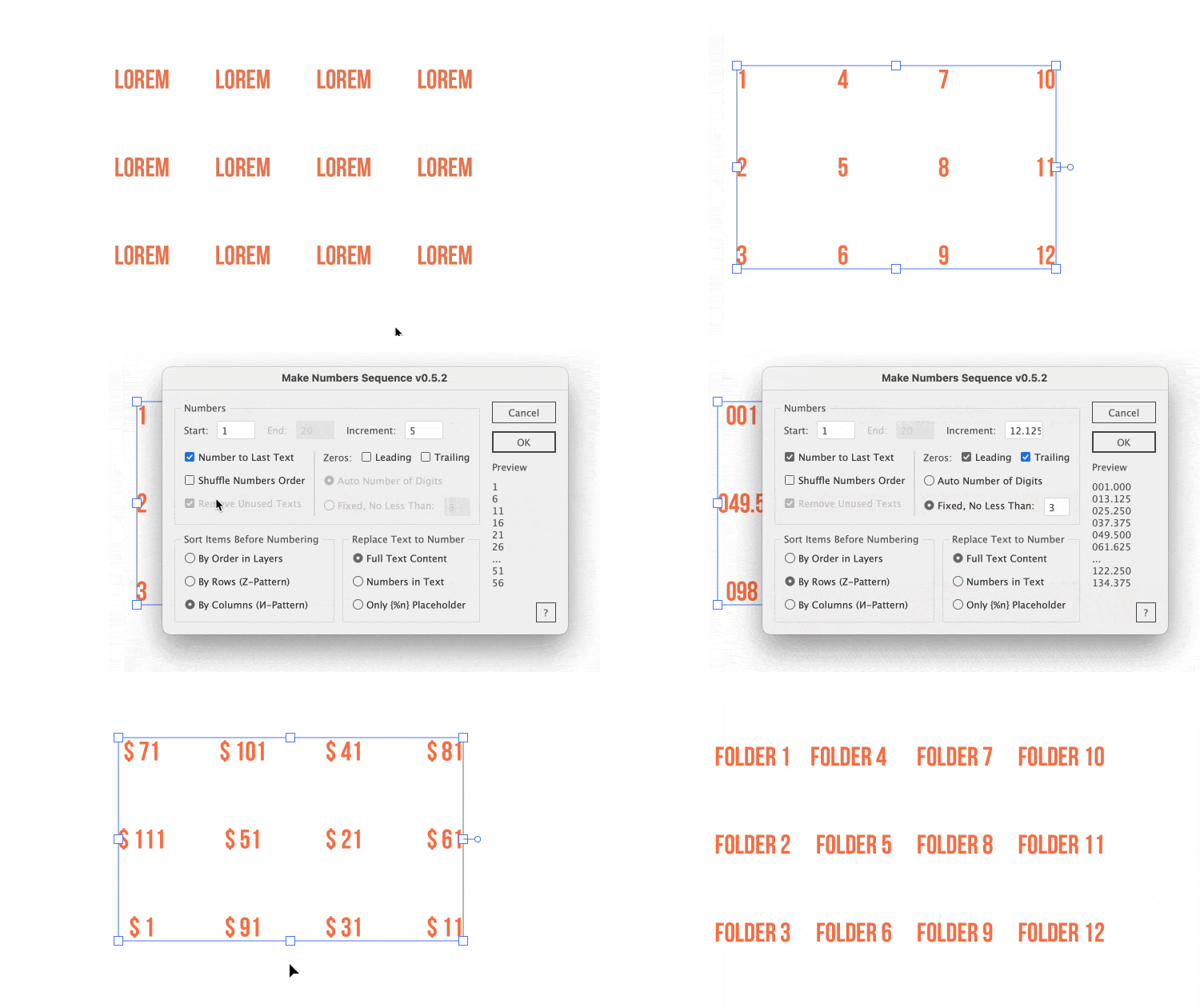
Fills a range of selected text items with numbers incremented based on the input data. Can only replace numbers or {%N} placeholder within the selected text objects.


Multi-editing of selected text frames. The script allows you to enter the same text, replace the current text frame content or add the entered text to the current one.
- Keep Para Format - keep the appearance of paragraphs. The amount of text affects performance. Preview will be disabled
- Edit Separately - edit contents of frames separately, contents are separated by
@@@@symbols. - List by XY - sort the order of texts by their position, otherwise they will be displayed in order in layers
- Reverse Apply - replace contents in reverse order
Tip
If you want to change the size of the text area, open the script file with a text editor and change the CFG width: 300 and height: 210 to another value. The key to displaying different content is ph: '<text>' and the text divider divider: '\n@@@@@\n', where \n is a line break. softBreak: '@#' — soft line break char.
For a line break (new paragraph), use Ctrl + Enter on a PC or Enter on Mac OS. To insert a soft line break chat (no paragraph indent), press Shift + Enter.
See also Adobe Photoshop version


Pasting text from the clipboard without formatting, preserving the paragraph styles of the original text. The style is saved from the first character of each paragraph.


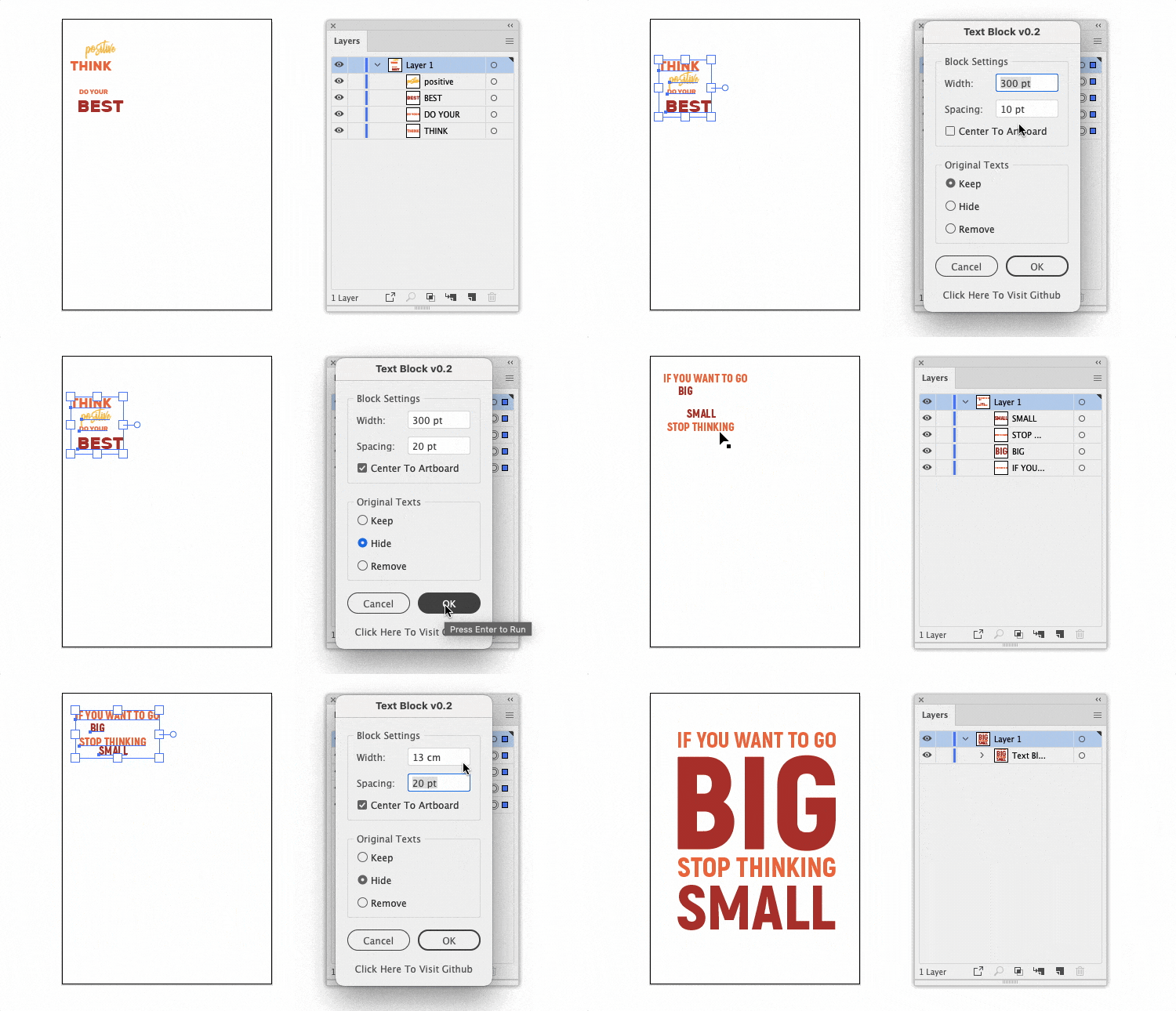
Creates a block of selected text layers with specified width and spacing. The order of the layers in the block corresponds to the order of the original layers on the Y-axis. Layers are grouped together. Supported units: px, pt, in, mm, cm, m, ft, and yd.
See also Adobe Photoshop version

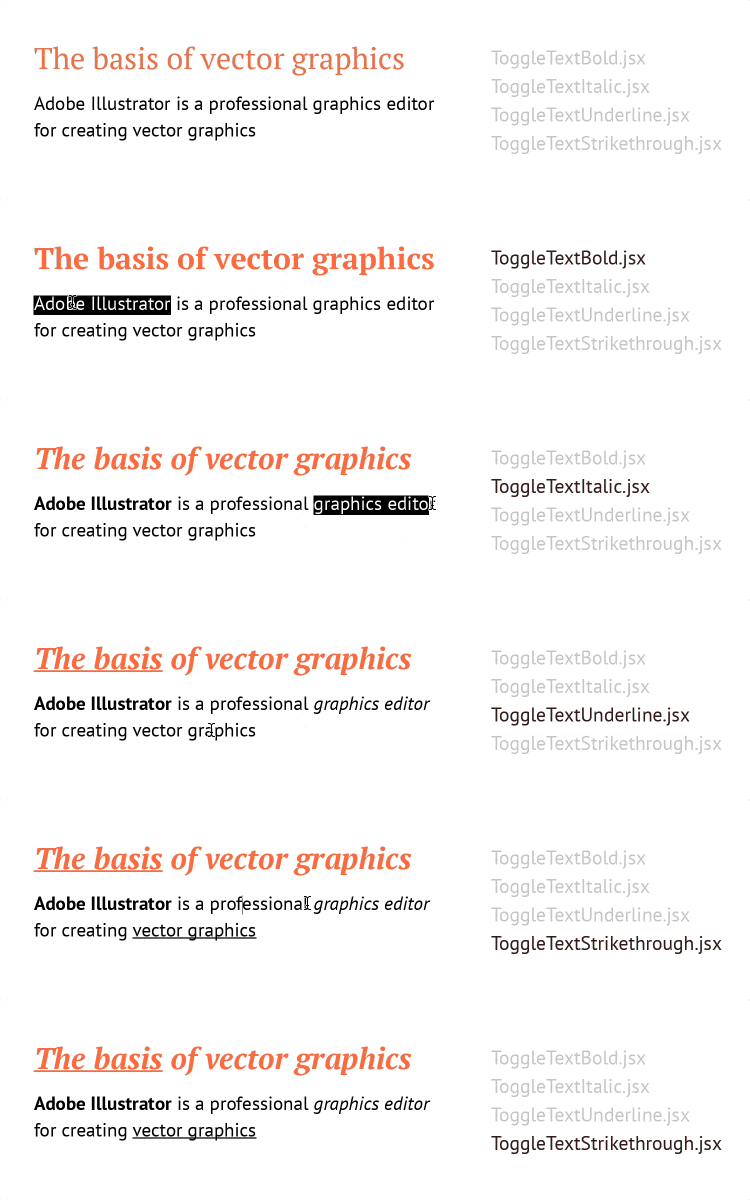
In CC 2024 v28.3+ these are now built-in shortcut:
- Bold - Shift+Ctrl/Cmd+B,
- Italic - Shift+Ctrl/Cmd+I,
- Underline - Shift+Ctrl/Cmd+U
Text style toggle scripts:
- ToggleTextBold.jsx - toggles bold by finding matching light (Regular, Light, Thin…) and heavy (Bold, Semibold, Medium, Black…) weights in the same family
- ToggleTextItalic.jsx - toggles italic/normal (works with any weight: Thin → Thin Italic, Medium → Medium Italic, etc.)
- ToggleTextUnderline.jsx - toggles underline
- ToggleTextStrikethrough.jsx - toggles strikethrough
Many scripts are free to download thanks to user support. Help me to develop new scripts and update existing ones by supporting my work with any amount via Buymeacoffee USD, CloudTips RUB, ЮMoney RUB, Tinkoff RUB, Donatty RUB, DonatePay RUB. Thank you.


Found a bug? Please submit a new issues on GitHub.
Email hi@sergosokin.ru
Telegram @sergosokin
All scripts is licensed under the MIT licence.
See the included LICENSE file for more details.