
Replies: 3 comments 7 replies

-
|
Awesome! You can use a script tag, style tag, whatever. It's essentially an HTML page on your local machine. Btw, we started up a Script Kit Discord recently if you ever have any Qs or just wanna chat: |
Beta Was this translation helpful? Give feedback.

-
|
Very cool! Thx for the tip! I will try that out and come back with a better solution! :) I'll be joining the discord as well! 👨💻 |
Beta Was this translation helpful? Give feedback.
-
|
@johnlindquist I used a |
Beta Was this translation helpful? Give feedback.

-
|
This is incredible!! I'm going to be using this daily. Whenever I'm listening to NTS, I always want to know who/what the current show is.
// Name: NTS Live
// Description: Stream NTS Live Channel 1 or 2
// Author: Vogelino, extended by Josh Davenport-Smith
// Twitter: @soyvogelino, @jdprts

import "@johnlindquist/kit";

const PLAYER_HEIGHT = 76;
const PLAYER_WIDTH = 205;

const getLogoSVG = (color) => `
  <svg width="32px" height="32px" style="fill:${color};" viewBox="0 0 26 26"><path d="M22.7 6.9L22.3 9h-1.5l.5-2c.1-.6.1-1.1-.6-1.1s-1 .5-1.1 1.1l-.4 1.7c-.1.5-.1 1 0 1.5l1.4 4.1c.2.6.3 1.3.1 2l-.6 2.6c-.4 1.5-1.5 2.4-2.9 2.4-1.6 0-2.3-.7-1.9-2.4l.5-2.2h1.5l-.5 2.1c-.2.8 0 1.2.7 1.2.6 0 1-.5 1.2-1.2l.5-2.3c.1-.5.1-1.1-.1-1.6l-1.3-3.8c-.2-.7-.3-1.2-.2-2.1l.4-2c.4-1.6 1.4-2.4 2.9-2.4 1.7 0 2.2.8 1.8 2.3zM11.2 21.1L14.6 6H13l.3-1.3h4.8L17.8 6h-1.7l-3.4 15.1h-1.5zm-4.5 0L8.1 6.6 4.8 21.1H3.5L7.2 4.8h2.2L8 18.7l3.2-14h1.3L8.8 21.1H6.7zM0 26h26V0H0v26z"></path></svg>
`;

const getCloseIconSVG = (color) => `
  <svg class="ml-1" width="32px" height="32px" viewBox="0 0 24 24" fill="${color}" class="pointer-event-none">
    <path fill-rule="evenodd" d="M12 2.25c-5.385 0-9.75 4.365-9.75 9.75s4.365 9.75 9.75 9.75 9.75-4.365 9.75-9.75S17.385 2.25 12 2.25zm-1.72 6.97a.75.75 0 10-1.06 1.06L10.94 12l-1.72 1.72a.75.75 0 101.06 1.06L12 13.06l1.72 1.72a.75.75 0 101.06-1.06L13.06 12l1.72-1.72a.75.75 0 10-1.06-1.06L12 10.94l-1.72-1.72z" clip-rule="evenodd"/>
  </svg>
`;

const btnCommonClasses = `px-4 text-center text-xl font-light cursor-pointer`;

const getJavascriptCode = () => `
  const channels = {
    one: { url: "https://stream-relay-geo.ntslive.net/stream2?client=NTSWebApp&t=1663096772944", apiIndex: 0 },
    two: { url: "https://stream-relay-geo.ntslive.net/stream?client=NTSWebApp&t=1663095867072", apiIndex: 1 },
  };

  let currentChannel = channels.one;

  const nowStatic = document.getElementById('now-static');
  const nowMarquee = document.getElementById('now-marquee');

  function updateNowPlaying() {
    if (!currentChannel) {
      nowStatic.innterHTML = '';
      nowMarquee.innterHTML = '';
      return;
    }

    fetch('https://www.nts.live/api/v2/live', { cache: 'no-cache' })
      .then(res => res.json())
      .then(ntsLive => {
        if (!ntsLive || !ntsLive.results) {
          nowStatic.innterHTML = '';
          nowMarquee.innterHTML = '';
          return;
        }

        const channelData = ntsLive.results[currentChannel.apiIndex];

        if (channelData && channelData.now && channelData.now.broadcast_title) {
          nowStatic.innerHTML = channelData.now.broadcast_title;
          nowMarquee.innerHTML = channelData.now.broadcast_title;
        } else {
          nowStatic.innterHTML = '';
          nowMarquee.innterHTML = '';
        }
      });
  }

  function setChannel(channelKey) {
    const audio = document.getElementById('audioPlayer');
    const source = document.getElementById('audioSource');

    currentChannel = channels[channelKey];
    source.src = currentChannel.url;

    audio.load();
    audio.play();
    updateNowPlaying();
  }

  function setActiveClasses(btnEl) {
    btnEl.classList.add("font-bold")
    btnEl.classList.remove("text-white")
    btnEl.classList.add("bg-white")
    btnEl.classList.remove("bg-zinc-900")
    btnEl.classList.add("text-black")
  }

  function setInactiveClasses(btnEl) {
    btnEl.classList.remove("font-bold")
    btnEl.classList.add("text-white")
    btnEl.classList.remove("bg-white")
    btnEl.classList.add("bg-zinc-900")
    btnEl.classList.remove("text-black")
  }

  const btnOne = document.getElementById('channelOneButton');
  btnOne.addEventListener('click', () => {
    setActiveClasses(btnOne);
    setInactiveClasses(btnTwo);
    setChannel("one");
  }, false);

  const btnTwo = document.getElementById('channelTwoButton');
  btnTwo.addEventListener('click', () => {
    setActiveClasses(btnTwo);
    setInactiveClasses(btnOne);
    setChannel("two");
  }, false);

  setActiveClasses(btnOne);
  setInactiveClasses(btnTwo);
  setChannel("one");

  document.body.addEventListener('mouseenter', () => {
    nowMarquee.classList.remove('invisible');
    nowMarquee.classList.add('visible');
    nowStatic.classList.remove('visible');
    nowStatic.classList.add('invisible');
  });

  document.body.addEventListener('mouseleave', () => {
    nowMarquee.classList.remove('visible');
    nowMarquee.classList.add('invisible');
    nowStatic.classList.remove('invisible');
    nowStatic.classList.add('visible');
  });

  // Check every 10 secs
  setInterval(() => {
    updateNowPlaying();
  }, 1000 * 10);
`;

const wgt = await widget(
  `
  <div class="bg-black p-3 text-white">
    <table>
      <tr>
        <td width="32px" class="pl-2 pr-4">${getLogoSVG("white")}</td>
        <td id="channelOneButton" class="${btnCommonClasses}">1</td>
        <td id="channelTwoButton" class="${btnCommonClasses}">2</td>
        <td id="x" class="pl-2">${getCloseIconSVG("white")}</td>
      </tr>
      <tr>
        <td colspan="4" class="pt-2 pl-2 relative text-xxs text-white">
          <div id="now-static" class="w-48 text-xxs whitespace-nowrap text-ellipsis overflow-hidden">Loading Show Info...</div>
          <marquee id="now-marquee" class="w-full whitespace-nowrap absolute inset-0 py-2 invisible">Loading Show Info...</marquee>
        </td>
      </tr>
    </table>
    <audio id="audioPlayer" class="hidden" controls controlslist="nofullscreen nodownload noremoteplayback noplaybackrate">
      <source id="audioSource">
    </audio>
  </div>
  <script type="text/javascript">${getJavascriptCode()}</script>
`,
  { alwaysOnTop: true, state: { channelKey: "one" } }
);

wgt.setSize(PLAYER_WIDTH, PLAYER_HEIGHT);

wgt.onClick((event) => event.targetId === "x" && wgt.close());

wgt.onResized(() => wgt.setSize(PLAYER_WIDTH, PLAYER_HEIGHT)); |
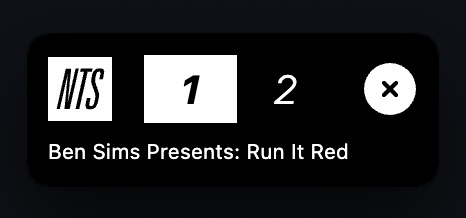
Beta Was this translation helpful? Give feedback.
-
|
@joshdavenport great improvement! Love it ❤️ ! I noticed that you need to add the class text-white to the Also, I struggle clicking on the X icon. It was already an issue in my version but this is even harder now. Somehow the clickable bounds are not rendered correctly. Not sure how to fix that. |
Beta Was this translation helpful? Give feedback.

-
|
With the widget focused, Option + ⌘ + J should open the chrome dev tools to help inspect what's going on. I'm AFK this week, but I can dive into the widget code when I get back next week if you don't have any luck |
Beta Was this translation helpful? Give feedback.

-
|
Thanks @vogelino! I've just updated this version to fix those two issues. The text going invisible in light mode was because I hadn't explicitly set I've also added:
@johnlindquist couldn't get the devtools to appear with that shortcut or any similar combination (it was def focused). Don't know what's going on there but if there's anything I can do to help diagnose that do let me know 🙂 |
Beta Was this translation helpful? Give feedback.
-
|
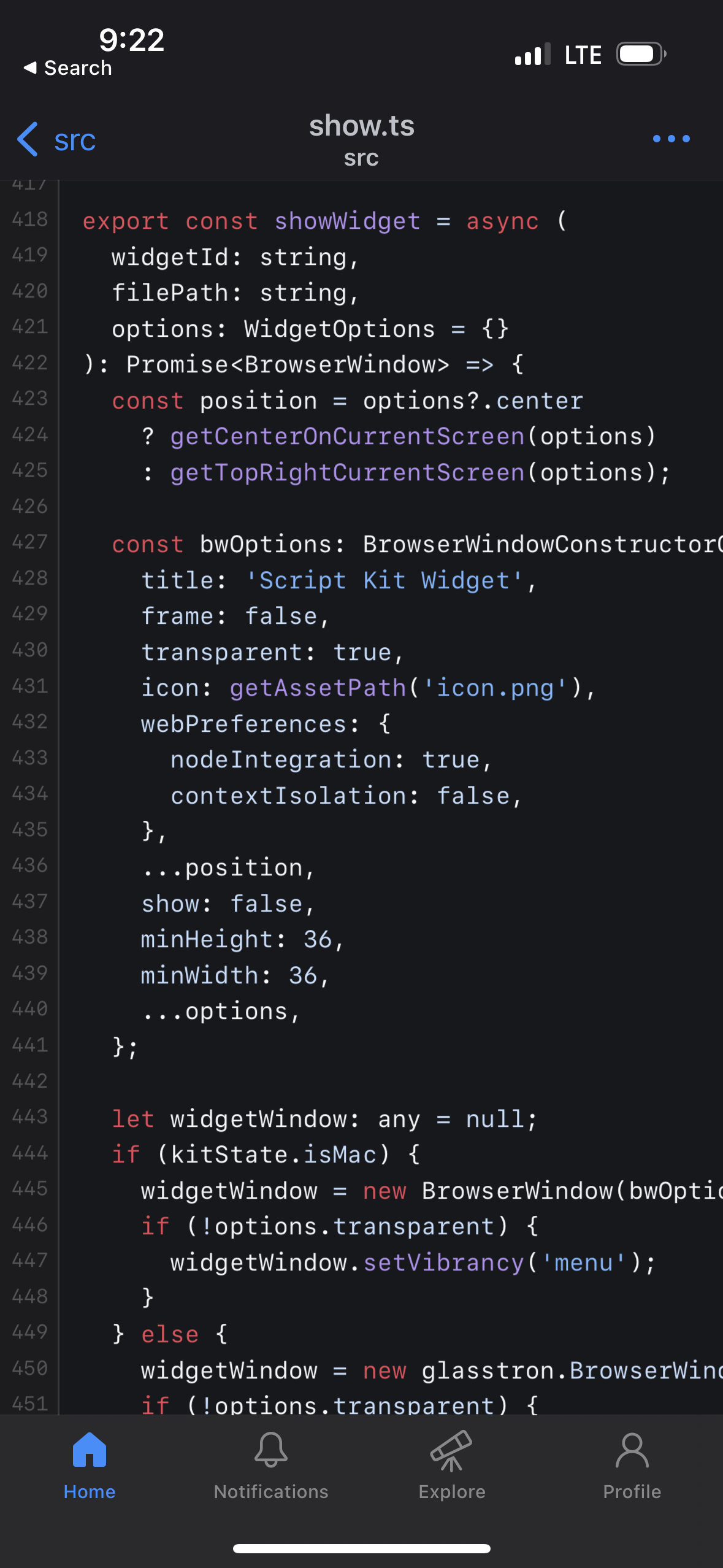
In the 2nd arg options, try overriding webPreferences and add a devTools:true prop. Hope that makes sense, on my phone 😅 |
Beta Was this translation helpful? Give feedback.
-
|
Amazing! So cool! I’ll have a look at it. |
Beta Was this translation helpful? Give feedback.

-
|
Hi guys, for an absolute noob to JS and HTML, how would I then get this widget into the HTML doc? |
Beta Was this translation helpful? Give feedback.


Uh oh!
There was an error while loading. Please reload this page.
Uh oh!
There was an error while loading. Please reload this page.
-
Creates a little sticky widget to play NTS live on either channel 1 or 2
NTS live: https://www.nts.live/
Install on Script Kit
Thx to @joshdavenport for the improvement adding the channel info! 💯
Beta Was this translation helpful? Give feedback.
All reactions