The Code Highlighter React package provides an effortless way to implement syntax highlighting for your React applications. Built with TypeScript and Styled Components, it offers a customizable and flexible solution for displaying code with a polished look.
Core functionality leverages the popular react-syntax-highlighter package, ensuring robust and reliable code rendering.
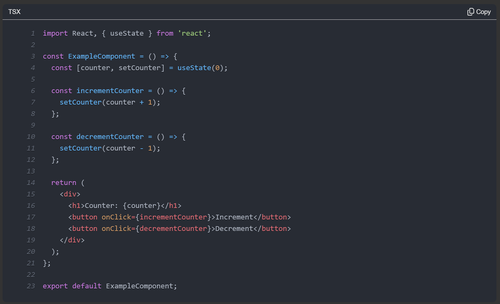
- Switch Themes: Toggle between a dark and a light theme.
- Highlight Lines: Easily highlight specific lines, including added, removed, and marked lines.
- Language-Specific Formatting: Automatically formats the following languages using Prettier:
- JSX
- TSX
- TypeScript
- JavaScript
- CSS
- HTML
- Markdown
- YAML
- GraphQL
- Copy Code Button: Quickly copy the displayed code with a dedicated button.
To install the package, run the following command:
npm install code-highlighter-reactHighlight code with minimal configuration:
import React from 'react';
import { CodeHighlighter, CodeHighlighterTheme } from 'code-highlighter-react';

const code = `const greeting = 'Hello, World!';`;

const MyComponent = () => {
  return (
      <CodeHighlighter
          code={code}
          language="tsx"
          shouldShowLineNumbers
          theme={CodeHighlighterTheme.Dark}
      />
  );
};

export default MyComponent;Customize line highlighting to emphasize changes or important sections:
import React from 'react';
import { CodeHighlighter, CodeHighlighterTheme } from 'code-highlighter-react';

const code = `const greeting = 'Hello, World!';`;

const highlightedLines = {
    added: [2, 3, 4],
    removed: [5, 6],
    marked: [10]
};

const MyComponent = () => {
  return (
      <CodeHighlighter
          code={code}
          highlightedLines={highlightedLines}
          language="tsx"
          shouldShowLineNumbers
          theme={CodeHighlighterTheme.Dark}
      />
  );
};

export default MyComponent;Below is a list of supported props:
| Prop | Type | Description | Default Value |
|---|---|---|---|
code |
string |
The code to be displayed. | - |
copyButtonText |
string |
Text shown after clicking the copy button. | - |
highlightedLines |
HighlightedLines |
Specifies which lines should be highlighted. | - |
language |
CodeHighlighterLanguage |
Language of the code snippet. | - |
onFormatError |
(error: unknown) => void |
Callback for handling formatting errors. | - |
shouldFormatCode |
boolean |
Indicates whether the code should be formatted. | false |
shouldShowLineNumbers |
boolean |
Toggles the display of line numbers. | false |
shouldWrapLines |
boolean |
Enables line wrapping for long lines. | - |
theme |
CodeHighlighterTheme |
Defines the theme (dark or light) for the code block. | CodeHighlighterTheme.Dark |
This package is built on top of react-syntax-highlighter, with additional styling and functionality enhancements tailored for React developers.