Social NetWork Api
-
Use Mongoose to interact with a MongoDB database and express to build routes.
-
Make GET, POST, PUT, and DELETE requests from the database.
- First make sure you have MongoDB installed. You can get it from their website.
https://www.mongodb.com/try/download/community
- Make sure you are in the root folder directory. In the command line type "npm install" to install all node packages.

- Packages that will be installed are express and mongoose.

- In the command line type "npm start" to get the Mongoose server started.

- Run with Insomnia or Postman and test all routes for Users, Friends, Thoughts, and Reactions.
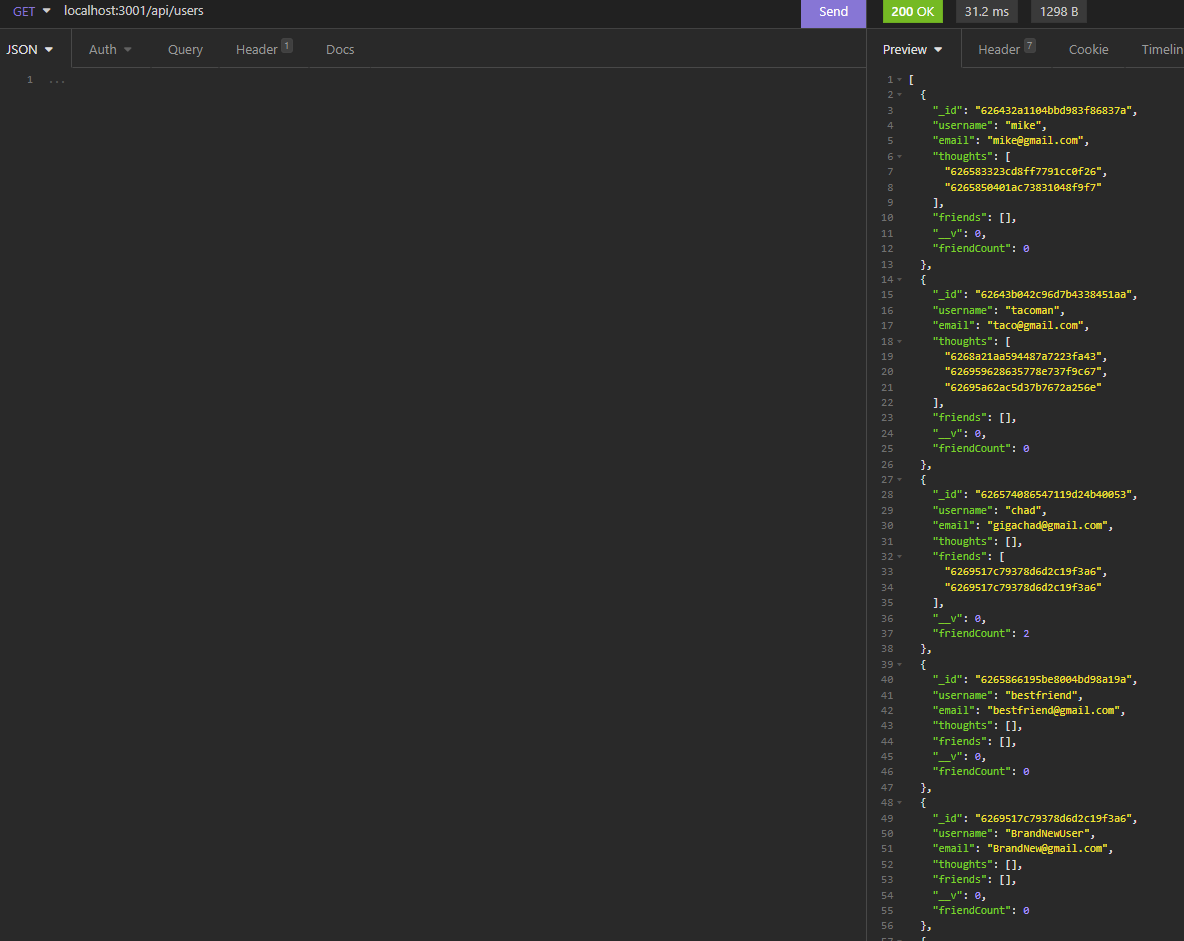


AS A social media startup I WANT an API for my social network that uses a NoSQL database SO THAT my website can handle large amounts of unstructured data
Given a social network API
-
When you enter the command to invoke the application,
-
Then your server is started and the Mongoose models are synced to the MongoDB database.
-
When you open API GET routes in Insomnia for users and thoughts,
-
Then the data for each of these routes is displayed in a formatted JSON
-
When you test API POST, PUT, and DELETE routes in Insomnia,
-
Then you are able to successfully create, update, and delete users and thoughts in your database
-
When you test API POST and DELETE routes in Insomnia,
-
Then you are able to successfully create and delete reactions to thoughts and add and remove friends to a user’s friend list
https:/github.com/mikeydgithub
Made by Mike Diamond
https://drive.google.com/file/d/1OFj_6gz1qiyXBNLN2nibw8t_0xptBIkK/view