Cross-platform (MacOS Windows Linux) screen translation app created with Electron.
Created for personal use.
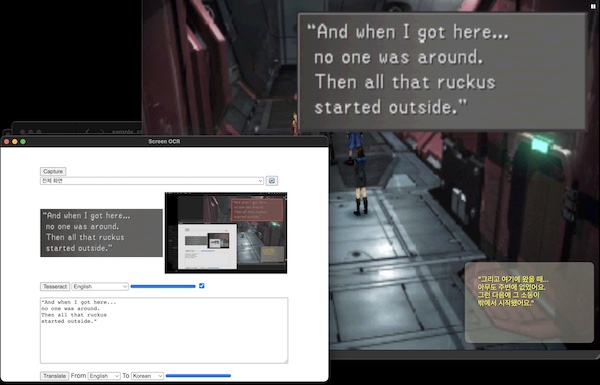
'tesseract.js' for OCR.
'ChatGPT' for translation.
It doesn't automatically mark up the area of text.
git clone https://github.com/potion2/screenocr
cd screenocr
npm install
- Download it in here and move it to project root.
-
Obtain OpenAI api-key from OpenAI
-
Register 'OPENAI_API_KEY' env as it is good for security.
-
Windows(not tested on windows)
advanced system setting -> Advanced -> Environment Variables -> User Variables / New
SET OPENAI_API_KEY='sk-...'
-
MacOS(zsh terminal)
$ open ~/.zshrc
and add
export OPENAI_API_KEY='sk-...'
-
Or you can use 'api-key' directly in source code if you want
-
npx electron-forge start
npx electron-forge package