Fix chart hover selection in menu subviews #600

Description

Summary
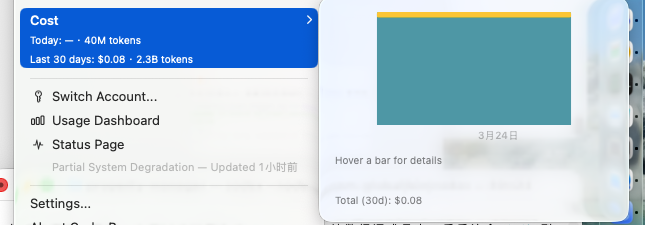
The 30-day cost history submenu can get stuck on the placeholder text Hover a bar for details even while the cursor is over a visible bar.
What I expected
Hovering a bar in the submenu chart should show the selected day, cost, and token details.
What happened
The chart renders, but hover selection does not activate, so the detail area never updates.
Screenshot
Suspected cause
The submenu hover tracker is implemented with an AppKit NSViewRepresentable, while the chart overlay uses SwiftUI/Charts geometry. If the tracking view reports coordinates in a non-flipped AppKit space, the hover location can miss the chart plot frame in SwiftUI space, causing selection lookup to fail.
Notes
I have a branch with a proposed fix that flips the tracking view coordinates to match SwiftUI's top-left coordinate system.