Hi. Thanks for making this available.
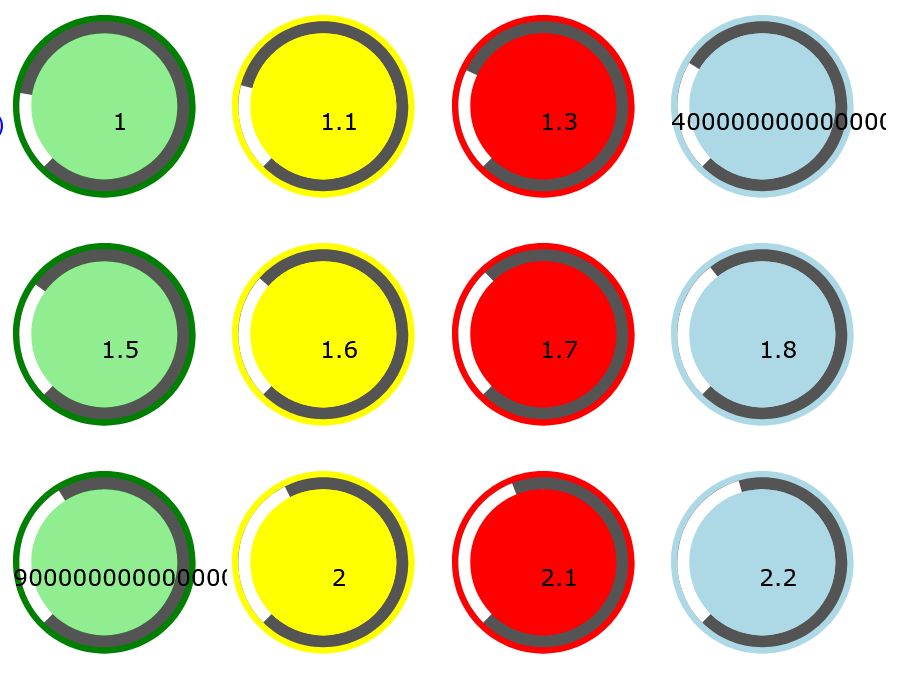
I'm finding certain values create very long numbers in the dials. It's quite random what number cause this but I did try values from 1.0 to 2.1 and you can see the result on the attached screen shot.
A typical definition is:
var dialGenPeriod = document.querySelector('#dialGenPeriod');
var dialGenPeriodButton = new TkAudial(dialGenPeriod, {type:'gain', display:'fill', max:5, step:0.001, valueBackgroundColour:"lightgreen",
borderColour:"green", valueColour:"black", valueFontSize:"22pt"});
dialGenPeriodButton.setValue(1.0);
Another issue. I had trouble with the dials being clipped. In the end I had to write some javascript to change the svg's viewBox attribute:
svgIitems[index].setAttribute("viewBox", "0 0 270 270");
They now resize smaller to fit the table cells.
Alan
Hi. Thanks for making this available.

I'm finding certain values create very long numbers in the dials. It's quite random what number cause this but I did try values from 1.0 to 2.1 and you can see the result on the attached screen shot.
A typical definition is:
var dialGenPeriod = document.querySelector('#dialGenPeriod');
var dialGenPeriodButton = new TkAudial(dialGenPeriod, {type:'gain', display:'fill', max:5, step:0.001, valueBackgroundColour:"lightgreen",
borderColour:"green", valueColour:"black", valueFontSize:"22pt"});
dialGenPeriodButton.setValue(1.0);
Another issue. I had trouble with the dials being clipped. In the end I had to write some javascript to change the svg's viewBox attribute:
svgIitems[index].setAttribute("viewBox", "0 0 270 270");
They now resize smaller to fit the table cells.
Alan