Turn walls of markdown into focused, distraction-free reading sessions.





- About The Project
- Key Features
- Built With
- Getting Started
- Usage
- Architecture
- Results & Impact
- Roadmap
- Contributing
- License
- Contact & Support
Long markdown documents are structurally rich but visually overwhelming. A single README.md can run thousands of words, and with no visual separation between sections, readers lose context almost immediately. The rise of AI has amplified this — LLMs generate markdown at machine speed (READMEs, design docs, changelogs, meeting notes), yet the tooling for reading it has barely moved.
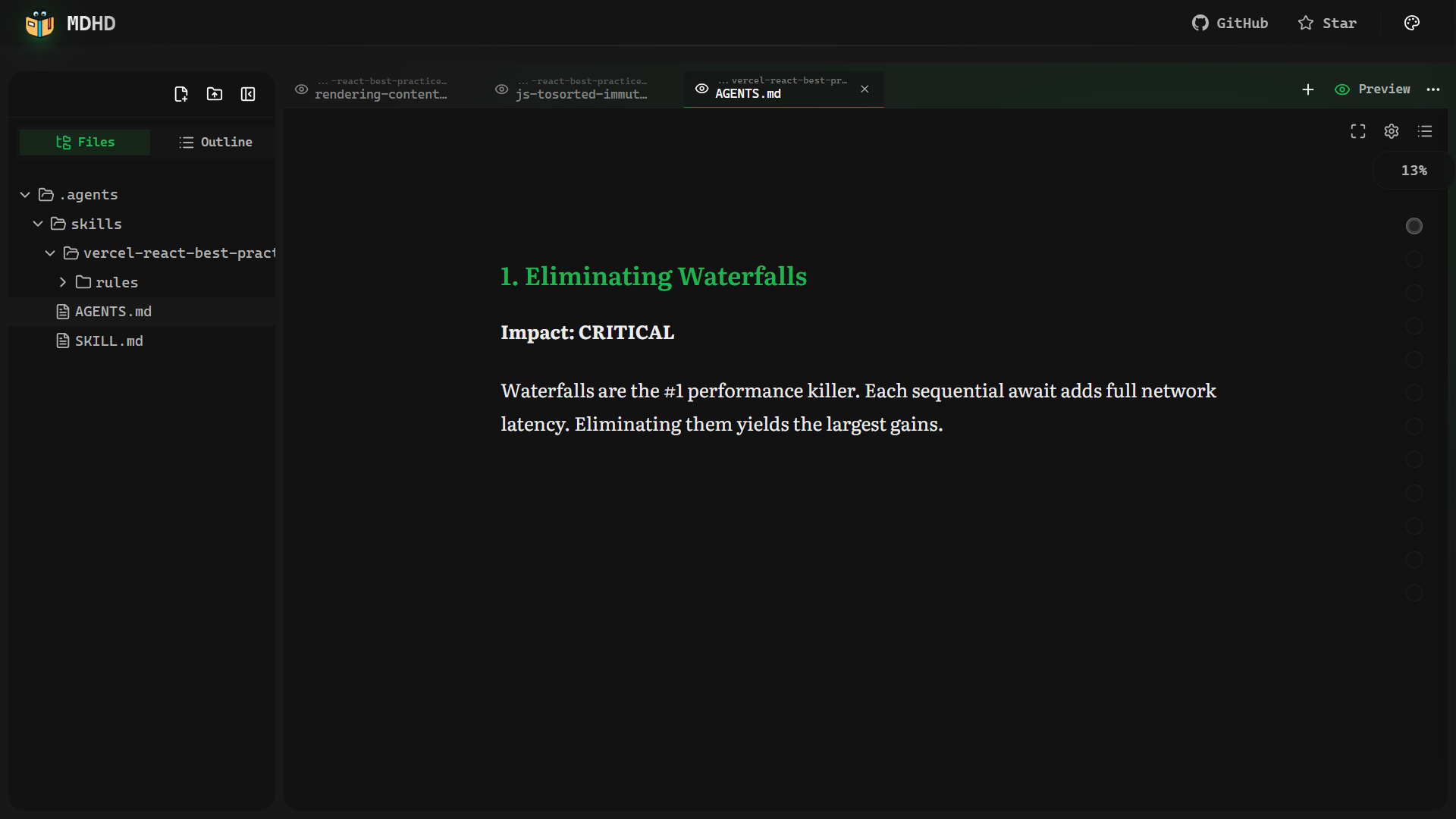
MDHD is a pure client-side React application that solves this. It parses any markdown file into navigable sections — automatically, without configuration — and presents them as focused reading cards. Authors write standard markdown; MDHD handles the rest.
 README.md — The Problem                    MDHD — The Solution

┌──────────────────────────┐           ┌───────────────────────────────┐
│ ## Introduction           │           │                               │
│ This tool helps you build │           │    ┌─────────────────────┐    │
│ and deploy your project   │           │    │  ## Installation     │    │
│ with a single command.    │           │    │                     │    │
│ ## Installation           │    ──►    │    │  Before you begin,  │    │
│ Before you begin make     │           │    │  make sure you have │    │
│ sure you have node and    │           │    │  node and git...    │    │
│ git installed locally.    │           │    │                     │    │
│ ## Configuration          │           │    └─────────────────────┘    │
│ Open the config file and  │           │                               │
│ set your environment vars.│           │     ◄  3 / 12  ►    ▓▓▓░░   │
│ ## Advanced Usage         │           │                               │
│ ...                       │           └───────────────────────────────┘
└──────────────────────────┘
                                         One section. Full focus.
  3,000 words · infinite scroll            Progress you can see.
Every heading becomes a boundary. Instead of rendering the whole document at once, MDHD isolates each section into its own focused card, and the reader moves through them one by one — the reading experience of a presentation, with the content depth of documentation.
No backend. No accounts. All data stays in your browser.
- 📖 Smart Section Parsing — Automatically chunks any markdown by headings (
#,##,###), with code-block-aware detection to avoid false splits - 🃏 Card Mode — One focused section per screen with smooth 200ms fade transitions, arrow key / spacebar / swipe navigation
- 📜 Scroll Mode — Continuous reading with
IntersectionObserver-based section tracking and automatic progress updates - 🧘 Zen Mode — Immersive, distraction-free fullscreen reading with auto-hiding controls
- 🎨 50+ Color Themes — GitHub Dark, Dracula, Nord, Linear, Solarized, and more
- 🔤 28 Fonts — Serif, sans-serif, and monospace options optimized for long-form reading
- ⚙️ Typography Controls — Live adjustments for font size, line height, and content width
- 🎭 Markdown Style Customization — Granular control over heading colors, blockquote styles, list markers, code block containers, and inline code appearance
- 📊 Reading Progress — Per-section and document-wide word-count-based progress tracking with milestone celebrations
- 🗂️ Table of Contents — Embedded sidebar with hierarchical tree view, repositionable to left or right, with reading progress indicators
- 🔍 Search — Full-text search across all sections with instant navigation to results
- 🎬 Presentation Mode — Turn any document into a slideshow with speaker notes, slide overview, and filmstrip view
- 📄 PDF Export — Export documents as formatted PDFs
- 💾 Offline File Storage — Client-side IndexedDB storage for persisting uploaded files across sessions
- 📑 Multi-Tab System — Open multiple documents simultaneously with independent reading states per tab
- ⌨️ Keyboard & Touch — Full keyboard navigation on desktop, native swipe gestures on mobile
- 🔬 Bionic Reading — Optional bold-prefix mode for improved focus and reduced mind-wandering
- 🎯 Sentence Focus — Hover-activated sentence isolation that dims surrounding text for precision reading
- 🖼️ Code Image Export — Export any code block as a styled image with OS window chrome, language icons, syntax themes, watermarks, and one-click presets
- 📷 Photo Image Export — Export document images with filters, frames, captions, and custom styling options
- 🎬 Rich Media Rendering — Images render with shimmer loading and inline captions; videos play natively; both support a bottom-sheet gallery view
- 📋 Snippets Sheet — Browse all code snippets and media (images, videos) in a document from a single side panel
- ✏️ Section Editor — Edit any markdown section in-place with live editor-preview sync
- 📤 Context Menu Exports — Right-click code blocks, tables, or images to export as image, CSV, Excel, or copy with line numbers
- 🖌️ Reading Backgrounds — Customize with solid colors or background images with opacity, blur, and overlay controls
- 💻 Code Display Settings — Toggle line numbers, code folding, word wrap, and language labels
| Category | Technology |
|---|---|
| Framework | React 19 with React Compiler |
| Language | TypeScript 5.7 (strict mode) |
| Build Tool | Vite 6 |
| Styling | Tailwind CSS 4 |
| State | Zustand 5 (persisted to localStorage) |
| UI Primitives | Radix UI |
| Markdown | react-markdown + rehype/remark plugins |
| Syntax Highlighting | CodeMirror 6 (lazy-loaded) |
| File Storage | IndexedDB |
| Routing | React Router 7 |
| Deployment | Vercel |
- Bun >= 1.1 — install from bun.sh
-
Clone the repository
git clone https://github.com/utkarsh5026/mdhd.git cd mdhd -
Install dependencies
cd app bun install -
Start the development server
bun run dev
-
Open in your browser
Navigate to
http://localhost:5173— the app is ready to use.
bun run build
bun run preview- Upload a markdown file — Drag and drop any
.mdfile onto the sidebar, or use the file picker - Choose your reading mode — Toggle between Card Mode (one section at a time) and Scroll Mode (continuous reading)
- Navigate — Use
←→arrow keys,Space, or swipe gestures in Card Mode - Customize — Open the settings panel to adjust fonts, themes, and typography
- Enter Zen Mode — Strip away all UI chrome for an immersive reading experience
| Key | Action |
|---|---|
← / → |
Previous / Next section (Card Mode) |
Space |
Next section |
Escape |
Exit Zen Mode / Exit Fullscreen |
Ctrl/Cmd + F |
Open search |
Ctrl/Cmd + S |
Save edited content |
Presentation Mode:
| Key | Action |
|---|---|
→ / ↓ / Space |
Next slide |
← / ↑ |
Previous slide |
N |
Toggle speaker notes |
G |
Toggle slide overview |
F |
Toggle filmstrip |
Escape |
Exit presentation |
MDHD accepts standard .md and .markdown files. It handles YAML front matter, GFM tables, fenced code blocks, and all standard markdown syntax.
For more detailed documentation, explore the live demo — the best way to understand MDHD is to use it.
File Upload → IndexedDB → File Explorer (useFileStore)
  → Tab Creation (useTabsStore) → Markdown Parser (parseMarkdownIntoSections)
  → Reading Core (useReading hook) → Markdown Renderer → Display
                      ReadingCore (Shared)
                              │
            ┌─────────────────┴──────────────────┐
            │                                    │
      readingMode = 'card'              readingMode = 'scroll'
            │                                    │
  ┌─────────▼──────────┐            ┌────────────▼───────────┐
  │   ContentReader     │            │  ScrollContentReader    │
  │                     │            │                         │
  │  • One section      │            │  • All sections stacked │
  │    per screen       │            │  • IntersectionObserver │
  │  • 200ms fade       │            │    tracks visible item  │
  │    transition       │            │  • Sections auto-marked │
  │  • Swipe gestures   │            │    read as scrolled     │
  │  • Arrow / Space    │            │  • Scroll progress      │
  │    key navigation   │            │    tracked (0–100%)     │
  └─────────────────────┘            └─────────────────────────┘
Multiple Zustand stores power the app, all persisted to localStorage:
useTabsStore— Open documents, active tab, reading mode, per-tab progress, editor-preview sync stateuseReadingSettingsStore— Font family, size, line height, content widthuseThemeStore— Active color theme, syntax theme, bookmarked themesuseCodeImageExportStore— Code image export settings (theme, padding, OS chrome, watermark, presets)usePhotoImageExportStore— Photo export settings (filters, frames, captions)
Files are stored in IndexedDB (mdhd-files) with two object stores (files and directories). The tree is assembled on demand from parent-path indexes — no nested storage. Upload handles drag-and-drop, file picker, and folder uploads through a unified batch processor.
Manual Vite chunking keeps initial load fast:
| Chunk | Contents |
|---|---|
codemirror |
Syntax highlighting (~250KB), lazy-loaded |
ui-vendor |
Radix UI + Lucide icons |
state-vendor |
Zustand |
vendor |
Remaining dependencies |
Console/debugger statements are stripped, Gzip + Brotli compression applied, and source maps are hidden in production.
Switching from linear scroll to card-based reading had a measurable effect on engagement:
| Metric | Traditional Scroll | MDHD Card View | Outcome |
|---|---|---|---|
| Average Session Length | 2m 15s | 8m 45s | 388% Increase |
| Completion Rate | 18% | 64% | 3.5x Better |
| Bounce Rate | 72% | 24% | Massive Drop |
The card format creates natural checkpoints — finishing a section feels like progress, which keeps readers moving forward rather than giving up.
- Card Mode with keyboard & swipe navigation
- Scroll Mode with IntersectionObserver tracking
- Zen Mode (distraction-free reading)
- 50+ color themes & 28 fonts
- IndexedDB file persistence
- Multi-tab document system
- Bionic Reading mode
- Sentence Focus on Hover
- Code Image Export — styled snapshots with OS chrome, language icons, and presets
- Photo Image Export — export images with filters, frames, and captions
- Context Menu Exports — right-click code, tables, and images to export as image/CSV/Excel
- Snippets Sheet — browse all code and media in a document from one panel
- Section Editor with live editor-preview sync
- Rich Media Rendering — video support, shimmer loading, gallery view, inline captions
- Presentation Mode — slideshow with speaker notes, overview, and filmstrip
- PDF Export
- Search across sections (Ctrl/Cmd+F)
- Markdown style customization (headings, blockquotes, lists, code blocks)
- Reading background customization (solid colors, images)
- Embedded Table of Contents sidebar with left/right positioning
- Scan Mode — collapse paragraphs to first-sentence previews
- First Sentence Highlight — auto-emphasize the lead sentence of every paragraph
- Dense Paragraph Indicator — visual cues for content-heavy blocks
- Reading Ruler — line-tracking overlay for improved reading accuracy
- Key Term Emphasis — auto-highlight heading terms in body text
- Document virtualization for 100+ section documents
- Export reading progress & annotations
See the open issues for a full list of proposed features and known issues.
Contributions make the open-source community an incredible place to learn, inspire, and create. Any contribution you make is greatly appreciated.
- Fork the repository
- Create your feature branch
git checkout -b feature/amazing-feature
- Commit your changes
git commit -m 'feat: add amazing feature' - Push to the branch
git push origin feature/amazing-feature
- Open a Pull Request
cd app
bun run dev              # Start dev server
bun run build            # TypeScript check + production build
bun run lint             # ESLint
bun run format           # Prettier format
bun run test             # Vitest (watch mode)
bun run test:run         # Vitest (single run)
bun run test:coverage    # Vitest with coverage
bun run knip # Detect unused code/exportsThis project uses Conventional Commits enforced by commitlint + husky:
feat(scope): add new feature
fix(scope): resolve bug
refactor(scope): restructure code
Distributed under the MIT License. See LICENSE for more information.
Utkarsh Priyadarshi


- Found a bug? — Open an issue
- Have an idea? — Start a discussion
- Like the project? — Give it a star on GitHub
Made with dedication and a lot of markdown.