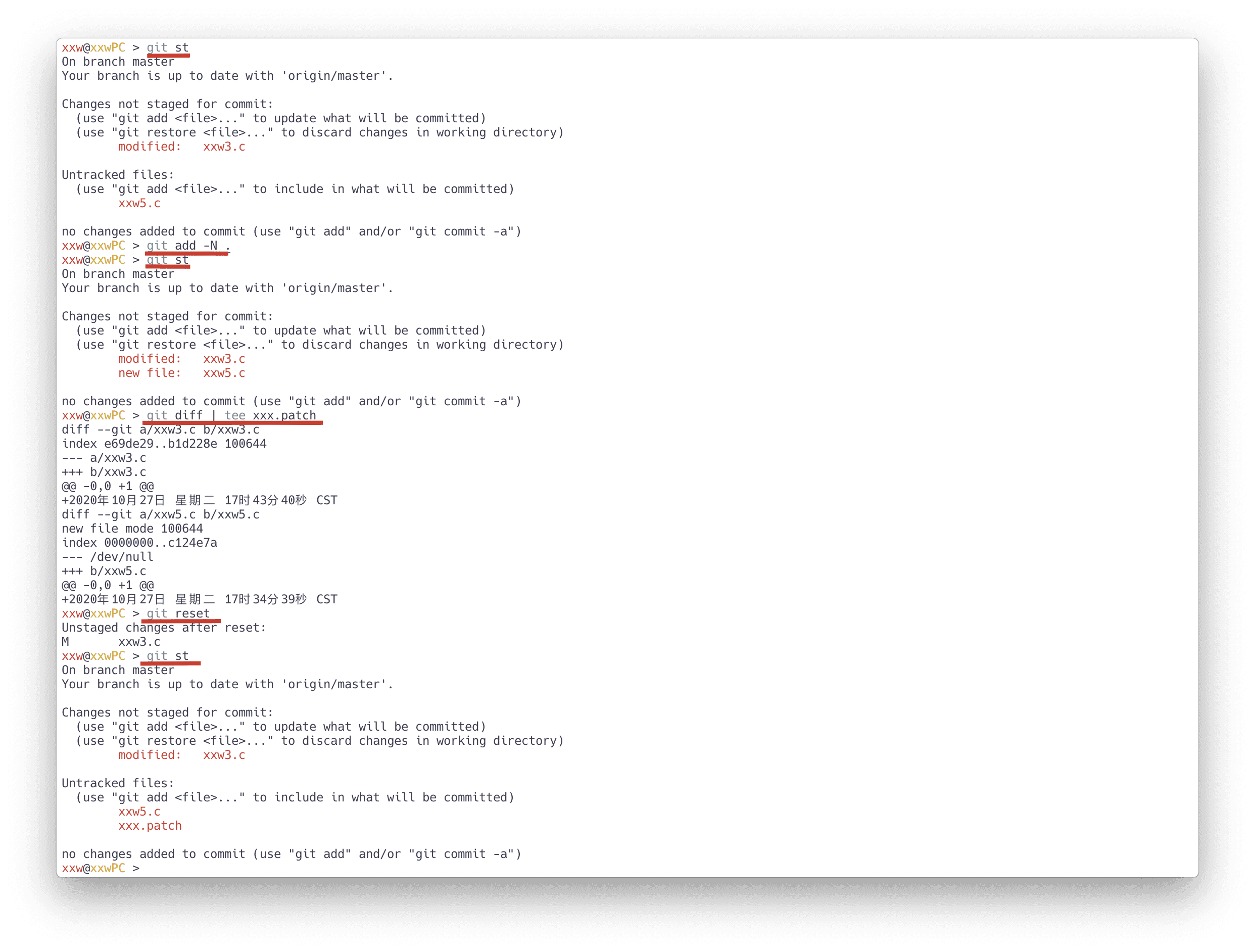
$ git clone /home/git/repositories/801/038/000/38801.git# -N 表示实际上并没有把文件添加到暂存区
$ git add -N .
# git diff 生成 patch 文件
$ git diff > xxx.patch
# 恢复
$ git reset如下显示:
$ git clone --bare git@github.com:xiaowenxia/git-inside.git
Cloning into bare repository 'git-inside.git'...
...

# 查看目录
$ tree git-inside.git
git-inside.git
|-- HEAD
|-- branches
|-- config
|-- description
|-- hooks
|   |-- applypatch-msg.sample
|   |-- ......
|   |-- prepare-commit-msg.sample
|   `-- update.sample
|-- info
|   `-- exclude
|-- objects
|   |-- info
|   `-- pack
|       |-- pack-0381ae2bc198d3ad1f6483eaf2ebf80fe6cd9b26.idx
|       `-- pack-0381ae2bc198d3ad1f6483eaf2ebf80fe6cd9b26.pack
|-- packed-refs
`-- refs
    |-- heads
    `-- tags

9 directories, 18 files$ git branch -r --contains e784be434c9133cef107185925af22cd620a8e5e
origin/feature/wiki
origin/releases/20201015194918032_r_release_62648_t-force-stone-code$ git log --all --author="775117471@qq.com"
commit 59cabcd911a3a7460d53c850ee2c69372397cec9 (HEAD -> main, origin/main, origin/HEAD)
Author: xiaowenxia <775117471@qq.com>
Date: Tue Nov 3 20:07:30 2020 +0800
add some git tips
commit 834afb32e8e9825e80c7910dbd9379e1be77629a
Author: xiaowenxia <775117471@qq.com>
Date: Mon Nov 2 15:09:43 2020 +0800
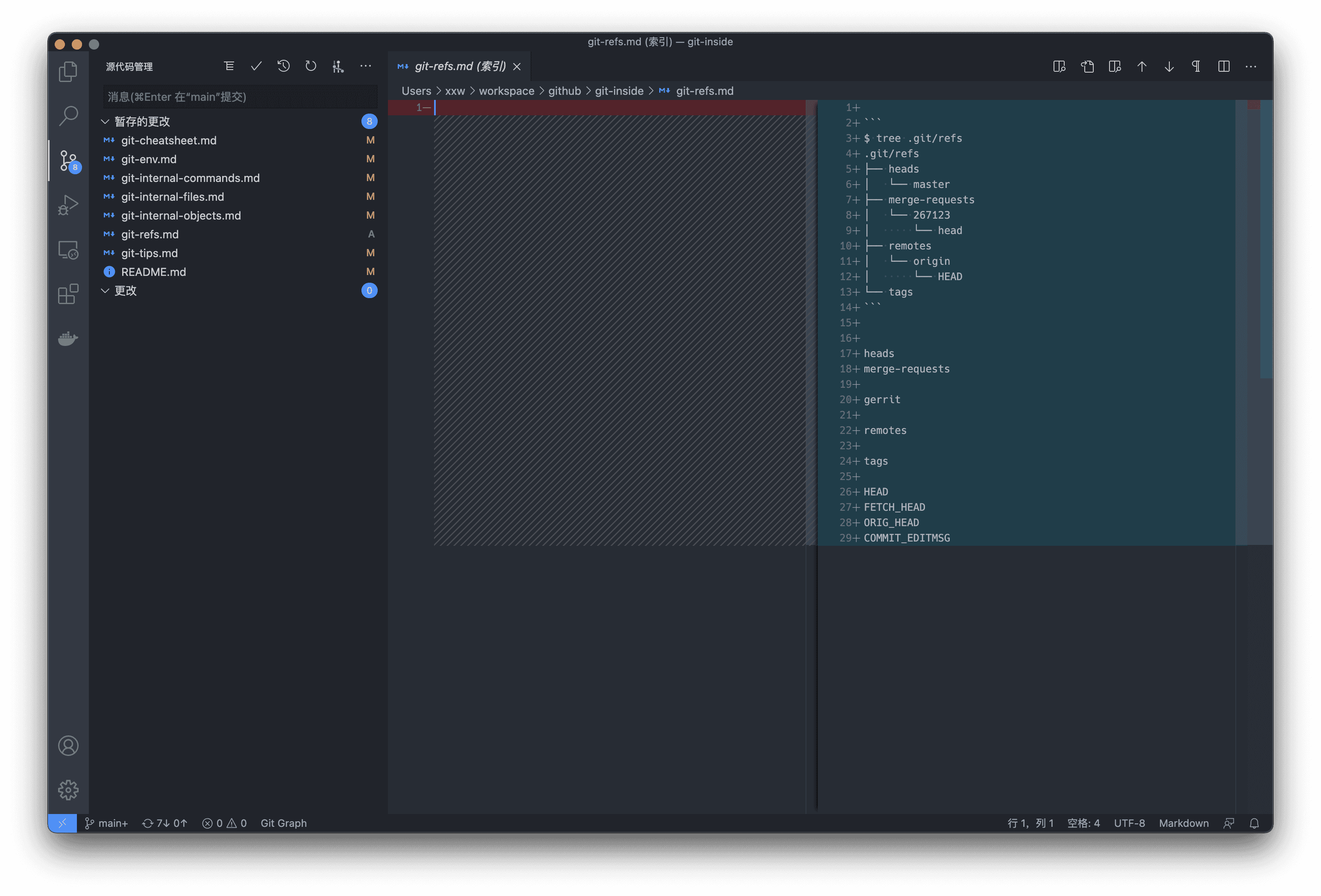
Add `git-refs`.因为 vscode 查看代码 diff 非常方便,比 git 默认的编辑器查看 diff 方便很多。
# reset 到前面 7 个提交
$ git reset --soft HEAD~7

# 恢复
$ git pull
如下所示:
# 中间使用三个点(...)代表 pick 多个提交,这些提交必须是连续的
$ git cherry-pick 33fbcded...4f17fa9f

# 不连续的提交则需要单独指定 commit-id
$ git cherry-pick 33fbcded 4f17fa9f 820b38b4$ git -C ~/workspace/github/git-inside status$ git --git-dir=~/workspace/github/git-inside/.git status统计的是 git 的仓库:https://github.com/git/git 。
# 统计每个人的提交次数
$ git log | grep "^Author: " | awk '{print $2}' | sort | uniq -c | sort -k1,1nr
22110 Junio
3685 Jeff
1824 Nguyễn
...... # 省略
 680 Brandon
 524 Jakub
...... # 省略
   1 Андрей

# 统计 Junio 的提交次数
$ git log | grep "^Author: .*<gitster@pobox.com>" | awk '{print $2}' | sort | uniq -c | sort -k1,1nr
22110 Junio

# 或者
$ git log --author=gitster@pobox.com --oneline |  wc -l
22110$ git log --author=gitster@pobox.com --since="2020-07-01" --no-merges | grep -e 'commit [a-zA-Z0-9]*' | wc -l
79# 统计指定分支的提交次数
$ git log --oneline | wc -l
61128
# 统计所有分支的提交次数
$ git log --oneline --all | wc -l
63541# 当前分支
$ git log --author="gitster@pobox.com" --pretty=tformat: --numstat | awk '{ add += $1; subs += $2; loc += $1 - $2 } END { printf "added lines: %s, removed lines: %s, total lines: %s\n", add, subs, loc }' -
added lines: 232482, removed lines: 101841, total lines: 130641
# 所有分支
$ git log --author="gitster@pobox.com" --pretty=tformat: --numstat --all | awk '{ add += $1; subs += $2; loc += $1 - $2 } END { printf "added lines: %s, removed lines: %s, total lines: %s\n", add, subs, loc }' -
added lines: 549564, removed lines: 376991, total lines: 172573github 在国内的 clone 速度是非常慢的,速率一般在100k以下,如果要 clone 相对比较大的项目那会非常痛苦,而且git clone 没有断点续传功能,网络中断的话则需要重新clone。
此时可以利用 gitee。gitee 在国内的访问速度非常快,达到 4~5M 的 clone 速率,而且针对 github 上部分大型且比较有名的项目,gitee都会做一个仓库镜像,该镜像会每日同步,具体可以访问 Gitee 极速下载。
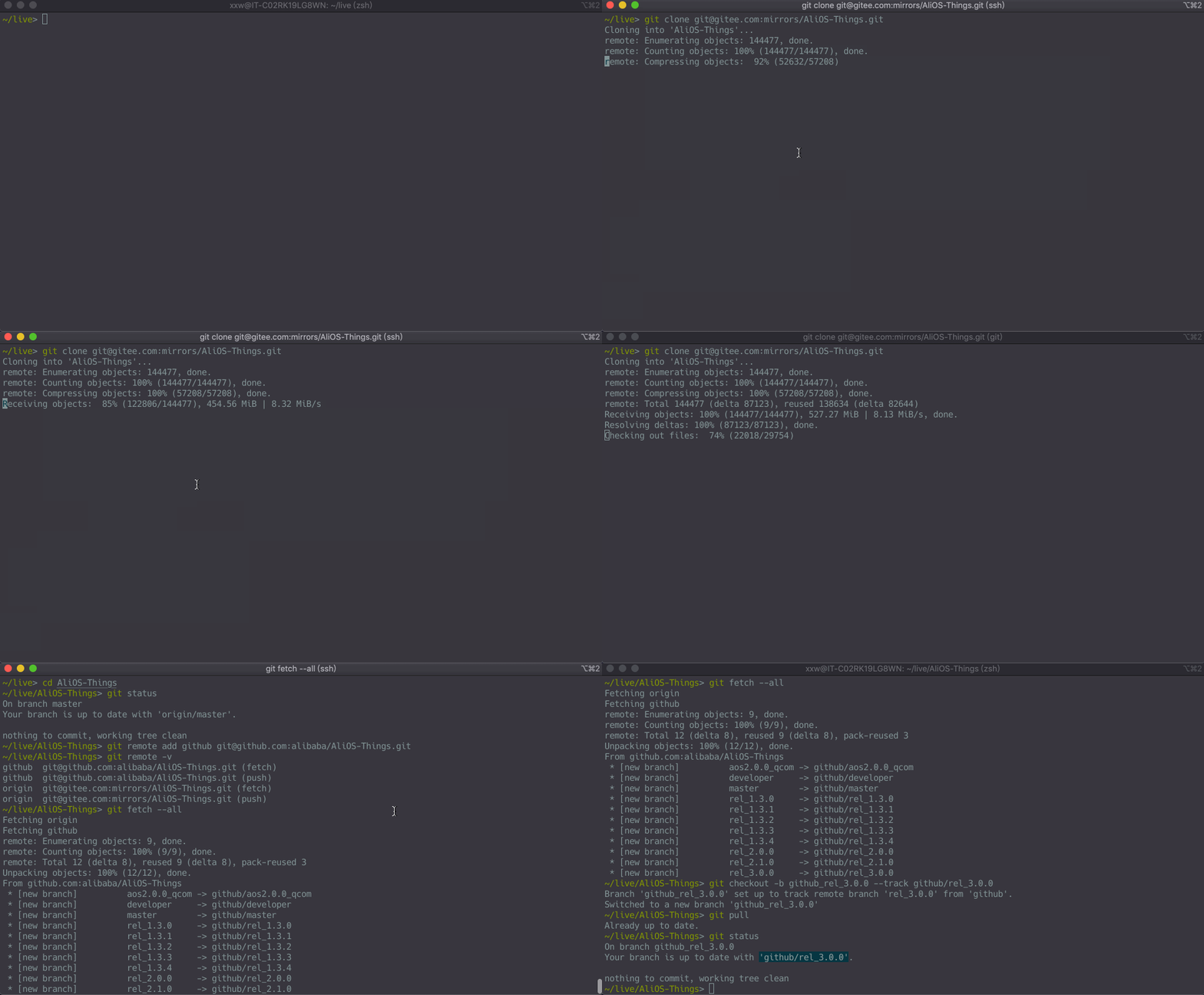
所以要快速克隆 github 上的源码,可以进行如下操作:
# 首先 git clone gitee 的国内 git 镜像仓库。
$ git clone git@gitee.com:mirrors/AliOS-Things.git

# 再添加一个新的 remote 仓库为 github 的仓库。
$ cd AliOS-Things
$ git remote add github git@github.com:alibaba/AliOS-Things.git

# 然后 git fetch --all 就可以把 github 的仓库快速 clone 下来。
$ git fetch –all

# 新建 github 的本地分支,也可以删除掉 gitee 远程仓库。
$ git checkout –b github_rel_3.0.0 –track github/rel_3.0.0
操作示例如下:
git 的底层 chain 对象和区块链有异曲同工之处,都是基于 merkle tree 的链式。
- git hash object的作用
- sha1的优势劣势
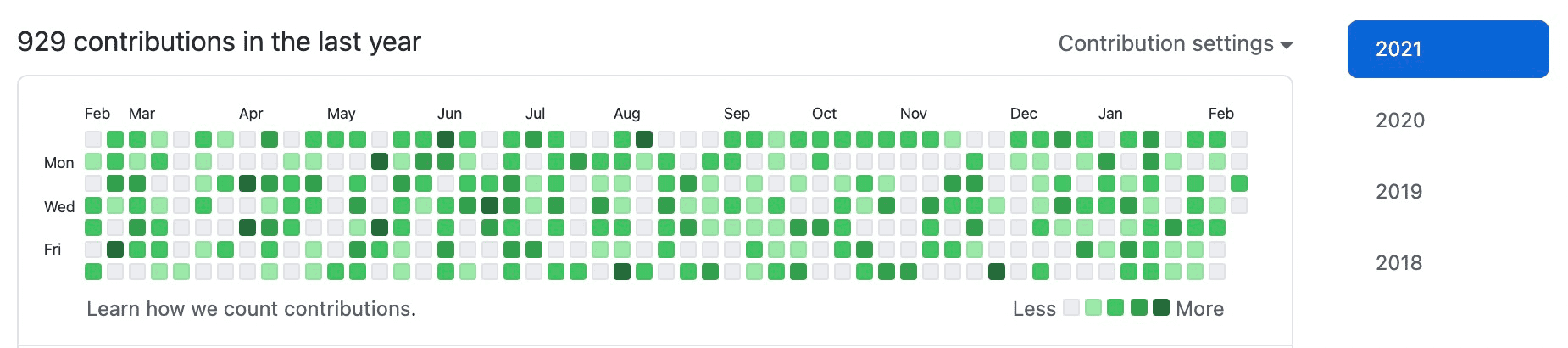
代码如下:
timestampFile=timestamp.log
touch $timestampFile

for ((k=0; k<365; k++))
do
    # 生成过去一年的随机时间
    timestamp=`date -d "-$[RANDOM%365] day -$[RANDOM%24] hour -$[RANDOM%60] minute -$[RANDOM%60] second " "+%Y-%m-%d %H:%M:%S"`
    # 随机提交 1~5 次
    for ((i=0; i<=$[RANDOM%5]; i++))
    do
        echo $timestamp >> $timestampFile
        git add $timestampFile
        git commit --date="{$i}${timestamp}" -m "{$i}${timestamp}"
    done
done