
.png)
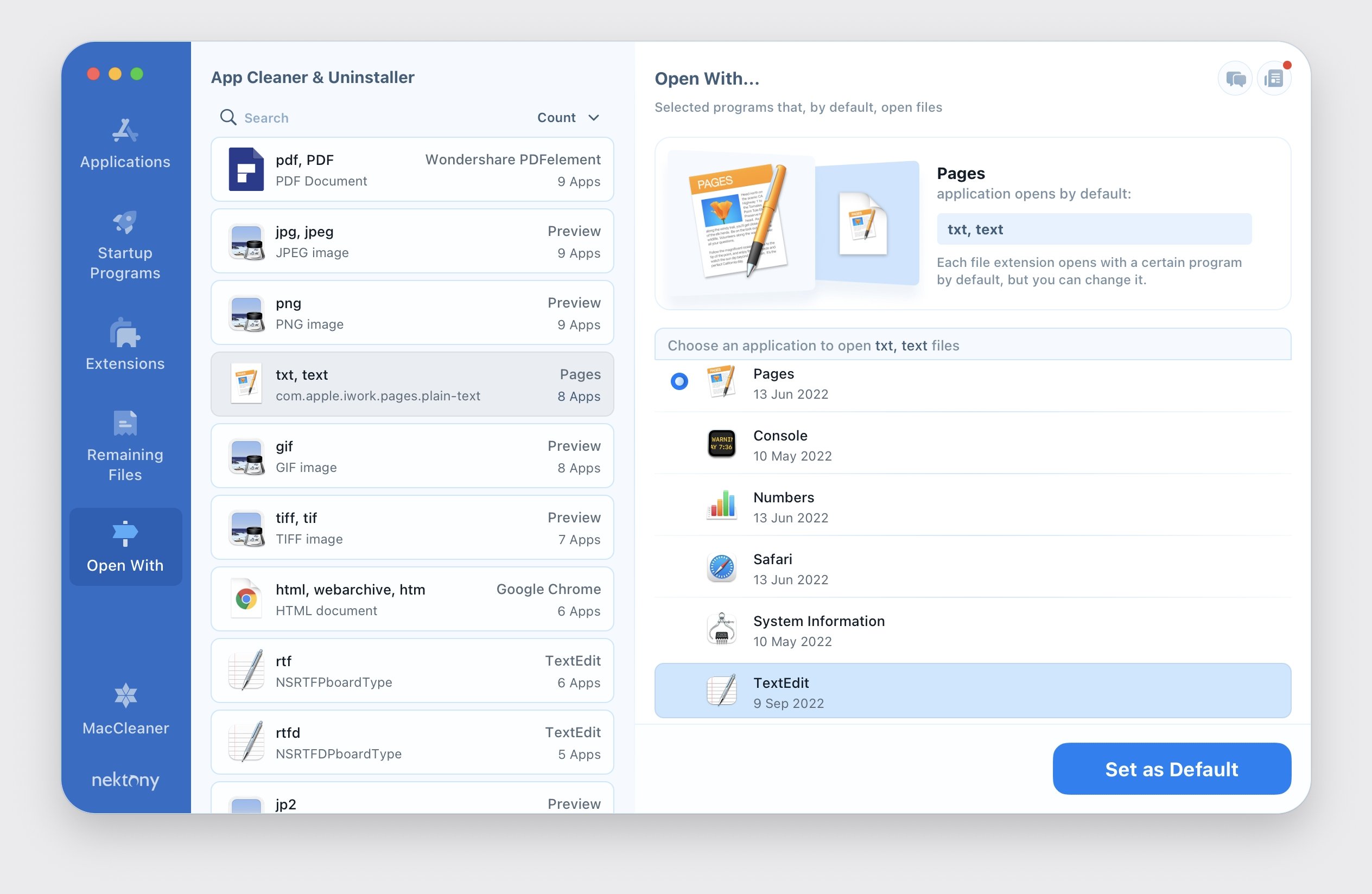
Disk space is a finite resource that deserves careful management, yet most users have no visibility into the true storage cost of their installed applications. Beyond the application bundle itself, modern macOS programs typically install support files across multiple locations including Application Support folders, Caches directories, Preferences files, Logs, and various framework components — collectively adding up to far more storage consumption than the app icon in your Applications folder would suggest. App Cleaner & Uninstaller makes this hidden storage usage visible through a comprehensive scanning system that maps every file associated with each installed application, displaying the total disk footprint including all support data before presenting a one-click complete removal option.
The application's orphaned file detection capability is particularly valuable for Mac users who have been installing and removing software over extended periods. Each time an application is deleted by dragging it to the Trash, its associated support files remain in place, slowly accumulating into a significant collection of unnecessary data. App Cleaner & Uninstaller's residual file scanner identifies these leftover files automatically, presenting them in a categorized view that makes it easy to understand what each file is associated with and why it is safe to remove. Users frequently discover hundreds of megabytes or even gigabytes of recoverable storage through this process, immediately improving available free disk space without removing any currently used applications.
System management features in App Cleaner & Uninstaller extend to comprehensive control over macOS background processes. The startup manager presents a unified view of every program and process configured to run at login or in the background, including items installed by third-party applications that often have no user-facing interface for disabling them. Selectively disabling unnecessary startup items can meaningfully improve Mac boot speed and reduce idle CPU and memory consumption. The browser extension manager adds another dimension of system hygiene by surfacing installed browser add-ons across multiple browsers in a single interface. Together, these capabilities make App Cleaner Uninstaller Mac a comprehensive system maintenance solution that goes well beyond simple application removal.
- Deep scan for all application remnants scattered across the file system
- One-click removal of apps and their complete support file collections
- Startup manager showing all login items, daemons, and launch agents
- Cleanup of browser extensions across Safari, Chrome, and Firefox
- Scheduled junk file cleanup to maintain long-term system health
- Visual disk usage breakdown identifying the largest storage consumers
- Reset applications to factory settings by removing preference files
- Detect and remove duplicate applications to recover storage space
- Protect important system applications from accidental deletion
- Regular updates ensuring compatibility with latest macOS versions
Compatible with macOS 10.13 and later on both Intel and Apple Silicon Macs. The Pro version unlocks advanced features including scheduled cleanup and extended startup management. The developer provides dedicated technical support and maintains comprehensive documentation for all features.