You can treat yetibot as a communal command line. It works well for:
- teaching: how to run internal automation, language evaluation for JS, Scala, Clojure, and Haskell
- productivity: automating things around Jenkins, JIRA, running SSH commands on various servers, and interacting with internal APIs via private yetibot plugins
- fun: google image search, gif lookups, meme generation
In addition to a wealth of commands (see !help all to view them), it supports
unix-style piping and arbitrarily-nested sub expressions.


Yetibot has been undergoing continuous improvement since its inception. These are the immediate priorities, in addition to any bugfixes. Feedback and contributions are very welcome!
- Dockerize yetibot and Datomic Pro Starter edition to simplify deployment
- Integrate with StackStorm for automation on steriods
- Create a Heroku deploy button to make it easy to get started
- Run a demo yetibot instance
There are two primary ways of installing yetibot:
-
Clone this repo: this gives you a standard yetibot installation and provides a git-ignored place to store configuration.
-
Make your own repo and depend on yetibot: this gives you ultimate customizability, allowing you to depend on custom yetibot plugins or define your own commands in-project, and gives you control over where you store your config (manual management, commit to private git repo, etc...)
[yetibot "0.1.28"]
Configuration lives at config/config.edn, which is git-ignored. See
config/config-sample.edn for a sample config.
cp config/config-sample.edn config/config.edn and fill in the blanks to get started.
Once configuration is in place, simply lein run (requires leiningen).
All commands are prefixed by !.
Output from one command can be piped to another, like Unix pipes.
!complete does IE support | xargs echo %s? No, it is sucky.

does ie support html5? No, it is sucky.
does ie support css3? No, it is sucky.
does ie support svg? No, it is sucky.
does ie support media queries? No, it is sucky.
does ie support ftps? No, it is sucky.
does ie support png? No, it is sucky.
does ie support canvas? No, it is sucky.
does ie support @font-face? No, it is sucky.
does ie support webgl? No, it is sucky.
does ie support ttf? No, it is sucky.
Backticks provide a lighweight syntax for sub-expressions, but they can't be nested.
!meme grumpy cat: `catfact` / False

For arbitrarily-nested sub-expressions, use $(expr) syntax, which
disambiguates the open and closing of an expressions.
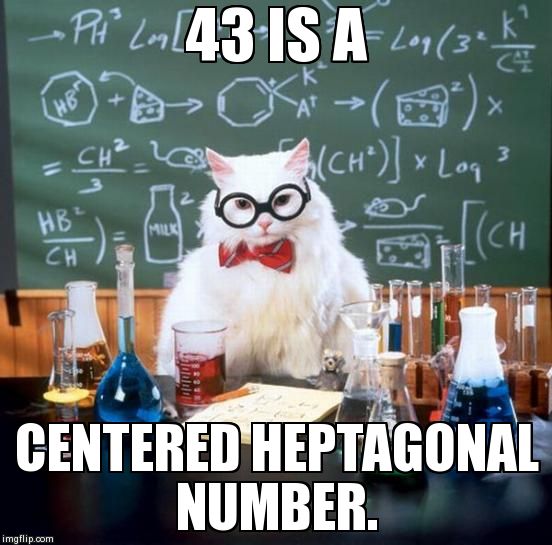
!meme chemistry: $(number $(js parseInt('$(weather 98105 | head 2 | tail)')))
!echo `repeat 10 echo i don't always repeat myself but | join`…StackOverflowError | meme interesting:

You can build your own aliases at runtime. These are stored in the configured database, so upon restart they are restored.
!alias nogrid = repeat 3 echo `repeat 3 meme grumpy: no | join`
Pipes can be used, but the right-hand side must be quoted in order to treat it as a literal instead of being evaluated according to normal pipe behavior.
!alias i5 = "random | http://icons.wunderground.com/webcamramdisk/w/a/wadot/324/current.jpg?t=%s&.jpg"
You can specify placeholder arguments on the right-hand side using $s to
indicate all arguments, or $n (where n is a 1-based index of which arg).
!alias temp = "weather $s | head 2 | tail"
!temp 98104
=> 33.6 F (0.9 C), Overcast
IRC: yetibot can listen on any number of channels. You configure
channels in
config.edn.
You can also invite yetibot to a channel at runtime using the IRC /invite
command:
/invite yetibot #whoa
When you invite yetibot to a new channel, config.edn is overwritten, so next
time you restart yetibot, it will re-join the same channels.
You can also use the !room command to tell yetibot to join or leave a channel,
and whether to broadcast Tweets to that channel.
!help room
room list # list rooms that yetibot is in and whether broadcast is enabled
room broadcast <room> # toggle whether yetibot broadcasts to <room> (e.g.  incoming Tweets)
room join <room> # join <room>
room leave <room> # leave <room>
Slack: bots can't join a channel on their own, they must be invited, so
room configuration doesn't apply. Instead, /invite @yetibot to any channel
that you're in, and /kick @yetibot if you want it to leave. NB: you might need
special privileges in order to kick.
broadcast doesn't apply to Slack yet, but it should.
Campfire: the Campfire adapter doesn't support multiple channels yet, but it easily could! Submit a PR, or just open an issue and we'll quickly get to it.
yetibot self-documents itself using the docstrings of its various commands. Ask it
for !help to get a list of help topics. !help all shows fully expanded command
list for each topic.
!help | join ,
Use help <topic> for more details, !, <gen>that, alias, ascii, asciichart,
attack, buffer, catfact, chat, chuck, classnamer, clj, cls, complete, config,
count, curl, ebay, echo, eval, features, gh, giftv, grep, haiku, head, help,
history, horse, hs, http, image, info, jargon, jen, join, js, keys, list, log,
mail, meme, memethat, mustachefact, number, order, poke, poms, random, raw,
react, reload, repeat, rest, reverse, rhyme, scala, scalex, sed, set, sort, source,
split, ssh, status, tail, take, tee, twitter, update, uptime, urban, users,
vals, weather, wiki, wolfram, wordnik, words, xargs, xkcd, zen
yetibot has a plugin-based architecture. Its core lives at: https://github.com/devth/yetibot.core and can be depended on with:

yetibot will load all commands and observers with namespaces on the classpath matching the regexes at: https://github.com/devth/yetibot.core/blob/master/src/yetibot/core/loader.clj#L12-16
This lets you build any number of independent plugin projects and combine them via standard leiningen dependencies.
Curious how the internals of yetibot works? At a high level:
- commands are run through a parser built on InstaParse: https://github.com/devth/yetibot.core/blob/master/src/yetibot/core/parser.clj
- an InstaParse transformer is configured to evaluate expressions through the interpreter, which handles things like nested sub-expressions and piped commands: https://github.com/devth/yetibot.core/blob/master/src/yetibot/core/interpreter.clj
- command namespaces
are
hooked into the interpreter'shandle-cmdfunction using acmd-hookmacro and triggered via regex prefix matching: https://github.com/devth/yetibot.core/blob/master/src/yetibot/core/hooks.clj
If the docs or implementation code don't serve you well, please open a pull request and explain why so we can improve the docs. Also feel free to open an issue for feature requests!
Copyright © 2012-2015 Trevor Hartman. Distributed under the Eclipse Public License 1.0, the same as Clojure.