




Watch how lifecycle_guard keeps your critical logs and data syncing alive even after a manual app swipe.
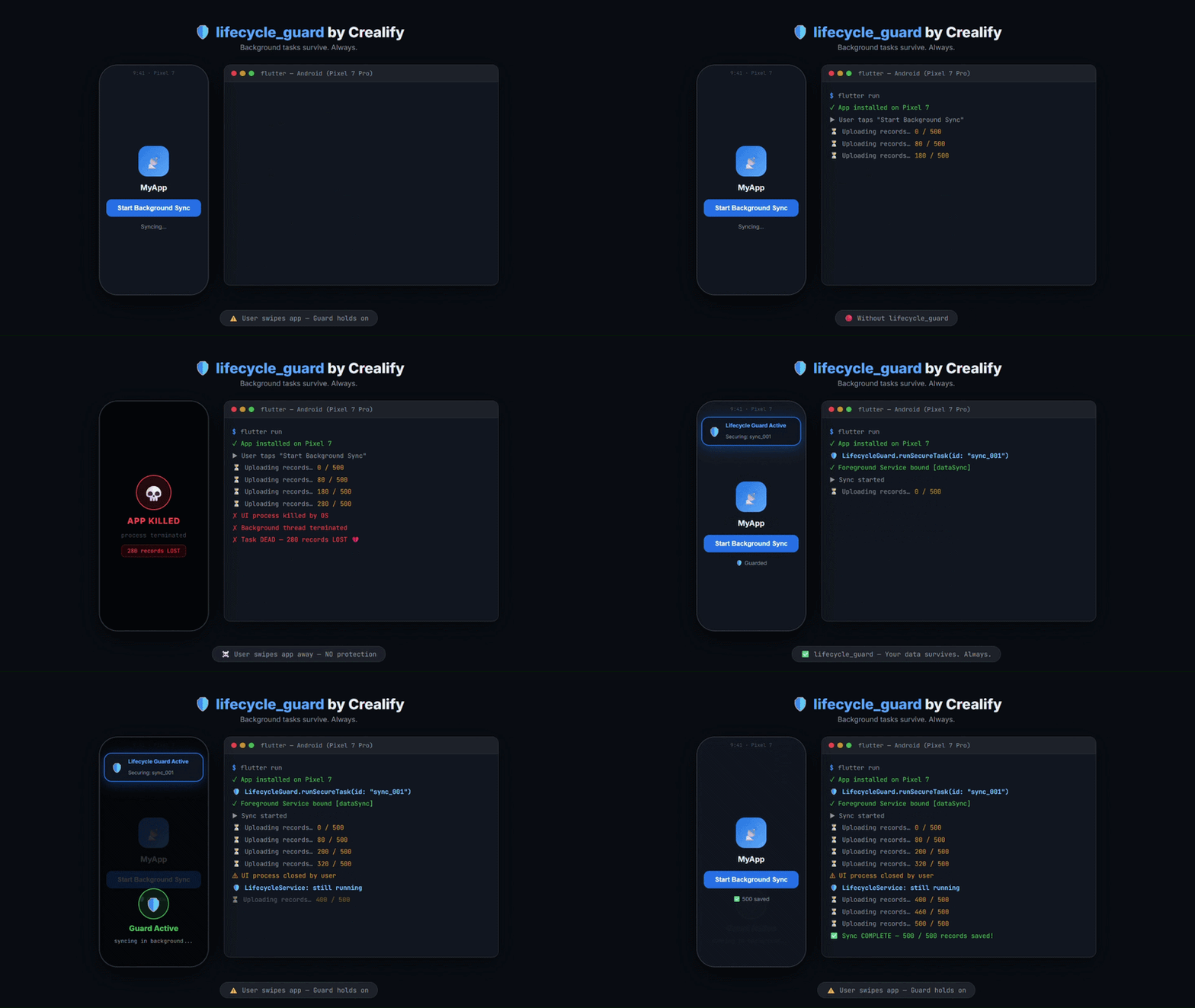
- Android Demo - See Foreground Service protection.
- iOS Demo - See Background Task scheduling.
Stop losing data when Android or iOS aggressively kills your app. Modern mobile operating systems are increasingly aggressive at killing processes to save battery.
- User Swipes App: Your Isolate is instantly killed.
- System Pressure: OS reclaims memory, terminating your thread.
- Battery Optimization: Tasks are deferred or canceled.
lifecycle_guard ensures your background tasks survive termination, system reboots, and battery optimizations — guaranteed.
- Native Protection: Bridges to Foreground Services (Android) and BGTask (iOS).
- Android 15 Ready: Full
dataSyncservice type support. - iOS BGTask Integration: Properly utilizes Apple's
BGTaskScheduler. - Zero Config Isolation: Automatically boots a secondary engine.
- Type-Safe API: Simple
payloadsupport for complex tasks.
- Data Syncing: Sending offline records to your server.
- File Processing: Compressing or encrypting local files.
- Media Uploads: Ensuring a user's video actually finishes.
- State Updates: Finalizing critical database transactions.
dependencies:
lifecycle_guard: ^1.0.1Open android/app/src/main/AndroidManifest.xml:
- Permissions:
<uses-permission android:name="android.permission.FOREGROUND_SERVICE" />
<uses-permission android:name="android.permission.FOREGROUND_SERVICE_DATA_SYNC" />
<uses-permission android:name="android.permission.POST_NOTIFICATIONS" />
- Service:
<service
    android:name="com.crealify.lifecycle_guard_android.LifecycleService"
    android:foregroundServiceType="dataSync"
    android:exported="false">
</service>
- Capabilities: Enable Background Modes and check
Background fetch&Background processing. - Info.plist:
<key>BGTaskSchedulerPermittedIdentifiers</key>
<array>
    <string>com.crealify.lifecycle_guard.background_task</string>
</array>
import 'package:flutter/material.dart';
import 'package:lifecycle_guard/lifecycle_guard.dart';

void main() {
  WidgetsFlutterBinding.ensureInitialized();
  runApp(const MaterialApp(home: GuardExample()));
}

class GuardExample extends StatelessWidget {
  const GuardExample({super.key});

  Future<void> _triggerSecureTask() async {
    try {
      // Start the guard
      await LifecycleGuard.runSecureTask(
        id: "sync_records_001",
        payload: {"action": "sync_offline_db"},
      );

      debugPrint("Guard is active. You can now close the app.");

      // ... perform your critical work here ...

      // STOP the guard when finished
      await LifecycleGuard.stopSecureTask();

    } catch (e) {
      debugPrint("Failed to start guard: $e");
    }
  }

  @override
  Widget build(BuildContext context) {
    return Scaffold(
      appBar: AppBar(title: const Text('lifecycle_guard Demo')),
      body: Center(
        child: ElevatedButton(
          onPressed: _triggerSecureTask,
          child: const Text('Start Protected Background Task'),
        ),
      ),
    );
  }
}Once your critical task is finished, you must stop the guard to release native resources (like the Android Foreground Service notification).
await LifecycleGuard.stopSecureTask();BSD 3-Clause License — see LICENSE for details.
Built by [Crealify](https://anil-bhattarai.com.np)
