
The purpose of this tool is to enable fast and easy modding of Age of Mythology Retold.
- Read BAR archives
- Read FMOD banks (play, view and export FMOD events)
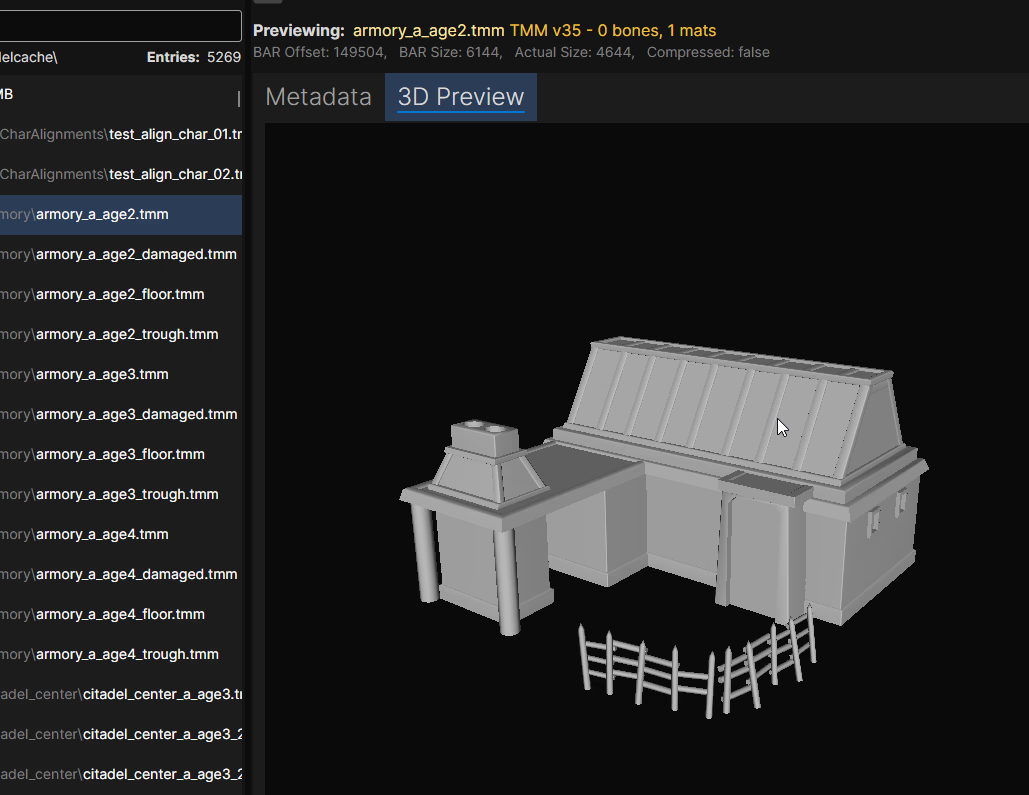
- Preview 3D TMM models (export to OBJ or glTF with or without materials)
- Round-trip 3D models (TMM/TMA/DDT <-> GLB) - export a model + animations to a single GLB, edit it in Blender, and re-import it back into TMM/TMA/DDT
- Read Scenario(mythscn) files (export to XML and back) - currently experimental
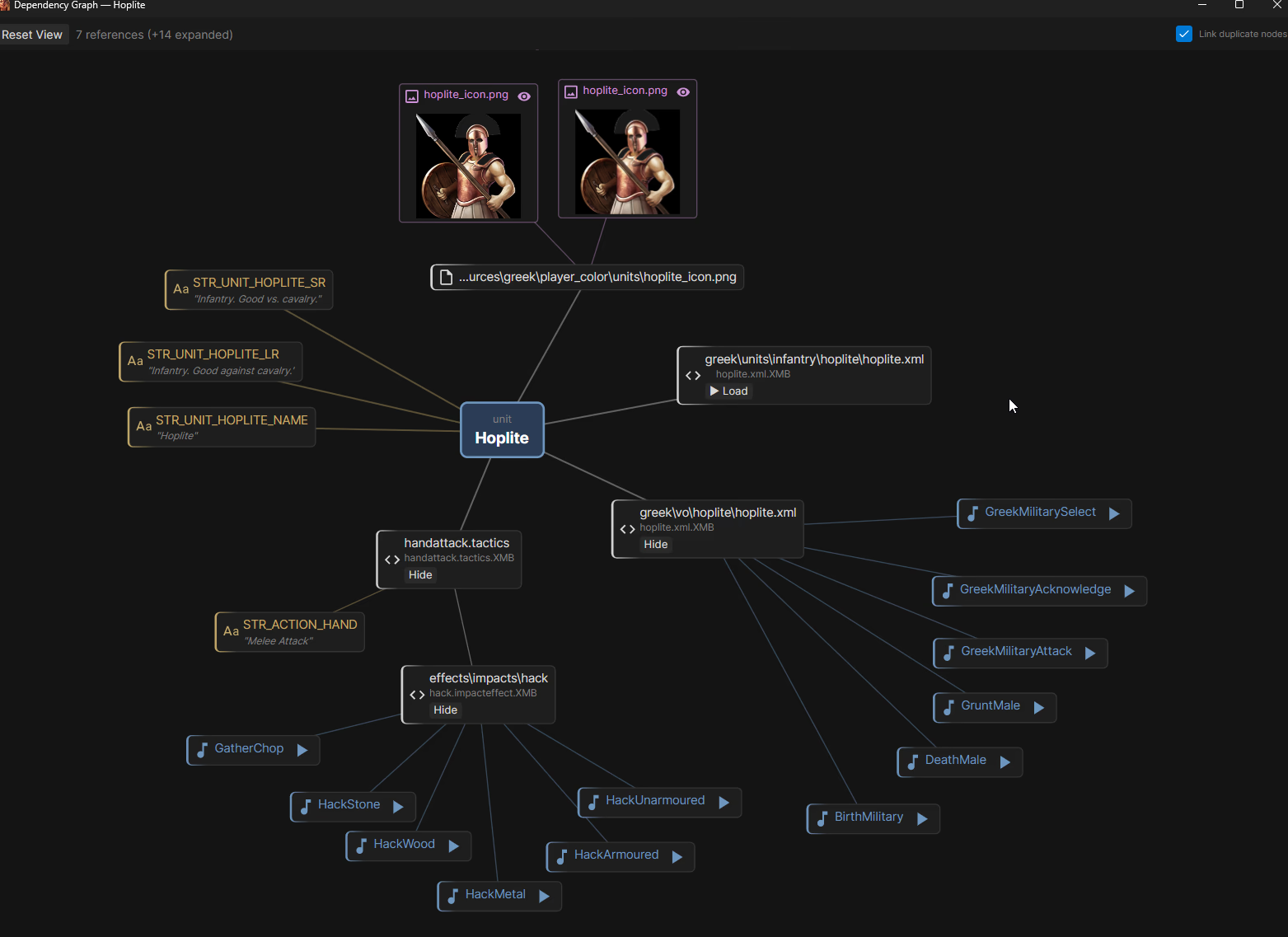
- Dependency Finder and Graph (easily find what other files are references in a file)
- Pick a Root directory (usually
\gamesfolder) for fast switching between BAR and other files - Pick an Export root directory for fast exporting either from BAR or from Root directory
- Supports following formats:
- BAR (decoding)
- XMB (decoding + encoding)
- DDT (decoding + encoding)
- TMM (decoding + encoding)
- TMM.DATA (decoding + encoding)
- TMA (decoding + encoding)
- fbximport (decoding + encoding)
- mythscn/TRG (decoding + encoding)
- Rich preview for TMM models (bones, mesh groups, materials, attachments) and TMM.DATA (vertex/triangle stats)
- Syntax highlighting for common formats (json,xml,ini,xs,...) and folding support for XML
- Replace existing DDT image with custom image on export (params are copied) for easy texture manipulation
- Tools for file manipulation:
- Convert XML -> XMB
- Convert XMB -> XML
- Convert DDT -> TGA
- Convert DDT -> PNG
- Convert TMM -> OBJ (optionally with materials)
- Convert TMM -> GLB (glTF) (optionally with materials, animations, and
.fbximportsidecars) - Convert GLB -> TMM/TMM.DATA/TMA/DDT (full reverse pipeline; preserves bones, attachments, materials, animations and animation_controllers)
- Convert image -> DDT
- Convert mythscn -> XML
- Convert XML -> mythscn
- Compress with Alz4/L33t
- Decompress file with Alz4/L33t
- Scenario tools:
- Scenario -> XML
- XML -> Scenario
- Scenario -> extract TRG
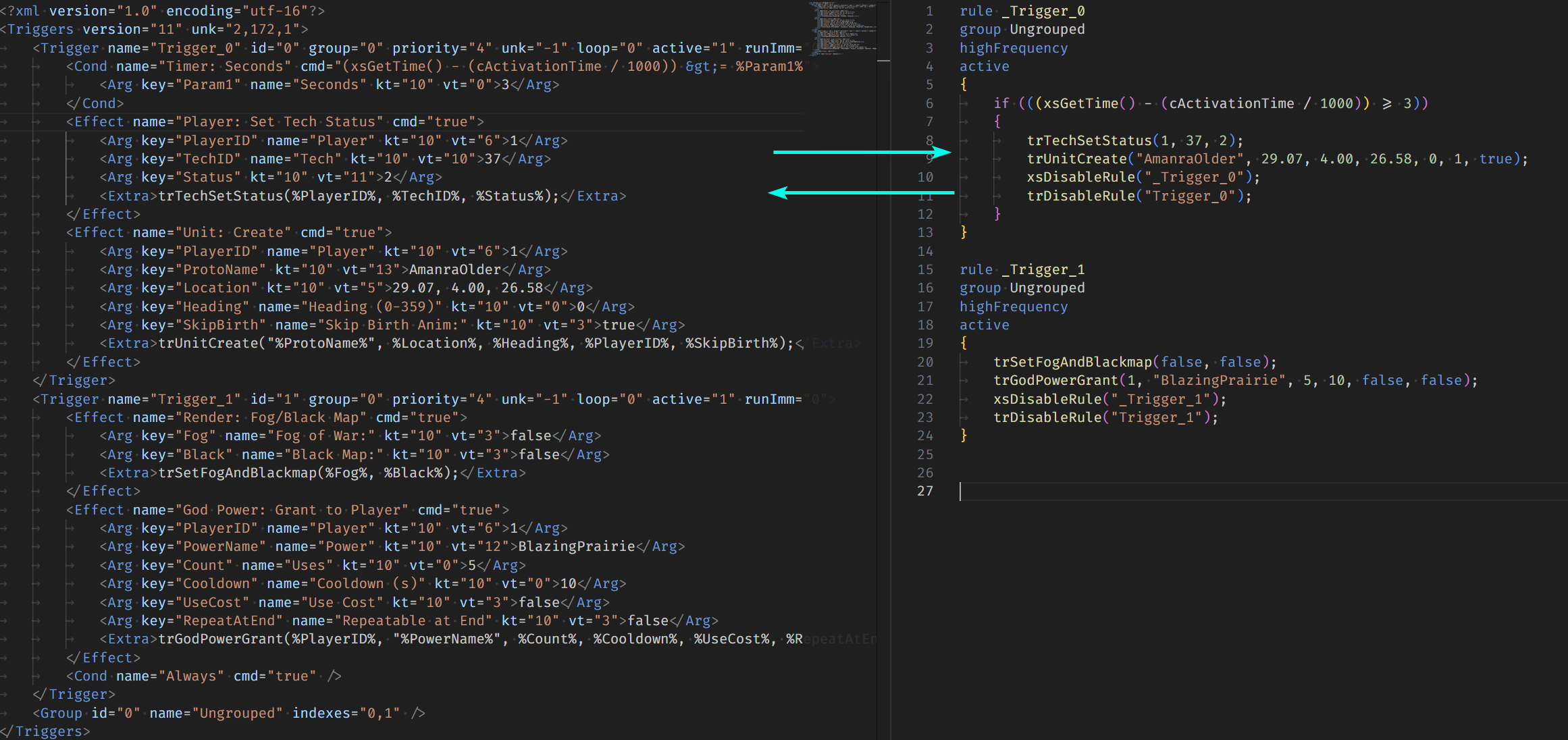
- TRG -> XML -> XS (lossy and lossless approach)
- XS -> XML -> TRG
- Easily create additive mod for files that support it with right click
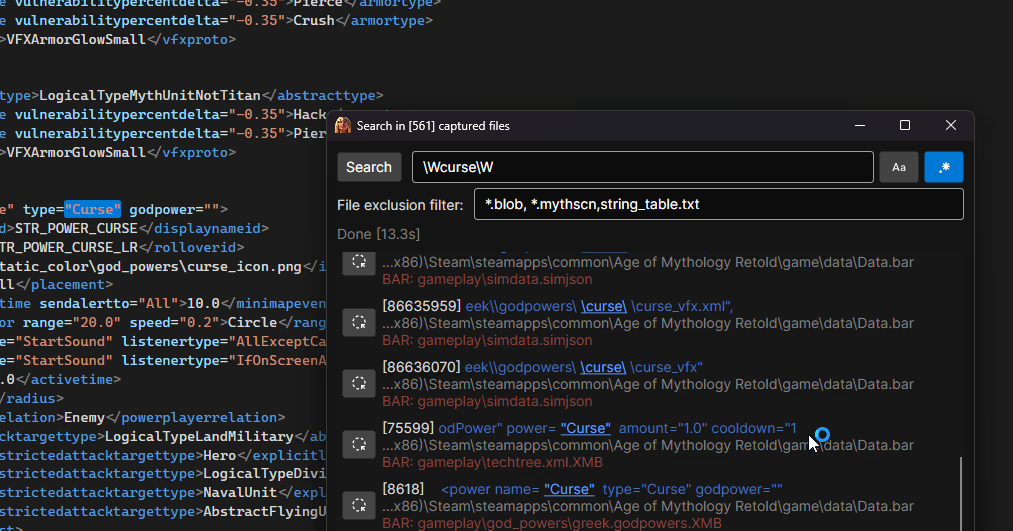
- "Search everything" tool added that searches text in all files, BAR entries and their contents (for finding references)
- Tool for converting XS trigger scripts to RM-friendly scripts for easy inclusion in random maps
- Remembering last opened directories and files so you can easily resume where you left off
- Load the Root directory (usually
C:\Program Files (x86)\Steam\steamapps\common\Age of Mythology Retold\game) - Select the export directory (usually your mod folder
C:\Users\[USER]\Games\Age of Mythology Retold\[YOUR_ID]\mods\local\[MOD_NAME]) - Files in root directory will appear in 1st column, select any file to preview it
- if selected file is .BAR, it will immediately load in 2nd column
- you can select entries from inside .BAR file too, they will be previewed the same
- Any file/BAR entry you wish to modify, right click and export it, for most cases you will use
Export X selected (convert)- Relative paths are retained! This also works for exporting from Root directory as long as it contains
\gamein it's path
- Relative paths are retained! This also works for exporting from Root directory as long as it contains
For people new to GitHub - the releases are located here.
Just download the latest version .zip and extract it into a folder, run the .exe file and that will open the app.
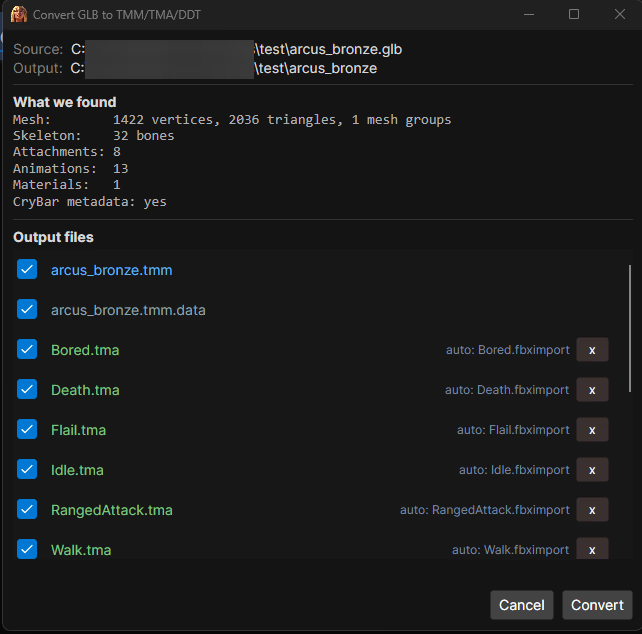
The editor can export a TMM model + its TMA animations + its DDT textures to a single GLB file, and convert that GLB back into TMM/TMA/DDT files - so you can edit AoM:Retold models in Blender (or any glTF tool) and re-pack them.
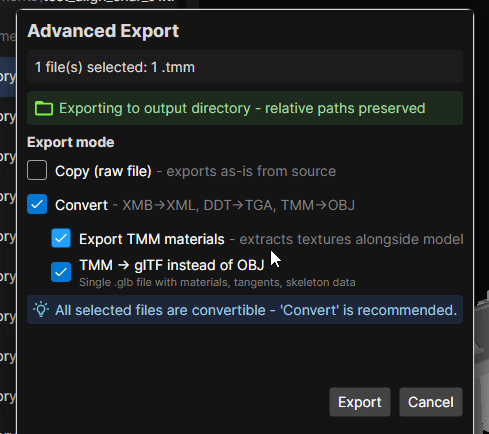
Export side (Advanced Export, with Convert + TMM -> glTF checked):
Export TMM materialspacks base color and normal-map textures into the GLBExport animationsdiscovers the model's TMA animations via its animfile XML and embeds them into the GLBEmit .fbximport fileswrites.fbximportsidecar JSON files alongside the GLB (one for the mesh, one per animation) - these stubs are valid input for the official Model Convert Tool and they carryanimation_controllersdata (visibility windows for attach points like arrows/projectiles)- All non-mesh metadata (bone collisions, attachment slots, autoburn, raytracing flags, DDT params, animation controllers...) is embedded in the GLB's
extras.crybarblock so a re-import doesn't need to re-prompt or guess
Convert side (top-level GLB -> TMM menu, or right-click a .glb):
- Parses the GLB and shows a preview of every output file it will produce (
.tmm,.tmm.data,.tma,.ddt) - DDT textures missing params (e.g. for GLBs that didn't come from this tool) prompt you for format/usage/alpha values (with an "apply to all" option)
.fbximportfiles in the same directory as the GLB are auto-linked to matching animations by exact name match; you can also manually link or override any per-animation.fbximportfrom the UI- Output files are written atomically into a folder next to the source GLB
The result of TMM -> GLB -> TMM is byte-similar (vertex positions, bone matrices, attachment matrices, animation track values, controllers all round-trip within tolerance).
Please read Modding Basics document to get started.
I describe the Standard and Additive modding method. You should always prefer the Additive method if possible
If you are writing XS scripts, you can also checkout my personal reference I wrote here
Otherwise I recommend you check out the official documentation in game's folder.




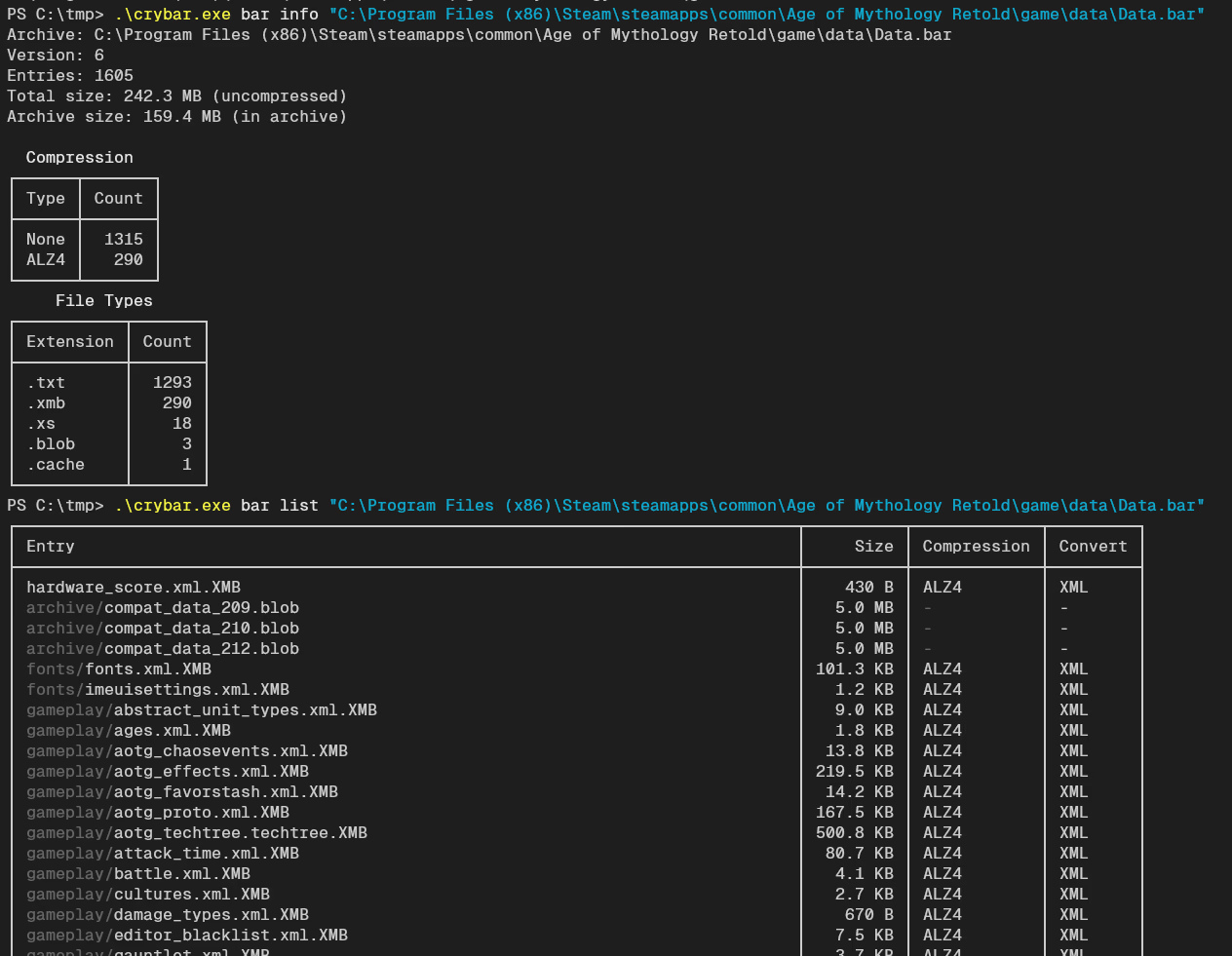
Not part of editor, but a separate tool download. The CLI crybar.exe implements most of the functions that the editor supports. Can be used for scripting.
I wish to thank the developers of AoE3 Resource Manager, their code helped me with decoding of XMB and DDT files.
I also wish to thank @ChaosRobie and @slifer87 on Discord for their work on TMM exporting.