





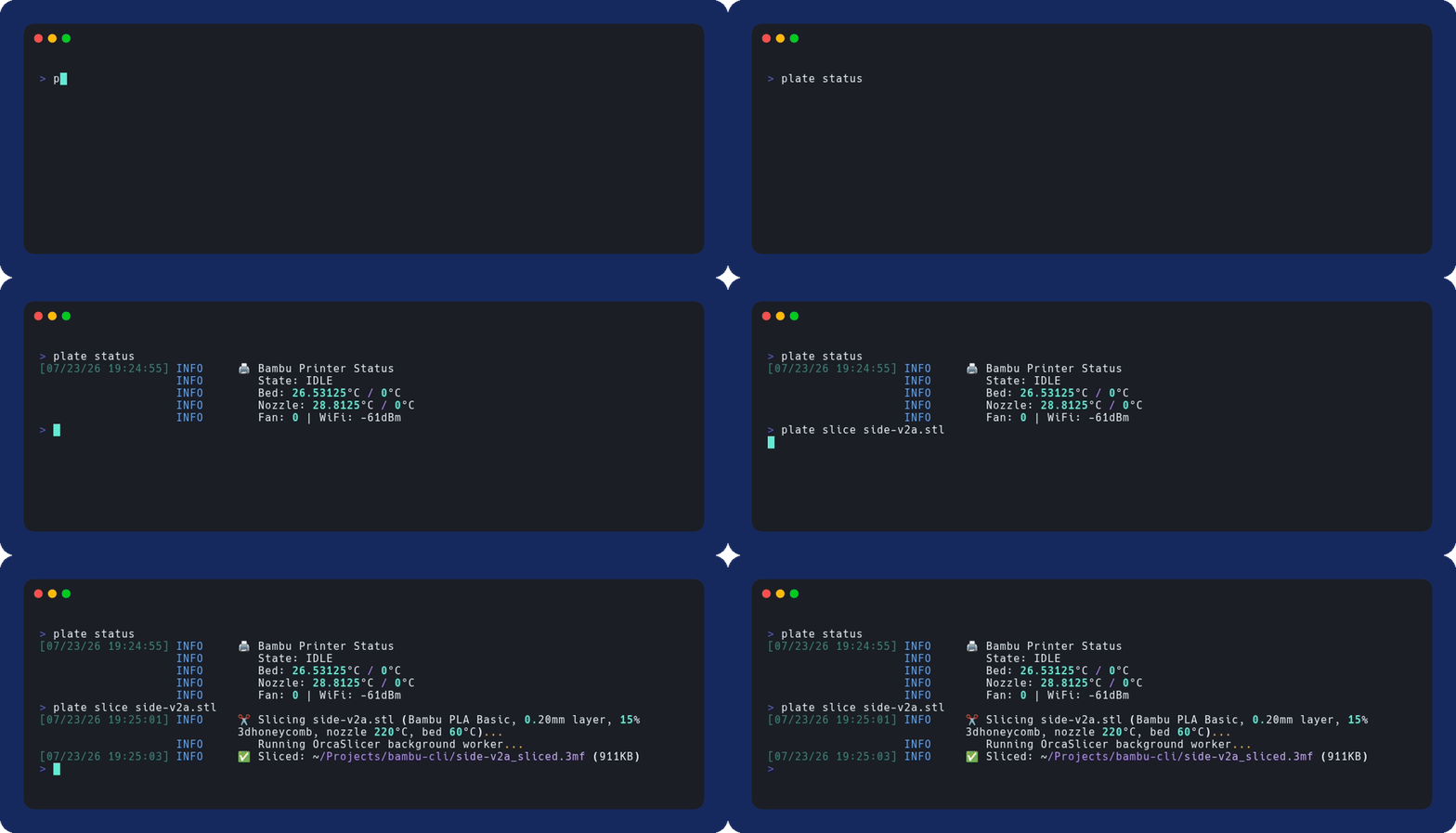
Paste a Printables link, get a physical print. plate downloads the model, slices it with OrcaSlicer, and sends it to your Bambu Lab printer — one command, entirely on your local network. No cloud account, no telemetry. Runs on Linux, macOS, and Windows, driven by hand or by AI agents.
model URL or file  →  download  →  slice (OrcaSlicer)  →  upload  →  print
                        one command:  plate job <url> --confirm
Supports: any Bambu Lab printer with LAN mode — P1P, P1S, X1C, X1E, A1, A1 Mini. Hardware-tested on the P1 series (P1P/P1S) only. The rest speak the same LAN protocols and are expected to work, but are unverified on real hardware — treat them as best-effort and please open an issue with what you hit. One caveat: plate snapshot grabs the camera directly (no extra software) on P1/A1-class printers, but X1-series cameras need a locally-running Docker streamer container.
Requirements: Python 3.9+, and OrcaSlicer installed locally if you want to slice. plate slice and plate job shell out to the OrcaSlicer binary; download, status, upload, and print do not need it. plate setup auto-detects the usual install locations (macOS app bundle, Windows Program Files, and on Linux a $PATH binary, Flatpak export, or AppImage), and plate preflight (or plate config validate) tells you if it can't find one.
Fastest way to get OrcaSlicer, if you don't have it:
winget install --id SoftFever.OrcaSlicer          # Windows
brew install --cask orcaslicer                    # macOS
flatpak install -y flathub com.orcaslicer.OrcaSlicer   # Linux
pipx install platecli
# or
uv tool install platecli
# or
pip install platecliPreviously published on PyPI as bambu-local-cli (yanked). The project is now platecli; the installed command is plate.
No printer needed — simulation mode fakes one so you can kick the tires right away:
plate --sim status🖨️ Bambu Printer Status
State: IDLE
Bed: 25°C / 0°C
Nozzle: 25°C / 0°C
Fan: 0 | WiFi: -42dBm
AMS:
Unit 0 (humidity 5, 26.0°C)
▶ Slot 0: PLA #F2F2F2 | 90%
Slot 1: PETG #0A0AC8 | 60%
Slot 2: empty
Slot 3: TPU #000000 | 45%
Timestamps and log-level prefixes trimmed for brevity.
Enable LAN mode on your printer, grab the IP, serial, and access code from its touchscreen, then let the interactive setup walk you through the rest:
plate setup
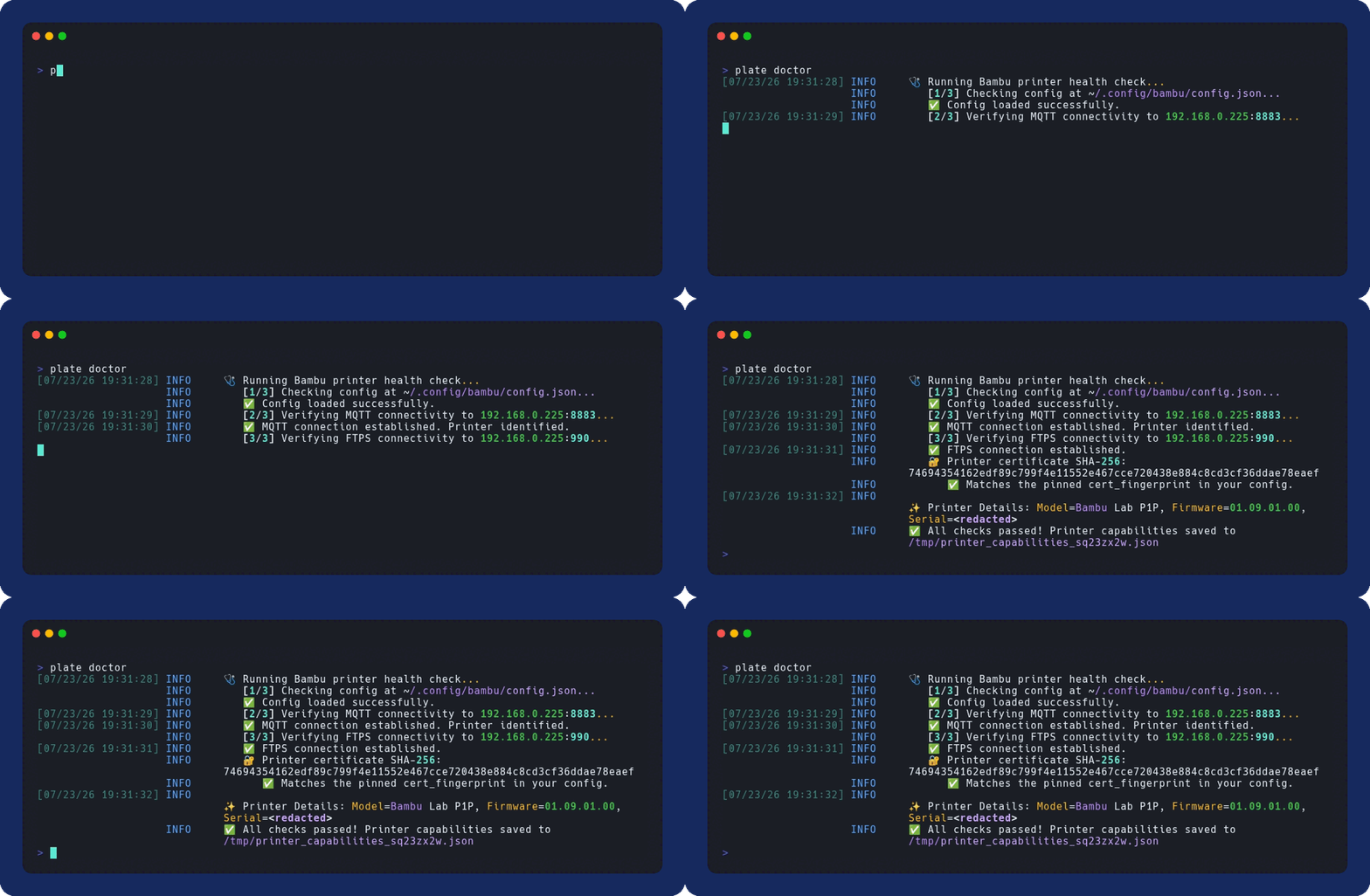
plate doctor    # optional: verify the connection end to end
Now go from a link on the internet to plastic on the bed:
plate job "https://www.printables.com/model/3161-3d-benchy" --confirm--confirm is required for anything that moves the printer or destroys data on it: print, stop, pause, resume, gcode, delete, and the print step of job. Leave it off and the command refuses with exit code 5 — nothing on the printer moves. (light is exempt; an LED is not a physical action.)
If you'd rather not think about flags, run the wizard — or just type plate on its own:
plate go     # or: plate go "https://www.printables.com/model/3161-3d-benchy"
plate        # bare `plate` on a terminal launches the same wizard
It walks you from a model URL (or local file) to a running print without touching a slicer: paste a source, confirm the printer, pick a material and quality preset, answer one supports question, then see a time and filament preview before a final confirm. If your printer has an AMS, the material step defaults to whatever filament is loaded. It drives the same download → slice → job pipeline as plate job, so the result is identical — it just asks the questions for you. plate go needs an interactive terminal; for scripts and agents, use plate job <url> --confirm.
- One command, whole pipeline —
plate job <url>downloads, slices, uploads, and prints in one shot; or rundownload/slice/upload/printindividually. - Fully local & private — talks straight to the printer over your LAN; no Bambu cloud account, ever.
- Deliberate-action gate — physical commands refuse without
--confirm(exit5), so a typo, a truncated argument list, or a replayed read-only command can't start a print. It is a gate against accidents, not an authorization boundary:platecannot tell your--confirmfrom an agent's, so anything you let runplatecan pass the flag. Sandbox agents accordingly. - AI-agent ready — every command speaks
--jsonwith published schemas, plus a--simmode for hardware-free automation. - Watch it live —
plate status --monitorfollows a print with a live progress bar until it finishes. - Fixes itself findable —
plate doctorchecks network, FTPS, and MQTT health and tells you exactly what's wrong. - Hardened where it counts — TLS certificate pinning, SSRF-guarded downloads, and size-capped ZIP extraction.
The cloud-free Bambu ecosystem is in good shape, and for many people one of these is the better answer:
| Project | What it is | Reach for it when |
|---|---|---|
| Bambuddy (~2.6k ★) | Self-hosted web command center, from a single printer up to a print farm | You want a polished dashboard, a print farm, or a full cloud replacement |
| ha-bambulab (~2.3k ★) | The Home Assistant integration — sensors, cameras, automations | Your printer should be part of your smart home |
| bambulabs_api (~320 ★) / pybambu (~60 ★) | Maintained Python libraries for the printer protocols | You're writing your own application, not running a tool |
| davglass/bambu-cli (~95 ★, archived) | A Node.js CLI with a rich command set (unrelated project, same name) | You live in Node and are happy with a project that is no longer maintained |
| platecli | This — a Python CLI for the whole pipeline | You want one command from a model link to a finished print, scriptable and cloud-free |
platecli's own emphasis is the end-to-end pipeline as a single command:
plate job <url> --confirm runs download → slice (OrcaSlicer) → upload → print,
with no account, no daemon, and no web UI. Every command speaks --json against
published JSON Schemas,
and --sim gives you a complete fake printer so scripts and AI agents can be
developed and tested with no hardware at all. If you want a dashboard or a
smart-home surface, the projects above are the better fit; if you want a pipeline
you can put in a shell script or hand to an agent, use this.
Every command emits machine-readable --json output backed by published JSON Schemas, --sim provides a full fake printer for development without hardware, and the --confirm gate means physical actions never happen by accident. See the user guide and docs/api.md for the JSON contracts and stability policy.
- User guide — full setup, config reference, slicing & AMS mapping, print monitoring, and every flag
- Troubleshooting — keyed by the error message you actually saw: access codes, LAN mode, cert pins, FTPS, OrcaSlicer, camera
- AGENTS.md — architecture and safety notes for agents and automation
- docs/api.md — JSON contracts + stability policy
- docs/schemas/ — machine-checkable JSON Schema files
- SECURITY.md — threat model, reporting, known limitations
- CHANGELOG.md — release notes
- CONTRIBUTING.md — dev setup, tests, releases
- Discussions — questions, show-and-tell, and community conversation
plate can start a print with nobody standing at the machine, which is exactly the point — and exactly the risk. An FDM printer is a hot, moving appliance: a failed print can jam, spaghetti, damage the hotend, or in rare cases start a fire. Keep the printer in view of a person or a camera, don't kick off long jobs overnight or in an empty house, and leave your printer's own firmware safety features on. plate uploads a job and starts it; it does not watch the plate for failures and will not stop a print that is going wrong. What the machine does is your responsibility.
platecli is maintained by one person in their spare time. Bug reports and pull requests are genuinely welcome — open an issue with your plate doctor output attached and I'll get to it when I can. There is no response-time guarantee, and feature requests may sit or be declined to keep the tool small and local-only. If you need something faster than that, fork it — it's MIT.
Status: Beta, pre-1.0 — APIs and config keys follow the stability policy in docs/api.md. The current release is whatever the PyPI badge at the top of this page shows; plate --version reports the copy you have installed.
Disclaimer: platecli is an unofficial, community-developed tool. It is not affiliated with, endorsed by, or supported by Bambu Lab. "Bambu Lab" and product names are trademarks of their respective owners, used here only to describe compatibility. The printer protocols (MQTT/FTPS) are reverse-engineered; a firmware update may break functionality without warning — run
plate doctorafter printer updates.
MIT — Use freely, modify as needed.