ChoCoTeX is an open-source web application to generate vector PDF with a transparent background from LaTeX equations. Those PDF can be copied in the clipboard and immediately pasted in typesetting or presentation softwares, such as Word or PowerPoint. ChoCoTeX use the web framework Django.
Commands must be executed on a shell terminal. ChoCoTeX needs pdflatex to work. Check on a terminal it is installed.
pdflatex --versionelse install it
sudo apt-get install texlive-latex-base texlive-latex-extraYou also need the last version of Python (check the version with "python3 -V").
sudo apt-get install python3.7Install Django
python -m pip install Djangoor
python -m pip install -r requirements.txtYou can download the git project or directly clone it.
git clone https://github.com/DamienMinenna/ChoCoTeX.gitFinally just launch the server.
python manage.py migrate
python manage.py runserver
The following message should appear
Django version 3.1.7, using settings 'ChoCoTeX.settings'
Starting development server at http://127.0.0.1:8000/
Quit the server with CONTROL-C.
You must leave open the terminal.
Now, you can open ChoCoTeX using any web browser at the address: http://127.0.0.1:8000/
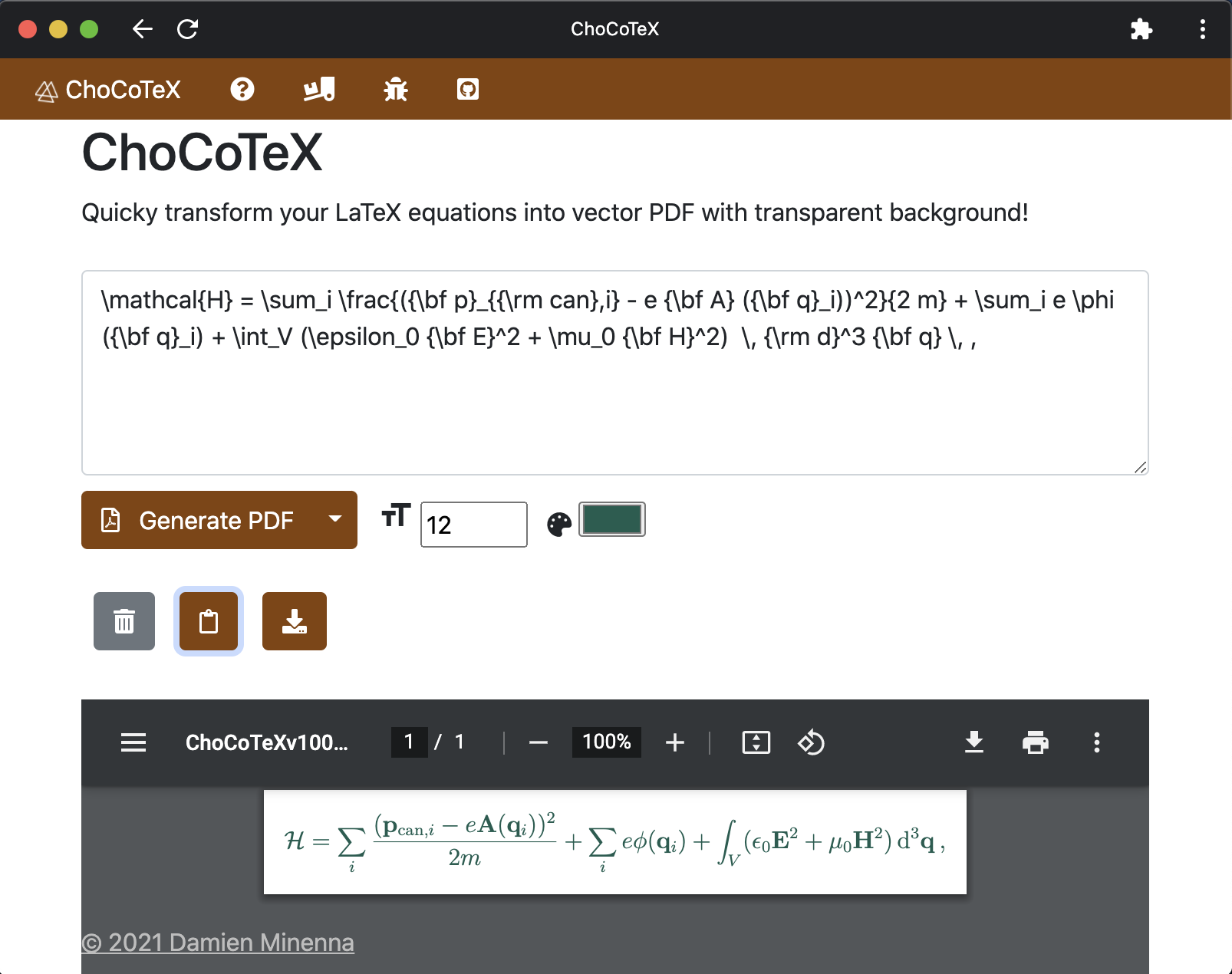
Write your LaTeX equation in the text area. You do not need to add $$. For example:
{\bf g}_{\rm cano} = \frac{n_\phi n_{\rm g}}{c^2} {\bf E} \times {\bf H}
You can modify the font size and the color. The background is transparent. After the creation of the PDF, you can use the "Copy PDF to clipboard" and the download functions.
To manage several users (or several opened windows), just modify the value "isServer" to "True" in the ChoCoTeX_app/views.py. Generated PDF will get random id. Then run on another terminal tab
python manage.py pdf_managementThis will remove generated PDF after 10 minutes (check every 5 minutes).
Pull requests on the git project are welcome. For major changes, please open an issue first to discuss what you would like to change.