
BrowserForge is a versatile Python package designed for easy browser automation and web scraping. It allows you to manage browser headers, handle complex interactions, and simplify the automation of browser tasks. This guide will provide a complete walkthrough on how to install, configure, and use BrowserForge, with examples to help you start automating browser interactions efficiently.
BrowserForge is a Python library that helps automate browser tasks like web scraping, automated form submissions, or bypassing rate-limiting measures through the dynamic management of headers. With its modular approach, it offers flexibility to both beginners and advanced developers who need control over how their scripts interact with web pages.
To install BrowserForge, use the following command:
pip install browserforgeYou can also download BrowserForge directly from the official repository:
BrowserForge also requires additional libraries depending on your project, such as requests and random. Be sure to install those if you plan to use them in combination with BrowserForge.
pip install requestsOnce BrowserForge is installed, you can start using its core functionalities. The most essential feature BrowserForge provides is header management, which allows you to rotate user agents, change browser signatures, and avoid getting blocked during web scraping.
Struggling with the repeated failure to completely solve the irritating captcha?
Discover seamless automatic captcha solving with Capsolver AI-powered Auto Web Unblock technology!
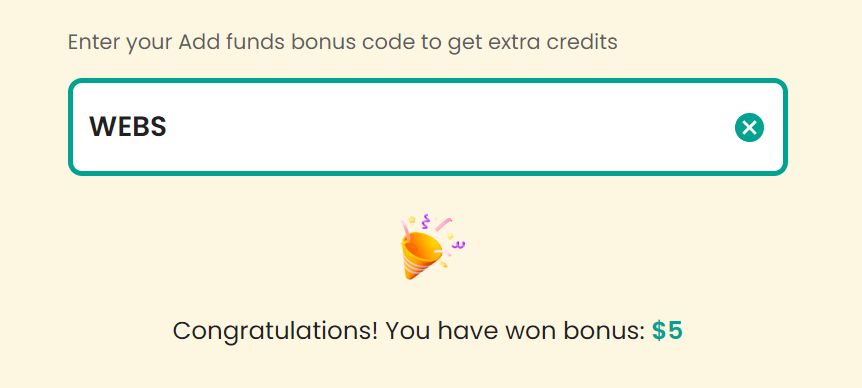
Claim Your Bonus Code for top captcha solutions; CapSolver: WEBS. After redeeming it, you will get an extra 5% bonus after each recharge, Unlimited
One of the main reasons websites block scrapers is the absence of proper headers. BrowserForge allows you to generate realistic headers, which include browser versions, operating systems, and other necessary fields.
Here's a basic example to get started:
from browserforge.headers import HeaderGenerator

# Initialize the HeaderGenerator
headers = HeaderGenerator()

# Generate a random header
random_header = headers.generate()

print(random_header)
This will print a set of headers like this:
{
    "User-Agent": "Mozilla/5.0 (Windows NT 10.0; Win64; x64) AppleWebKit/537.36 (KHTML, like Gecko) Chrome/92.0.4515.107 Safari/537.36",
    "Accept-Language": "en-US,en;q=0.9"
}
You can pass this header into your requests when scraping a website to mimic real browser activity.
To avoid IP rate-limiting, you can also use proxies. You can format and rotate proxies with BrowserForge. Here's a simple proxy formatting function:
def format_proxy(proxy_str):
    proxy_data = {
        "http": f"http://{proxy_str}",
        "https": f"http://{proxy_str}"
    }
    return proxy_data
You can integrate this into your requests like so:
import requests

proxy = 'username:password@proxy_address:port'
proxies = format_proxy(proxy)

response = requests.get('https://example.com', proxies=proxies)
print(response.text)BrowserForge supports more advanced use cases, such as solving CAPTCHA challenges and handling complex browser interactions.
BrowserForge can be used in combination with third-party services like CapSolver to automatically solve CAPTCHAs. Here's an example of how you can use CapSolver to solve hCaptchas.
-
Set up your environment: You need to install
requeststo make HTTP requests, and you'll need a CapSolver API key.pip install requests
-
Script Example: This script shows how to create a task using CapSolver to solve an hCaptcha, extract the required parameters from a page, and submit the captcha token.
import time
import requests
import re
from browserforge.headers import HeaderGenerator
import logging

# Configure logging
logging.basicConfig(level=logging.INFO)

# CapSolver API key
api_key = "YOUR_CAPSOLVER_API_KEY"


# Function to create CapSolver task and get the token
def get_token():
    task_data = {
        "clientKey": api_key,
        "task": {
            "type": "HCaptchaTaskProxyless",
            "websiteURL": "https://example.com/captcha-page",
            "websiteKey": "your_hcaptcha_site_key"
        }
    }

    # Create the task
    response = requests.post("https://api.capsolver.com/createTask", json=task_data)
    task_id = response.json().get("taskId")

    if task_id:
        logging.info(f"Task created: {task_id}")

        # Poll for the result
        while True:
            result_data = {
                "clientKey": api_key,
                "taskId": task_id
            }
            time.sleep(5)  # wait before polling
            result_response = requests.post("https://api.capsolver.com/getTaskResult", json=result_data)
            result = result_response.json()
            if result.get("status") == "ready":
                token = result.get("solution").get("gRecaptchaResponse")
                logging.info(f"Captcha solved successfully: {token}")
                return token
            elif result.get("status") == "failed":
                logging.error("Captcha solving failed")
                return None
    else:
        logging.error("Failed to create task")
        return None
This script works by sending the captcha-solving request to CapSolver, polling for the result, and returning the token once the CAPTCHA is solved.
You can integrate this into your BrowserForge script to automate scraping protected websites or submitting forms that are blocked by hCaptcha.
Here's a full example showing how you can automate a form submission using BrowserForge and the CapSolver example above.
from browserforge.headers import HeaderGenerator
import requests
import logging

# Initialize logging
logging.basicConfig(level=logging.INFO)

# Example function to submit a form
def submit_form():
    # Generate headers using BrowserForge
    headers = HeaderGenerator().generate()

    # Fetch token from CapSolver (as shown above)
    token = get_token()
    if token is None:
        logging.error("Failed to solve captcha")
        return

    # Example data payload for form submission
    form_data = {
        'name': 'John Doe',
        'email': 'johndoe@example.com',
        'captcha_token': token  # Use the solved captcha token here
    }

    # URL to submit the form
    url = 'https://example.com/submit'

    # Make the form submission request
    response = requests.post(url, headers=headers, data=form_data)

    # Log the response
    logging.info(f"Form submitted: {response.status_code}, {response.text}")

# Run the form submission
submit_form()
This script:
- Generates headers using BrowserForge to simulate a real browser.
- Solves hCaptcha using CapSolver.
- Submits the form with the CAPTCHA token.
BrowserForge is a powerful library for browser automation, especially when paired with tools like CapSolver for CAPTCHA solving. By managing headers, rotating proxies, and interacting with external services, you can build robust scraping or browser automation solutions with minimal effort.
Whether you're looking to automate form submissions, scrape websites efficiently, or solve CAPTCHAs, BrowserForge provides the building blocks to get the job done.
For more information, visit the official BrowserForge GitHub repository.