A powerful, easy-to-use Discord bot manager built by JadaDev.
This bot runs on Python with an .exe application manager that allows anyone to set up, manage, and run their own bot effortlessly.
✅ Slash Commands Support
✅ Easy Command Management (Enable/Disable with checklists)
✅ Guild Stats Dashboard (Servers, Members, and Management Options)
✅ Built-in Logging
Watch the Jada Discord Bot setup and in action:
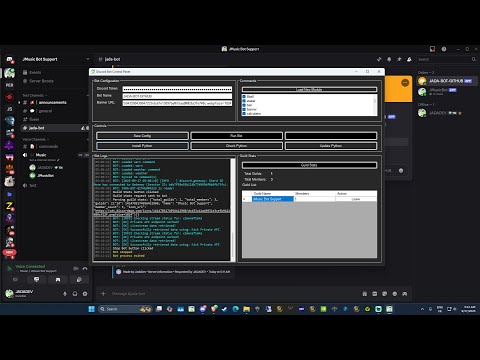
Click the image to watch on YouTube.
-
Download & Install Python
👉 Python Downloads -
Create Your Own Discord Bot
👉 Discord Developer PortalSteps:
- 2.a Click New Application
- 2.b Go to Bot Tab and enable:
- Public Bot
- Presence Intent
- Server Members Intent
- Message Content Intent
- 2.c Click Reset Token → Save your token (you’ll need it in the app)
- 2.d Go to OAuth2 Tab, check:
botapplication.commands- Permissions: Administrator
- 2.e Copy the generated URL, paste it in your browser, and add the bot to your server
-
Open
Discord Bot Manager.exe- Place the saved bot token into
Discord Token - Change Bot Name and Banner URL if desired
- Enable/Disable commands via the checklist
- Place the saved bot token into
-
Install Python via the app
- Click Install Python
- Run Check Python and Upgrade Python
-
Save Config
-
Run the Bot 🚀
Enjoy your fully working bot!
- Slash Commands: Modern Discord integration
- Command Manager: Enable/Disable commands easily
- Guild Stats: Shows:
- Total servers the bot is in
- Total members across all servers
- Server name + member count
- Option to leave a server from the panel
- Logs Panel: View all activity and error logs
- Custom Modules: Add new commands with Load New Module option
Total Commands: 53 ( Including Sub Commands )
🎱 8ball
🎌 anime
👤 avatar
🧹 clear
🔨 ban
🔒 lock
🔇 mute
🎵 lyrics
🐱 cat
🗺 countryinfo
🖼 banner
🏷 shorten
🎨 color
🎶 topcharts
🖼 imagegen
🗺 timezone
🔖 trending
🐌 slowmode
➗ calculator
♟ chess
🪙 coinflip
💰 crypto
🎲 dice
🐶 dog
🎮 epic
🆓 freegames
🌐 ipinfo
📖 wiki
😂 joke
👢 kick
📡 kicklive
😂 meme
🎬 movie
📶 ping
✊ rps
🏰 serverinfo
🎮 steam
🌍 translate
🧠 trivia
📺 twitch
⏳ uptime
👥 userinfo
warn
🌦 weather
🎫 ticketsetup
🔏 create_room
🔊 welcomesetup
🪙 sol
📁 wallet
🖼 generate_image
☁️ upload_image
🎲 random_image
🎭 rolesetup
✏️ roleedit
➕ roleadd
❌ roleremove
🗑 roleremoveembed
🏠 welcome_channel
📝 welcome_edit
📋 welcome_setup
This bot manager is designed for Windows.
- Download the repository / release files
- Run Discord Bot Manager.exe
- Follow the setup guide above
- Start your bot and enjoy your server automation!
- Replace Any Discord Bot Manager.*
- Replace All commands in jdcommands
- DELETE main_bot.py [IMPORTANT]
- Restart the application and run the bot
- Click Install Python than Update Python.
- Enable new commands in the modules list.
- Run your bot and have fun.
JadaDev
Open-source and community friendly 💜