Create activity
In this page a Teacher will be able to create an activity. In LearningMiner, activities are the way of letting the students know they have a text to read and a concept map to create.
An activity is created by filling the create activity form showed later. Only Teachers can create an activity. The required fields to create an activity are:
- Title: This is the title of the text which the students will be required to read.
- Author: The author of the text which the students will be required to read.
- Source: This is the book, conference, publication or magazine where the text was published.
- Text: This is the text itself. Must be copied manually into the form.
- Closure date: The date when the activity will not be open to more students answers.
- Closure hour: The hour of the day when the activity will not be open to more students answers.
To create the activity the user must click the Add Activity button.
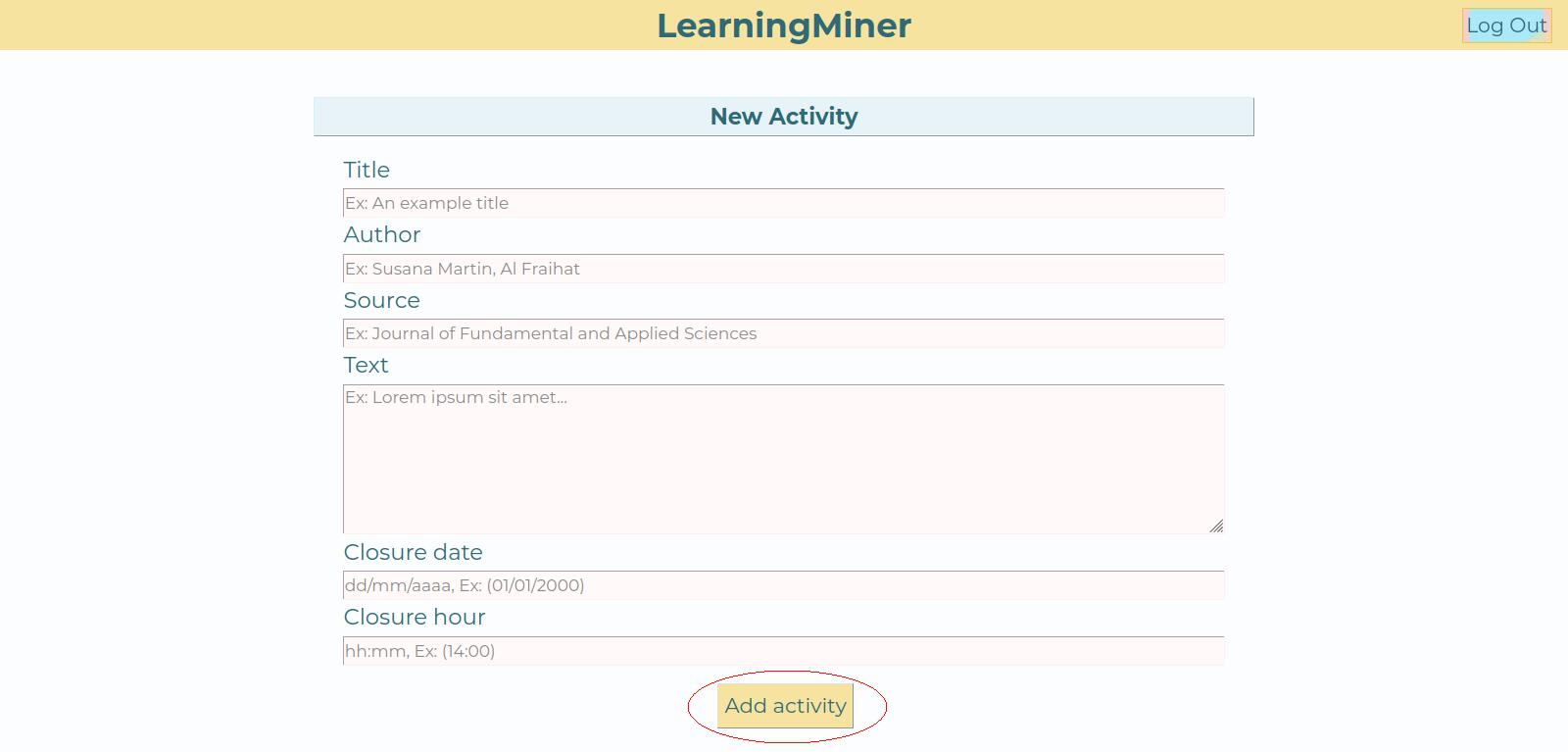
When the Teacher clicks the button, LearningMiner will process the entered text and generate a list of keywords of the text and a base concept map for the activity. After the processing is completed, the Teacher will be redirected to the activity details page. From here the Teacher will be able to edit the keywords list and the base concept map.
Return to users manual Home
Go to edit keywords
Go to edit base concept map