




Python-based malware analysis sandbox with a web dashboard for triaging suspicious files — without executing them. Combines static analysis, dynamic syscall monitoring, and network traffic capture into a single risk-scored report. Built to support SOC Tier 1 analyst workflows.
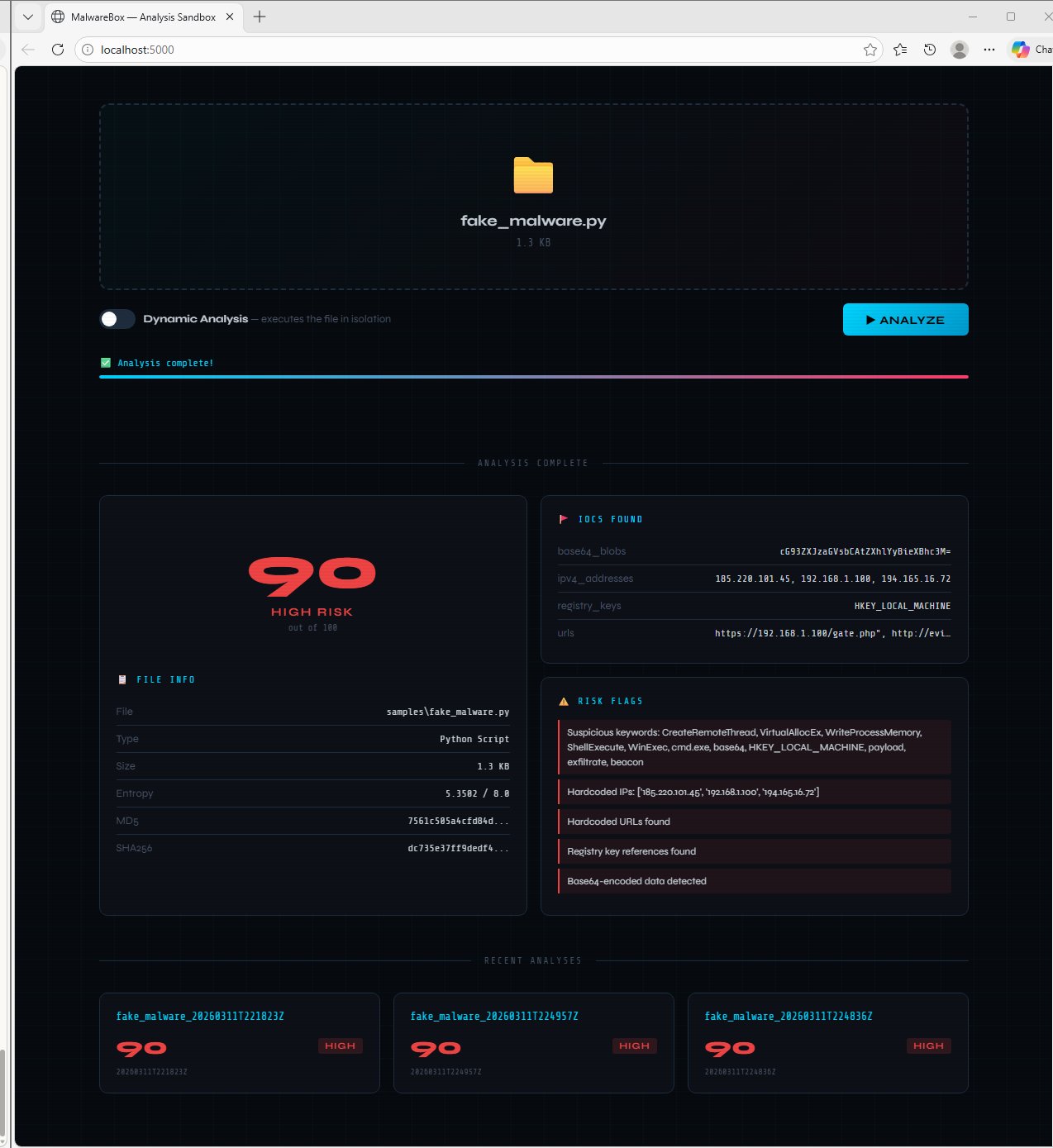
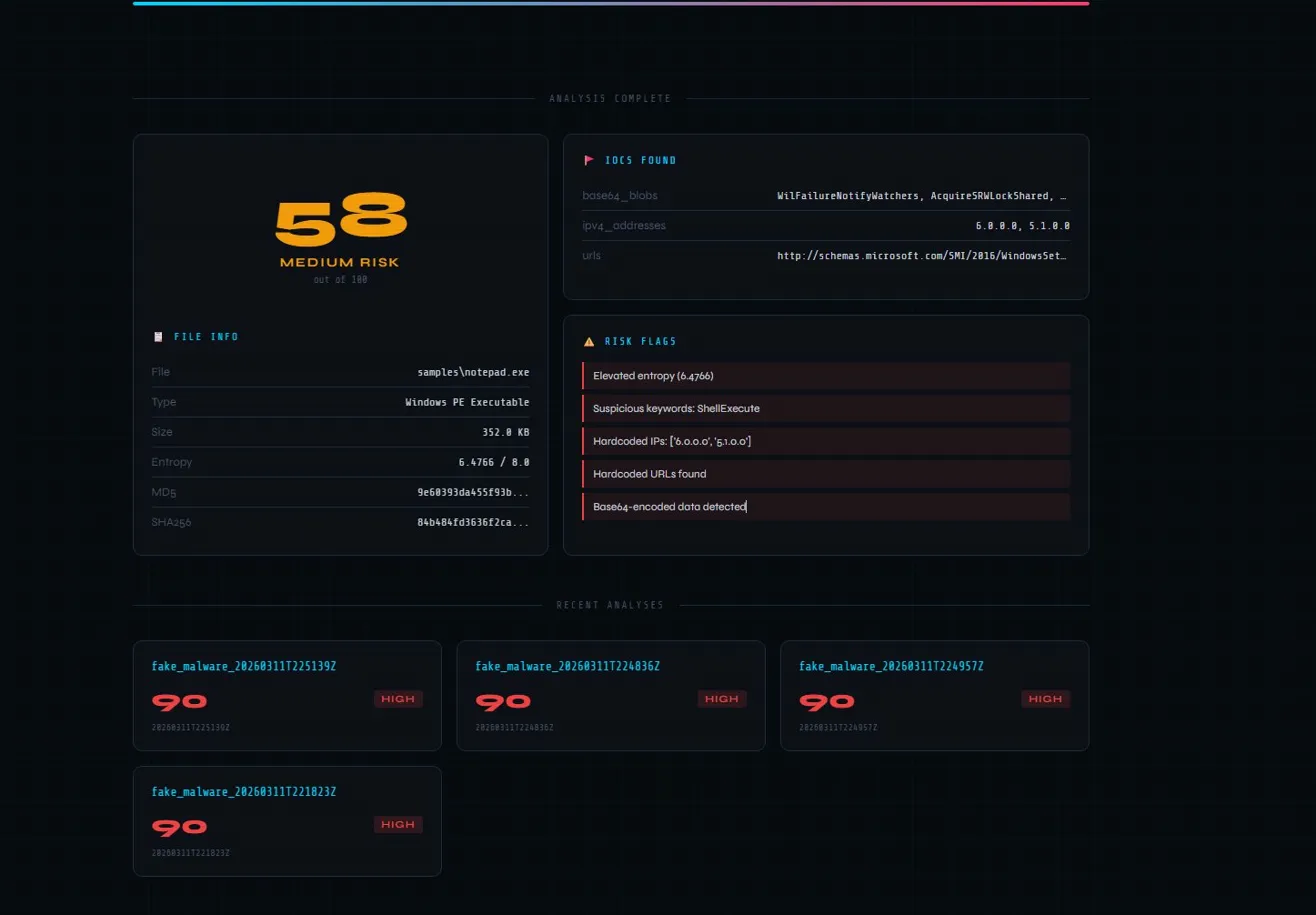
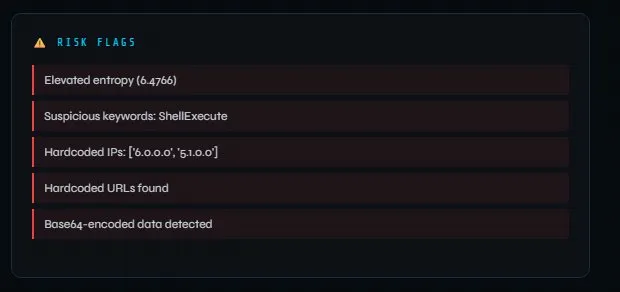
In a SOC environment, analysts frequently receive suspicious file reports — email attachments, endpoint quarantine samples, downloaded executables — that need rapid triage before escalation decisions are made. MalwareBox supports that workflow by performing safe analysis without executing the sample on the host machine.
Core analyst question this tool answers: Is this file worth escalating to Tier 2 or submitting to a full sandbox?
MalwareBox runs three analysis modules and aggregates results into a single composite risk score.
| Capability | Detail |
|---|---|
| Hash generation | MD5, SHA-1, SHA-256 — ready for VirusTotal lookup |
| Entropy scoring | Shannon entropy — values >7.2 indicate packed or encrypted content |
| Magic byte detection | Identifies PE, ELF, ZIP, PDF, Office files from raw bytes |
| String extraction | Pulls readable ASCII strings from binary files |
| IOC extraction | Regex-based detection of hardcoded IPs, URLs, registry keys, base64 blobs |
| Suspicious keywords | Flags ShellExecute, PowerShell, cmd.exe, CreateRemoteThread, and 15+ malware indicators |
| Capability | Detail |
|---|---|
| strace integration | Monitors all syscalls during controlled execution |
| High-risk syscall detection | Flags ptrace (anti-debugging), execve (execution), connect (network), mprotect (memory injection) |
| Child process tracking | Detects process spawning — common dropper behavior |
| Network event logging | Captures socket creation and connection attempts |
| Capability | Detail |
|---|---|
| Scapy integration | Live packet capture with tcpdump fallback |
| DNS monitoring | Flags queries to suspicious TLDs (.onion, .xyz, .cc) |
| Suspicious IP detection | Checks against known malicious IP ranges |
| Notable port detection | Flags Metasploit default (4444), IRC botnet C2 (6667), Back Orifice (31337) |
| Connection enumeration | Logs all external connections with hostname resolution |
All three modules contribute to a weighted composite score from 0–100.
| Score | Risk Level |
|---|---|
| 70–100 | 🔴 HIGH |
| 40–69 | 🟡 MEDIUM |
| 10–39 | 🟢 LOW |
| 0–9 | ✅ CLEAN |
Key scoring signals:
- Entropy > 7.2 (+30) — packed/encrypted content
- Suspicious syscalls (+5 per occurrence, max 20 per syscall)
- Hardcoded IPs or URLs (+15 each)
- Sensitive keywords like
CreateRemoteThread,beacon,keylogger(+8 each) - Network connections to suspicious destinations (+20 each)
- User reports suspicious email attachment → ticket created
- Analyst saves attachment → drops into MalwareBox dashboard
- SHA-256 hash generated → submitted to VirusTotal for known-bad check
- Static analysis runs → entropy score, IOCs, and suspicious strings extracted
- Dynamic analysis runs → syscall behavior monitored in controlled execution
- Network capture logs → any C2 communication attempts flagged
- Composite risk score assessed → escalate to Tier 2 or close with documentation
- JSON report saved → attached to ticket as evidence
| Technique | ID | How MalwareBox Surfaces It |
|---|---|---|
| Obfuscated Files or Information | T1027 | High entropy flags packed/encrypted samples |
| Command and Scripting Interpreter | T1059 | String extraction surfaces PowerShell/cmd.exe |
| Ingress Tool Transfer | T1105 | Hardcoded URL extraction flags download cradles |
| Application Layer Protocol | T1071 | Hardcoded IP/URL IOC extraction |
| Encrypted Channel | T1573 | Entropy analysis flags encrypted payloads |
| Process Injection | T1055 | CreateRemoteThread, VirtualAllocEx keyword detection |
| Boot or Logon Autostart | T1547 | Registry key extraction flags persistence mechanisms |
git clone https://github.com/Lovedipsingh/Malwarebox.git
cd Malwarebox
pip install flask
python app.py
Open http://localhost:5000 in your browser.
Dynamic analysis requires Linux with strace installed:
apt install straceNetwork capture requires scapy:pip install scapyor tcpdump
Always run this tool inside an isolated VM or air-gapped environment. Never analyze real malware samples on your host machine. MalwareBox performs controlled analysis — static mode never executes samples.
Malwarebox/
├── app.py                        # Flask web server and API routes
├── launch.bat                    # Windows one-click launcher
├── sandbox/
│   ├── static_analyzer.py        # Hash, entropy, IOC, string extraction
│   ├── dynamic_monitor.py        # strace syscall monitoring
│   ├── network_capture.py        # Scapy/tcpdump packet capture
│   └── report_generator.py       # JSON report aggregation
└── templates/
    └── index.html                # Web dashboard UI
- Static binary analysis — entropy scoring, magic bytes, IOC extraction
- Dynamic analysis — syscall monitoring via strace integration
- Network traffic analysis — Scapy packet capture and suspicious destination detection
- Python dataclass architecture for structured reporting
- Flask web application with drag-and-drop file upload
Built by Lovedip Singh — SOC analyst portfolio project. LinkedIn | GitHub