| last_commit | d59e8a7 |
|---|
Display live Garmin inReach MapShare data on your WordPress site with a simple Shortcode.
Caution
Even if you have a MapShare password set, this plugin simply uses it to request your data; it does not protect it from being viewed. You are responsible for protecting access if needed.
Note
This plugin is free, open-source software and is not maintained by Garmin. Data is requested from the Garmin inReach KML Feeds service.
[inreach-mapshare mapshare_identifier="your_identifier"]
Accepts optional parameters mapshare_date_start, mapshare_date_end, and mapshare_route_url (GeoJSON URL). See docs/configuration.md for full setup.
If you find value in this software please consider supporting it's continued development through sponsorship. Any amount is appreciated.
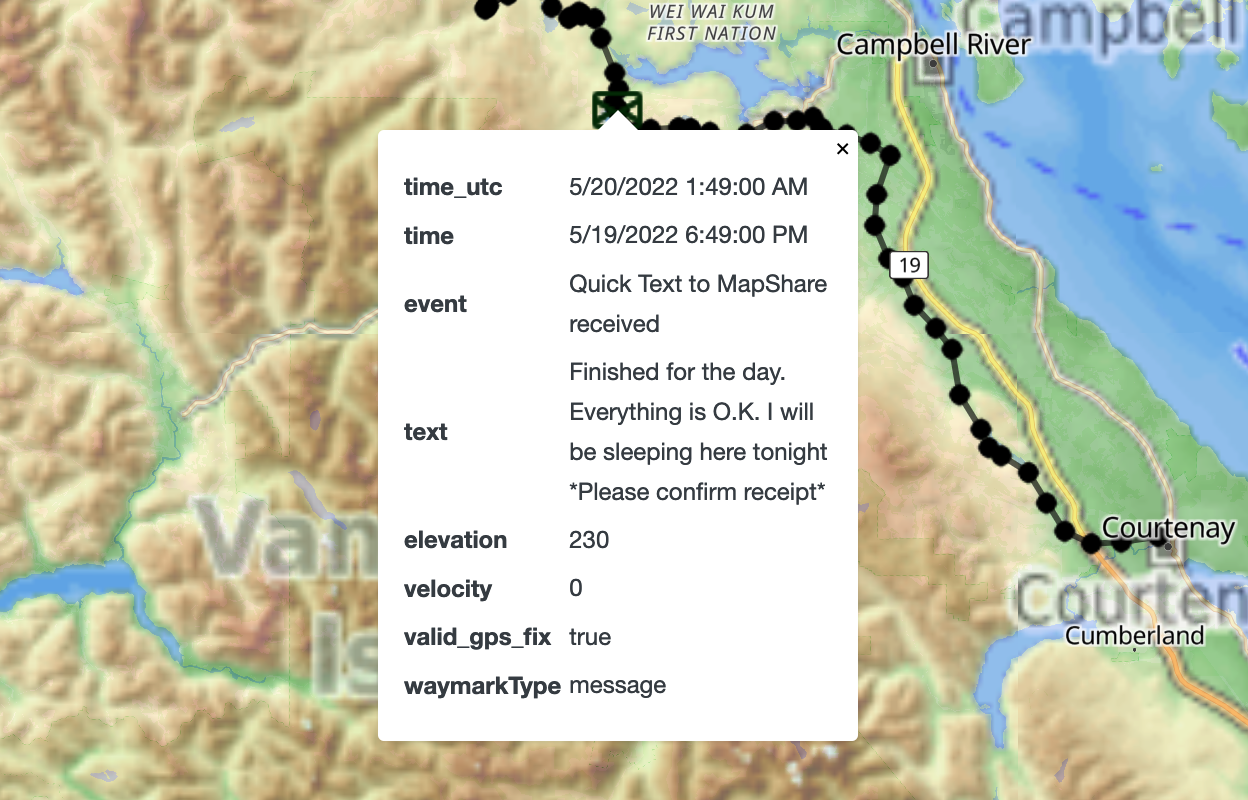
For features and displayed data fields, see docs/features.md.
If you experience any issues with the plugin, ensure that your MapShare page (i.e. share.garmin.com/[your_identifier]) is displaying data. This is important — this plugin can only display data available to your MapShare.
- Download the plugin (.zip).
- In your WordPress Admin, go to Plugins > Add New Plugin.
- Click the "Upload Plugin" button.
- Upload the
inreach-mapshare.zipfile downloaded. - Activate the plugin.
- Configure the plugin in WP Admin > Settings > inReach MapShare.
See docs/configuration.md for step-by-step setup instructions.
Note
Development dependencies: Node.js and npm and Docker are required.
# 1. Clone and enter the repo
git clone --recurse-submodules https://github.com/OpenGIS/inreach-mapshare.git
cd inreach-mapshare

# 2. Install dependencies
npm install

# 3. Start the local WordPress environment (Docker must be running!)
npm run dev

# 4. Build assets (Vite compiles JS, CSS, LESS)
npm run build

# 5. Run browser tests (Playwright smoke suite)
npm run test:browser
Vite handles the build pipeline. The local dev environment uses wp-env which manages WordPress and MySQL in Docker containers.
Pull requests are welcome!