
Claude Code and Codex CLI as your personal Telegram assistant.
Persistent memory. Scheduled tasks. Live streaming. Docker sandboxing.
Uses only the official CLIs. Nothing spoofed, nothing proxied.


Quick start · Why ductor? · Features · Prerequisites · How it works · Commands · Docs · Contributing
ductor runs on your machine, uses your existing Claude or Codex subscription, and remembers who you are between conversations. One Markdown file is the agent's memory. One folder (~/.ductor/) holds everything. pipx install ductor, done.
You can schedule cron jobs, set up webhooks, and let the agent check in on its own with heartbeat prompts. Responses stream live into Telegram. Sessions survive restarts.
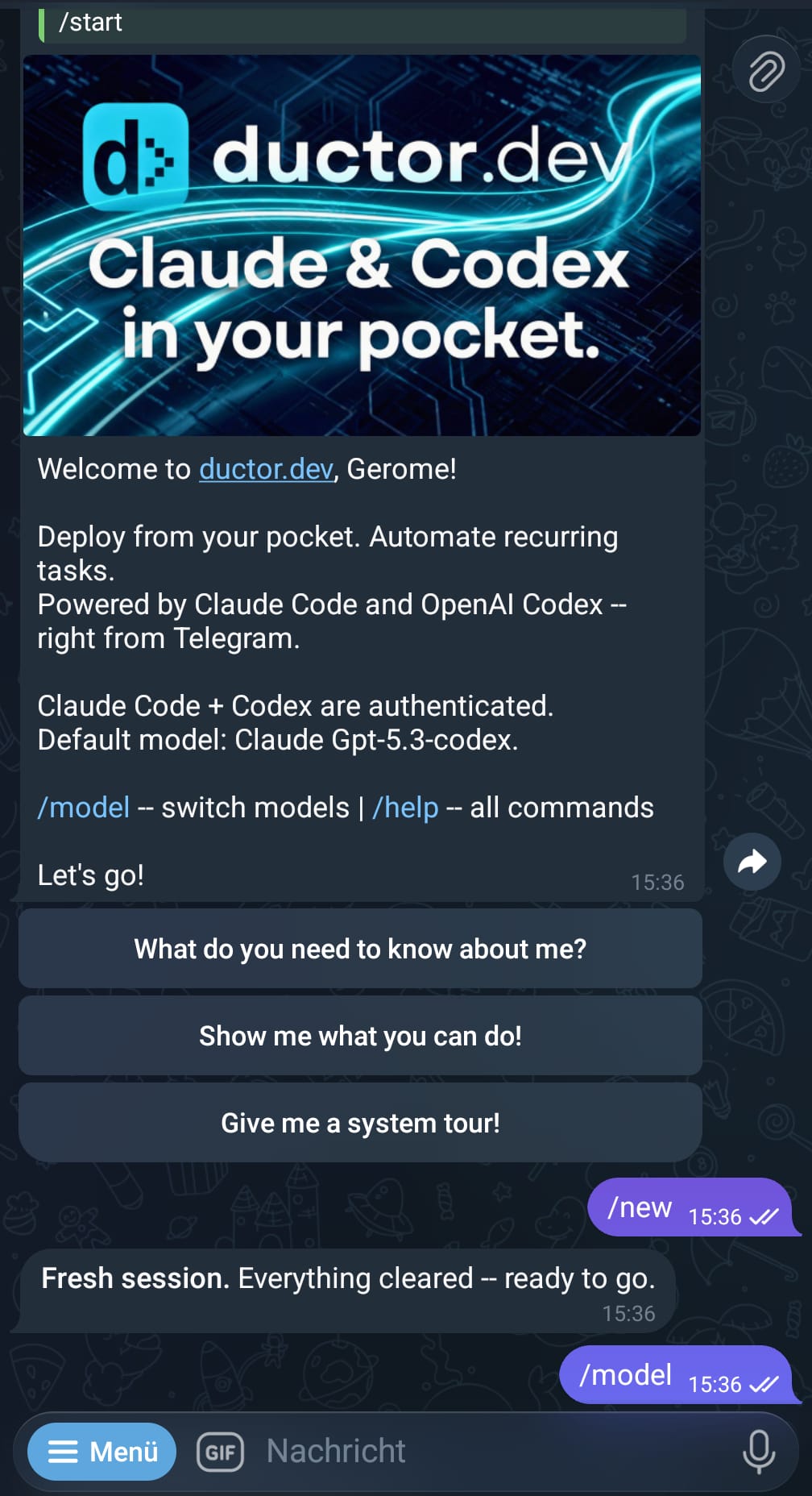
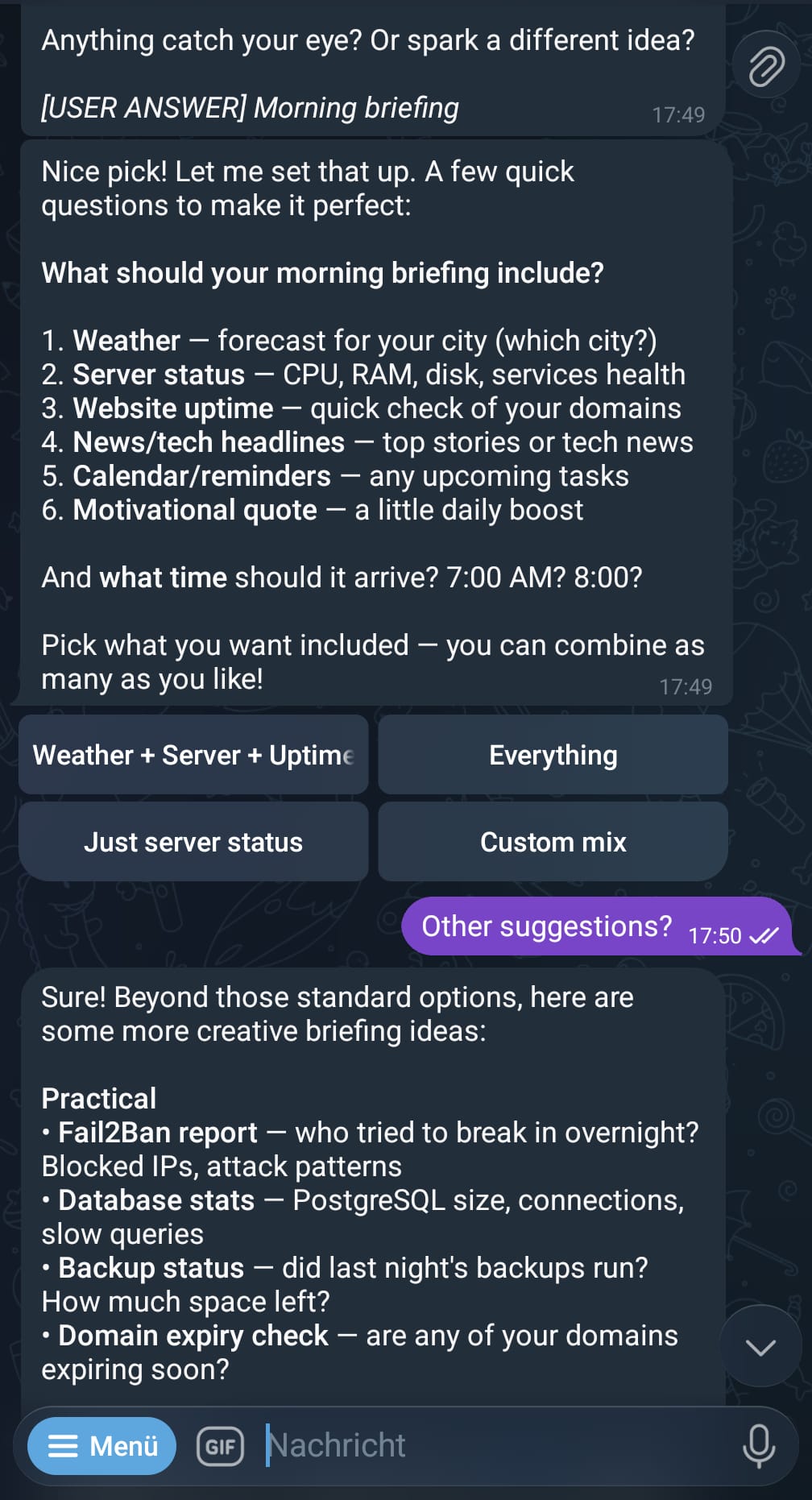
Left: /start onboarding screen — Right: Quick action buttons generated dynamically by the agent
pipx install ductor
ductor
The setup wizard walks you through the rest.
I tried a bunch of CLI wrappers and Telegram bots for Claude and Codex. Most were either too complex to set up, too hard to modify, or got people banned because they spoofed headers and forged API requests to impersonate the official CLI.
ductor doesn't do that.
- Spawns the real CLI binary as a subprocess. No token interception, no request forging
- Uses only official rule files:
CLAUDE.mdandAGENTS.md - Memory is one Markdown file. No RAG, no vector stores
- One channel (Telegram), one Python package, one command
The agents are good enough now that you can steer them through their own rule files. I don't need a RAG system to store memories -a single Markdown file that tracks what I like, what I don't, and what I'm working on is plenty. I can reach them from Telegram instead of a terminal.
I picked Python because it's easy to modify. The agents can write their own automations, receive webhooks (new email? parse it and ping me), set up scheduled tasks. All controlled from your phone.
- Responses stream in real-time -ductor edits the Telegram message live as text arrives
- Switch between Claude Code and Codex mid-conversation with
/model - Sessions survive bot restarts
@opus explain thistemporarily switches model without changing your default- Send images, PDFs, voice messages, or videos -ductor routes them to the right tool
- Agents can send
[button:Yes][button:No]inline keyboards back to you - Persistent memory across sessions, stored in one Markdown file
- Cron jobs -recurring tasks with cron expressions and timezone support. Each job runs as its own subagent with a dedicated workspace and memory file (plus optional per-job quiet hours and dependency locks)
- Webhooks -HTTP endpoints with Bearer or HMAC auth. Two modes: wake injects a prompt into your active chat, cron_task runs a separate task session. Works with GitHub, Stripe, or anything that sends POST
- Heartbeat -the agent checks in periodically during active sessions. Quiet hours respected
- Cleanup -daily retention cleanup for
telegram_files/andoutput_to_user/
Tell the agent: "Check Hacker News every morning at 8 and send me the top AI stories."
ductor creates a task folder with everything the subagent needs:
~/.ductor/workspace/cron_tasks/hn-ai-digest/
    CLAUDE.md              # Agent rules (managed by ductor)
    AGENTS.md              # Same rules for Codex
    TASK_DESCRIPTION.md    # What the agent should do
    hn-ai-digest_MEMORY.md # The subagent's own memory across runs
    scripts/               # Helper scripts if needed
At 8:00 every morning, ductor starts a fresh session in that folder. The subagent reads the task, does the work, writes what it learned to memory, and posts the result to your chat. It is context-isolated from your main conversation and memory.
Your CI fails. A webhook in wake mode injects the payload into your active chat. Your agent sees it with full history and memory and responds.
POST /hooks/ci-failure -> "CI failed on branch main: test_auth.py::test_login timed out"
-> Agent reads this, checks the code, tells you what went wrong
ductor service install-Linux systemd user service (start on boot, restart on crash)- Docker sandbox image (built via
Dockerfile.sandbox) -both CLIs have full filesystem access by default, so a container keeps your host safe /upgradechecks PyPI, offers in-chat upgrade, then restarts automatically on success- Supervisor with PID lock. Exit code 42 triggers restart
- Prompt injection detection, path traversal checks, per-user allowlist
- First-run wizard detects your CLIs, walks through config, seeds the workspace
- New config fields merge automatically on upgrade
/diagnoseshows system diagnostics (version/provider/model, Codex cache status, recent logs),/statusshows session stats/stopterminates the active run and drains queued messages,/newstarts a fresh session/showfileslets you browse~/.ductor/as a clickable file tree inside Telegram- Messages sent while the agent is working show
[Message in queue...]with a cancel button - Bundled skills (e.g.
skill-creator) are symlinked into the workspace and stay current with the installed version
| Requirement | Details |
|---|---|
| Python 3.11+ | python3 --version |
| pipx | pip install pipx (recommended) or pip |
| One CLI installed | Claude Code or Codex CLI |
| CLI authenticated | claude auth or codex auth |
| Telegram Bot Token | From @BotFather |
| Your Telegram User ID | From @userinfobot |
| Docker (optional) | Recommended for sandboxed execution |
Detailed platform guides: Installation (Linux, macOS, WSL, Windows, VPS)
You (Telegram)
    |
    v
ductor (aiogram)
    |
    ├── AuthMiddleware (user allowlist)
    ├── SequentialMiddleware (per-chat lock + queue tracking)
    |
    v
Orchestrator
    |
    ├── Command Router (/new, /model, /stop, ...)
    ├── Message Flow -> CLIService -> claude / codex subprocess
    ├── CronObserver -> Scheduled task execution
    ├── HeartbeatObserver -> Periodic background checks
    ├── WebhookObserver -> HTTP endpoint server
    ├── CleanupObserver -> Daily file retention cleanup
    └── UpdateObserver -> PyPI version check
    |
    v
Streamed response -> Live-edited Telegram message
ductor spawns the CLI as a child process and parses its streaming output. The Telegram message gets edited live as text arrives. Sessions are stored as JSON. Background systems run as asyncio tasks in the same process.
Everything lives in ~/.ductor/.
~/.ductor/
    config/config.json           # Bot config (token, user IDs, model, Docker, timezone)
    sessions.json                # Active sessions per chat
    cron_jobs.json               # Scheduled task definitions
    webhooks.json                # Webhook endpoint definitions
    CLAUDE.md                    # Agent rules (auto-synced)
    AGENTS.md                    # Same rules for Codex (auto-synced)
    logs/agent.log               # Rotating log file
    workspace/
        memory_system/
            MAINMEMORY.md        # The agent's long-term memory about you
        cron_tasks/              # One subfolder per scheduled job
        skills/
            skill-creator/       # Bundled skill (symlinked from package)
        tools/
            cron_tools/          # Add, edit, remove, list cron jobs
            webhook_tools/       # Add, edit, remove, test webhooks
            telegram_tools/      # Process files, transcribe audio, read PDFs
            user_tools/          # Custom scripts the agent builds for you
        telegram_files/          # Downloaded media, organized by date
        output_to_user/          # Files the agent sends back to you
Plain text, JSON, and Markdown. No databases, no binary formats.
Config lives in ~/.ductor/config/config.json. The wizard creates it on first run:
ductor # wizard creates config interactivelyKey fields: telegram_token, allowed_user_ids, provider (claude or codex), model, docker.enabled, user_timezone, cleanup. Full schema in docs/config.md.
Configure provider-specific CLI parameters in config.json:
{
  "cli_parameters": {
    "claude": [],
    "codex": ["--chrome"]
  }
}
Parameters are appended to CLI commands for the respective provider.
Cron tasks support per-task execution overrides:
{
  "provider": "codex",
  "model": "gpt-5.2-codex",
  "reasoning_effort": "high",
  "cli_parameters": ["--chrome"],
  "quiet_start": 22,
  "quiet_end": 7,
  "dependency": "nightly-reports"
}
All fields are optional and fall back to global config values if not specified.
| Command | Description |
|---|---|
/new |
Start a fresh session |
/stop |
Stop active agent execution and discard queued messages |
/model |
Switch AI model (interactive keyboard) |
/model opus |
Switch directly to a specific model |
/status |
Session info, tokens, cost, auth status |
/memory |
View persistent memory |
/cron |
View/manage scheduled tasks (toggle enable/disable) |
/showfiles |
Browse ~/.ductor/ as an interactive file tree |
/info |
Project links and version info |
/upgrade |
Check for updates and show upgrade prompt |
/restart |
Restart the bot |
/diagnose |
Show system diagnostics and recent logs |
/help |
Command reference |
| Document | Description |
|---|---|
| Installation | Platform-specific setup (Linux, macOS, WSL, Windows, VPS) |
| Developer Quickstart | Fast onboarding for contributors and junior devs |
| Automation | Cron jobs, webhooks, heartbeat |
| Configuration | Full config schema and options |
| Architecture | System design and runtime flow |
| Module reference | Per-subsystem documentation |
ductor runs the official CLI binaries from Anthropic and OpenAI. It does not modify API calls, spoof headers, forge tokens, or impersonate clients. Every request comes from the real CLI process.
Terms of Service can change. Automating CLI interactions may be a gray area depending on how providers interpret their rules. We built ductor to follow intended usage patterns, but can't guarantee it won't lead to account restrictions.
Use at your own risk. Check the current ToS before deploying:
Not affiliated with Anthropic or OpenAI.
git clone https://github.com/PleasePrompto/ductor.git
cd ductor
python -m venv .venv && source .venv/bin/activate
pip install -e ".[dev]"
pytest
ruff check .
mypy ductor_bot
Zero warnings, zero errors. See CLAUDE.md for conventions.