

A robust desktop viewer and graphical editor for Automobilista 2 (Madness-engine) EDF/EDFBIN engine files. Quickly inspect, interactively plot, and edit torque curves, compression maps, and engine parameters using JDougNY's Project CARS Engine translation mapping—no hex editor required.
Why: Open an EDF, visually sculpt a torque curve directly on a graph, export data to CSV, tweak parameter values, and save your changes back to a binary-perfect file ready for the game.
-
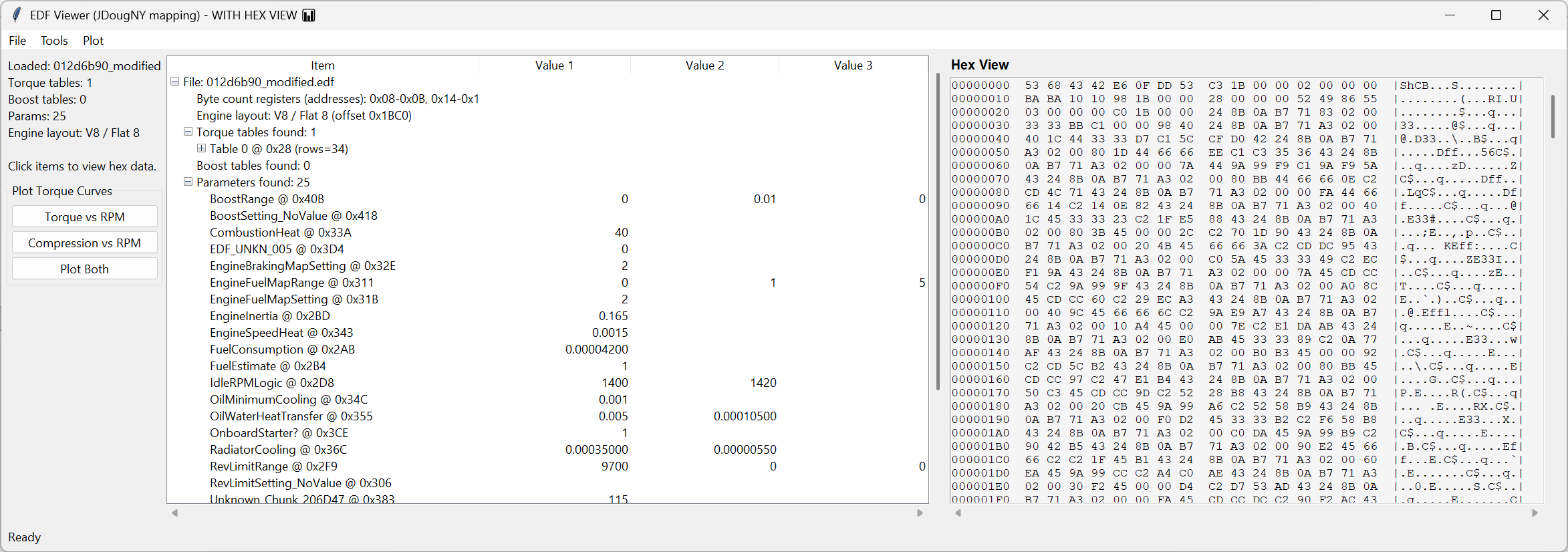
Deep Parser & Viewer
- Extract and display all Torque tables (RPM, compression, torque) with safety and plausibility checks.
- Parse Turbo boost tables (RPM vs throttle 0/25/50/75/100%).
- Detects 51 common engine parameters automatically with human-readable labels, typed data definitions, and units.
- Heuristic Engine layout detection.
- Synchronised Hex view traceability—click any item to see its exact bytes highlighted.
-
Interactive Visual Plotting (Drag & Drop)
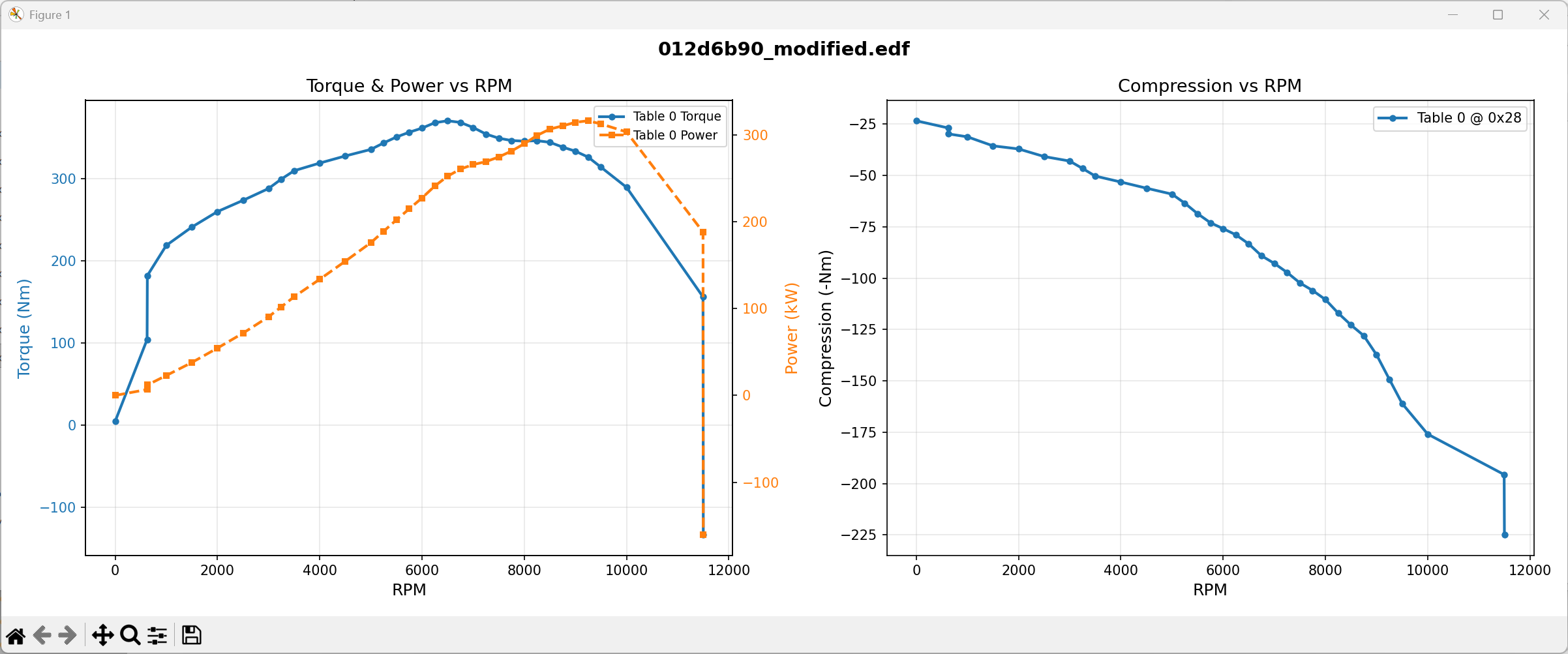
- View Dual-axis Torque + Power vs RPM and Compression maps.
- Drag-Editable Curves: Visually reshape engine output by dragging torque or compression data points directly on the graph.
- Proportional Scaling: Changing torque dynamically scales row compression proportionally, keeping the engine model valid (or isolate them for independent tracking).
- Precision Controls: Hold
Shiftfor fine adjustment (÷10 sensitivity) orCtrlto snap to exact 10Nm increments. - Robust Undo/Redo System: Hit
Ctrl+Zto reverse drag actions via a 50-step undo stack. - Safe modifications: Interactive adjustments are strictly quantised to the nearest valid EDF encoding step to ensure binary fidelity.
-
Data Editing & Management
- Direct Numeric Editing: Double‑click any tree view parameter to manually edit numbers with context-aware clamping.
- Scale torque globally: Increase or decrease entire torque maps by a defined overall percentage.
- Unsaved dirtystate indicator (
*) and safe Save/Save As operations. - Verified Lossless Architecture: The tool operates using a verified round-trip standard. Loading and saving without changes preserves 100% of the byte structure.
-
Export/Save
- Export full torque tables directly to CSV for spreadsheet analysis.
- Python 3.9+
- Standard libraries:
tkinter,struct,csv,pathlib - Plotting & Interaction:
matplotlib(Strongly Recommended:pip install matplotlib)
python run.pyThe project maintains a rigorous, non-regression test suite for the EDF parser.
pip install pytest
pytest tests/ -v- File → Open EDF… (load standard
.edfor nested.edfbin) - Explore tables and parameters in the structured tree menu.
- (Optional) Tools → Plot Torque/Power. Your engine's curves will map out. Click and drag nodes vertically to adjust torque.
- Edit a static value: double‑click any row metric or parameter → change → hit enter.
- Tools → Scale Torque Tables… to apply global percentages.
- Tools → Export CSV… (if desired).
- File → Save or File → Save As… to commit binary back to disk.
(Note: Data is held in an in‑memory safety copy until you explicitly save it.)
├── ams2_edf_editor.py     # Legacy onefile executable build script (if present)
├── run.py                 # Application launcher
├── spec.md                # Latest functional specification
├── src/
│   ├── core/              # Parsers, writers, binary constants
│   ├── gui/               # Tree menus, hex viewer, dialogs
│   └── utils/             # Interactive Matplotlib plotting
└── tests/                 # Deep suite coverage of binary operations
- No plots → Make sure matplotlib is loaded:
pip install matplotlib - "No torque tables parsed" → File variant may differ structurally from standard patterns; inspect the hex view manually to track data drift.
- Edits didn't save → Make sure you hit File → Save or Save As… since the app applies an in-memory modification initially.
- JDougNY — Project CARS Engine translation mapping (v1.01)