


This is a custom widget that displays the real-time currency conversion rate between two currencies. It can be used in SAP applications to enhance user experience by providing quick access to currency conversion information.
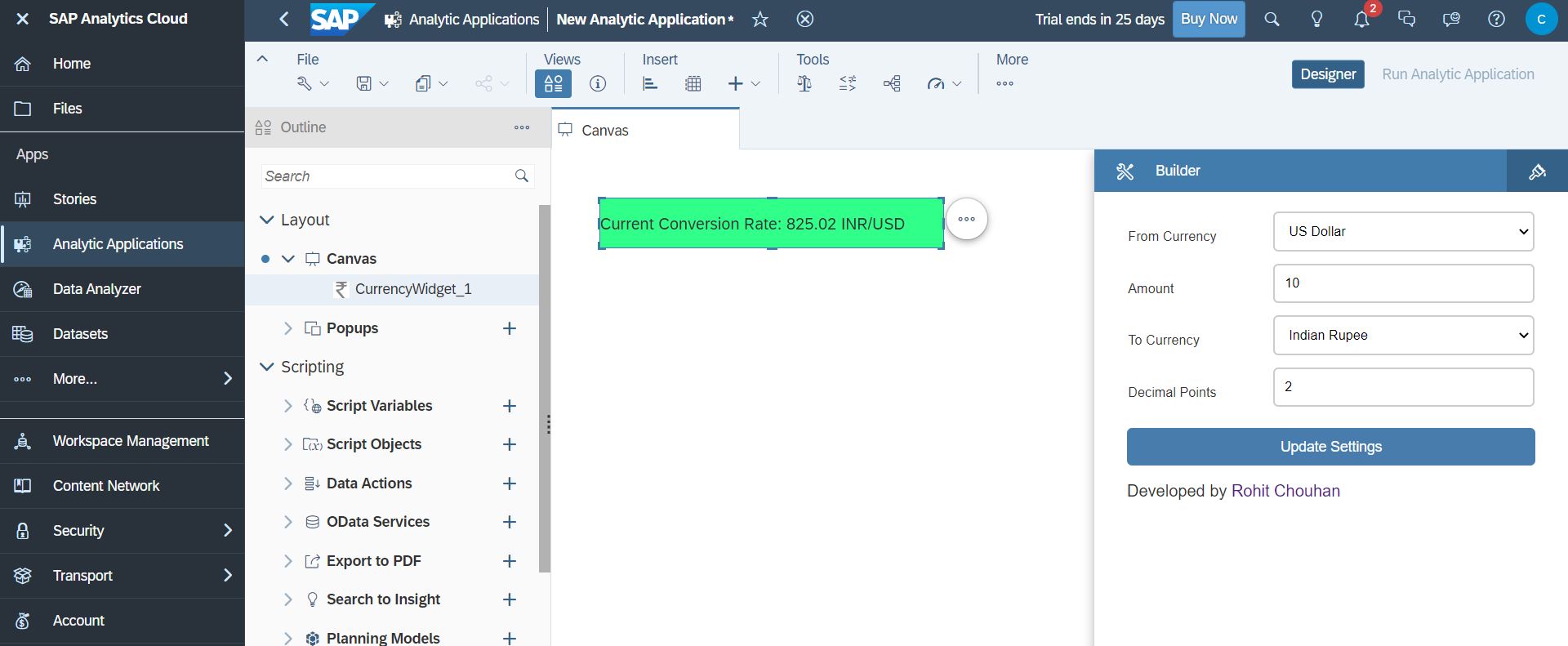
To use this widget in your SAP application, follow these steps:
- Download the
CurrencyWidget.jsonfile from the URLs specified in the webcomponents property of the JSON. - Go to your SAC Portal, select Analytic Application from the left side bar, and then go to the Custom Widget tab.
- Click on the + icon on the right side and select the
CurrencyWidget.jsonfile that you downloaded. - You're done! You can now use it in your app.
The widget has the following methods:
| Method | Parameter Type | Description |
|---|---|---|
| setFrom(from) | string | Set Source Currency Code |
| setTo(to) | string | Set Target Currency Code |
| setAmount(amount) | integer | Set Amount to Calculate |
| setDecimalPlaces(decimalPlaces) | integer | Set Decimal Values |
| Method | Return Type | Description |
|---|---|---|
| getFrom() | string | return Source Currency Code |
| getTo() | string | return Target Currency Code |
| getAmount() | integer | return Amount to Calculate |
| getDecimalPlaces() | integer | return Decimal Values |
| getCalculatedRate() | string | return Calculated Currency Rate |
This widget is developed by Rohit Chouhan