The most complete, up-to-date, and beginner-friendly guide to every GitHub Achievement Badge. Learn what each badge means, how to earn it, its tiers, and pro tips to collect them all!



⭐ Star this repo so you never lose it!
- What are GitHub Achievement Badges?
- All Badges — Complete List
- Badge Tiers Explained
- Every Badge — Detailed Breakdown
- How to Display Badges on Your Profile
- Pro Tips to Earn Badges Fast
- FAQ
- Contributing
GitHub Achievement Badges are special collectible awards that appear directly on your GitHub profile. They are automatically awarded by GitHub when you complete specific actions or milestones on the platform — like getting stars on your repos, merging pull requests, or contributing to legendary projects.
These badges sit on your public GitHub profile page and show the world your contributions, skills, and GitHub activity at a glance. Think of them as GitHub's way of gamifying open-source contributions!
Where do they appear? Go to any GitHub profile → look at the left sidebar under your bio — you'll see all earned badges there.
A quick overview of every badge available on GitHub right now.
| # | Badge | Name | Difficulty | Has Tiers? |
|---|---|---|---|---|
| 1 |  |
Starstruck | 🟡 Medium | ✅ Yes |
| 2 |  |
Pull Shark | 🟢 Easy | ✅ Yes |
| 3 |  |
Pair Extraordinaire | 🟢 Easy | ✅ Yes |
| 4 |  |
Galaxy Brain | 🟡 Medium | ✅ Yes |
| 5 |  |
YOLO | 🟢 Easy | ❌ No |
| 6 |  |
Quickdraw | 🟢 Easy | ❌ No |
| 7 |  |
Heart On Your Sleeve | 🟢 Easy | ✅ Yes |
| 8 | 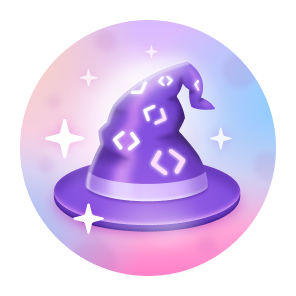 |
Open Sourcerer | 🟡 Medium | ✅ Yes |
| 9 |  |
Public Sponsor | 🟡 Medium | ❌ No |
| 10 |  |
Arctic Code Vault Contributor | 🔴 Unobtainable | ❌ No |
| 11 | 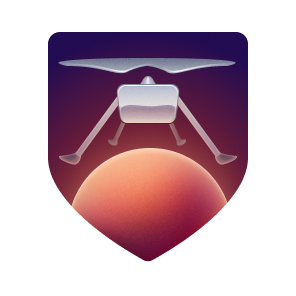 |
Mars 2020 Helicopter Contributor | 🔴 Unobtainable | ❌ No |
Some GitHub badges have multiple tiers — meaning the more you do, the higher the tier you unlock. Each tier upgrades the badge appearance on your profile (Default → Bronze → Silver → Gold).
| Tier | Symbol | Appearance |
|---|---|---|
| 🥉 Default | No ring | First time earning the badge |
| 🥈 Bronze | Bronze ring | Mid-level milestone reached |
| 🥇 Silver | Silver ring | High-level milestone reached |
| 🏅 Gold | Gold ring | Maximum milestone reached |
Tier upgrades happen automatically once you hit the required numbers. No action needed!
Awarded when: One of your repositories receives a certain number of ⭐ stars from other users.
What it means: People love your work! This badge shows you've built something the GitHub community finds valuable enough to star and save.
- Create a public repository on GitHub
- Push useful/interesting code, tools, or resources
- Share it with the community (Reddit, Twitter, Dev.to, etc.)
- Wait for stars to roll in!
| Tier | Stars Required |
|---|---|
| 🥉 Default | 16 stars |
| 🥈 Bronze | 128 stars |
| 🥇 Silver | 512 stars |
| 🏅 Gold | 4096 stars |
💡 Pro Tip: READMEs with great visuals, clear purpose, and a live demo tend to get the most stars. Sharing on Reddit r/github or Hacker News can give you a big boost!
Awarded when: A certain number of your pull requests get merged into any repository.
What it means: You're an active contributor to projects. Pull Sharks keep the open-source world running!
- Find an open-source project on GitHub
- Fork the repo and make your changes
- Open a Pull Request (PR)
- Get it reviewed and merged by the maintainer
- Repeat!
| Tier | Merged PRs Required |
|---|---|
| 🥉 Default | 2 merged PRs |
| 🥈 Bronze | 16 merged PRs |
| 🥇 Silver | 128 merged PRs |
| 🏅 Gold | 1024 merged PRs |
💡 Pro Tip: Start by fixing typos, improving documentation, or adding tests — these PRs get merged quickly! Look for repos with the
good first issuelabel.
Awarded when: You co-author a commit in a pull request that gets merged.
What it means: You believe in collaboration! This badge rewards pair programming and teamwork.
- Work with another GitHub user on code
- When committing, add a co-author line at the bottom of your commit message:
Co-authored-by: Friend's Name <friends-github-email@example.com>
- Open a PR with that commit and get it merged
| Tier | Co-authored PRs Required |
|---|---|
| 🥉 Default | 1 co-authored merged PR |
| 🥈 Bronze | 10 co-authored merged PRs |
| 🥇 Silver | 24 co-authored merged PRs |
| 🏅 Gold | 48 co-authored merged PRs |
💡 Pro Tip: You can co-author with a friend on even your own small projects. Just make sure the email matches their GitHub account email!
Awarded when: Your answer to a GitHub Discussion is marked as the accepted answer.
What it means: You're a knowledge-sharer and problem solver. Your answers are so good that maintainers officially mark them as the solution!
- Go to any public GitHub repository that has Discussions enabled
- Find a question/discussion where you can genuinely help
- Write a helpful, detailed answer
- Get the discussion author or repo maintainer to mark it as "Answered" ✅
| Tier | Accepted Answers Required |
|---|---|
| 🥉 Default | 1 accepted answer |
| 🥈 Bronze | 8 accepted answers |
| 🥇 Silver | 16 accepted answers |
| 🏅 Gold | 32 accepted answers |
💡 Pro Tip: Look in popular repos like
microsoft/vscode,vercel/next.js, orfacebook/react— they all have active Discussions tabs!
Awarded when: You merge a pull request without a code review (no one reviewed it before merging).
What it means: You live dangerously! 😄 This badge is a fun, tongue-in-cheek reward for the bold.
- Create a repository where you are the owner
- Create a new branch and make any small change
- Open a pull request
- Merge it yourself without requesting or waiting for any review
⚠️ Only do this on your own repos — never on professional or collaborative projects!
This badge has no tiers — you either have it or you don't.
💡 Pro Tip: This is one of the easiest badges to get — can be done in under 2 minutes on any test repo you own!
Awarded when: You close an issue or pull request within 5 minutes of it being opened.
What it means: You're lightning fast! Quick to respond and take action.
- Open any issue or pull request on any repository (including your own)
- Close it within 5 minutes of opening
- Badge unlocked! 🎉
This badge has no tiers.
💡 Pro Tip: The fastest way — open an issue on your own repo, then immediately close it. Done in under 10 seconds!
Awarded when: You react to something on GitHub using the ❤️ heart emoji reaction.
What it means: You spread love in the GitHub community!
⚠️ Note: This badge is currently experimental and may not appear for all users yet.
- Find any issue, PR, comment, or discussion on GitHub
- Click the 😄 emoji reaction button
- Select the ❤️ heart reaction
| Tier | Hearts Given |
|---|---|
| 🥉 Default | 1 heart reaction |
| 🥈 Bronze | 16 heart reactions |
| 🥇 Silver | 128 heart reactions |
| 🏅 Gold | 1024 heart reactions |
Awarded when: You have pull requests merged in multiple different public repositories.
What it means: You're not just contributing to one project — you're actively helping the entire open-source ecosystem!
⚠️ Note: This badge is currently experimental.
- Contribute to at least 2 different public repositories
- Get PRs merged in each of them
| Tier | Repos Contributed To |
|---|---|
| 🥉 Default | 2 repos |
| 🥈 Bronze | 10 repos |
| 🥇 Silver | 24 repos |
| 🏅 Gold | 48 repos |
💡 Pro Tip: Websites like goodfirstissue.dev and up-for-grabs.net help you find beginner-friendly issues across many different repos!
Awarded when: You publicly sponsor another developer or organization through GitHub Sponsors.
What it means: You financially support open-source developers — a true community hero!
- Go to any developer's profile that has GitHub Sponsors enabled
- Click the ❤️ Sponsor button on their profile
- Choose a monthly sponsorship amount and complete payment
- Make sure sponsorship visibility is set to Public (not private)
This badge has no tiers — sponsor once and it's yours!
💡 Pro Tip: Many popular open-source developers have GitHub Sponsors. Even the lowest tier ($1/month) counts!
Awarded when: You contributed code to a public repository that was archived in the 2020 GitHub Arctic Code Vault — a program that preserved open-source code in a vault buried in the Arctic permafrost of Norway.
What it means: Your code is literally frozen in the Arctic and will be preserved for 1,000 years! 🧊
🔴 No — this badge is no longer obtainable. The Arctic Code Vault snapshot was taken on February 2, 2020. Only developers who had commits pushed to qualifying public repos before that date received this badge.
If you have this badge — treasure it! Your code is part of history forever. 🏔️
Awarded when: You contributed to one of the open-source repositories used by NASA's Ingenuity Mars Helicopter during the Mars 2020 mission.
What it means: Your code literally flew on another planet! 🚀🪐 This is arguably the rarest and most prestigious GitHub badge in existence.
🔴 No — this badge is no longer obtainable. The Ingenuity helicopter launched in July 2020. The list of qualifying repositories is permanently finalized.
Notable qualifying repos included
numpy,opencv,fprime, and other libraries used in spacecraft software. If you contributed to any of these before the cutoff — you're a space legend. 🛸
You don't need to do anything — GitHub automatically shows your earned badges on your profile!
Here's where to find them:
- Go to your GitHub profile →
github.com/YOUR_USERNAME - Look at the left sidebar beneath your bio and follower count
- Earned badges appear as small icons — hover over them to see the name and details!
To manage your badge visibility:
Settings → Public profile → Show Achievements on my profile → Toggle on/off individual badges
| Goal | Strategy |
|---|---|
| Get badges today (under 5 mins) | Earn YOLO + Quickdraw right now on any repo you own |
| Grind Pull Shark fast | Fix good first issue labeled tickets across popular open-source repos |
| Pair Extraordinaire easily | Ask a friend to pair-code and add Co-authored-by: in the commit message |
| Galaxy Brain | Answer open questions in GitHub Discussions of tools you use daily |
| Starstruck | Build something useful, write a great README, and share on Reddit/Twitter |
| Open Sourcerer | Submit small doc or typo fixes across many different public repos |
| Heart On Your Sleeve | React with ❤️ to issues and PRs you find useful |
Q: Do GitHub badges affect my profile ranking or job search?
Not directly, but they signal activity, collaboration, and open-source involvement — things many employers notice when browsing your profile.
Q: Can I hide a badge I don't want shown?
Yes! Go to Settings → Public Profile → Achievement settings and toggle individual badges on or off.
Q: Do badges expire?
No. Once earned, badges stay on your profile permanently.
Q: Why don't I see my badge yet after completing the action?
GitHub can take a few hours to process. If it's been over 24 hours, try refreshing your profile or checking GitHub Status.
Q: Can I earn badges on private repos?
Most badges require public repositories or publicly visible actions. Private repo activity generally does not count.
Q: Is the Arctic Code Vault badge the rarest?
The Mars 2020 Helicopter Contributor is arguably rarer. Very few qualifying repos existed, and most contributors were core maintainers of libraries like NumPy.
Q: Are there new badges coming?
GitHub occasionally adds new badges. "Heart On Your Sleeve" and "Open Sourcerer" are still experimental. Watch GitHub's blog for official announcements!
Q: Does starring my own repo count toward Starstruck?
No. GitHub does not count self-stars toward the Starstruck badge.
Q: Can I earn YOLO on someone else's repo?
Only if you have admin/maintainer access to that repo. The easiest way is always on your own repos.
Found a mistake? Know about a new badge GitHub just released? Contributions are always welcome!
- Fork this repository
- Make your changes directly in the
README.md - Submit a Pull Request with a clear description of what you changed
Please keep all additions accurate, concise, and well-formatted to match the style of this guide. ✅
This project is licensed under the MIT License — feel free to share, fork, and use it freely!
If this guide helped you, please give it a ⭐ — it helps others find it too!
Made with ❤️ for the GitHub community