This release of the "CTRL/CTRL++ for Visual Studio Code" extension adds language support for "SIMATIC WinCC Open Architecture*" CTRL/CTRL++ to Visual Studio Code, including features such as IntelliSense, code highlighting, snippets, static code analyse (CtrlPPCheck), ...
Supported features
- CTRL & CTRL++ Language Highlighting
- Snippets
- Static Code Analyse - Linter (Quality checks with the tool CtrlPPCheck)
- IntelliSense for basic types and functions
- Hover information for basic types and functions
Currently unsupported features
- Debugging
- IntelliSense for custom types and functions
- Hover Information for custom types and functions
1A. Install the extension
1B. IntelliSense for functions, constants and variable types
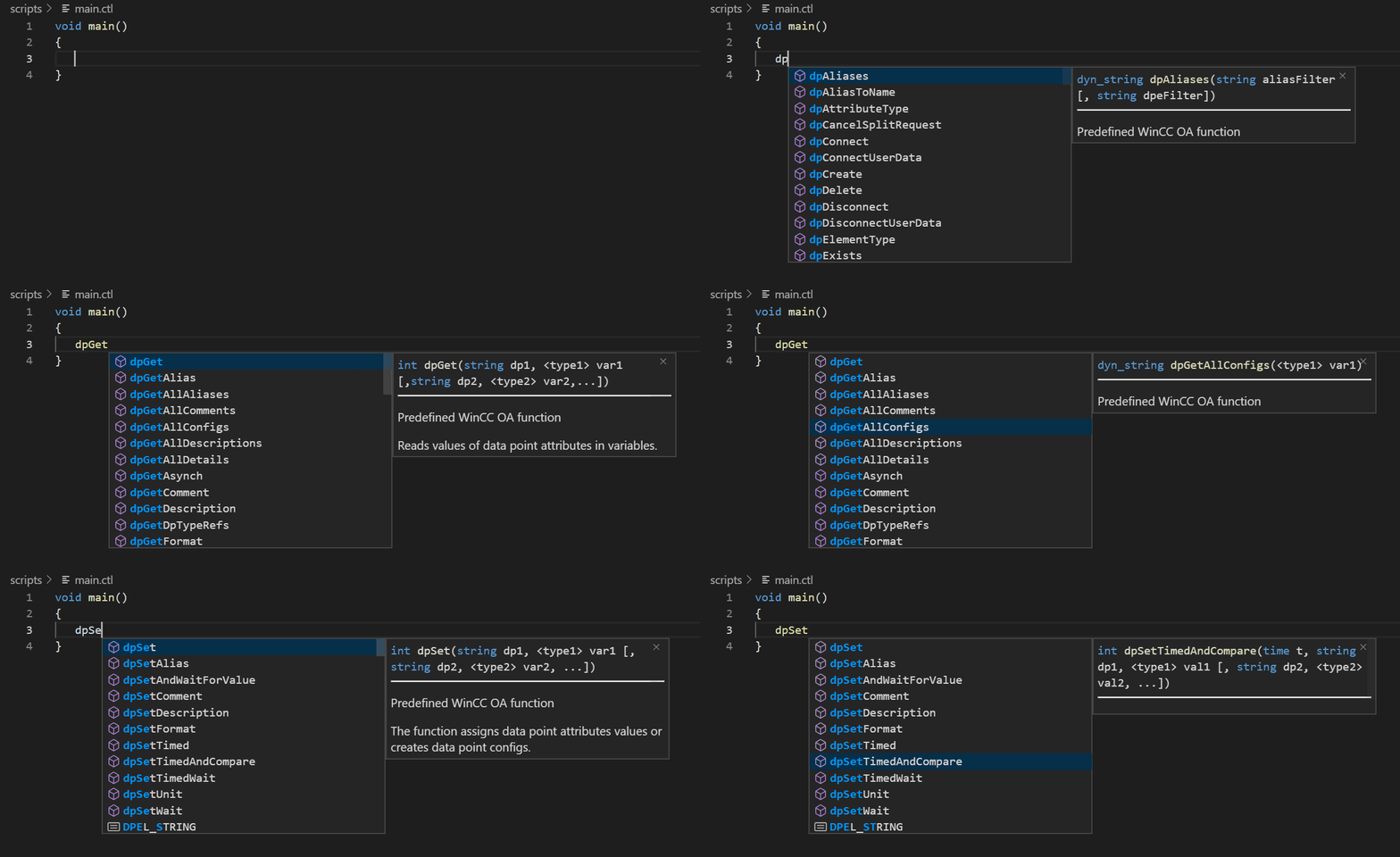
1C. Hover information for functions, constants and variable types

1D. Insert code snippets

Optional: If you want to use the CtrlPPCheck for detailed code analysis
2A. Download & install the Quality Check & CtrlPPCheck from the SloopTools store.
2B. Check CTRL/CTRL++ code
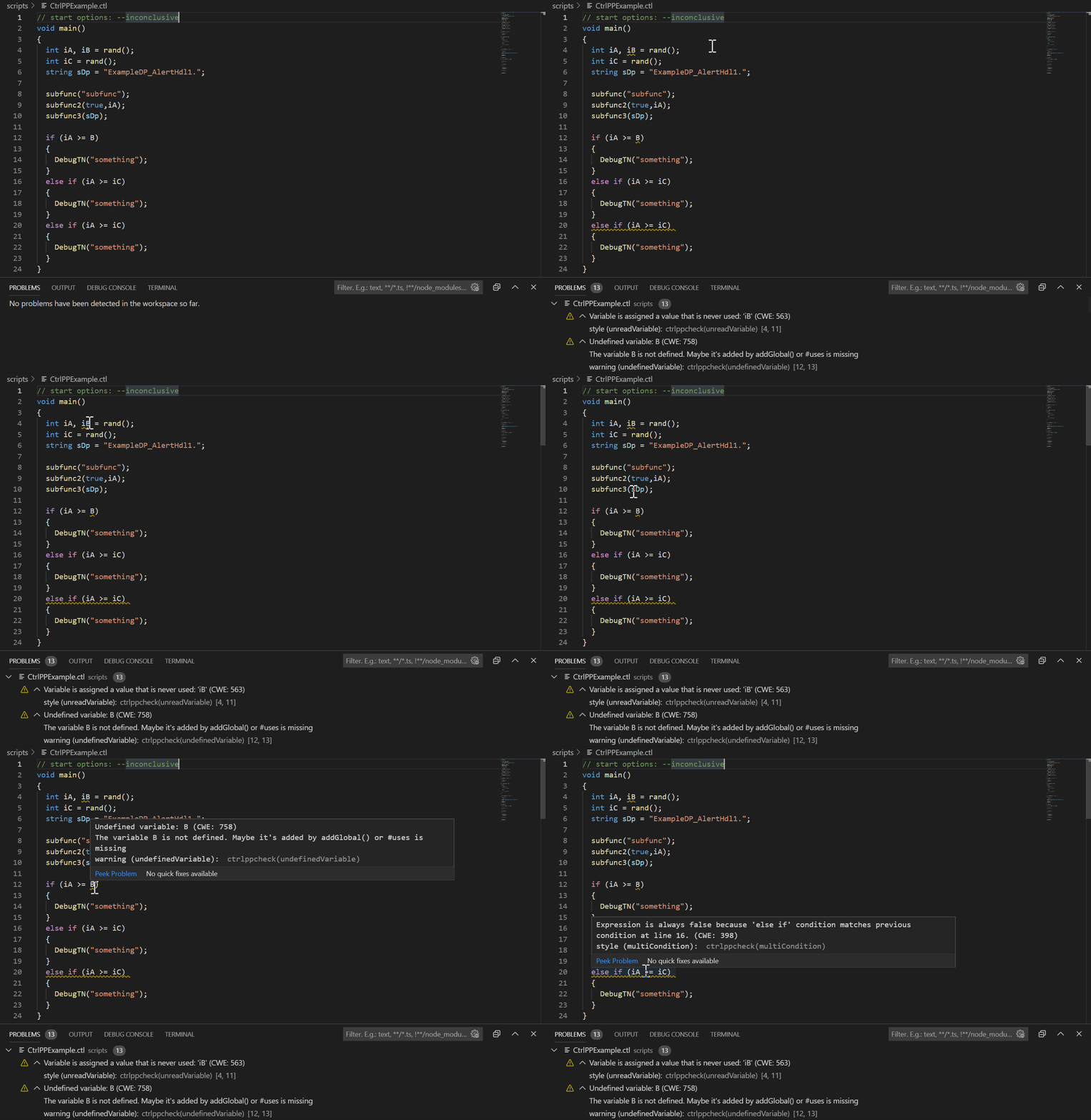
2C. Check result as hover information

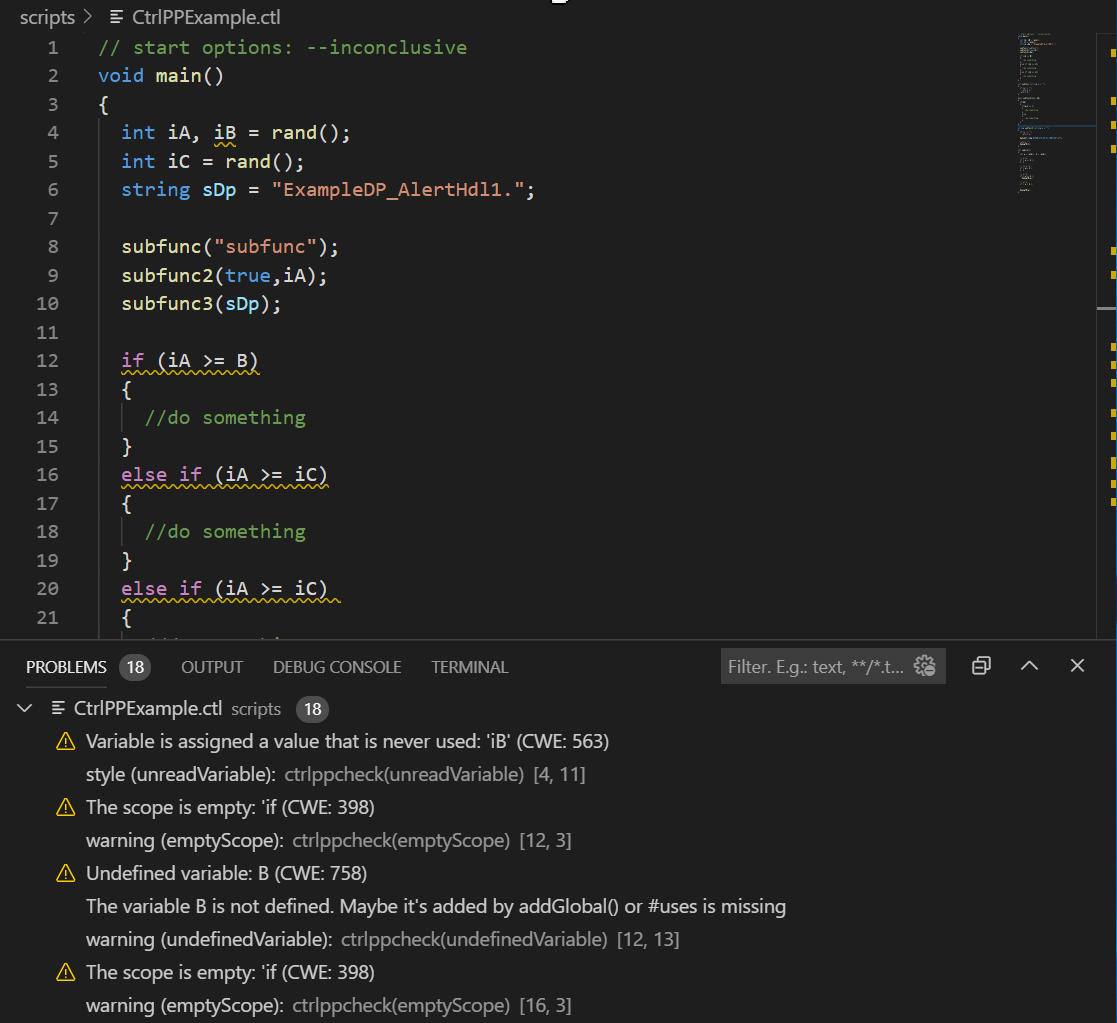
2D. Or look at the results in the problems log.
FAQs
Check out the FAQs before submitting a question or issue.
Provide feedback
Submit questions, issues, or feature requests for the extension.
Known issues
If someone has already submitted an issue that encompasses your feedback, please leave a 👍 or 👎 reaction on the issue to upvote or downvote it to help us prioritize the issues.
Fully integrated syntax highlighter for CTRL language.
- All basic CTRL key words
- All basic CTRL variable types
- CTRL and CTRL++ support
A collection of various Code Quality checks that are easy to use.
With the SloopTools Quality Checks, we want to improve the Code Quality of WinCC OA* projects and offer a comprehensive service.
The static code analysis tool CtrlPPCheck is a variation of the well-known cppCheck that understands WinCC OA* CTRL and CTRL++.
Included are, among many others, these checks:
- Undefined variables
- Unused variables
- Unused functions
- Dead code
- Comparison is always true / false
- Return value of a specific function is not used e.g. return from dpExists ()
- and other ...
CtrlPPCheck has configured all known CTRL functions and constants. Note: The configuration was carried out with the WinCC OA* version 3.16 P12. If you have any problems, please let us know and create an issue.
FREE version of CtrlPPCheck included in DEMO version! Get more information here.
Short Term
- "Go to" Definition
- Code Formatter
Medium Term
- Hover information for custom types and functions
- ColorDB editor
- Highlighting for project config files
Long Term
- Start CTRL script from visual studio code
- Show WinCC OA* logs in visual studio code
- Start WinCC OA* unit test
- SQL selector for dpQuery()
- Not all CTRL functions are available in detail. Full availability will follow.
If you want to contribute in the CTRL/CTRL++ extension, please contact us on following mail: info@slooptools.com
*registered trademark and product of ETM professional control GmbH - www.etm.at