TravelShortPathFinder algorithm documentation
- Introduction (the greatest Introduction ever, generated by ChatGPT)
- Background (...also generated by ChatGPT)
This algorithm has been optimized for use in game development or bot creation, where each iteration of the algorithm must be as fast as possible. It can support nav grids of any size, as long as they are sensibly large, and provides a very fast response for the next move point. However, there is a cost to this speed in the form of an initial segmentation, which takes some time to complete, but only needs to be done once (please refer to the Benchmarks section).
The algorithm does not have a strict, sequential path output. It is adaptive and responds to the player's current position by providing the next point. The player can be teleported to any position on the nav map at any time, and the algorithm will still function properly.
The core algorithm does not provide the shortest path directly, but it does provide the point to which the player should move. As the player moves, the algorithm will mark the graph nodes as "Passed" within the player's view radius, which will trigger the algorithm to provide a new point to move towards.
If you need the shortest sequential path as a result, then a simulation is required. You can use the AlgorithmUtils.GetShortestPath() function to obtain the full path.

The main idea of the algorithm is to transform the navigation grid into a graph using segmentation and then apply an exploration algorithm to an optimized graph.
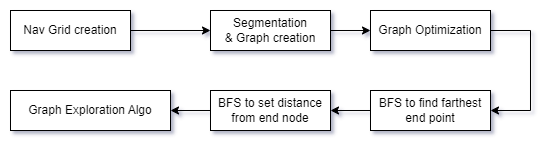
The main objective is to create a two-dimensional array that represents the navigation grid. Each cell in the array represents a state and has the following flags:
- NonWalkable
- Walkable
- Passed
- PossibleSegment
- PossibleSegmentStart
- PossibleSegmentPassed
When we create an array (from an image, text, etc.), only the first two states are used. The rest are used by the segmentation algorithm.To create the array, we use the NavGridProvider.FromBitmap(Bitmap) utility method.
The idea is to initiate a "thunderstorm" algorithm from the "StartPoint" that will spread through all connected areas via the nearest connected pixels, marking them with the "Passed" flag, and splitting the entire area into segments. After each iteration, we will connect segments that are in touch with each other, creating a graph.
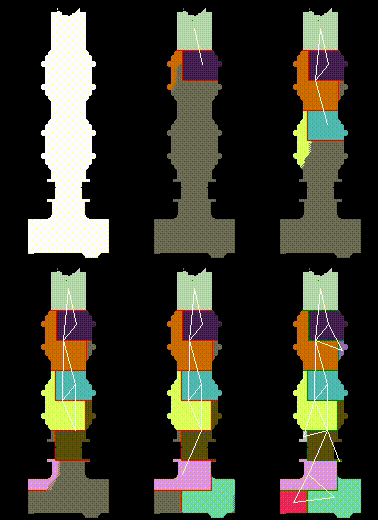
Each segment is defined as a square model, but it can be modified to use any shape. Segment model is defined in NavGridSegmentator.DoSpread, lines:
if (absX > _segmentSquareSize || absY > _segmentSquareSize)
...
if (absX == _segmentSquareSize || absY == _segmentSquareSize)
can be replaced and be calculated as radius to be a circle form:

During segmentation, many small segments were created as artifacts. The NavGridOptimizer will optimize the graph by removing segments that are smaller than the value defined in the minSectorSqr parameter. However, before removing a segment, we ensure that the segments connected to it will be connected to each other. Otherwise, we may encounter a situation where simply removing the segment will break the linkage of the graph:
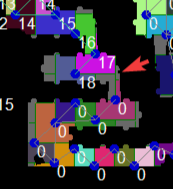
(the gray zone indicates that segment was removed with links and the nodes from segments 17/18 is not linked to bottom 0/0 segments)

The algorithm's core idea is to select the next point based on a priority calculated during runtime. The probability of choosing a point depends on its distance from the player, how far it is from the starting point along the path (using default well known BFS), and the part of the split graph it belongs to (with smaller parts having higher priority).The first step after segmentation is to run BFS and locate the farthest point (End) from the starting point:
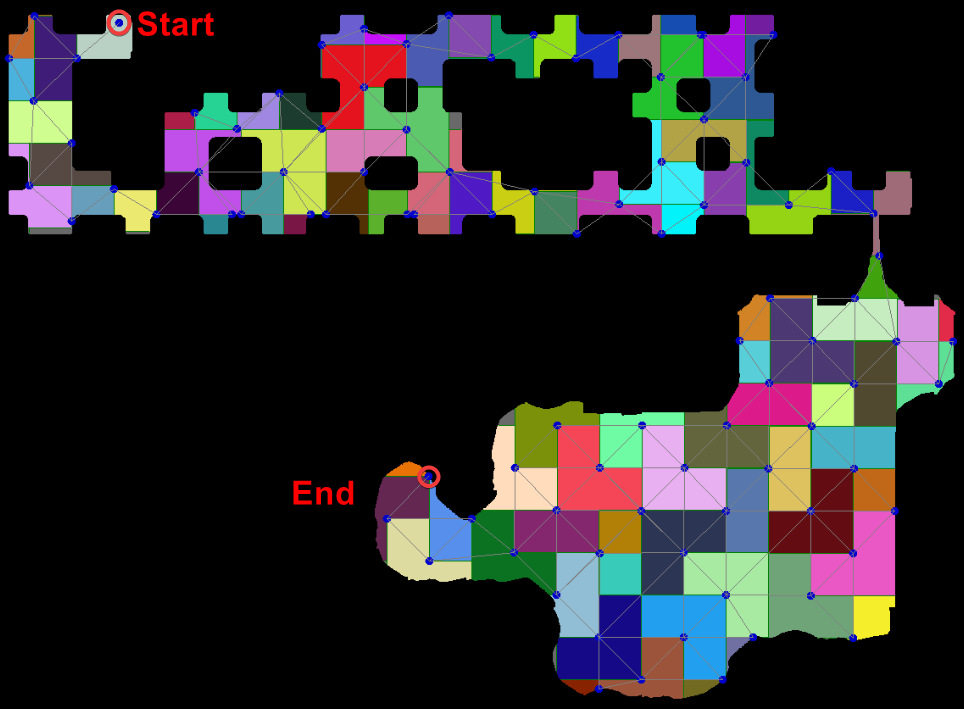
After that, we perform BFS again from the End point, spreading and updating the distance (the PriorityFromEndDistance property) from the End point to all other nodes:
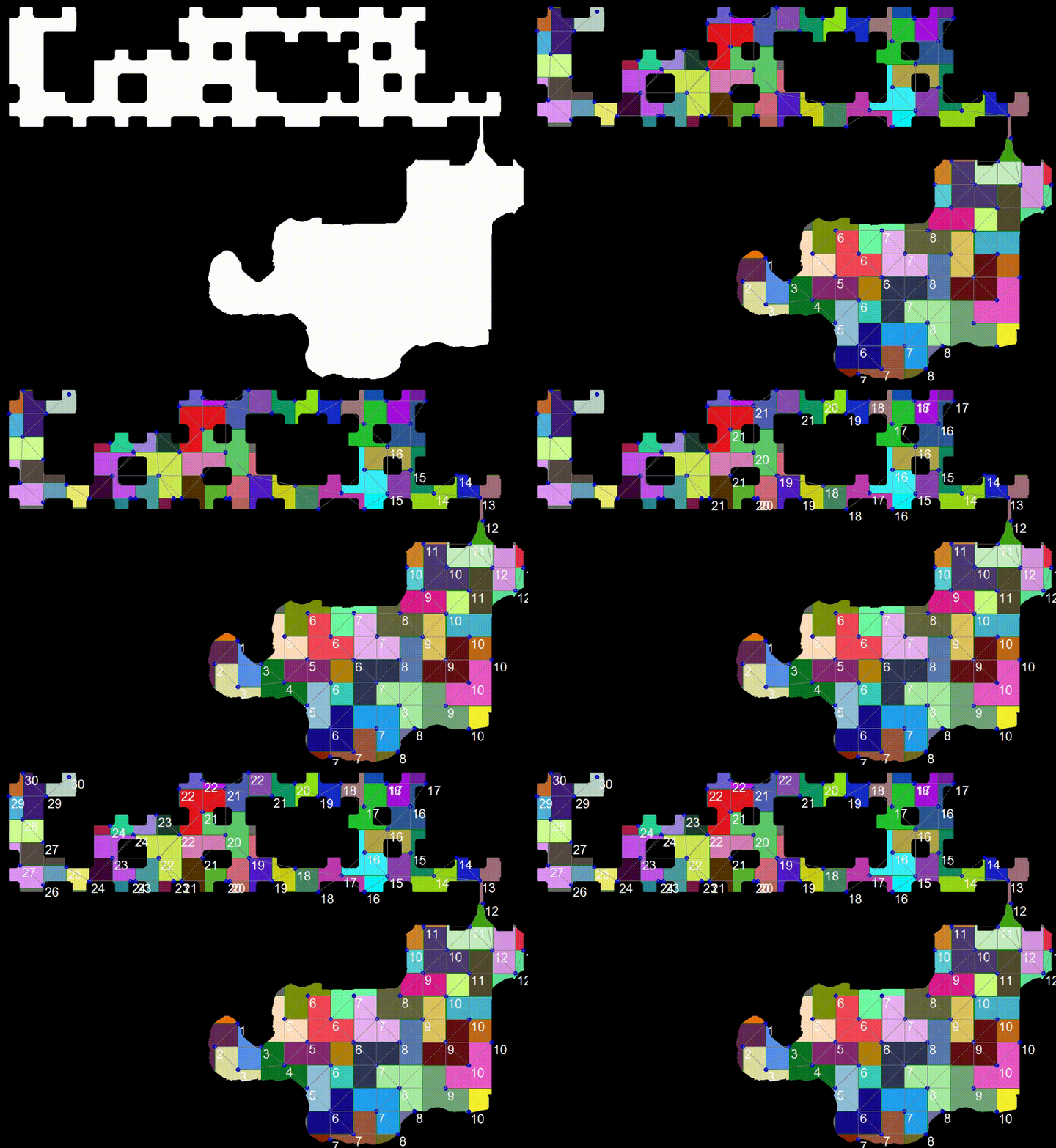
Now that we have an initial priority to reference when selecting the next point, points with higher values are given higher priority and are therefore executed first.
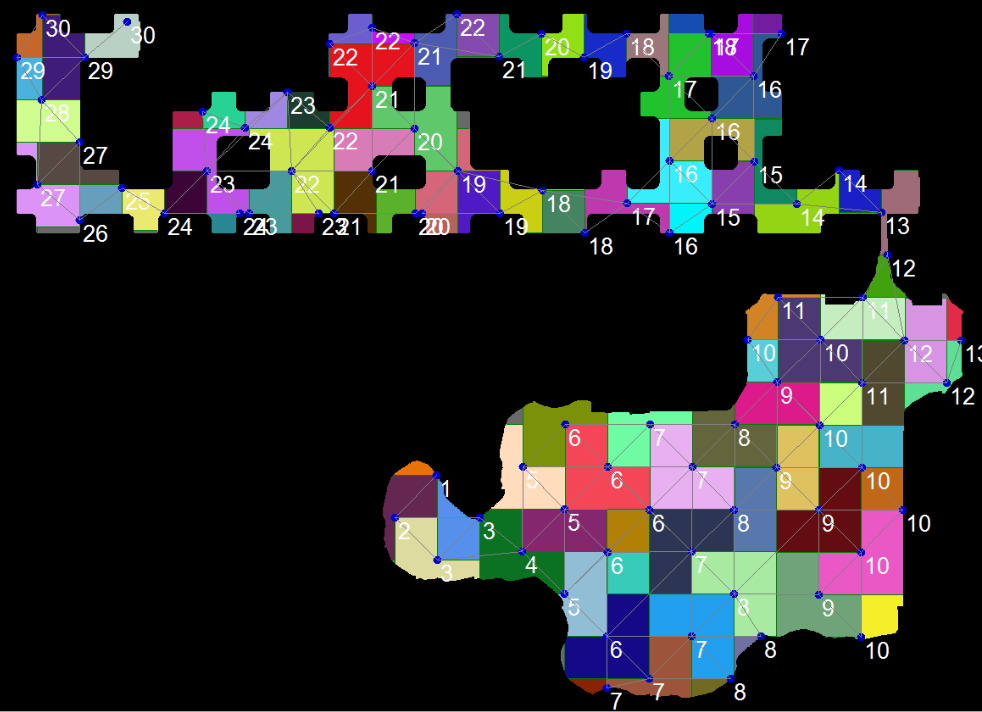
It's important to note that player pathfinding should be implemented on the user side, outside of this algorithm. The next point provided by the algorithm may not be the closest point for the player to navigate to and could be located in any part of the map.
As the player moves, it has a visibility radius (specified by the Settings.PlayerVisibilityRadius) that marks all nodes within the radius as "Seen".
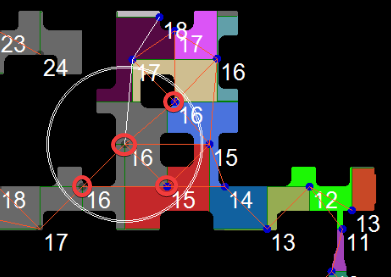
The GraphMapExplorer.Update(Vector2 playerPos) method should be called regularly, like a default update routine. This method has built-in optimization to avoid running the algorithm on every frame, but only when necessary.
Graph splitting is a common occurrence that happens when all nodes that hold multiple leaves/roads of the graph - which keep the graph as a whole - are marked as "Visible." This can cause the graph to split into multiple parts (GraphPart). According to the default implementation of the DefaultNextNodeSelector, these smaller parts of the graph will have a higher priority when choosing the next point.
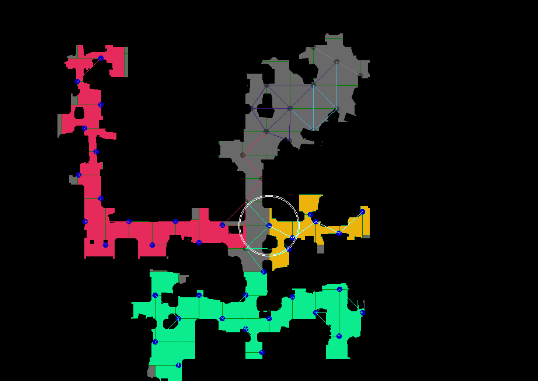
The next node is selected using the INextNodeSelector interface. The default implementation is the DefaultNextNodeSelector, which chooses the GraphPart closest to the player with the smallest number of nodes. From the selected part, we choose the farthest node from the end that is also closer to the player.
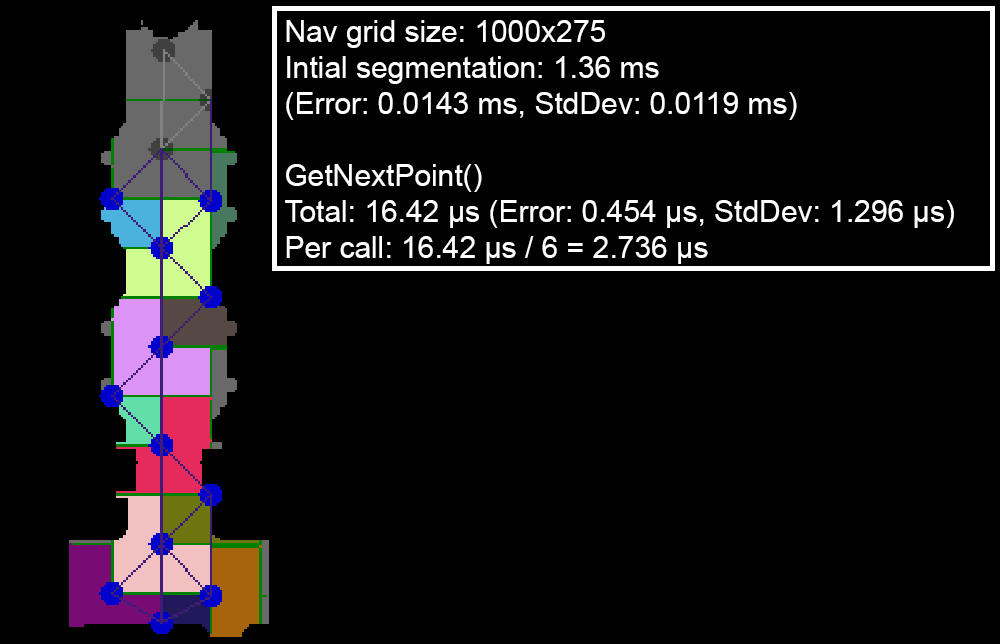
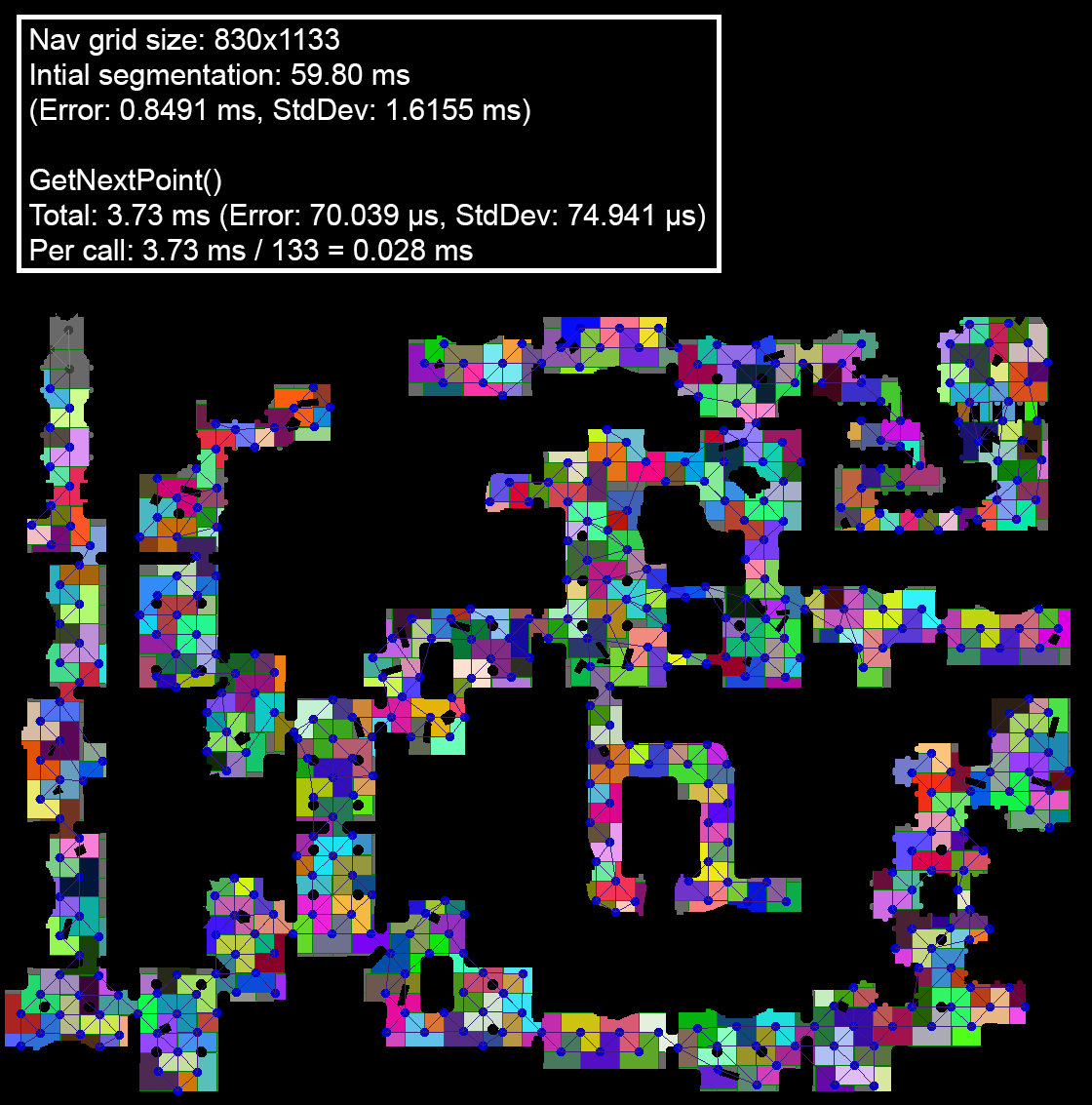
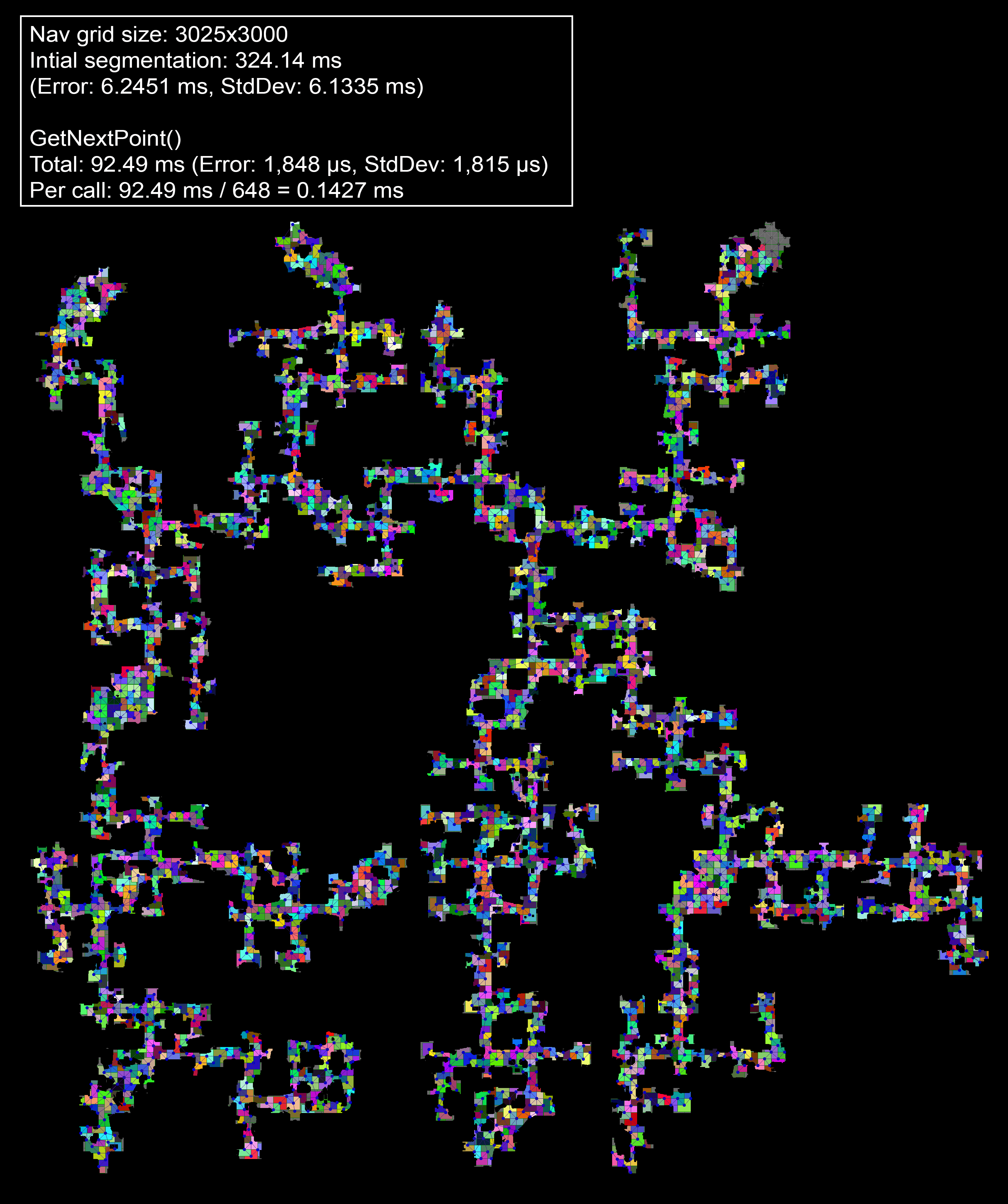
Tested on three different size cases using BenchmarkDotNet
(the Total parameter mean the total time of all the N calls of GetNextPoint to complete the map)
Since this algorithm is fast enough, we can utilize dynamic programming and various strategies to determine which one provides the quickest route.
As the player moves, all nodes within the player view radius (Settings.PlayerVisibilityRadius) will be marked as "Visited," even if they are located behind walls. To fix this issue, we can check the distance between the player and the node by path. To do this in an efficient manner, we can compare the Node.PriorityFromEndDistance from the player node segment they are standing in and the target node. If the distance is too great, we can skip that node.
We can speed up the segmentation if we process the points through one by enabling setting option Settings.FastSegmentationThroughOnePoint to true. It will force processing the points only on diagonal:
NavGridSegmentator:
if (!_settings.FastSegmentationThroughOnePoint)
{
       node.Stack.Push(point with { X = point.X + 1 });
       node.Stack.Push(point with { X = point.X - 1 });
       node.Stack.Push(point with { Y = point.Y + 1 });
       node.Stack.Push(point with { Y = point.Y - 1 });
}
node.Stack.Push(new Point(point.X + 1, point.Y + 1));
node.Stack.Push(new Point(point.X + 1, point.Y - 1));
node.Stack.Push(new Point(point.X - 1, point.Y + 1));
node.Stack.Push(new Point(point.X - 1, point.Y - 1));