


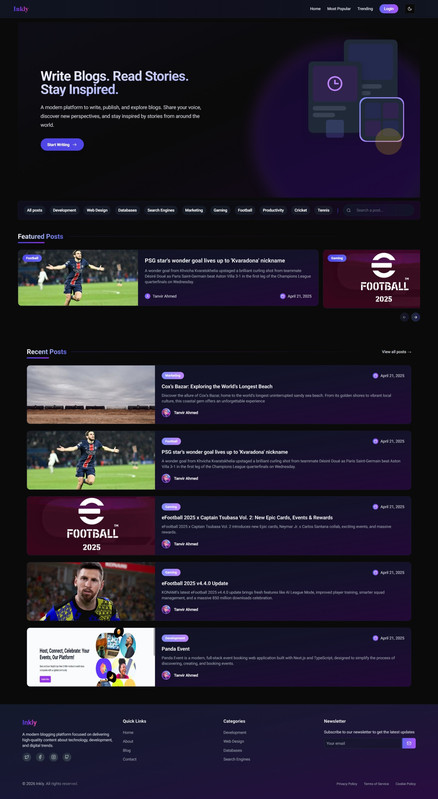
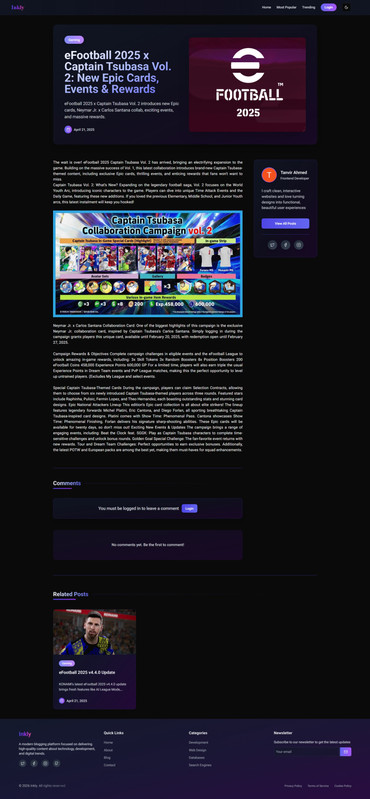
Inkly is a high-performance, responsive blog web application built with Next.js 15, TypeScript, and Tailwind CSS. It provides a seamless writing and reading experience with dedicated dashboards for Users (Authors) and Administrators, featuring secure multi-role authentication via Clerk, advanced content management tools, and a robust CI/CD pipeline integrated with GitHub Actions.
🔗 https://inkly-six.vercel.app
- Client (This Repo): Frontend Repository
- Server: Backend Repository
For testing the application with different roles:
| Role | Password | |
|---|---|---|
| Standard User | kta516930@gmail.com |
tanvir1234 |
| Administrator | ahmed.tnvr999@gmail.com |
tanvir1234 |
- Secure Multi-Role Access: Powered by Clerk, providing seamless registration, login, and secure session management.
- Dynamic Dashboards:
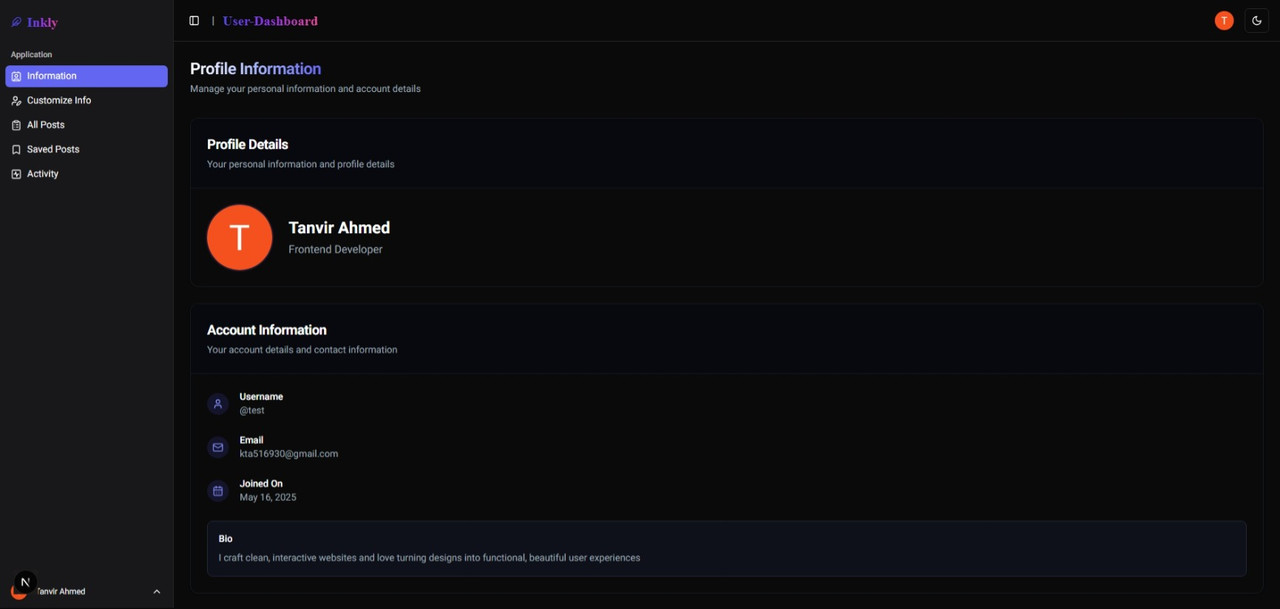
- User (Author): Create, edit, and manage personal blog posts, track activity, and customize profiles.
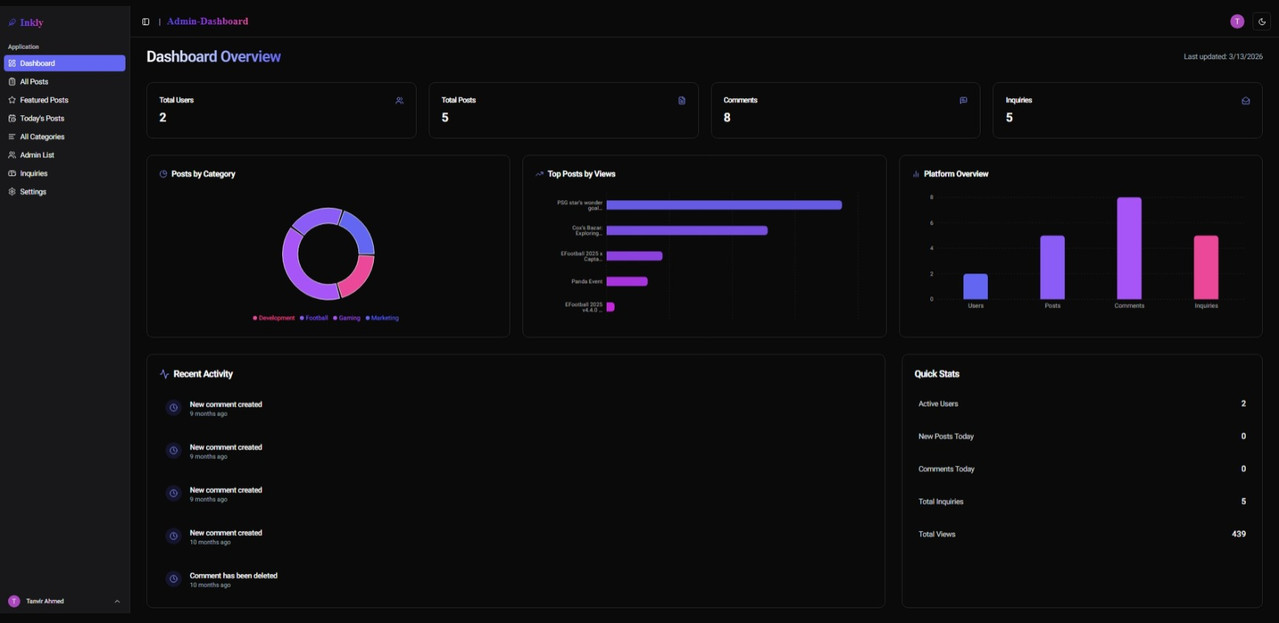
- Admin: Complete platform oversight including user management, post moderation, and site settings.
- Rich Text Editing: Full-featured blog post creation using React Quill, supporting formatted text, images, and links.
- Image Handling: Reliable and fast image uploads integrated with Uploadthing.
- Categorization: Organize content into categories for better discoverability.
- Featured Posts: Highlight premium content on the homepage and specialized sections.
- Saved Posts: Users can bookmark their favorite reads for easy access later.
- Author Tools (User):
- Activity Feed: Track post engagement and personal statistics.
- Bio Customization: Update personal information and author profile.
- Post Management: Full CRUD operations for personal blog entries.
- Platform Management (Admin):
- Dashboard Analytics: Visual overview of platform growth and engagement.
- User Directory: Manage and monitor all registered users.
- Content Moderation: Oversee and edit any post on the platform.
- Inquiry Management: Handle contact forms and user support requests.
- Site Settings: Global configuration for platform-wide preferences.
- Modern Aesthetics: Built with shadcn/ui and Radix UI for a premium, accessible component library.
- Responsive Layout: Pixel-perfect design across mobile, tablet, and desktop devices.
- Performance Optimized: Utilizing Next.js 15's latest capabilities like Server Components and advanced caching.
- Dynamic Interactions: Smooth carousels (Embla) and toast notifications for real-time feedback.
| Category | Technology |
|---|---|
| Framework | Next.js 15.2.8 |
| Language | TypeScript 5 |
| Styling | Tailwind CSS 3.4.1 + shadcn/ui |
| Authentication | Clerk 6.19.0 |
| Content Editor | React Quill New 3.4.6 |
| Form Management | React Hook Form 7.56.2 + Zod 3.24.4 |
| Image Upload | Uploadthing 7.4.0 |
| CI/CD | GitHub Actions |
src/app/layout.tsx — Root layout
src/app/globals.css — Global CSS file
src/app/loading.tsx — Global loading UI
src/app/not-found.tsx — Custom Not Found page
src/app/error.tsx — Global error page that catches runtime errors
src/components/ — Reusable UI components and feature-specific elements
src/hooks/ — Custom React hooks for shared logic and UI states
src/lib/ — API fetch handlers, type definitions, and core library configurations
src/utils/ — Utility functions and helper methods (e.g., shadcn/ui helpers)
src/middleware.ts — Clerk authentication and role-based route protection
public/ — Static assets including images and icons
tailwind.config.ts — Tailwind CSS configuration
next.config.ts — Next.js configuration
Follow these steps to set up the project locally:
Ensure you have the following installed:
git clone https://github.com/TanvirCou/inkly.git
cd inklynpm install
# or
yarn installCreate a .env.local file in the root directory and add the following variables:
# Clerk Authentication
NEXT_PUBLIC_CLERK_PUBLISHABLE_KEY=
CLERK_SECRET_KEY=
NEXT_PUBLIC_CLERK_SIGN_IN_URL=/sign-in
NEXT_PUBLIC_CLERK_SIGN_UP_URL=/sign-up
NEXT_PUBLIC_CLERK_SIGN_IN_FALLBACK_REDIRECT_URL=/
NEXT_PUBLIC_CLERK_SIGN_UP_FALLBACK_REDIRECT_URL=/

# Uploadthing (Image Uploads)
UPLOADTHING_TOKEN=

# Backend API URL
NEXT_PUBLIC_API_URL=- Clerk: Get your API keys here
- Uploadthing: Get your Token here
- Backend Setup: Follow the instructions in the Backend Repository to get your server running and obtain the API URL.
Start the development server:
npm run dev
# or
yarn dev
The application will be available at http://localhost:3000.
- Real-time Comments — Live interaction on blog posts using WebSockets.
- Newsletter Subscription — Integration with services like Mailchimp or Resend.
- AI-Powered Content Suggestions — Personalized reading recommendations based on user interests.
- Push Notifications — Real-time alerts when subscribed authors publish new content.
- Multi-language Support (i18n) — Expand reach with support for multiple languages.
This project is for educational and portfolio purposes.