For new version unity:
there will be such error:
Assets\Scripts\GlobalStateEditor.cs(2,42): error CS0234: The type or namespace name 'Universal' does not exist in the namespace 'UnityEngine.Experimental.Rendering'
need to replace UnityEngine.Experimental.Rendering.Universal with UnityEngine.Rendering.Universal
using UnityEngine.Experimental.Rendering.Universal;
->
using UnityEngine.Rendering.Universal;
Self Driving Car Sandbox
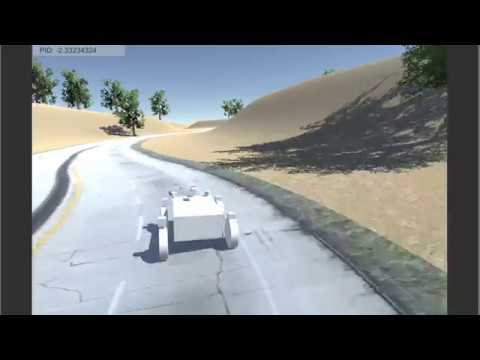
Use Unity 3d game engine to simulate car physics in a 3d world. Generate image steering pairs to train a neural network. Uses NVidia PilotNet NN topology. Then validate the steering control by sending images to your neural network and feed steering back into the simulator to drive.
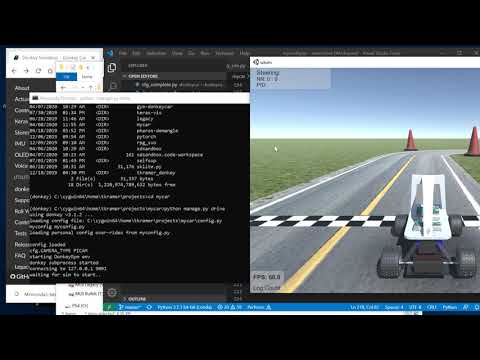
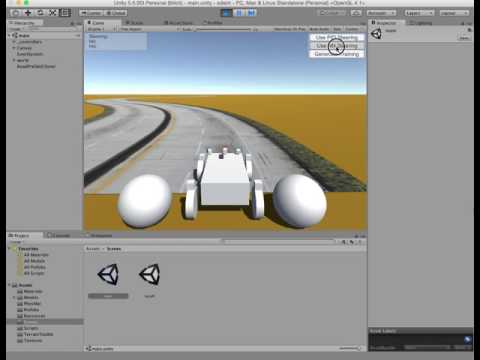
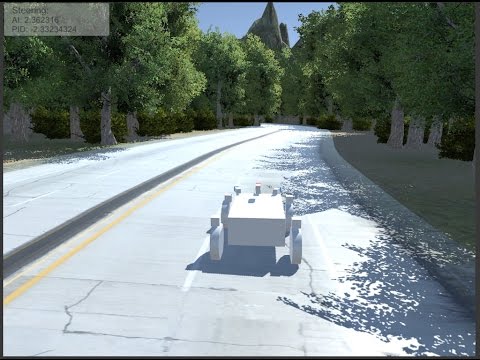
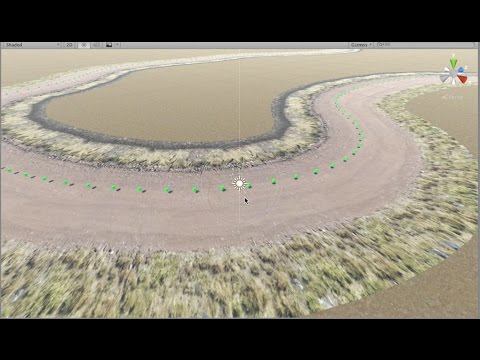
You need to have Unity installed, and all python modules listed in the Requirements section below.
Linix Unity install here. Check last post in this thread.
You need python 3.4 or higher, 64 bit. You can create a virtual env if you like:
virtualenv -p python3 env
source env/bin/activate
And then you can install the dependancies. This installs a specific version of keras only because it will allow you to load the pre-trained model with fewer problems. If not an issue for you, you can install the latest keras.
pip install -r requirements.txtThis will install Donkey Gym package from source.
Requirement.txt doesn't have Donkey Car so install Donkey car to the virtual environment
Note: Tensorflow >= 1.10.1 is required
If you have an cuda supported GPU - probably NVidia
pip install tensorflow-gpuOr without a supported gpu
pip install tensorflow- Open the installed UnityHub
- Add Project (open sdsim folder from this repo) to UnityHub
- Create an executable file for this using UnityHub
- Download/ Clone the controller/donkeycar from gitlink provided by the professor GitLink
- Change the path of DONKEY_SIM_PATH variable in config.py file of the controller/donkeycar
- Move the controller/donkeycar to src/gym-donkeycar
- To run the environment (Activate the Virtual Environment First)
cd src/gym-donkeycar
python manage.py drive-
Load the Unity project sdsandbox/sdsim in Unity. Double click on Assets/Scenes/road_generator to open that scene.
-
Hit the start button to launch. Then the "Use NN Steering". When you hit this button, the car will disappear. This is normal. You will see one car per client that connects.
-
Start the prediction server with the pre-trained model.
cd sdsandbox/src
python predict_client.py --model=../outputs/highway.h5
If you get a crash loading this model, you will not be able to run the demo. But you can still generate your own model. This is a problem between tensorflow/keras versions.
Note* You can start multiple clients at the same time and you will see them spawn as they connect.
#To create your own data and train
-
Load the Unity project sdsandbox/sdsim in Unity.
-
Create a dir sdsandbox/sdsim/log.
-
Hit the start arrow in Unity to launch project.
-
Hit button "Generate Training Data" to generate image and steering training data. See sdsim/log for output files.
-
Stop Unity sim by clicking run arrow again.
-
Run this python script to prepare raw data for training:
cd sdsandbox/src
python prepare_data.py- Repeat 4, 5, 6 until you have lots of training data.
python train.py --model=../outputs/mymodel.h5Let this run. It may take a few hours if running on CPU. Usually far less on a GPU.
-
Start Unity project sdsim
-
Push button "Use NN Steering"
-
Start the prediction client. This listens for images and returns a steering result.
python predict_client.py --model=../outputs/mymodel.h5**Note: pygame only needed if using mon_and_predict_server.py which gives a live camera feed during inferencing.