The simulations department for AV taps into the other subsystems (Perception, Motion Estimation and Mapping, Control Systems), by providing them with input data in a simulated environment and taking output data such as steering + throttle to control the car in the simulation. In order to do this we need accurate models of the world around us, and the car itself.
In this project you'll be setting up this year's car RB-21E in a simulation environment known as CARLA. You'll learn how to work with Unreal Engine 4, the Carla simulator and Blender (or another 3D editor)
PROJECT FILES: https://github.com/UNSW-Redback-Racing/AV-NMP-Simulations/releases/tag/project-files
The first step is to setup CARLA simulator. The simulator is quite big in size (around 100GB) since we're downloading Unreal Engine 4 as well. The steps to install the simulator with UE4 is on the CARLA docs Linux: https://carla.readthedocs.io/en/0.9.12/build_linux/ Windows: https://carla.readthedocs.io/en/0.9.12/build_windows/
Note: It would best to run this simulator with a decent GPU(at least 3GB)
After installing, check whether it was installed correctly using one of the example scripts (such as manual_steering).
We have provided you a .blend file to open in Blender and a .stl file if you want to use some other editor instead of Blender (however we do recommend Blender).
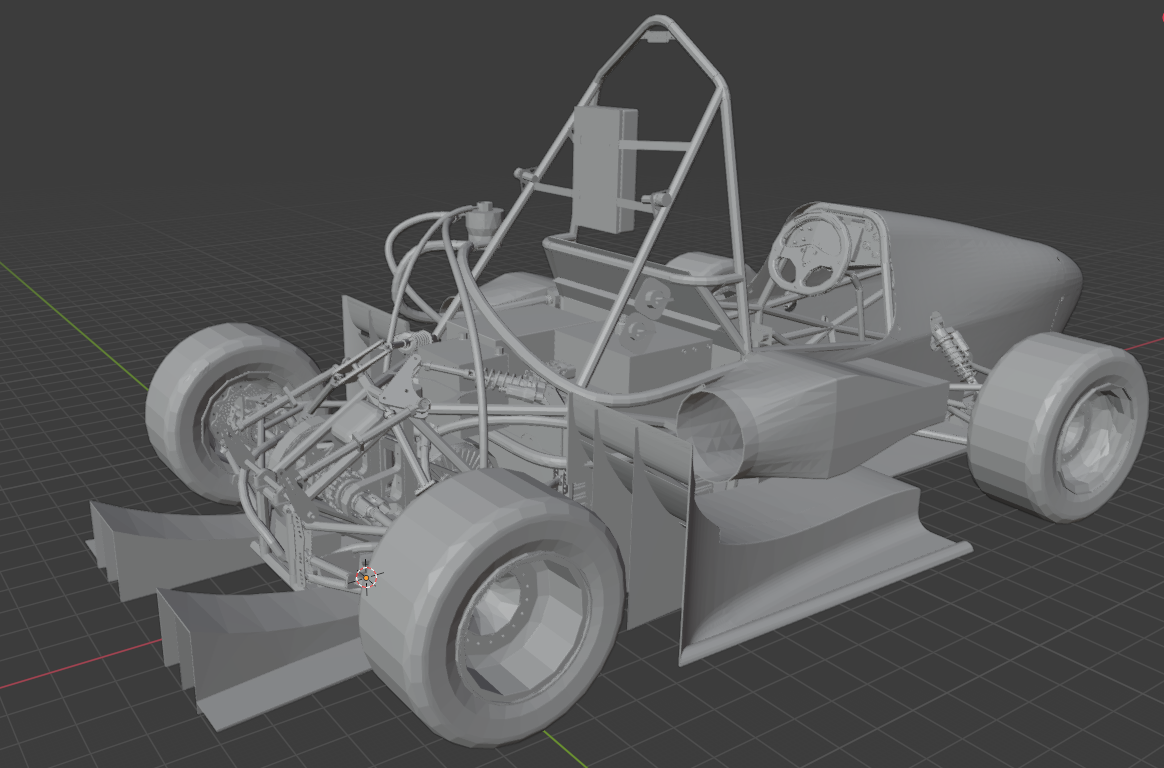
In order to add a vehicle to the simulator, you'll have to setup the model's skeleton and mesh. The skeleton has to be binded to each wheel properly. The instructions for this along with the base skeleton (in a .rar file) can be found here: https://carla.readthedocs.io/en/0.9.12/tuto_A_add_vehicle/
For submission you'll have to submit the edited Blender file (or the .fbx file if you're not using Blender) along with the Unreal Engine Project File.
Carla Docs: https://carla.readthedocs.io/en/0.9.12/
Basics of Blender and exporting to UE4: https://www.youtube.com/watch?v=0F3ugwkISGk