Tracks is a lightweight MvC framework that utilizes self-made ORM and controller components. The ORM is inspired by the framework ActiveRecord and the Controller component is inspired by Ruby on Rails.
- Bundle Install the gemfile
- Move over to the controllers folder within lib
- Run
bundle exec ruby tracks_controller.rb - Open a web browser and navigate to localhost:3000
The object relational mapping component simplifies and parses information from databases through SQL queries and forms methods and classes to utilize the information. A key feature of this ORM are associations much like those found in ActiveRecord.
Belongs to -- an association by which foreign key holders may be connected with the appropriate model/class through that model's foreign key.
  def belongs_to(name, options = {})
    self.assoc_options[name] = BelongsToOptions.new(name, options)
    define_method(name) do
      options = self.class.assoc_options[name]
      foreign = self.send(options.foreign_key)
      options.model_class.where(options.primary_key => foreign).first
    end
  end
Belongs to (usage) -- shorthand syntax is available.
class Employee < SQLObject
  attr_accessor :id,:name,:train_id
  belongs_to :train
end
Has many -- an association by which foreign key holders are connected to their respective models through the existence of their primary key.
  def has_many(name, options = {})
    options = HasManyOptions.new(name,self.name, options)
    define_method(name) do
      primary = self.send(options.primary_key)
      options.model_class.where(options.foreign_key => primary)
    end
  end
Has many (usage) -- normal syntax is available as well.
class Train < SQLObject
  attr_accessor :id,:name,:maker,:year

  has_many :employees,
  primary_key: :id,
  foreign_key: :train_id,
  class_name: 'Employee'
endThe controller side of the MvC framework handles requests and responses from the server through the use of the middleware, Rack. This allows information from the model to be displayed in several views created by the user. Controller classes are given functionality by inheriting from the parent class, Controller Base, which covers basic methods like those found in Ruby on Rails' ApplicationController.
Sample Controller
class EmployeesController < ControllerBase
  def index
    @employees = Employee.all
    render :index
  end
end
This controller can utilize a view with the file name "index.html.erb" found in the views folder and render information passed from the models through Rack.
We can use a router to dictate which view is rendered by changing the path of the browser and using regex to ensure that a view corresponds with specific paths.
Router
router = Router.new
router.draw do
  get Regexp.new("^/employees$"), EmployeesController, :index
  get Regexp.new("^/$"), EmployeesController, :start
  post Regexp.new("^/employees$"), EmployeesController, :create
  get Regexp.new("^/employees/new$"), EmployeesController, :new
  get Regexp.new("^/employees/(?<id>\\d+)$"), EmployeesController, :show
  get Regexp.new("^/trains$"), TrainsController, :index
  get Regexp.new("^/trains/(?<id>\\d+)$"), TrainsController, :show
  get Regexp.new("^/trains/new$"), TrainsController, :new
  post Regexp.new("^/trains$"), TrainsController, :create
end
Rack Middleware serves to handle the responses between the client and server.
app = Proc.new do |env|
  req = Rack::Request.new(env)
  res = Rack::Response.new
  router.run(req, res)
  res.finish
end

Rack::Server.start(
  app: app,
  Port: 3000
)
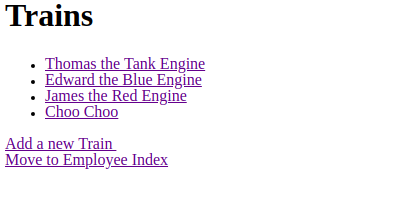
Simple View (index)
<div class="index">
<h1>Trains</h1>

<ul>
  <% @trains.each do |train| %>
  <li>
    <a href= "<%="/trains/#{train.id}"%>"> <%= train.name %> </a>
  </li>
  <% end %>
</ul>


<a href="/trains/new"> Add a new Train </a>
<br>
<a href="/employees">Move to Employee Index</a>
</div>
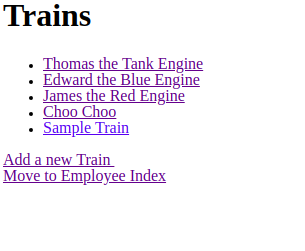
Final Result from localhost:3000
It is also possible to add new entries to the database using forms. Creation Form (Employees)
<h2>New Employee</h2>

<form action="/employees" method="post">

  <label>
    Name
    <input type="text" name="employees[name]" value="<%= @employee.name %>">
  </label>
<p></p>
<br>
  <label>
    What Train did they work on?
    <br>
    <select name="employees[train_id]">
      <% @trains.each do |train| %>
      <option value="<%= train.id %>"> <%= train.name %></option>
      <% end %>
      </select>
  </label>
<p></p>
<br>
  <input type="submit" value="Submit New Employee Data">
</form>
<p></p>
<a href="/employees">Go Back</a>
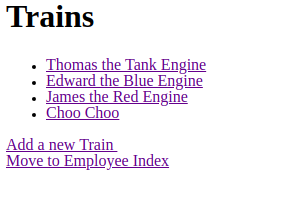
Before adding from localhost:3000/employees
Creation form
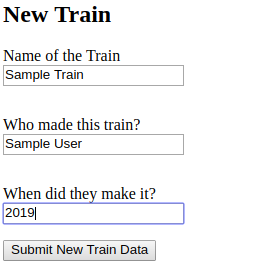
After adding from localhost:3000/employees/new