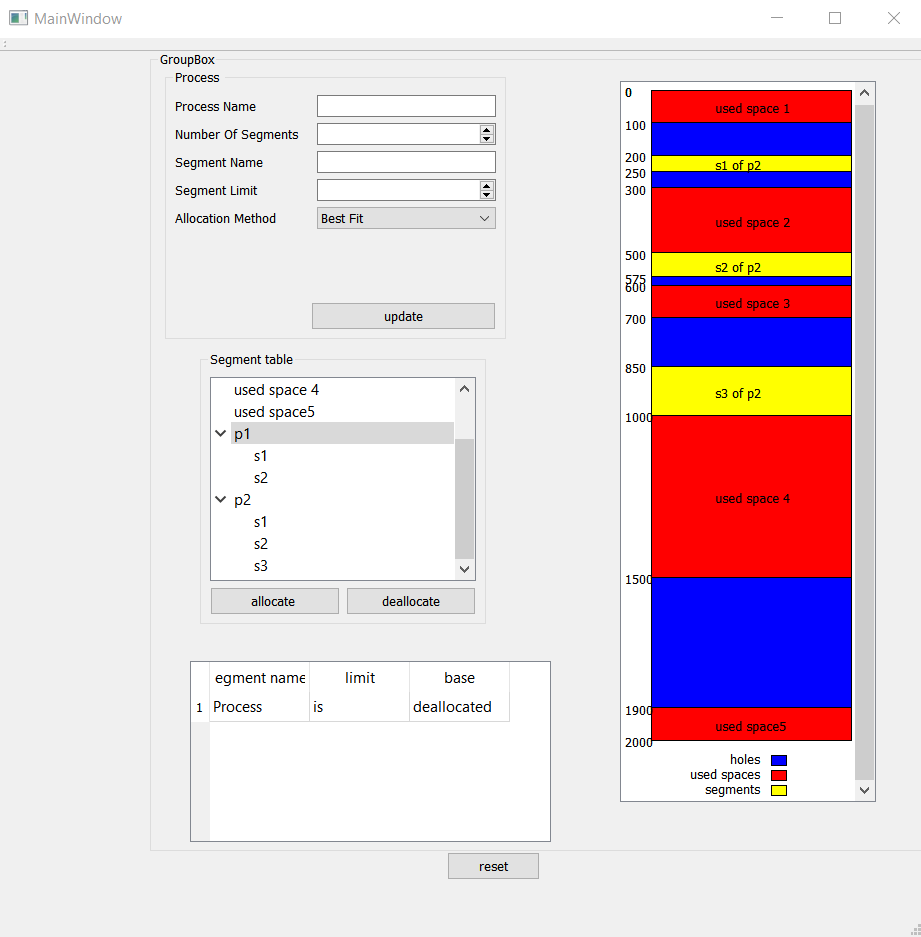
We have created a struct location to deal with each segment a location having its own process name, segment name, base & limit values.
struct location { QString process = ""; QString segment = ""; int base; int limit; int End() { return base + limit; } int Size() { return limit; } };
- The first window takes the memory size and the holes base & limit values.
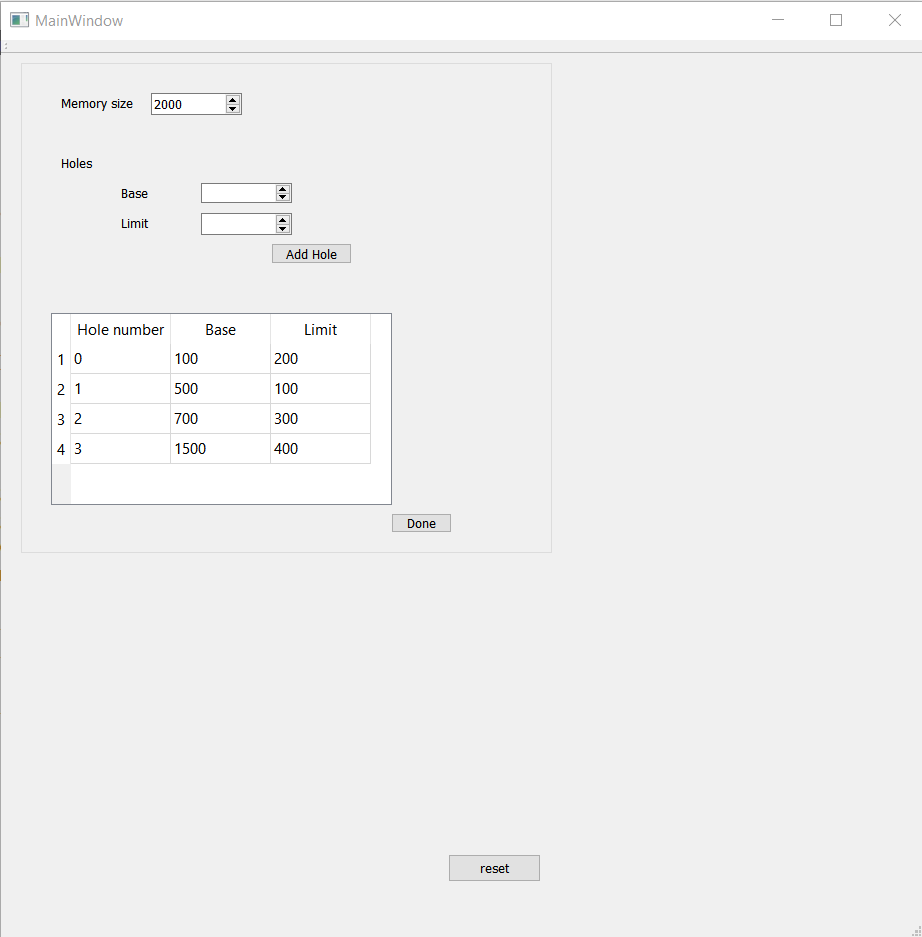
- Then, after pressing on "DONE" button.
-> this will redirect us to the window where the memory will be drawn & we can allocate and deallocate any processes.
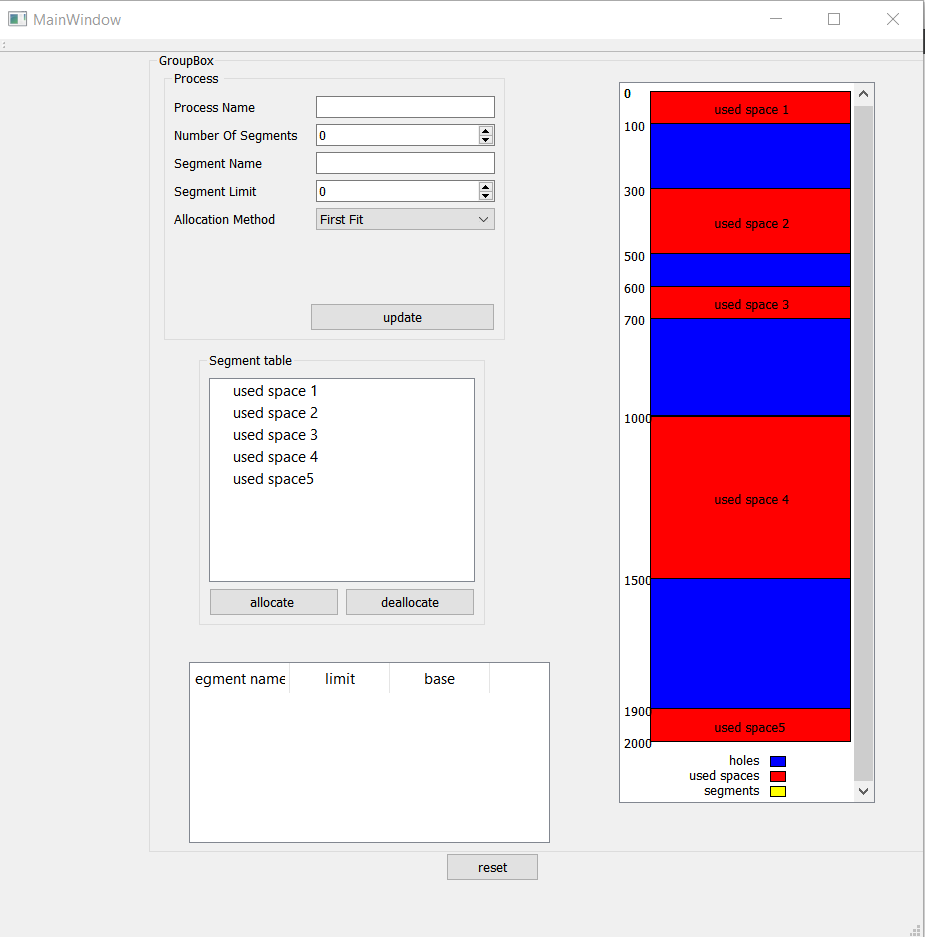
- You have to choose the Allocation Method (Best-Fit or First-Fit), after entering the data of the process and its segments the process will be allocated directly and showed in the memory layout & also it will be showed in the tree view and by selecting it, its internal data will appear in the segment table.
-> First-Fit allocation method is used here.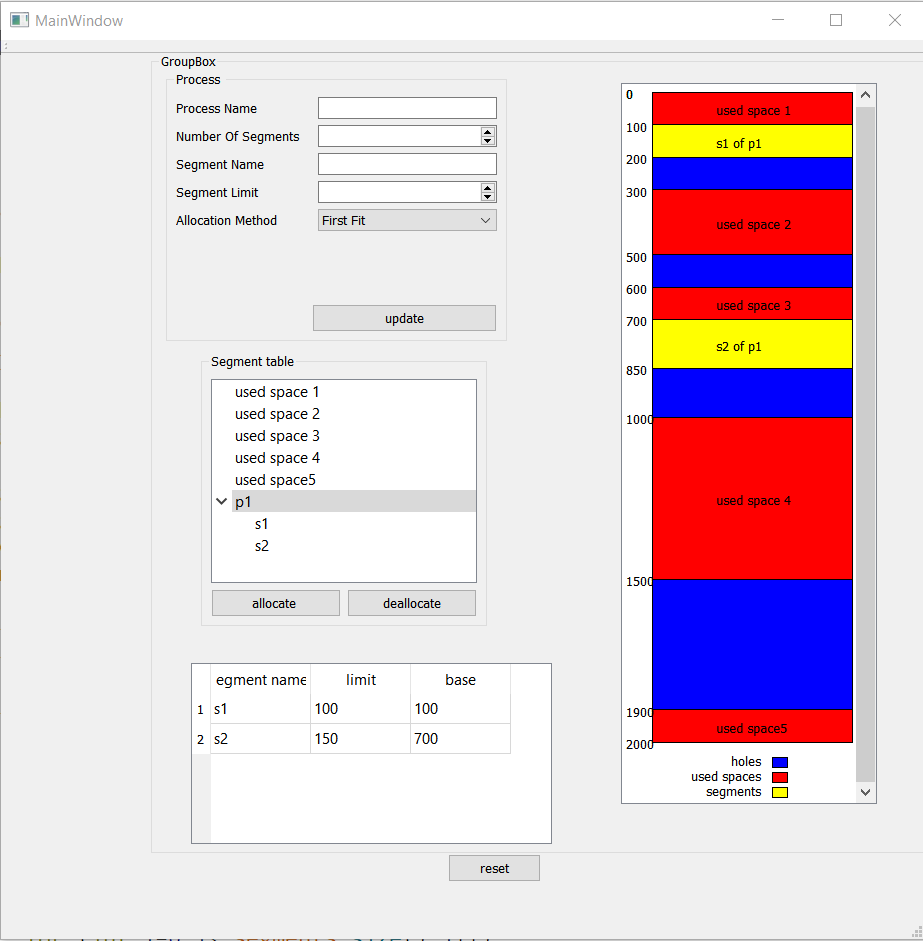 -> Best-Fit is used here.
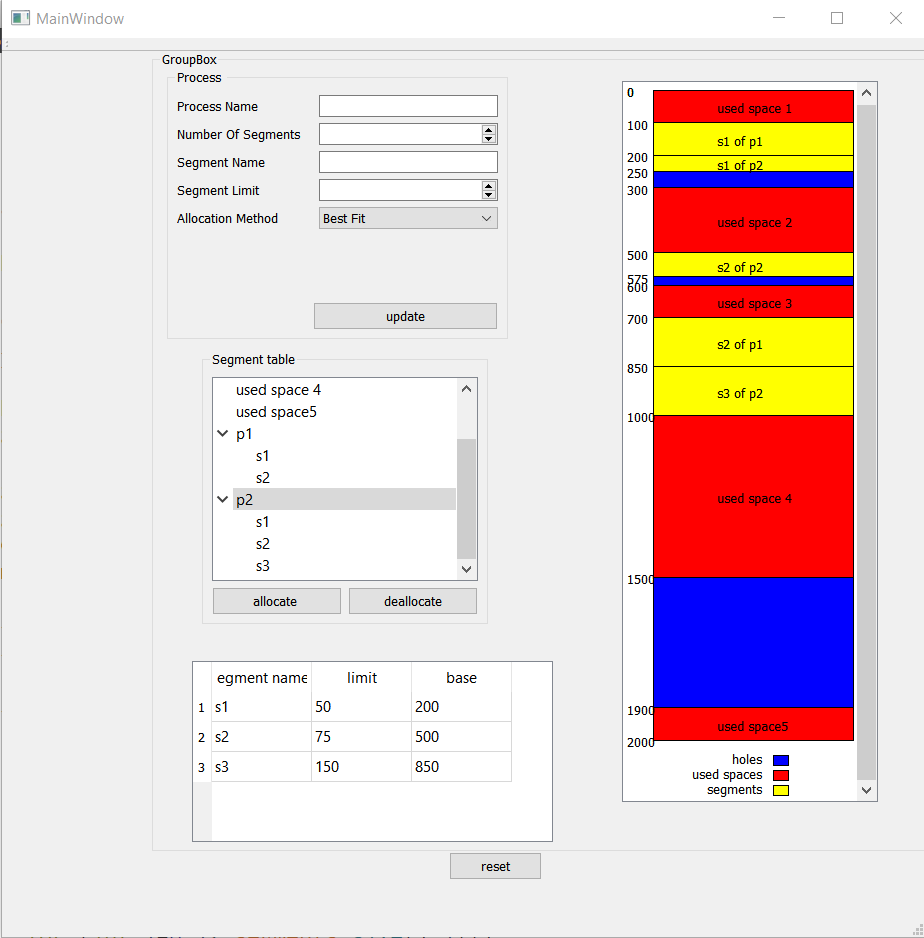
- To deallocate a process by all its segments, you only have to select the process from the tree view and press on "Deallocate" button.