This demo shows how to implement custom end messages for Tavus video meetings using Daily.co's JavaScript SDK.
When a video meeting ends, Daily.co shows default messages like these:
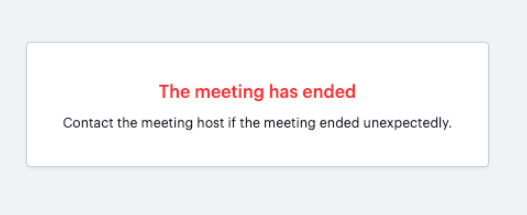
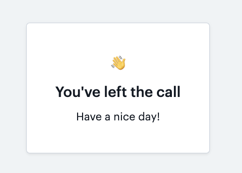
This demo replaces these default messages with custom ones for different end scenarios:
- User voluntarily leaving the meeting
- Meeting ending due to an error
- Host ending the meeting
The implementation uses Daily.co's JavaScript SDK to:
- Create and manage the video meeting iframe
- Listen for meeting end events
- Replace the default end messages with custom ones based on the end scenario
The key to replacing Daily.co's default end messages is timing and DOM manipulation:
- We set up event listeners that fire before Daily.co shows their default messages
- When an end event occurs, we immediately:
- Clear the Daily.co iframe from the DOM (
meetingArea.innerHTML = '') - Show our own message div instead
- This prevents Daily.co's default UI from appearing
- Clear the Daily.co iframe from the DOM (
-
HTML Structure
<!-- Container for Daily.co's iframe -->
<div id="meetingArea"></div>
<!-- Our custom message div (hidden by default) -->
<div id="endMessage" style="display:none;"></div>
-
Event Listeners
left-meeting: Triggered when user leaves the meetingerror: Triggered when an error ends the meetingnonfatal-error: Triggered when host ends the meeting (check foraction === 'end-meeting')
-
Message Display
- Uses a dedicated div that's hidden by default
- Shows different messages based on the end scenario
- Clears the meeting iframe when showing the end message
- Clone this repository
- Open
index.htmlin a web browser - Enter a valid Daily.co room URL
- Click "Join" to start the meeting
- Test different end scenarios to see custom messages
To customize the end messages, modify the text in the event listeners in index.html:
callFrame.on('left-meeting', () => {
  showEndMessage('You left the meeting.');
});

callFrame.on('error', (e) => {
  showEndMessage('The meeting ended due to an error.');
});

callFrame.on('nonfatal-error', (e) => {
  if (e?.action === 'end-meeting') {
    showEndMessage('The meeting was ended by the host.');
  }
});