You can view the complete demonstration here:
Custom Planner Algorithm Dijkstra's ALgorithm
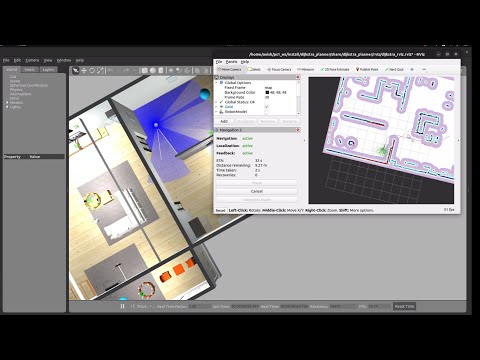
# 🗺️ Launch Navigation Stack with Dijkstra Planner
ros2 launch dijkstra_planner dijkstra_navigation.launch.py use_sim_time:=True map:=src/ps1map1.yaml

# 🏠 Launch Custom Small House Gazebo World
ros2 launch turtlebot3_gazebo turtlebot3_small_house_simple.launch.pyFirst, find where the nav2_bt_navigator package is installed:
ros2 pkg prefix nav2_bt_navigatorExample output:
/opt/ros/humble
Go to the Behavior Trees folder:
cd /opt/ros/humble/share/nav2_bt_navigator/behavior_trees/
ls
You should see files like:
navigate_to_pose_w_replanning_and_recovery.xml
Open the XML file in your preferred editor. Example with nano:
sudo nano navigate_to_pose_w_replanning_and_recovery.xmlOr with VS Code:
sudo code navigate_to_pose_w_replanning_and_recovery.xmlInside the XML, look for:
<ComputePathToPose ... planner_id="GridBased" ... />✅ Replace it with your custom Dijkstra planner ID:
<ComputePathToPose ... planner_id="Dijkstra" ... />💾 Save the file and exit the editor.
📌 Done! Your Navigation2 Behavior Tree now uses Dijkstra instead of the default GridBased planner.