systemvm: Update novnc#4323
Conversation


 davidjumani
force-pushed
the
update-novnc
branch
from
davidjumani
force-pushed
the
update-novnc
branch
from
466e7a1 to
6280572
Compare

|
@blueorangutan package |

|
@davidjumani a Jenkins job has been kicked to build packages. I'll keep you posted as I make progress. |
|
Packaging result: ✖centos7 ✖centos8 ✖debian. JID-1972 |
|
Packaging result: ✖centos7 ✖centos8 ✖debian. JID-1973 |
|
Packaging result: ✖centos7 ✖centos8 ✖debian. JID-1974 |

|
@blueorangutan package |
|
@rhtyd a Jenkins job has been kicked to build packages. I'll keep you posted as I make progress. |
|
Packaging result: ✖centos7 ✖centos8 ✖debian. JID-1975 |
|
Packaging result: ✔centos7 ✖centos8 ✖debian. JID-1976 |
|
third time's a charm |
|
@rhtyd a Jenkins job has been kicked to build packages. I'll keep you posted as I make progress. |
 davidjumani
force-pushed
the
update-novnc
branch
from
davidjumani
force-pushed
the
update-novnc
branch
from
6280572 to
cbced66
Compare
|
Packaging result: ✖centos7 ✔centos8 ✔debian. JID-1979 |
davidjumani
force-pushed
the
update-novnc
branch
5 times, most recently
from
d59c8a0 to
4c8b360
Compare
|
@blueorangutan package |
|
@davidjumani a Jenkins job has been kicked to build packages. I'll keep you posted as I make progress. |
|
@blueorangutan package |
|
@davidjumani a Jenkins job has been kicked to build packages. I'll keep you posted as I make progress. |
|
Packaging result: ✖centos7 ✖centos8 ✔debian. JID-1995 |

|
@blueorangutan package |
|
@shwstppr a Jenkins job has been kicked to build packages. I'll keep you posted as I make progress. |
|
Packaging result: ✔centos7 ✔centos8 ✔debian. JID-2002 |
|
@rhtyd there are couple of more issues (Chrome incognito, clipboard characters). Already discussed with @davidjumani |
davidjumani
force-pushed
the
update-novnc
branch
3 times, most recently
from
2bc0e64 to
5d6f120
Compare
|
@blueorangutan package |
|
@davidjumani a Jenkins job has been kicked to build packages. I'll keep you posted as I make progress. |
|
Packaging result: ✔centos7 ✔centos8 ✔debian. JID-2047 |
|
@blueorangutan test |
|
@rhtyd a Trillian-Jenkins test job (centos7 mgmt + kvm-centos7) has been kicked to run smoke tests |
|
Trillian test result (tid-2799)
|

 shwstppr
left a comment
shwstppr
left a comment
shwstppr
left a comment
There was a problem hiding this comment.
LGTM. Tested with KVM env. UI issues mentioned earlier are fixed. Console working fine on incognito mode for different browsers (was seeing some regression earlier). Clipboard functionality working okay.

|
@blueorangutan package |
|
@rhtyd a Jenkins job has been kicked to build packages. I'll keep you posted as I make progress. |
|
Packaging result: ✔centos7 ✔centos8 ✔debian. JID-2055 |
|
Manually testing and verifying against VMware env |
davidjumani
force-pushed
the
update-novnc
branch
from
5d6f120 to
b74579e
Compare
|
@blueorangutan package |
|
@davidjumani a Jenkins job has been kicked to build packages. I'll keep you posted as I make progress. |
|
Packaging result: ✔centos7 ✖centos8 ✔debian. JID-2059 |
|
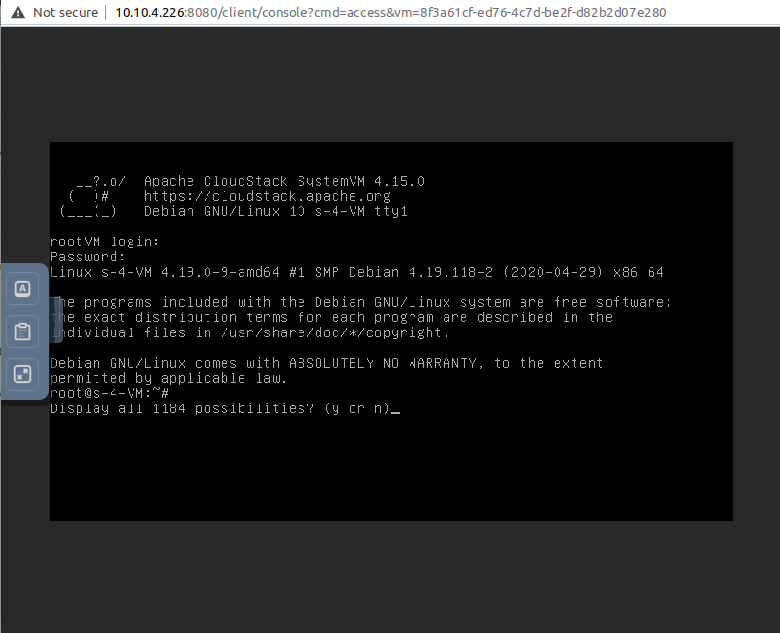
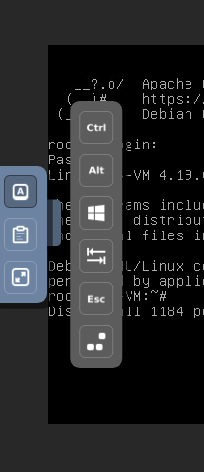
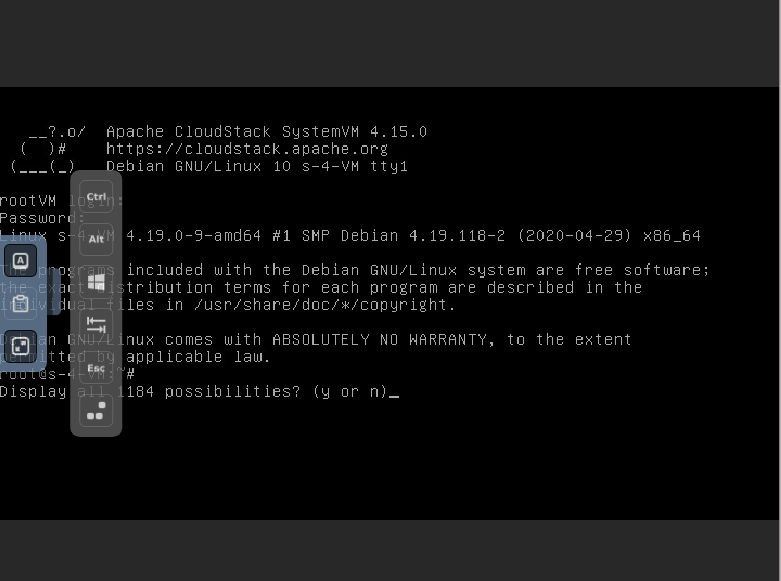
Tested against VMware, LGTM Button/clipboard options work as expected: |

 yadvr
left a comment
yadvr
left a comment
yadvr
left a comment
There was a problem hiding this comment.
LGTM, noVNC dependency upgrades and button toolbar

Update noVNC v1.2.0, add support for clipboard, explicit button toolbar and resize screensize

| } | ||
| UI.updateFullscreenButton(); | ||
| this.fullScreen = !this.fullScreen | ||
| UI.rfb.scaleViewport = this.fullScreen |

There was a problem hiding this comment.
@davidjumani
one of our customers has issue accessing the novnc console, because scaleViewport is undefined in line 1216
UI.rfb.scaleViewport = this.fullScreen
But I cannot find this change in novnc repository.
https://github.com/novnc/noVNC/blob/master/app/ui.js#L1209
There was a problem hiding this comment.
@weizhouapache I've changed a bit of the novnc UI to allow fullscreen and pasting into the console.
fullscreen is defined at line 44 and scaleViewport is defined in rfb.js
There was a problem hiding this comment.
@weizhouapache I've changed a bit of the novnc UI to allow fullscreen and pasting into the console.
fullscreen is defined at line 44 and scaleViewport is defined in rfb.js
@davidjumani
we do not have any problem in our testing. but that customer cannot access the console. he tried with different browsers.
it is strange. it seem UI.rfb is not initialized.
There was a problem hiding this comment.
@weizhouapache That could be a bigger issue since rfb.js is used to communicate with the host. Did destroying and recreating the console proxy help ? Also could you check whether the customer has tweaked the novnc code in the cpvm ? Or any issue with the systemvm.iso itself ?
There was a problem hiding this comment.
@weizhouapache That could be a bigger issue since rfb.js is used to communicate with the host. Did destroying and recreating the console proxy help ? Also could you check whether the customer has tweaked the novnc code in the cpvm ? Or any issue with the systemvm.iso itself ?
@davidjumani ignore the issue above. It happened when we enlarge the screen when websocket connection is not working. it is a bug but not critical. we are still looking for the root cause of the issue. customer uses German keyboard which is different from us.
There was a problem hiding this comment.
@weizhouapache Fixed in #4783
It prevents the fullscreen button from being shown when not connected to the VM
Update noVNC v1.2.0, add support for clipboard, explicit button toolbar and resize screensize

Update noVNC v1.2.0, add support for clipboard, explicit button toolbar and resize screensize
6 participants


Description
Updating noVNC v1.2.0
Types of changes
Screenshots (if appropriate):
FullScreen mode
Paste into console
Additional keys