Releases: basti-debug/weathercli
weathercli beta v0.102

We are happy to announce that the first version of our weathercli project is now out for public beta:
How to install
https://github.com/basti-debug/weathercli/blob/main/src/
go to the zip file in the above linked repo and download it
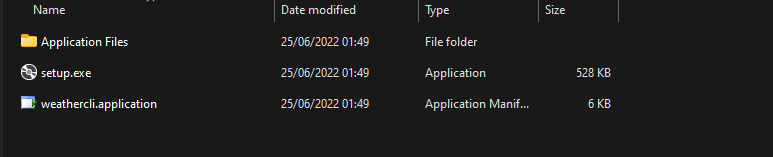
unzip the folder, and open the 'setup.exe'. Now you will be guided threw the installation...
How to use
upon starting the program you will be greeted with this selection screen:
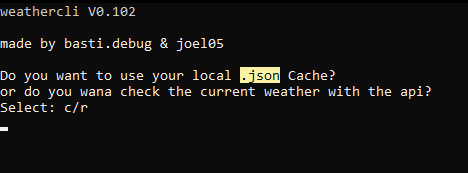
here you can select if you want to read the weather cache (which is located in your Documents folder -> C:\Users\USER\Documents\weathercli)
or request the current weather from the api.
(The directory will be created after your first request to the api, so please type 'r' for your first start of the program.)
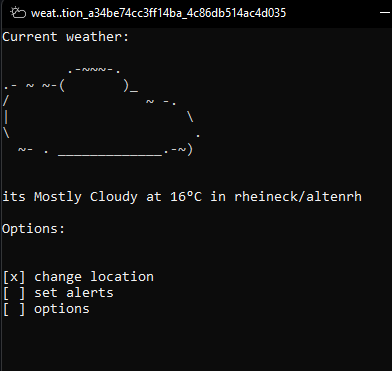
upon start, you will see the current weather and the temperature
at the bottom of the window, you can see the menu, where you can change the location, set alerts, or go into the options.
Currently, only the change location works, all other functions close the program.
Change location
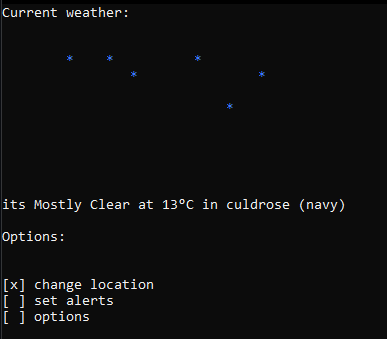
here you can see the same screen pops open like when you request the weather from the api.
This is a pre release version of weathercli
to help us please report bugs with the help of an issue

