Parameterized command templates for your terminal.
Save commands once, reuse them forever — with placeholders, defaults, fuzzy search, and composable output.
$ snippet -e archive/extract-tgz -f 'tar -xzvf <archive>'
$ snippet -t archive/extract-tgz /path/to/foo.tar.gz
tar -xzvf /path/to/foo.tar.gz
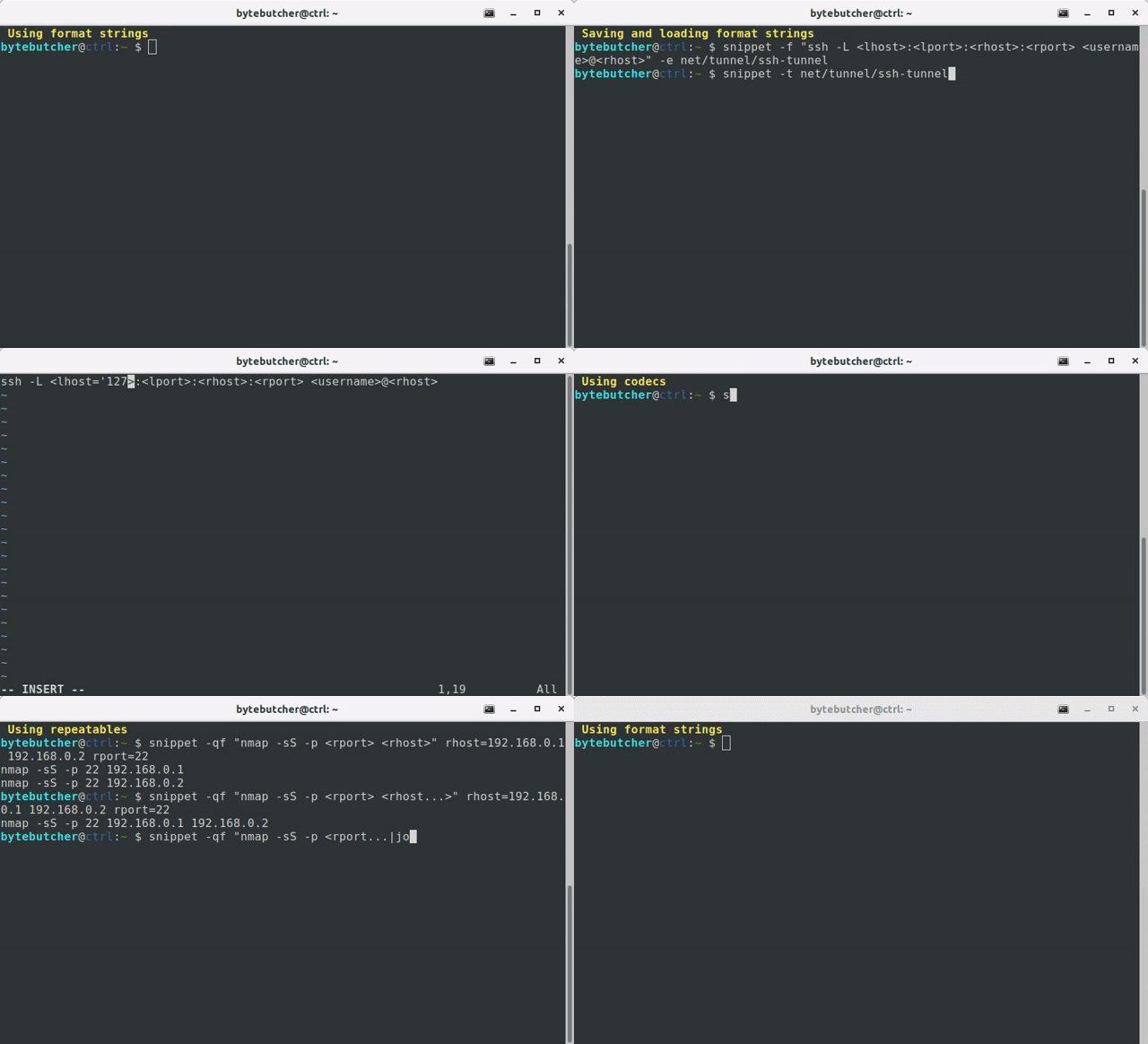
Shell aliases are static. History search is fragile. Neither lets you say "run this shape of command, but with these arguments this time."
snippet sits in between:
it stores command templates with named placeholders, and fills them on demand.
Think of it as printf for your shell history.
pip3 install snippet-cli
Optional — enable tab completion for template names:
eval "$(register-python-argcomplete snippet)"# Save or edit a snippet (opens $EDITOR)
$ snippet -e archive/create-tgz -f "tar -czvf <archive> <file...>"
# Exact match
$ snippet -t archive/create-tgz backup.tar.gz file=src/ README.md
tar -czvf backup.tar.gz src/ README.md

# Fuzzy search (opens fzf when no exact match)
$ snippet -t archive
$ snippet -t archive/create-tgz backup.tar.gz file=src/ README.md | bash
When you pass multiple values to regular placeholders, snippet generates every combination:
$ snippet -f "kubectl cp <file> <namespace>/<pod>:/tmp/<file>" namespace=default pod=example-pod file=busybox nmap tcpdump
kubectl cp busybox default/example-pod:/tmp/busybox
kubectl cp nmap default/example-pod:/tmp/nmap
kubectl cp tcpdump default/example-pod:/tmp/tcpdump
When you add three dots at the end of a placeholder (e.g., <file...>), values are concatenated instead of permuted:
$ snippet -f "tar -czvf <archive> <file...>" backup.tar.gz file=src/ README.md
tar -czvf backup.tar.gz src/ README.md
By default arguments which are associated with a repeatable placeholder are separated by space.
To specify a custom character sequence you may use the join codec:
$ snippet -f "nmap -sS -p<port...|join:','> <rhost...>" port=80 443 rhost=192.168.0.1 192.168.0.2
nmap -sS -p80,443 192.168.0.1 192.168.0.2
# Default value — used when nothing is provided
$ snippet -f "python3 -m http.server <lport='8000'>"
python3 -m http.server 8000

# Optional section — disappears entirely if placeholder is empty
$ snippet -f "python3 -m http.server[ --bind <lhost>][ <lport>]" lport=4444
python3 -m http.server 4444
If you need square-brackets to be part of the string format you need to escape them accordingly:
$ snippet -f "\[<arg>\]" hello
[hello]
Transform placeholder values with piped codecs. Useful when your archive paths contain spaces:
$ snippet -f "tar -czvf <archive|squote> <file...|squote>" backup.tar.gz file="my docs/" notes.md
tar -czvf 'backup.tar.gz' 'my docs/' 'notes.md'
Codecs can be parameterized and are chainable:
$ snippet -f "cp <file|squote> <file|add:'.bak'|squote>" "/path/to/my file"
cp '/path/to/my file' '/path/to/my file.bak'
Run snippet --list-codecs to see all available transforms.
Built-in dynamic placeholders like <datetime> — handy for timestamped archives:
$ snippet -f "tar -czvf '<datetime>.tar.gz' <file...>" file=src/
tar -czvf '20250302143012.tar.gz' src/
Customize presets in ~/.snippet/snippet_profile.py.
# Export variables to a sourceable env file
$ snippet --env -f "tar -czvf <archive> <file...>" archive=backup.tar.gz file=src/ README.md | tee env.sh
export archive="backup.tar.gz"
export file="\('src/' 'README.md'\)"

# Import environment variables from file
$ source env.sh && snippet -f "tar -czvf <archive> <file...>"

# Load variable values from a file
$ snippet -f "tar -czvf <archive> <file...>" backup.tar.gz file:filelist.txt

# Load format string from a pipe
$ echo "tar -czvf <archive> <file...>" | snippet backup.tar.gz file=src/
Templates live in ~/.snippet/templates/ and support directory-style namespacing:
$ snippet -e archive/create-tgz -f "tar -czvf <archive> <file...>"
$ snippet -e archive/extract-tgz -f "tar -xzvf <archive>"
$ snippet -e net/scan -f "nmap -sS -p <port> <host>"

$ snippet --list-templates
archive/create-tgz
archive/extract-tgz
net/scan
Custom codecs can be added into ~/.snippet/codecs/. Here's a minimal example:
import os.path

from snippet.codecs import StringCodec


class Codec(StringCodec):
    """ Extracts the filename from a file path. """

    def __init__(self):
        super().__init__(author="bytebutcher", dependencies=[])

    def run(self, input):
        return os.path.basename(input.encode('utf-8', errors="surrogateescape")).decode('utf-8', errors="surrogateescape")
snippet supports multi-line format strings:
$ cat input.txt
{
   "foo": "<foo>",
   "bar": "<bar>"
}
$ cat input.txt | snippet egg spam
{
   "foo": "egg",
   "bar": "spam"
}
snippet can be used to easily execute alternating commands in sequence:
$ snippet -f "echo 'hello <arg1>';" arg1=snippet world | bash
hello world
hello snippet
Using xargs the resulting commands can also be executed in parallel:
snippet -f "echo 'hello <arg1>';" arg1=snippet arg1=world | xargs --max-procs=4 -I CMD bash -c CMD
hello world
hello snippet
| Tool | Purpose |
|---|---|
| shell aliases | Static command shortcuts; no parameters |
tldr / navi |
Look up cheat sheets |
pet / cheat |
Save and search snippets; less focus on parameterization |
| snippet | Save, parameterize, compose, and execute your own command templates |
To make the most out of this tool you might also consider to look into the following projects: