In this project I share my solution for the Udacity Deep Reinforcement Learning Project 2 - Continuous Control The Reacher environment.
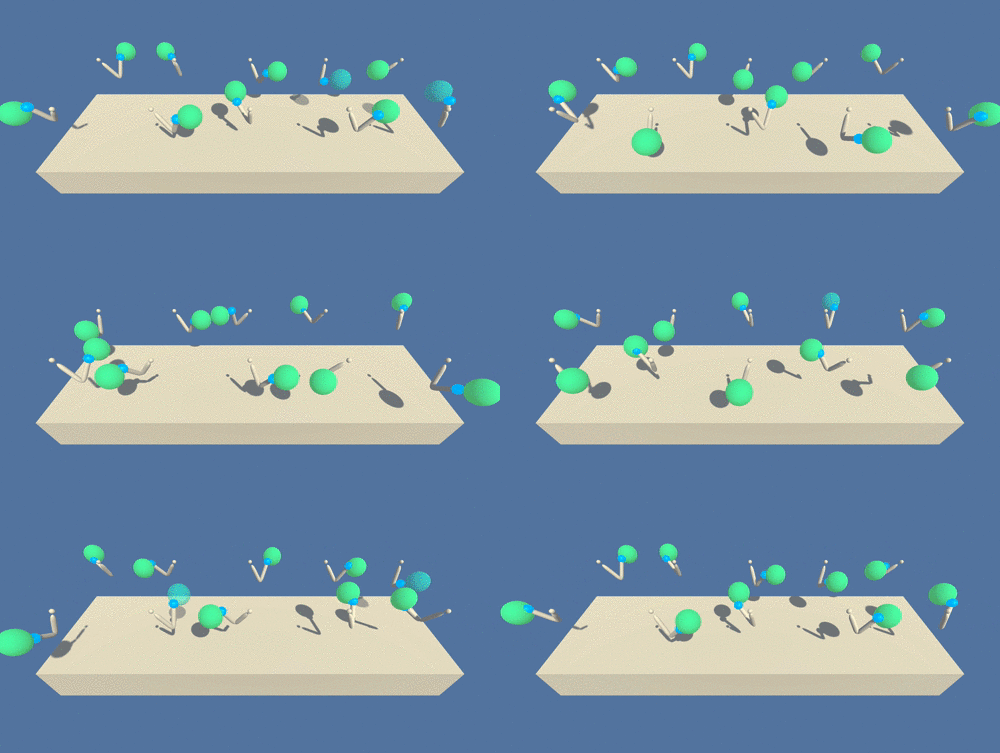
In this environment, a double-jointed arm can move to target locations. A reward of +0.1 is provided for each step that the agent's hand is in the goal location. Thus, the goal of your agent is to maintain its position at the target location for as many time steps as possible.
The observation space consists of 33 variables corresponding to position, rotation, velocity, and angular velocities of the arm. Each action is a vector with four numbers, corresponding to torque applicable to two joints. Every entry in the action vector should be a number between -1 and 1.
We used the method of Deep Deterministic Policy Gradient (DDPG) to solve this project.
In this Project we tackeled the second environment Version : Multiaple Agents We trained 20 agents over 100 consecutive episodes with an average scores of +37.
To set up your python environment to run the code in this repository, follow the instructions below.
-
Create (and activate) a new environment with Python 3.6.
- Linux or Mac:
conda create --name drlnd python=3.6 source activate drlnd- Windows:
conda create --name drlnd python=3.6
activate drlnd
-
Clone the Udacity Deep Reinforcment Learning repository (if you haven't already!), and navigate to the
python/folder. Then, install several dependencies.
git clone https://github.com/udacity/deep-reinforcement-learning.git
cd deep-reinforcement-learning/python
pip install .- Create an IPython kernel for the
drlndenvironment.
python -m ipykernel install --user --name drlnd --display-name "drlnd"-
Clone this repository and open a new notebook and open the file
Continuous_Control-ddpg.ipynb -
Before running code in a notebook, change the kernel to match the
drlndenvironment by using the drop-downKernelmenu. -
Download the environment from one of the links below. You need only select the environment that matches your operating system:
-
Version 1: One (1) Agent
- Linux: click here
- Mac OSX: click here
- Windows (32-bit): click here
- Windows (64-bit): click here
-
Version 2: Twenty (20) Agents
- Linux: click here
- Mac OSX: click here
- Windows (32-bit): click here
- Windows (64-bit): click here
-
-
Place the file in the DRLND GitHub repository, in the
DRLND-2-Continuous-Control/folder, and unzip (or decompress) the file.
Follow the instructions in Continuous_Control-ddpg.ipynb to run the agent training or to load and run the agent using the pretrained model!