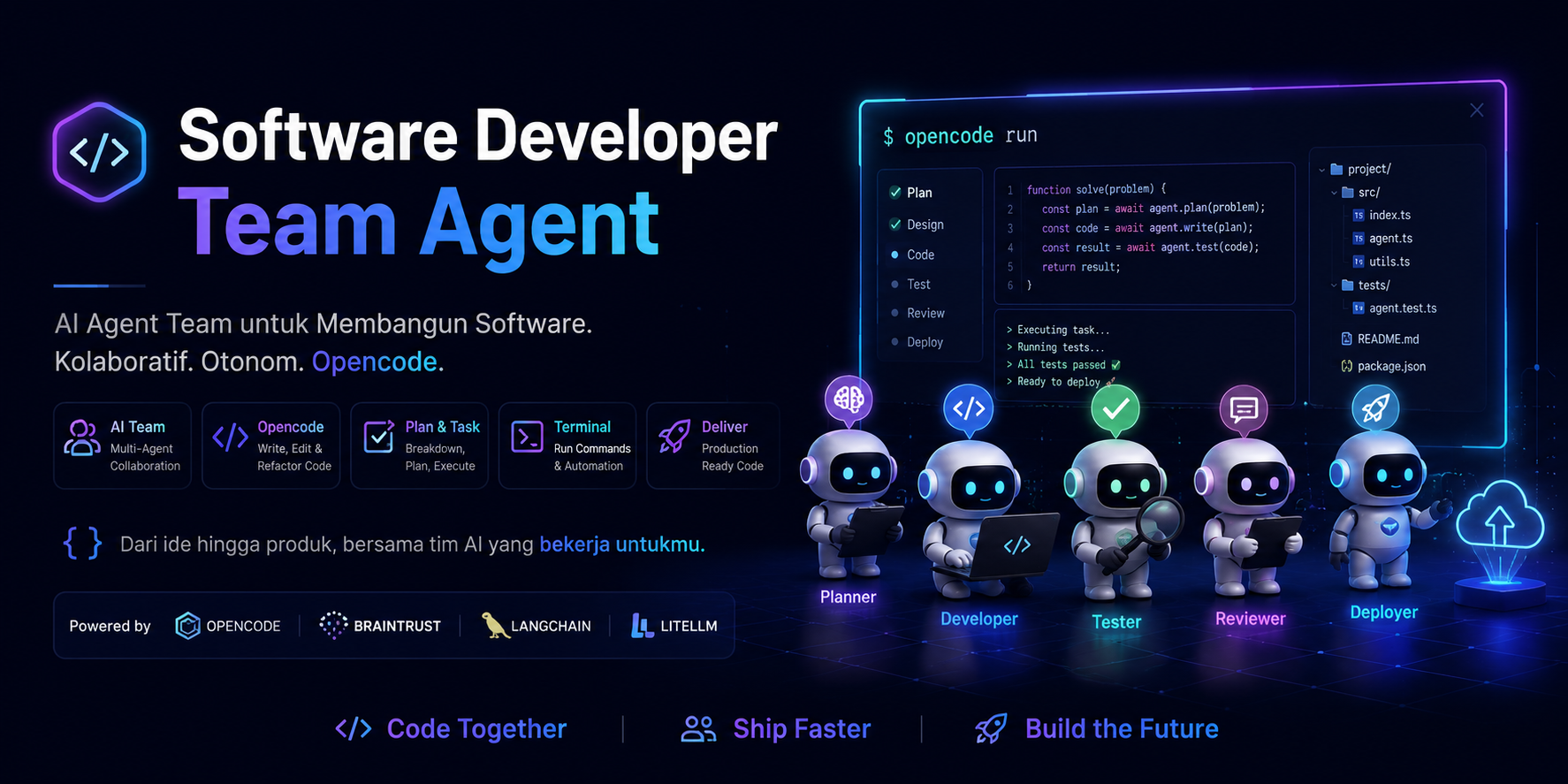
Complete setup guide for the Opencode Agent KIT — a portable multi-stack AI agent system for OpenCode. Includes 13 specialized agents, 62 skill playbooks, 36 slash commands, and 6 MCP servers.
One command — installs into any project:
npx opencode-agent-kit initThis copies the full agent configuration, skills, commands, and rules into your project.
Global install:
npm install -g opencode-agent-kit
cd /path/to/your-project
opencode-agent-kit initThis repository contains a complete OpenCode agent configuration with Leader → Subagent architecture for software development teams.
- Active config:
opencode.json(source of truth) - Agent prompts:
.opencode/agents/it-leader.md— IT Leader & Technical Project Manager (primary)nuxt-frontend-developer.md— Frontend Developer (Nuxt/Vue) —@frontend-nuxtreact-frontend-developer.md— Frontend Developer (React/Next.js) —@frontend-reactnode-backend-developer.md— Backend Developer (Node.js) —@backendlaravel-advanced.md— Backend Developer (Laravel) —@laravelcode-igniter-3-fullstack.md— Fullstack Developer (CodeIgniter 3) —@ci3ui-ux-designer.md— UI/UX Designer —@designercode-reviewer.md— Code Reviewer / QA —@reviewerdatabase-specialist.md— Database Specialist —@databasedevops-specialist.md— DevOps / Infrastructure —@devopsseo-specialist.md— SEO Specialist —@seoandroid-developer.md— Android Developer (Kotlin/Compose) —@androidflutter-developer.md— Flutter Developer (Dart) —@flutternuxt-frontend-developer-mentor.md— Nuxt mentor (standalone)
- Internal documentation:
.opencode/agent-docs/- Frontend Nuxt:
.opencode/agent-docs/frontend/nuxt/ - Frontend React:
.opencode/agent-docs/frontend/react/ - Backend Node:
.opencode/agent-docs/backend/node/
- Frontend Nuxt:
- Local skills:
.opencode/skills/(62 skill playbooks) - Contexts:
.opencode/contexts/(dev, research, review)
Designed for:
- Frontend (Vue): Nuxt 4 + Nuxt UI + Vue 3 Composition API + TypeScript
- Frontend (React): React 19 + Next.js 15 (App Router) + TypeScript + shadcn/ui
- Backend: Node.js + Express 5 + Prisma + PostgreSQL — or — Laravel 10+ / CodeIgniter 3
- Mobile: Android (Kotlin + Jetpack Compose) — or — Flutter (Dart)
- Operational workflow (scope-safe, verification status, commit/PR policy)
- Structured 30-day mentoring for Nuxt stack transition
- OpenCode CLI installed
- Node.js + npm/pnpm/yarn/bun
OpenCode has built-in agents available globally. This KIT does not redefine existing agents — it focuses on specialized agents for each development stack.
| Built-in Agent | Model | Role | Usage |
|---|---|---|---|
planner |
opus-4.5 | Detailed planning, architectural decisions | /plan or @planner |
architect |
opus-4.5 | System design, scalability analysis | @architect |
code-reviewer |
opus-4.5 | Quality, security, maintainability review | /code-review or @code-reviewer |
security-reviewer |
opus-4.5 | Vulnerability detection | /security or @security-reviewer |
tdd-guide |
opus-4.5 | TDD workflow, 80%+ coverage enforcement | /tdd or @tdd-guide |
build-error-resolver |
opus-4.5 | Fix TypeScript/build errors | /build-fix or @build-error-resolver |
e2e-runner |
opus-4.5 | Playwright E2E test generation & execution | /e2e or @e2e-runner |
refactor-cleaner |
opus-4.5 | Dead code removal, consolidation | /refactor-clean or @refactor-cleaner |
database-reviewer |
opus-4.5 | PostgreSQL query optimization, Supabase best practices | @database-reviewer |
Specialized agents not available in built-in OpenCode:
| Agent | File | Role | When to Use |
|---|---|---|---|
| IT Leader | it-leader.md |
Orchestration, task decomposition, integration | All complex requests |
| Frontend (Vue) | nuxt-frontend-developer.md |
Nuxt/Vue implementation + MCP integration | Vue/Nuxt implementation |
| Frontend (React) | react-frontend-developer.md |
React/Next.js implementation | React/Next.js implementation |
| Backend (Node) | node-backend-developer.md |
Node/Express/Prisma implementation | Node.js API implementation |
| Backend (Laravel) | laravel-advanced.md |
Laravel full-stack (Blade, Livewire, API) | Laravel implementation |
| Backend (CI3) | code-igniter-3-fullstack.md |
CodeIgniter 3 MVC monolith | CI3 implementation |
| Designer | ui-ux-designer.md |
Design system, Stitch, Figma, DESIGN.md | Design tasks |
| Reviewer | code-reviewer.md |
Code quality, security audit, testing | Review tasks |
| Database | database-specialist.md |
PostgreSQL, schema, Prisma, migrations | Database tasks |
| DevOps | devops-specialist.md |
CI/CD, Docker, monitoring, infrastructure | Deployment tasks |
| SEO | seo-specialist.md |
Meta tags, structured data, Core Web Vitals | SEO optimization |
| Android | android-developer.md |
Kotlin, Jetpack Compose, Gradle, Play Store | Android native development |
| Flutter | flutter-developer.md |
Dart, Flutter SDK, Material 3, Firebase | Cross-platform mobile |
User Request
    │
    ▼
┌─────────────────┐
│   IT Leader     │ ← Custom (orchestration)
│ (Primary)      │
└────────┬────────┘
         │
    ┌────┴────┬──────┬──────┬──────┬──────┬──────┐
    ▼         ▼      ▼      ▼      ▼      ▼      ▼
┌────────┐ ┌──────┐ ┌───┐ ┌────┐ ┌────┐ ┌────┐ ┌──────┐
│Frontend│ │Backend│ │Des│ │Rev │ │DB  │ │Dev │ │Mobile│
│Nuxt/React│ │Node/La│ │ign│ │iew │ │Spec│ │Ops │ │And/Fl│
│Custom  │ │Custom │ │Cus│ │Cus │ │Cus │ │Cus │ │Custom│
└───┬────┘ └──┬───┘ └───┘ └────┘ └────┘ └────┘ └──┬───┘
    │         │                                    │
    ▼         │                                    │
┌─────────┐   │                                    │
│Built-in │   │                                    │
│e2e-runner│  │                                    │
└─────────┘   │                                    │
              │                                    │
              ▼                                    │
         ┌────────┐                                │
         │Built-in│                                │
         │code-reviewer│                            │
         └────────┘                                │
              │                                    │
              ▼                                    ▼
         ┌──────────────────────────────────────────┐
         │        Integration Report                 │
         │     (IT Leader combines)                 │
         └──────────────────────────────────────────┘
After installing .opencode/, the following slash commands are available:
# Planning & Architecture
/plan [feature description]          # Detailed implementation plan
/orchestrate [complex task]         # Multi-agent orchestration

# Review & Quality
/code-review [files]                 # Code quality review
/security [files]                     # Security audit
/refactor-clean [scope]              # Dead code cleanup

# Testing
/tdd [feature]                       # TDD workflow
/e2e [user flow]                     # Generate & run E2E tests
/test-coverage [scope]               # Analyze coverage

# Build & Errors
/build-fix [error message]           # Fix TypeScript/build errors

# Documentation
/update-docs [files]                 # Update documentation
/update-codemaps                     # Update code references

# Database
@database-reviewer                   # Query optimization

# Mobile
/android-build [variant]              # Build Android (debug/release/bundle)
/android-test [type]                  # Run Android tests (unit/instrumented)
/flutter-build [target]               # Build Flutter (apk/appbundle/ios/web)
/flutter-test [type]                  # Run Flutter tests with coverage
/gpc-release [track] # Publish to Google Playcd /path/to/your-project
npx opencode-agent-kit initThis automatically copies opencode.json, .opencode/, and AGENTS.md with smart merging.
cp -R .opencode/ /path/to/your-project/Or just the config:
cp .opencode/config.json /path/to/your-project/.opencode/config.json| File/Folder | Content | Required |
|---|---|---|
opencode.json |
Agent definitions, MCP settings | Yes |
.opencode/agents/ |
Custom agent prompts | Yes |
.opencode/instructions/ |
Global rules for all agents | Yes |
.opencode/skills/ |
Domain-specific skills | Recommended |
.opencode/contexts/ |
Project context | Optional |
.opencode/commands/ |
Custom slash commands | Optional |
.opencode/rules/ |
Coding rules | Optional |
.opencode/hooks/ |
Automation hooks | Optional |
This project config does not modify your global configuration. Just copy .opencode/ to your project and all agents + commands become available.
To use a global agent instead of the project one, rename the file:
mv .opencode/agents/code-reviewer.md .opencode/agents/code-reviewer-custom.mdTo customize a built-in agent, create an agent with the same name in .opencode/agents/. Project-level agents override built-in ones.
13 agents (13 registered in config) with Leader → Subagent architecture:
| Agent | File | Mode | Role |
|---|---|---|---|
| IT Leader | it-leader.md |
primary | Requirements analysis, architecture, task decomposition, integration |
| Frontend Developer (Vue/Nuxt) | nuxt-frontend-developer.md |
subagent | Vue/Nuxt implementation (components, composables, Nuxt UI, E2E) |
| Frontend Developer (React/Next) | react-frontend-developer.md |
subagent | React/Next.js implementation (Server Components, shadcn/ui, E2E) |
| Backend Developer (Node.js) | node-backend-developer.md |
subagent | Node.js API (Express, Prisma, DTO, auth) |
| Backend Developer (Laravel) | laravel-advanced.md |
subagent | Laravel (Blade, Livewire, REST API, Service Layer) |
| CodeIgniter 3 Fullstack | code-igniter-3-fullstack.md |
subagent | CI3 MVC, REST API, JWT |
| UI/UX Designer | ui-ux-designer.md |
subagent | Design system, Figma, Stitch, accessibility, DESIGN.md |
| Code Reviewer / QA | code-reviewer.md |
subagent | Code quality review, security audit, testing strategy, verification |
| Database Specialist | database-specialist.md |
subagent | PostgreSQL schema, query optimization, Prisma, migrations |
| DevOps / Infrastructure | devops-specialist.md |
subagent | CI/CD, deployment, Docker, monitoring, infrastructure |
| SEO Specialist | seo-specialist.md |
subagent | Meta tags, structured data, Core Web Vitals, content optimization |
| Android Developer | android-developer.md |
subagent | Kotlin, Jetpack Compose, Material 3, Gradle, Play Store |
| Flutter Developer | flutter-developer.md |
subagent | Dart, Flutter SDK, Material 3, Firebase, cross-platform |
- User gives requirements to the IT Leader (primary agent, auto-activated)
- IT Leader analyzes, designs architecture, and breaks into tasks
- IT Leader delegates tasks to the appropriate subagents
- IT Leader integrates results and reports to the user
For small tasks, mention subagents directly:
@frontend-nuxt Add a UButton "Save" in ProfileHeader.vue.
@frontend-react Create a server component ProductList with API fetch.
@backend Add endpoint POST /api/markets with DTO validation.
@laravel Build a CRUD product page with Blade + Livewire.
@ci3 Build a REST API for products with JWT auth.
@designer Review UX flow for checkout page and generate DESIGN.md.
@reviewer Audit security for the authentication module.
@database Optimize query for market listing with pagination.
@devops Setup CI/CD pipeline for Vercel deployment.
@seo Implement meta tags and structured data for product pages.
@android Build a login screen with Jetpack Compose + ViewModel.
@flutter Build a product list screen with Bloc pattern.
Each agent can use a different model based on task complexity. Subagents inherit the model from the primary agent if not set.
| Agent | Role | Recommended Model | Alternative Model | Rationale |
|---|---|---|---|---|
| IT Leader | Orchestration, architecture, planning | opencode/claude-opus-4.7 |
opencode/claude-opus-4.5 |
Deep reasoning, complex analysis, multi-subagent coordination |
| Frontend | Component implementation, pages, logic | opencode/claude-sonnet-4.5 |
opencode/claude-sonnet-4.6 |
Balanced reasoning & efficiency for coding |
| Backend | API, DTO, controller, database operations | opencode/claude-sonnet-4.5 |
opencode/claude-sonnet-4.6 |
Balanced reasoning & efficiency for coding |
| Designer | Design system, visual exploration, handoff | opencode/claude-sonnet-4 |
openai/gpt-5 |
Creativity with sufficient reasoning |
| Reviewer | Security audit, detailed code review | opencode/claude-opus-4.5 |
openai/o3 |
Deep analysis, subtle pattern detection |
| Database | Schema design, query optimization | opencode/claude-sonnet-4.5 |
opencode/claude-sonnet-4 |
Moderate reasoning, precision-focused |
| DevOps | CI/CD config, scripts, monitoring | opencode/claude-haiku-4.5 |
openai/gpt-4.1-mini |
Straightforward tasks, high efficiency |
| Android | Kotlin, Compose, Gradle, Play Store | opencode/claude-sonnet-4.5 |
opencode/claude-haiku-4.5 |
Balanced reasoning & efficiency |
| Flutter | Dart, Flutter SDK, cross-platform | opencode/claude-sonnet-4.5 |
opencode/claude-haiku-4.5 |
Balanced reasoning & efficiency |
| SEO | Research, meta tags, structured data | openai/gpt-5.1-codex-mini |
openai/gpt-5-nano |
Research-focused, no deep coding needed |
| Tier | Models | Use Case |
|---|---|---|
| Tier 1 (Premium) | claude-opus-4.7, claude-opus-4.5 |
Orchestration, deep analysis, security audit |
| Tier 2 (Balanced) | claude-sonnet-4.5/4.6, claude-sonnet-4 |
Complex implementation, design, database |
| Tier 3 (Efficient) | claude-haiku-4.5, gpt-4.1-mini |
Direct tasks, scripts, config files |
| Tier 4 (Fast) | gpt-5-nano, gpt-5.1-codex-mini |
Research, content, cost optimization |
- All agents — set
modelat the primary agent (IT Leader) level - Per agent — set
modelin each agent's config - Quick override — use
--modelflag when running opencode
See .opencode/config.example.json for a complete per-model configuration example.
Skills are stored in .opencode/skills/ (local in the repo) — no need to search for them individually.
| Agent | Key Skills |
|---|---|
| IT Leader | coding-standards, backend-patterns, frontend-patterns |
| Frontend Developer (Vue) | coding-standards, frontend-patterns, frontend-design, web-design-guidelines, nuxt-ui, tdd-workflow |
| Frontend Developer (React) | coding-standards, frontend-patterns, frontend-design, web-design-guidelines, vercel-react-best-practices, vercel-composition-patterns, tdd-workflow |
| Backend Developer | coding-standards, backend-patterns, postgres-patterns, security-review |
| UI/UX Designer | frontend-design, web-design-guidelines, building-components, nuxt-ui |
| Code Reviewer / QA | coding-standards, security-review, tdd-workflow, web-design-guidelines |
| Database Specialist | postgres-patterns, backend-patterns |
| DevOps / Infrastructure | backend-patterns, coding-standards |
| SEO Specialist | frontend-patterns, web-design-guidelines, nuxt-ui |
| Android Developer | coding-standards, android-jetpack-compose, edge-to-edge, navigation-3, firebase-basics, play-billing, camera1-to-camerax, r8-analyzer, migrate-xml-views-to-jetpack-compose, gpc-setup, gpc-release-flow, gpc-preflight, gpc-vitals-monitoring |
| Flutter Developer | coding-standards, flutter (patterns), 10 Flutter skills, 9 Dart skills, firebase-basics |
The following cross-language skills are not needed for the primary Nuxt + Node.js stack:
springboot-*,java-*,jpa-patternsdjango-*golang-*python-*clickhouse-io
These can be kept if your team uses multi-stack, but are optional.
configure-ecc— Everything Claude Code installercontinuous-learning/continuous-learning-v2— Session pattern learningeval-harness— Formal evaluation frameworkiterative-retrieval— Context retrieval patternstrategic-compact— Manual context compactionverification-loop— Agent verification cyclenutrient-document-processing— Document processing APIproject-guidelines-example— Project guidelines example
OpenCode reads skills from:
~/.opencode/skills/~/.agents/skills/.opencode/skills/(local in the repo)
Quick verification:
ls ~/.opencode/skills
ls ~/.agents/skills
ls .opencode/skillsIf skills are not yet on your machine, copy them from this repo:
mkdir -p ~/.opencode/skills
cp -R ./.opencode/skills/coding-standards ~/.opencode/skills/
cp -R ./.opencode/skills/frontend-patterns ~/.opencode/skills/
cp -R ./.opencode/skills/frontend-design ~/.opencode/skills/
cp -R ./.opencode/skills/web-design-guidelines ~/.opencode/skills/
cp -R ./.opencode/skills/nuxt-ui ~/.opencode/skills/
cp -R ./.opencode/skills/security-review ~/.opencode/skills/
cp -R ./.opencode/skills/tdd-workflow ~/.opencode/skills/
Optional:
cp -R ./.opencode/skills/building-components ~/.opencode/skills/
cp -R ./.opencode/skills/vercel-composition-patterns ~/.opencode/skills/For mobile development:
# Flutter patterns & task skills
cp -R ./.opencode/skills/flutter ~/.opencode/skills/
cp -R ./.opencode/skills/flutter-* ~/.opencode/skills/

# Dart task skills
cp -R ./.opencode/skills/dart-* ~/.opencode/skills/

# Android skills
cp -R ./.opencode/skills/jetpack-compose ~/.opencode/skills/

# Firebase (shared Android + Flutter)
cp -R ./.opencode/skills/firebase-basics ~/.opencode/skills/From .opencode/config.json, agents use the following MCP servers:
| MCP | Type | Status | Description |
|---|---|---|---|
nuxt |
remote | enabled | Nuxt documentation, blog, deployment guide |
nuxt-ui |
remote | enabled | Nuxt UI component docs & examples |
playwright |
stdio | enabled | Browser automation & E2E testing |
postman |
remote | enabled | Postman API management (collections, requests, docs) |
figma |
stdio | disabled | Figma design file access (optional) |
stitch |
remote | disabled | Google Stitch AI design generation (optional) |
To enable Figma MCP:
export FIGMA_ACCESS_TOKEN="your-token"To enable Google Stitch MCP:
# Get API key from https://stitch.withgoogle.com/settings/api-keys
export STITCH_API_KEY="your-api-key"To make agents, skills, commands, and rules available across all projects, copy to the global OpenCode directory.
Global path: ~/.opencode/
mkdir -p ~/.opencode/skills ~/.opencode/commands ~/.opencode/rules ~/.opencode/contexts
cp -R .opencode/config.json ~/.opencode/opencode.json
cp -R .opencode/skills/* ~/.opencode/skills/
cp -R .opencode/commands/* ~/.opencode/commands/
cp -R .opencode/rules/* ~/.opencode/rules/
cp -R .opencode/contexts/* ~/.opencode/contexts/New-Item -ItemType Directory -Force -Path "$env:USERPROFILE\.opencode\skills"
New-Item -ItemType Directory -Force -Path "$env:USERPROFILE\.opencode\commands"
New-Item -ItemType Directory -Force -Path "$env:USERPROFILE\.opencode\rules"
New-Item -ItemType Directory -Force -Path "$env:USERPROFILE\.opencode\contexts"
Copy-Item -Recurse .opencode\config.json "$env:USERPROFILE\.opencode\opencode.json"
Copy-Item -Recurse .opencode\skills\* "$env:USERPROFILE\.opencode\skills\"
Copy-Item -Recurse .opencode\commands\* "$env:USERPROFILE\.opencode\commands\"
Copy-Item -Recurse .opencode\rules\* "$env:USERPROFILE\.opencode\rules\"
Copy-Item -Recurse .opencode\contexts\* "$env:USERPROFILE\.opencode\contexts\"mkdir "%USERPROFILE%\.opencode\skills"
mkdir "%USERPROFILE%\.opencode\commands"
mkdir "%USERPROFILE%\.opencode\rules"
mkdir "%USERPROFILE%\.opencode\contexts"
copy /Y .opencode\config.json "%USERPROFILE%\.opencode\opencode.json"
xcopy /E /I /Y .opencode\skills "%USERPROFILE%\.opencode\skills\"
xcopy /E /I /Y .opencode\commands "%USERPROFILE%\.opencode\commands\"
xcopy /E /I /Y .opencode\rules "%USERPROFILE%\.opencode\rules\"
xcopy /E /I /Y .opencode\contexts "%USERPROFILE%\.opencode\contexts\"opencode doctor
ls ~/.opencode/User Session
│
▼
Project-level config (.opencode/config.json) ← Highest
│
▼
Global config (~/.opencode/opencode.json)
│
▼
OpenCode defaults ← Lowest
Project config overrides global, global overrides defaults. Instructions are merged from all levels.
Reusable project contexts:
dev.md— Development contextresearch.md— Research contextreview.md— Code review context
Reference these contexts when prompting to keep agents focused. Update when requirements change.
Install locally for cross-repo reuse:
mkdir -p ~/.opencode/contexts
cp -R ./.opencode/contexts/* ~/.opencode/contexts/These folders contain:
commands/— Ready-to-use prompt commands (team slash commands)rules/— Operational/coding ruleshooks/— Lifecycle automation (pre-task/post-task, validation)
These are not auto-activated. Developers need to copy/sync to their local environment.
Install commands:
mkdir -p ~/.opencode/commands
cp -R ./.opencode/commands/* ~/.opencode/commands/
Install rules (follow README in rules/ — copy per directory, don't flatten).
Hooks: only activate if your local environment supports the dependencies. hooks/hooks.json calls scripts via CLAUDE_PLUGIN_ROOT.
- Use
commands/for routine work - Use
rules/as mandatory standards during implementation and review - Use
contexts/for more precise prompting - Treat
hooks/as team-shared configuration (changes need sync)
The IT Leader is the primary agent — auto-activated when a session starts. Give it your requirements:
Build a marketplace feature with listing, detail, and create pages.
Backend API for CRUD markets with pagination and filters.
Setup CI/CD pipeline and SEO optimization.
The IT Leader will:
- Analyze requirements and define scope
- Design architecture (data flow, API contract, component structure)
- Break into tasks and delegate to the right subagents
- Integrate results and report status
For small tasks, mention subagents directly:
@frontend-nuxt Add a UButton "Save" in app/components/profile/ProfileHeader.vue.
Task tiny, minimal diff, don't touch other files.
@frontend-nuxt Implement status filters on the markets page.
Use the existing useApi pattern and report verification status.
@backend Add endpoint POST /api/markets with DTO validation.
@designer Create a design system for the product page with Nuxt UI.
@reviewer Audit security for the authentication module.
@database Optimize query for market listing with pagination.
@devops Setup CI/CD pipeline for Vercel deployment.
@seo Implement meta tags and structured data for product pages.
Agents are configured to always report:
- Changes made
- Files touched
- Verification status:
verified/partially_verified/not_verified - Manual commands if full verification cannot be run
- No commits unless requested by the user
- No PRs unless requested by the user
- No pushes unless requested by the user
- No touching files outside the request scope
Detailed SOP: .opencode/agent-docs/frontend/nuxt/TEAM_OPERATING_GUIDE.md
Agent documentation is available at .opencode/agent-docs/frontend/nuxt/:
| Document | Content |
|---|---|
INDEX.md |
Full documentation navigation |
README.md |
Complete user guide |
QUICK_START.md |
Start in 5 minutes |
EXAMPLES.md |
50+ practical examples |
API_PATTERNS.md |
useApi composable guide |
WORKFLOWS.md |
8 detailed workflows |
CHEATSHEET.md |
Quick reference |
MCP_GUIDE.md |
MCP integration guide |
TESTING_GUIDE.md |
Testing & validation |
TEAM_OPERATING_GUIDE.md |
Team SOP |
SUMMARY.md |
Installation summary |
COMPLETION_REPORT.md |
Completion report |
README_AGENTS.md |
Agent overview |
README_DOCS.md |
Documentation overview |
| Document | Content |
|---|---|
MENTOR_CURRICULUM_30_DAYS.md |
30-day learning roadmap |
MENTOR_CURRICULUM_CHECKLIST.md |
Daily checklist |
MENTOR_WEEKLY_ASSIGNMENTS.md |
Weekly tasks + rubric |
| Document | Content |
|---|---|
backend/README.md |
Backend overview |
backend/node/BACKEND_QUICK_START.md |
Backend quick start |
backend/node/BACKEND_PATTERNS.md |
Backend patterns |
- Active config:
opencode.json - Example config (per-model):
.opencode/config.example.json - IT Leader prompt (primary):
.opencode/agents/it-leader.md - Frontend (Nuxt) prompt:
.opencode/agents/nuxt-frontend-developer.md - Frontend (React) prompt:
.opencode/agents/react-frontend-developer.md - Backend (Node) prompt:
.opencode/agents/node-backend-developer.md - Backend (Laravel) prompt:
.opencode/agents/laravel-advanced.md - Backend (CI3) prompt:
.opencode/agents/code-igniter-3-fullstack.md - Designer prompt:
.opencode/agents/ui-ux-designer.md - Reviewer prompt:
.opencode/agents/code-reviewer.md - Database prompt:
.opencode/agents/database-specialist.md - DevOps prompt:
.opencode/agents/devops-specialist.md - SEO prompt:
.opencode/agents/seo-specialist.md - Android prompt:
.opencode/agents/android-developer.md - Flutter prompt:
.opencode/agents/flutter-developer.md - Mobile commands:
.opencode/commands/android-build/,android-test/,flutter-build/,flutter-test/,gpc-release/ - Mobile rules:
.opencode/rules/android/,flutter/,mobile/ - Main docs:
.opencode/agent-docs/frontend/nuxt/README.md - Quick start:
.opencode/agent-docs/frontend/nuxt/QUICK_START.md - Docs index:
.opencode/agent-docs/frontend/nuxt/INDEX.md
Symptom: skill name not visible when running ls ~/.opencode/skills or ls ~/.agents/skills.
Fix:
echo $HOME
ls ~/.opencode/skills
ls ~/.agents/skills
ls .opencode/skills
If missing, copy skills to one of those directories.
Symptom: agent doesn't load the expected skill.
Fix:
- Call the skill explicitly in the prompt:
@frontend Load skill `nuxt-ui` then implement this form.
- Start a new OpenCode session after updating skills/config.
- Ensure the skill name matches the skill folder exactly.
Symptom: agent can't run certain commands (test/build/lint).
Fix:
- Check policy in
opencode.jsonunderagent.<name>.permission. - Allow required commands (e.g.,
pnpm *,npm *, or specific commands). - Re-run the task; the agent will report verification status.
Symptom: Nuxt/Nuxt UI docs lookup fails.
Fix:
- Check
mcpinopencode.json— ensureenabled: truefornuxtandnuxt-ui. - Ensure internet connection is active (remote MCP).
- For Figma MCP, set the token:
export FIGMA_ACCESS_TOKEN="your-token"Symptom: changes spill over or explanations are too long.
Fix: Add constraints directly in the prompt:
Task tiny. Minimal diff. Change 1 file only. Brief answer.
Symptom: style/patterns don't match existing code.
Fix:
- State conventions explicitly in the prompt (e.g., "use useApi", "don't change naming").
- Reference example files to follow.
- Ask the agent to revise with a narrow scope on related files.