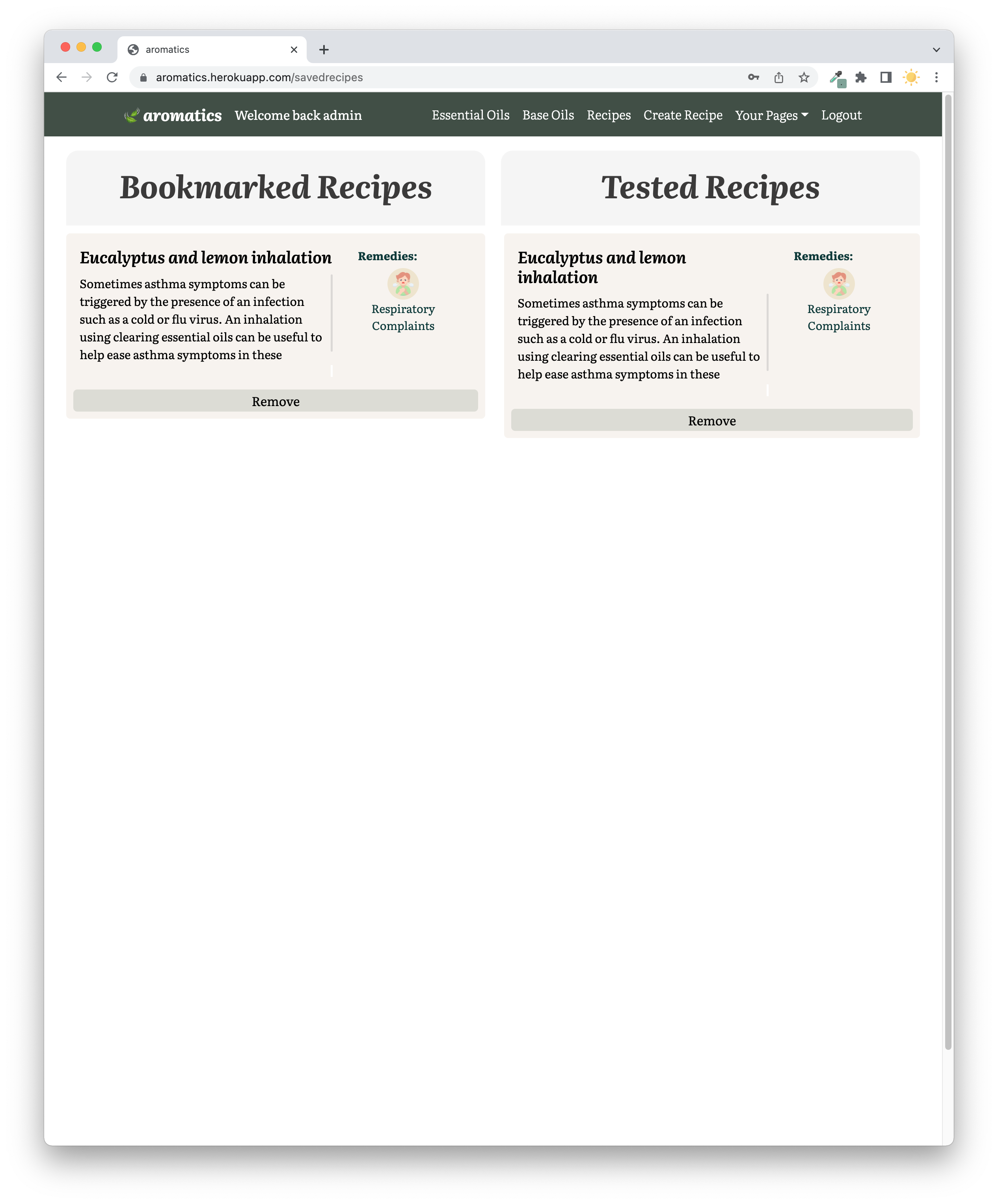
Aromatics is an online community and library for aromatherapy, with information about different essential oils and base oils along with recipes for different types of therapy. The user can login to create and edit their own recipe, set it to public or private, comment on other user’s recipes, and add recipes to bookmark or mark them as tested. Users can also view a list of recipes another user has created.
This is the final project of General Assembly Software Engineering Immersive where me and Milly reunited to build this project together after working together on project 2 of this course. For this project, we are required to build a full-stack application with a Python Django API with Postgres database. The application should have multiple relationships and CRUD functionalities.
Timeframe: 9 days | Pair Project (Fasai and Milly)
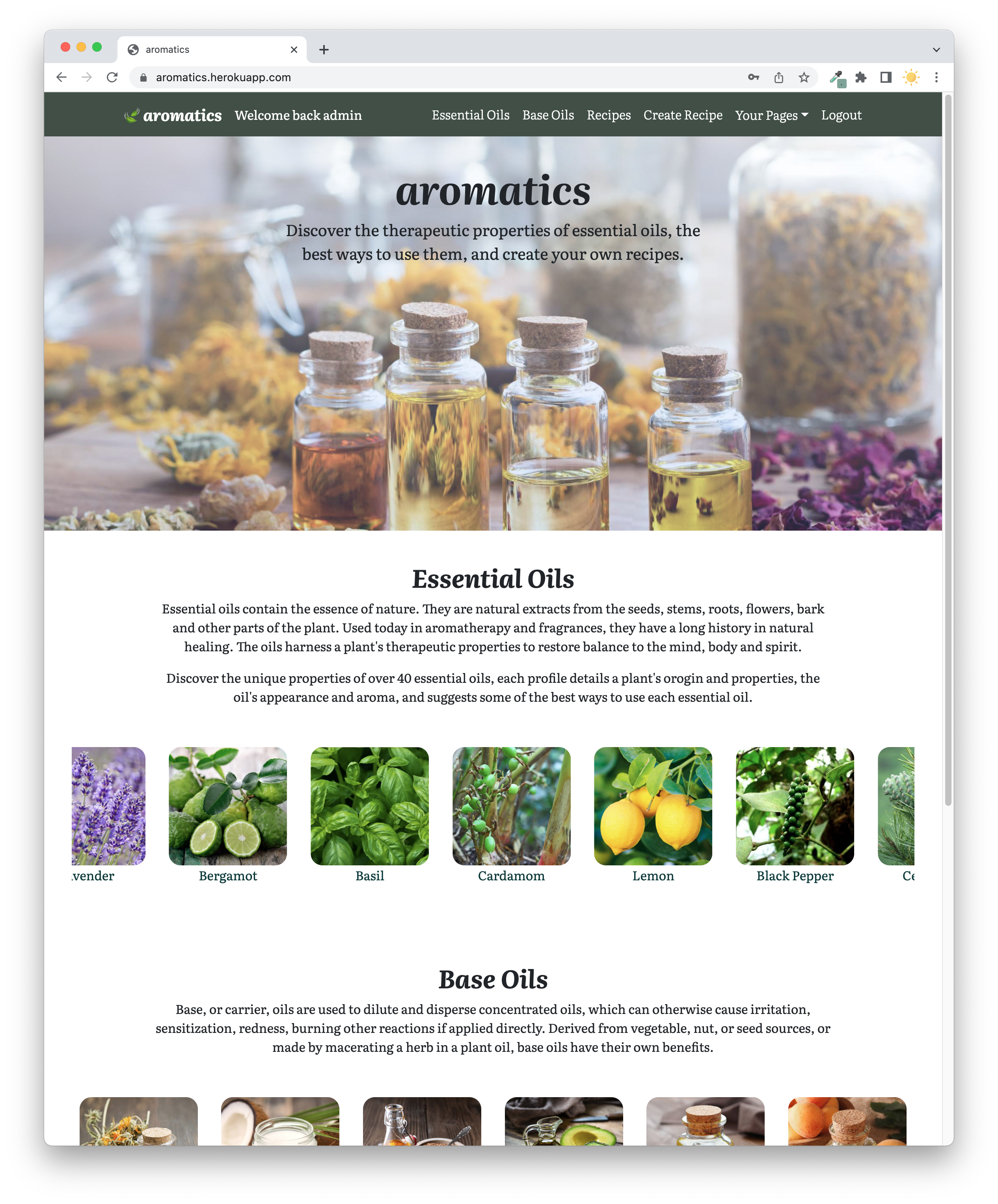
Here is the link to my deployed version of Aromatics : https://aromatics.herokuapp.com/
- HTML5
- CSS3
- SASS
- React JS
- JavaScript
- Python
- Django
- Django REST Framework
- Postgres
- NPM
- Git
- GitHub
- VSCode
- Google Chrome Dev Tools
- Google Fonts
- Figma
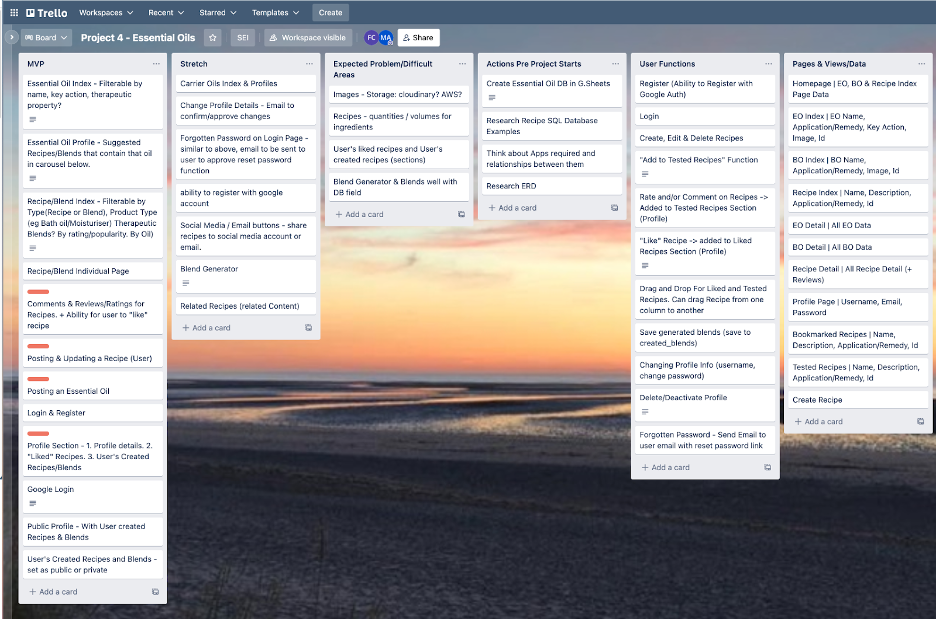
Milly actually has a strong passion in aromatherapy, and she came to me with the idea of an app. After hearing her idea, I loved it and we started discussing more about the app immediately. We listed out as many functionalities we think the app should have to make it as functional as it can be. Our idea is that we want the users to be able to click into elements of the app, whether it is the name of essential oil, recipe names, usernames of the ones that commented or created the recipe, and more. Milly first noted down the functionality on a Trello board that we used throughout the project.
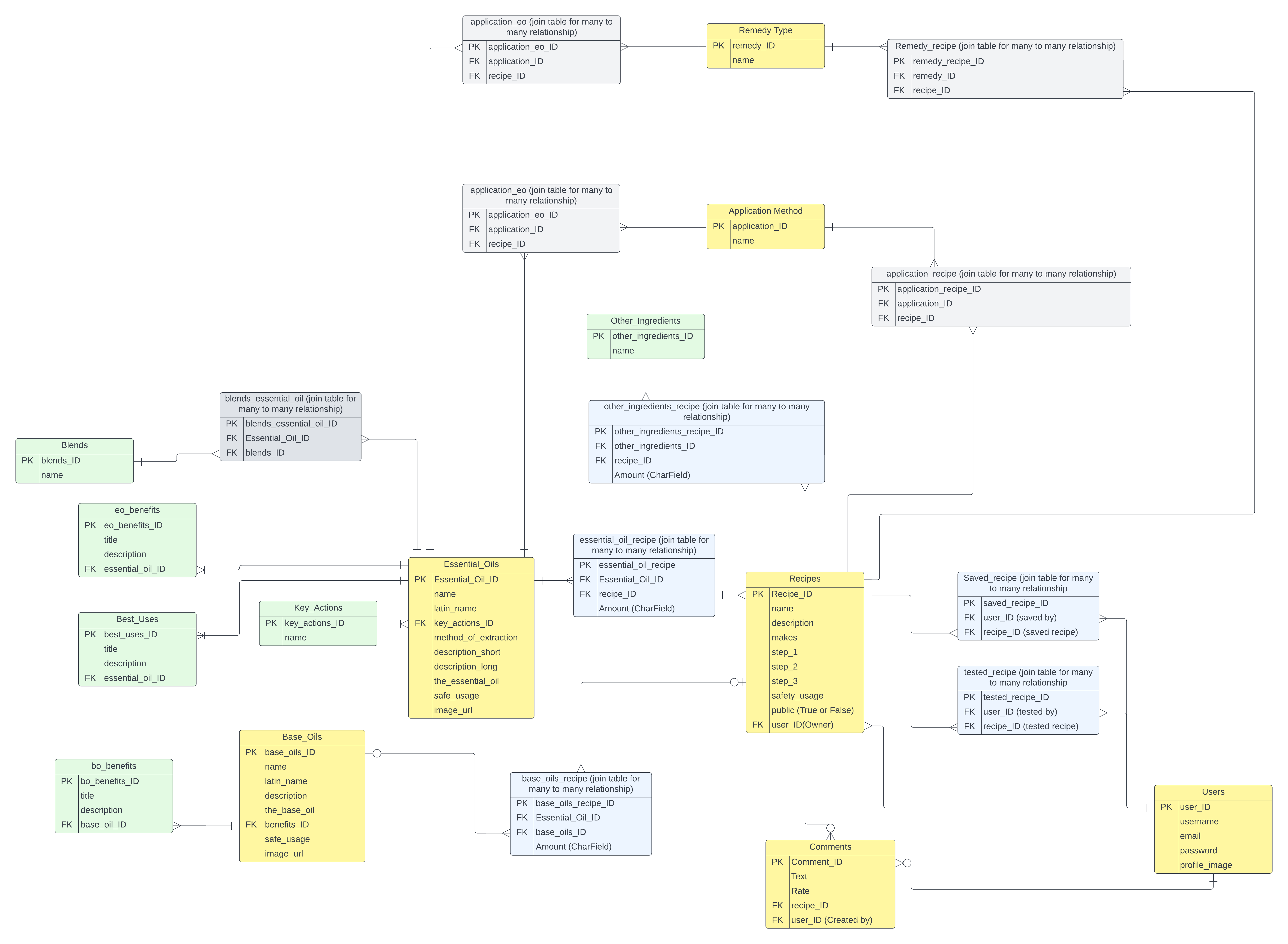
We then planned out the database model by noting them on Excalidraw which depicts the simple database and more details on the data included in each model. I then converted this into an ERD with full details of the relationships of the tables we have to create. I wanted the database design to be as detailed as possible before actually building them.
ERD Diagram
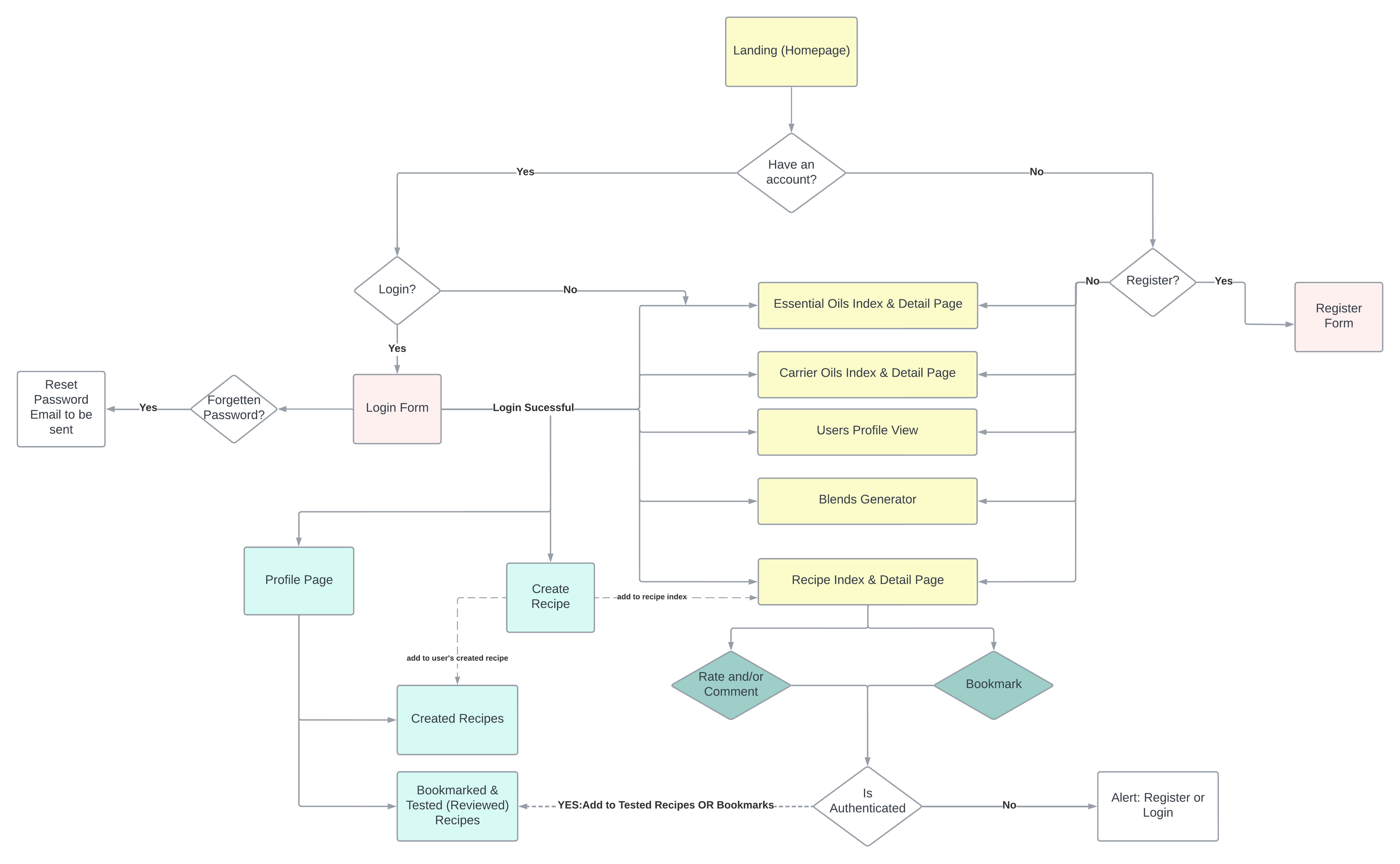
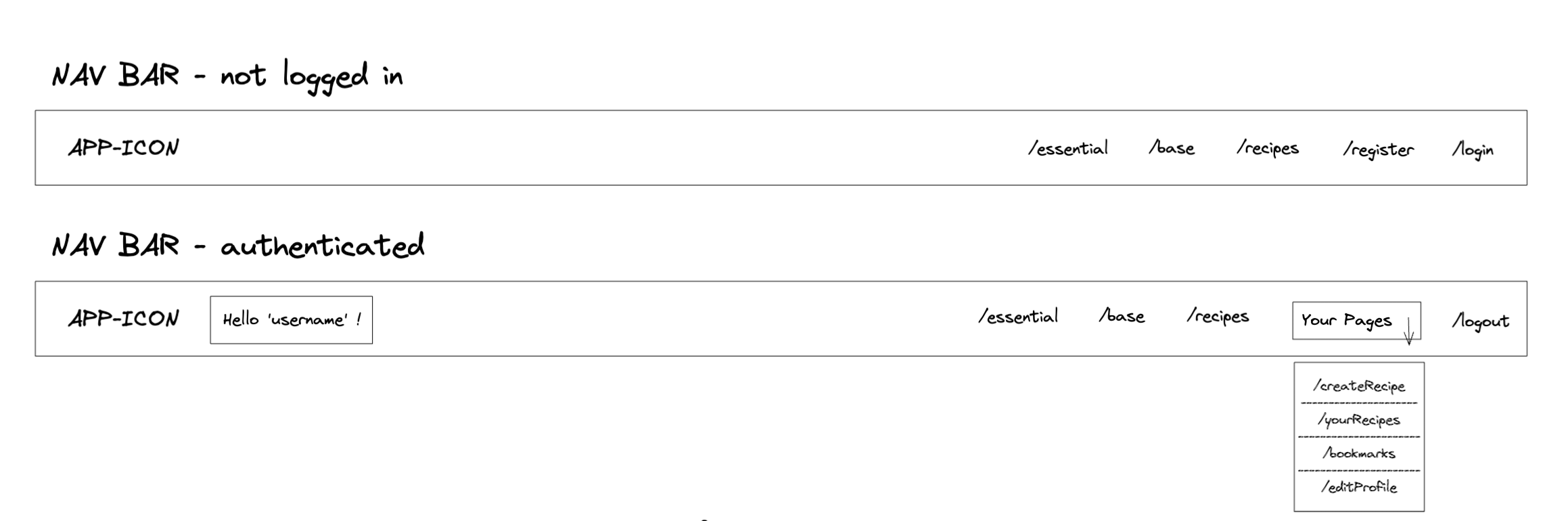
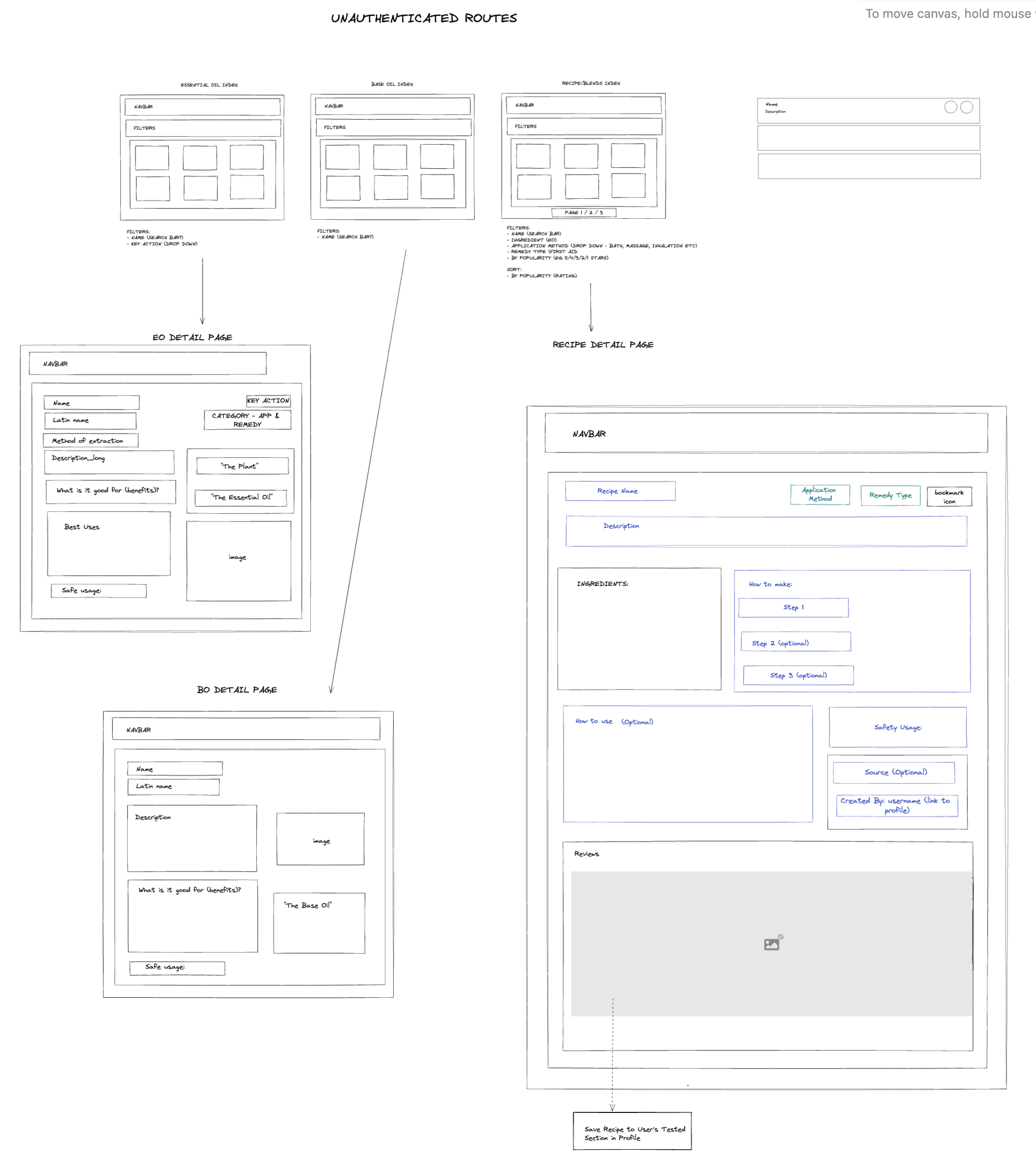
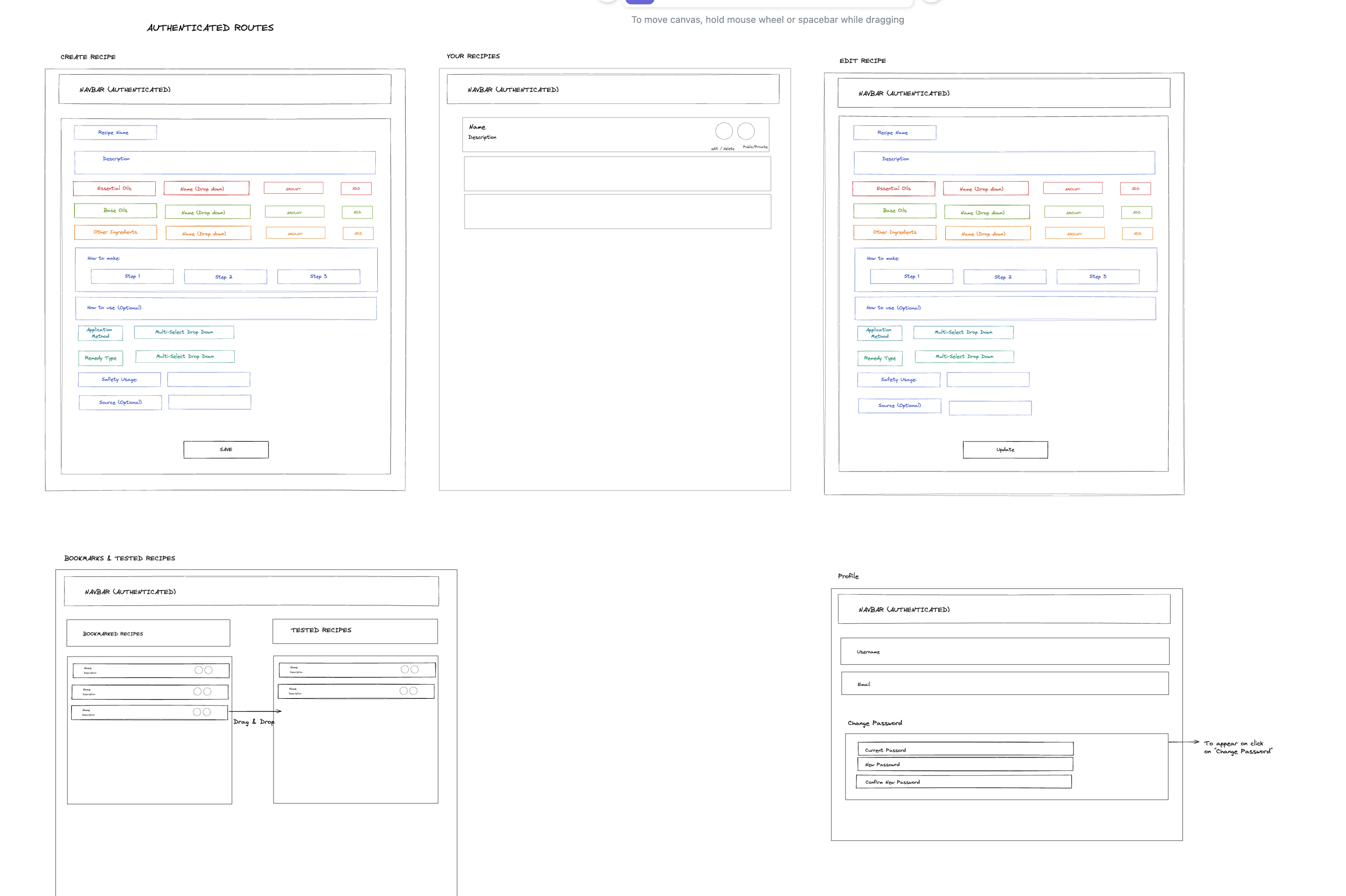
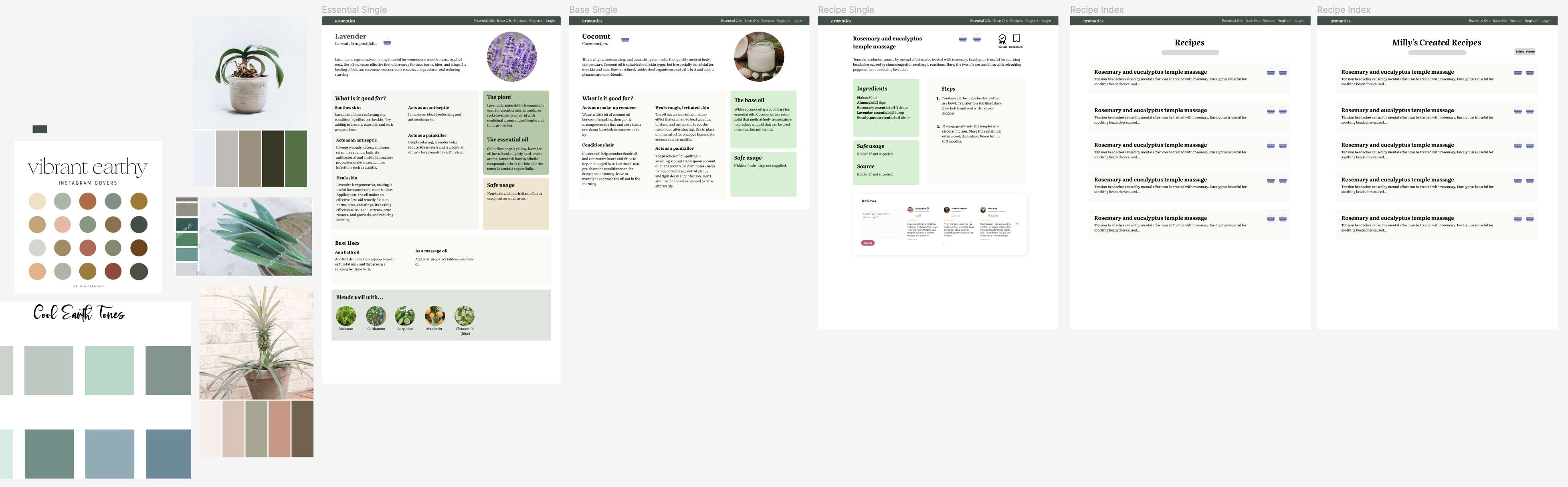
We then proceed to map out the user journey, which is how we picture the flow of users once they entered the app and where they could navigate. This is a more detailed plan on the frontend which we then use to wireframe the components of our app. We also pictured the theme and design on Figma before building our front-end, so that we have an idea of the theme to build it to when we are creating separate components. Some design details and formats are modified and improved as we processed through the project.
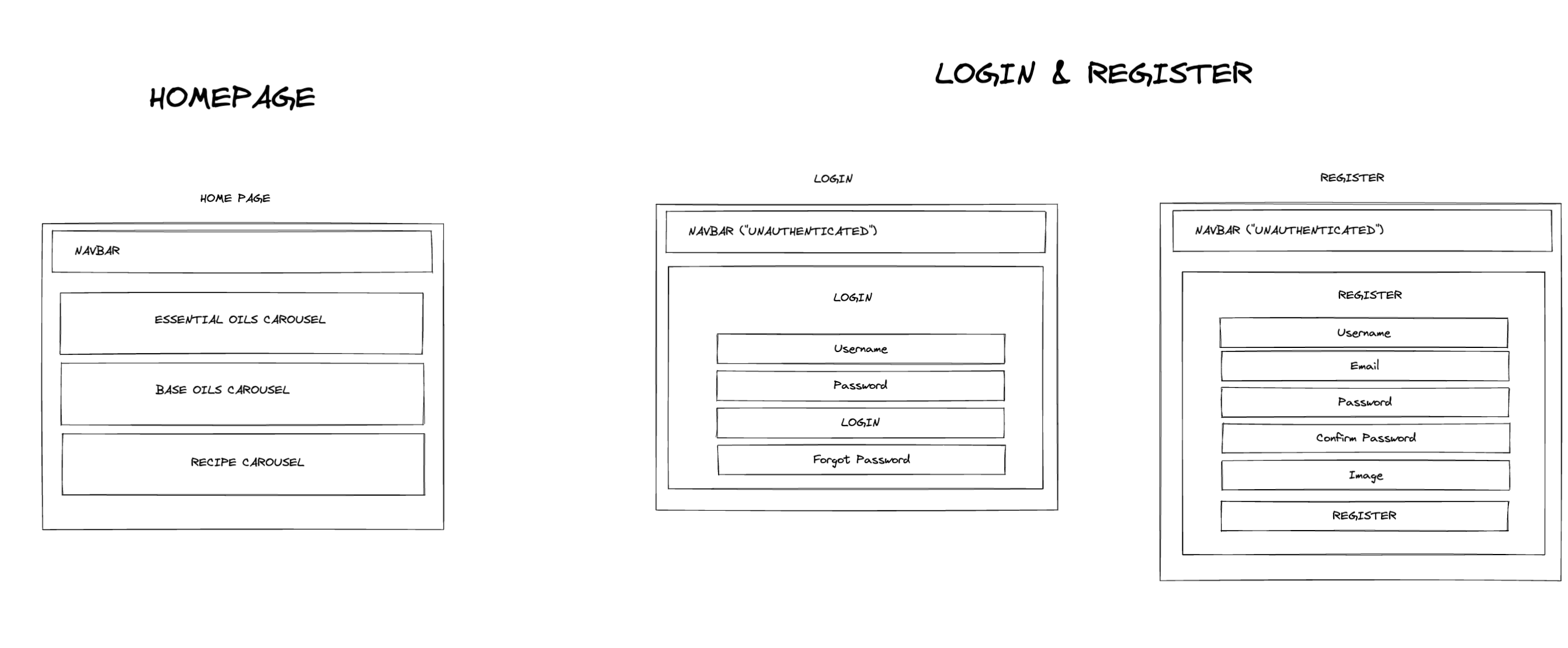
Wireframe of components
Figma Design
How we worked as a team
After we finished planning on day 2, we worked through building the skeleton of the backend together as a team via the LiveShare function on VSCode, where we communicate live via Zoom at all times. Every morning we talk through our goal for the day, what each of us will do, and pending issues that need to be resolved and planned on Trello. We used Git and GitHub for version control and ensure that we both know when one of us creates a new branch, push, and merge to main.
Building the backend
It is the first time working with relational databases and creating a fully functioning backend using Django REST framework, therefore, with the structure of our database designed, it was challenging for us to build every aspect of the backend. We spent day 2 to 5 of the project building the backend, then tested the crud functionalities in Insomnia before moving to the frontend. We have 7 Django applications in total including Applications, Bases, Essentials, Recipes, Jwt_auth (users), Remedies, and Reviews. Essentials, Recipes, and Users have multiple models in each application which sums to 17 models in total.
The most complicated model is the Recipe app, where there are five separate models. From our ERD, there are many related relationships associated in one recipe, including the essential oil, base oil, other ingredients, and their amounts which are related to the separate ingredient tables. To display the required information on the front end, we need to use multiple populated serializers to ensure that the frontend will receive data in the suitable format.
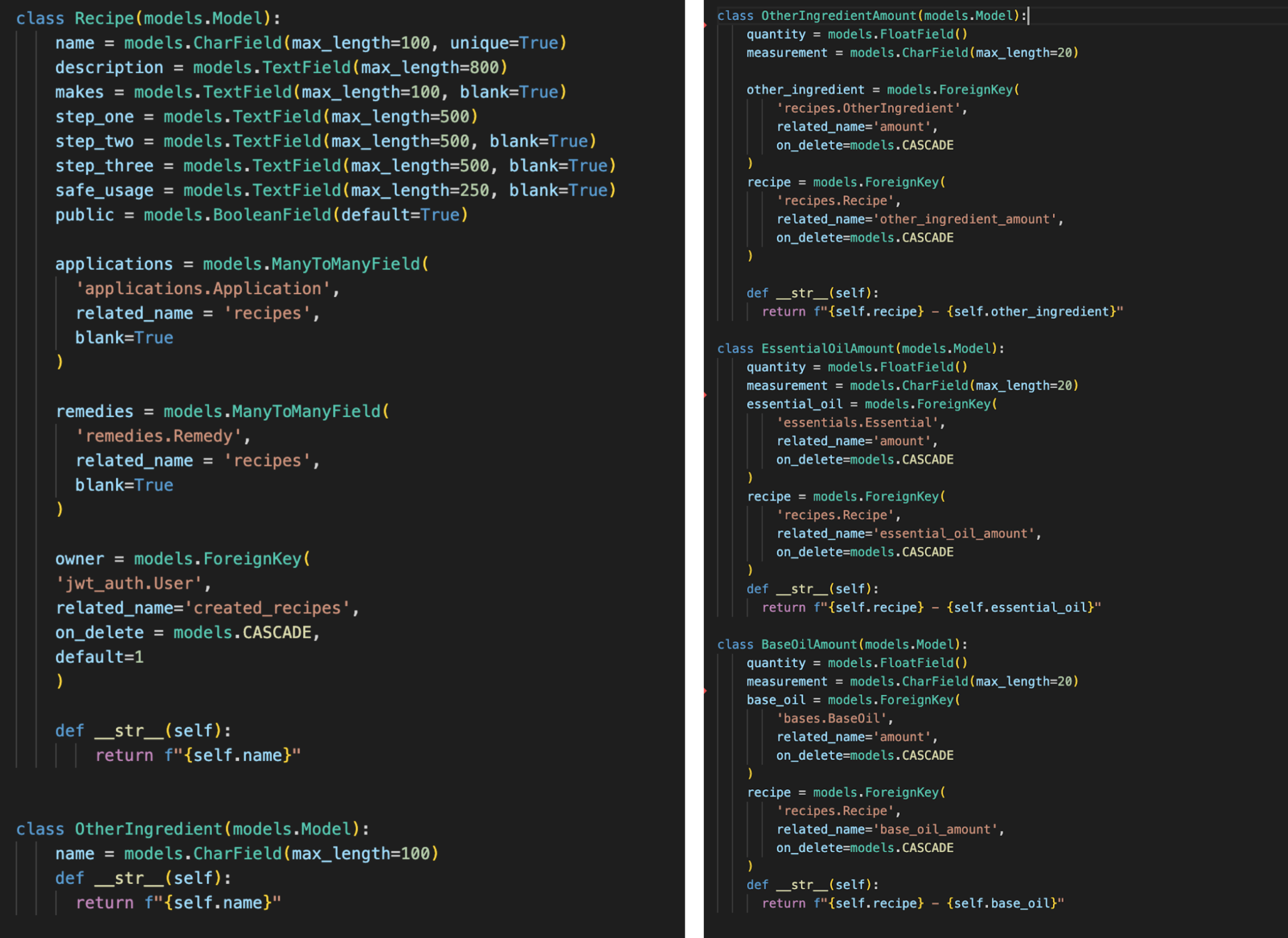
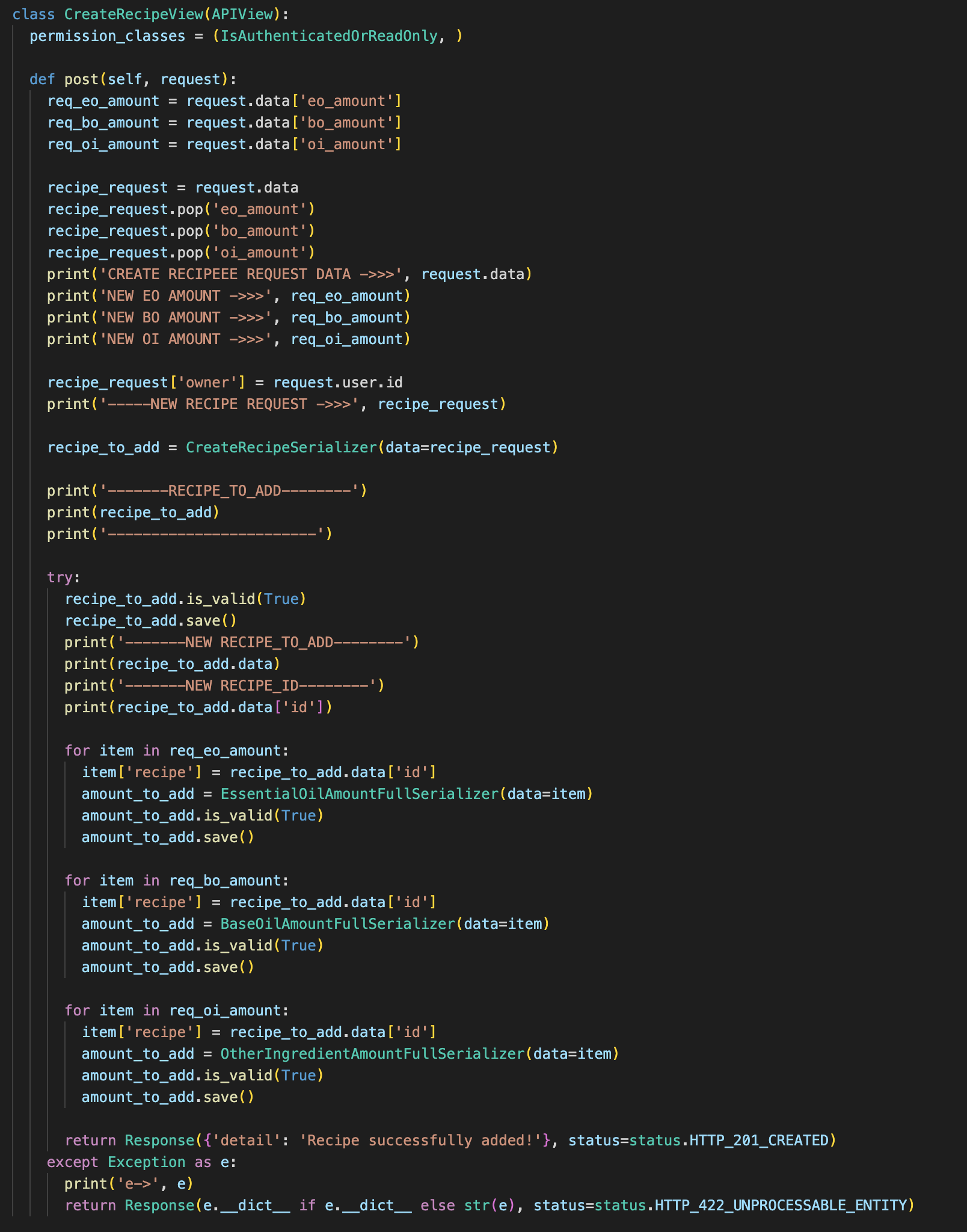
The most complicated view of the project is the post request of the recipe view which is used to create recipes. On the frontend, the user will enter data into a form at the same time, meaning that the request data that comes through to the backend will include data that would have to be created on the ingredient amounts table, that relies on the recipe ID as the foreign key. However, since the data is being sent at the same time, the data has to be separated into recipe and ingredient amounts and the recipe model was saved first. We then obtain the newly added recipe ID and use them to create values in the ingredient amount tables.
Building frontend pages
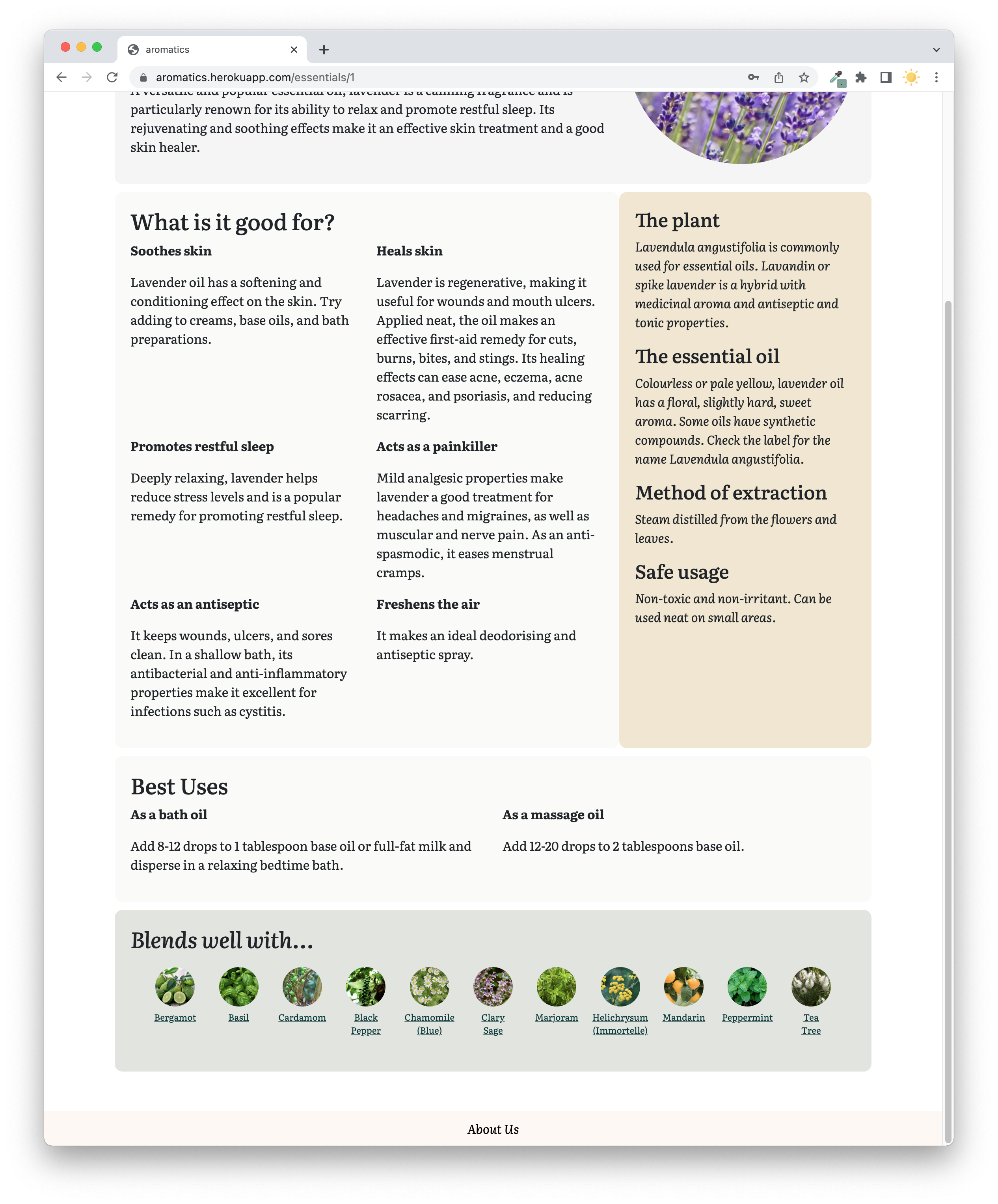
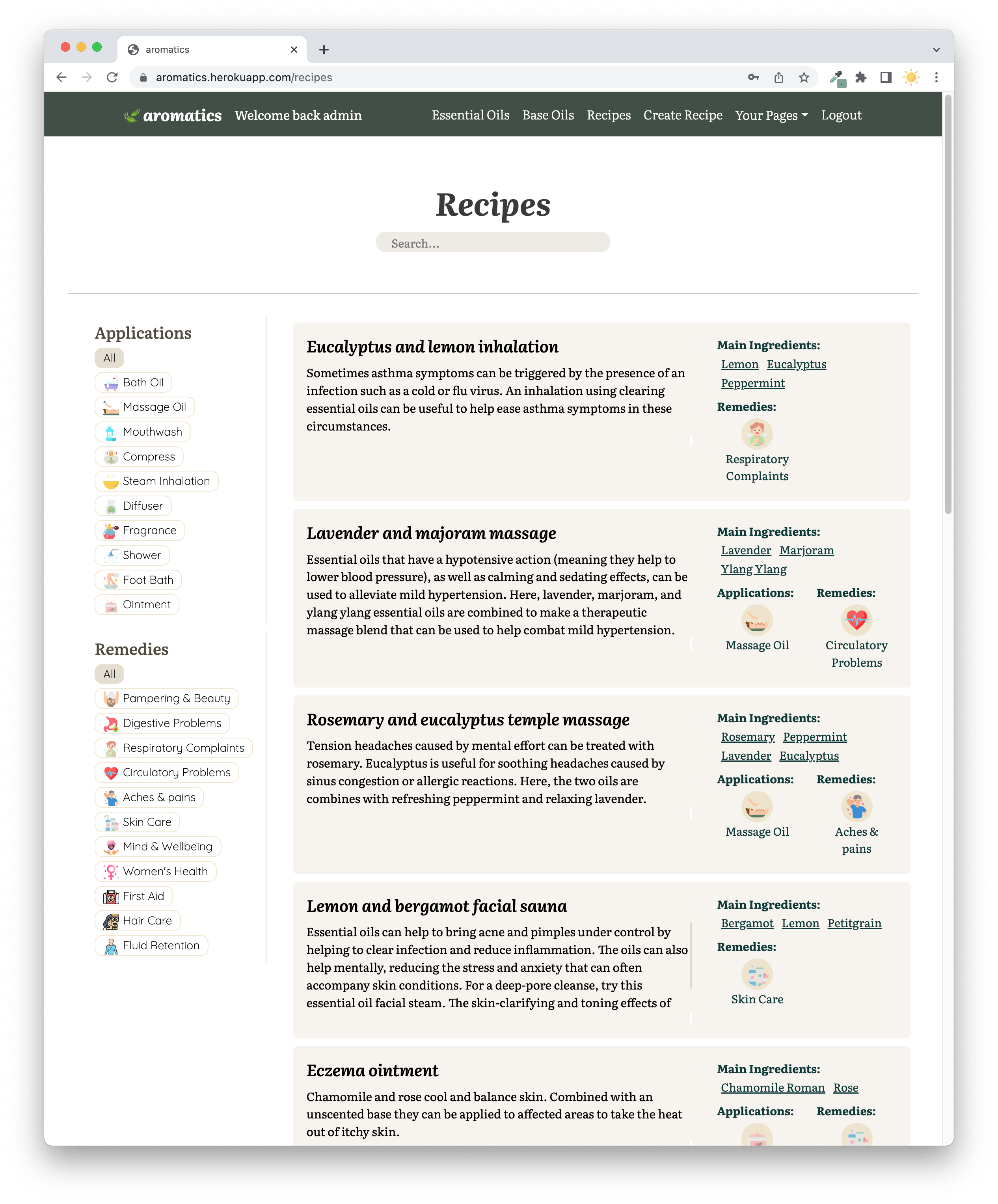
Since there are many components on the frontend, me and Milly divided our work, but there are some complicated parts like the create recipe and edit recipe page. I was responsible for the essential oil, base oil, and recipe index pages, and the recipe single page. Milly worked on the essential and base oil single pages, saved recipe page, user profile page, authentication, and error handling.
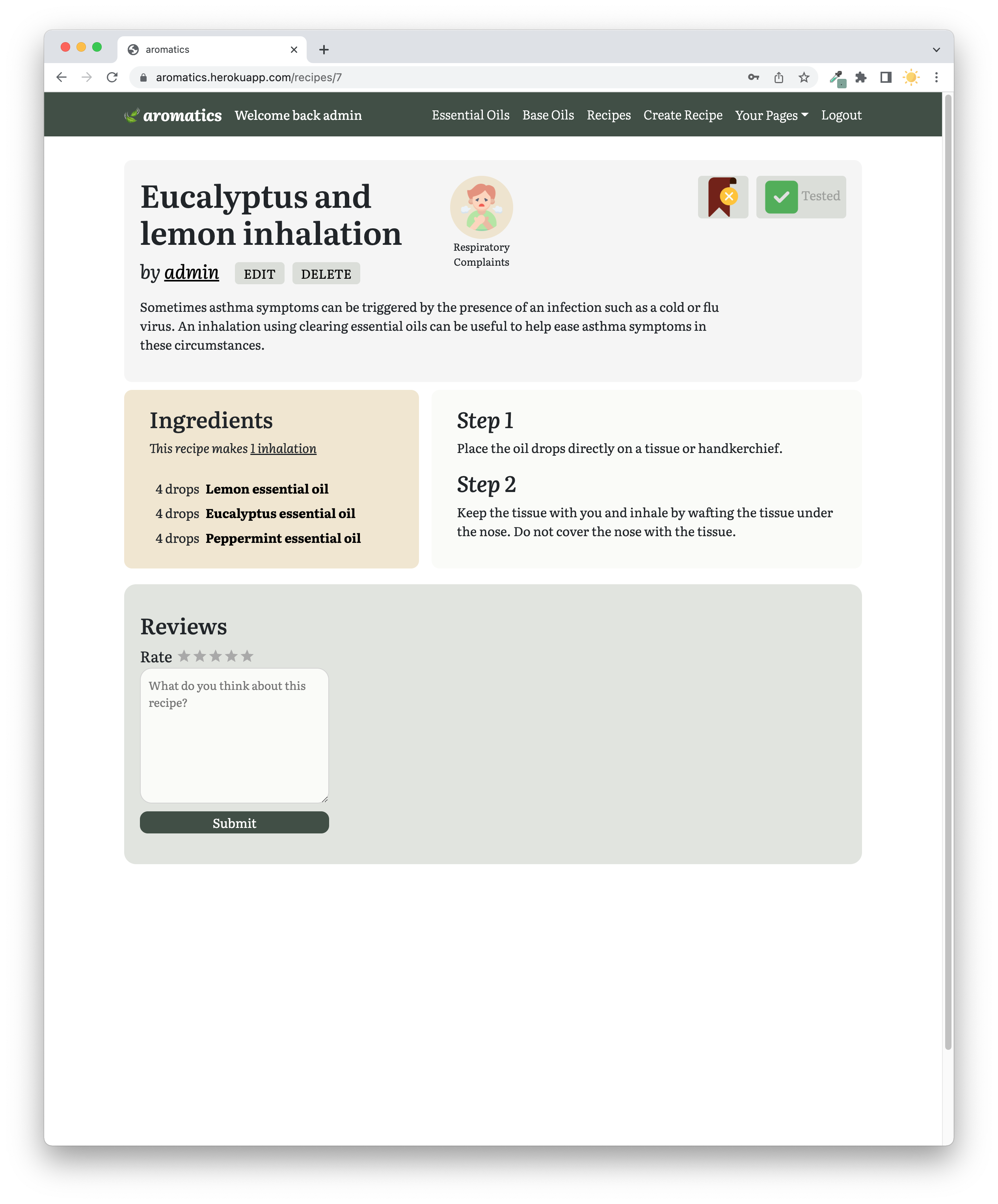
Recipe Single Page
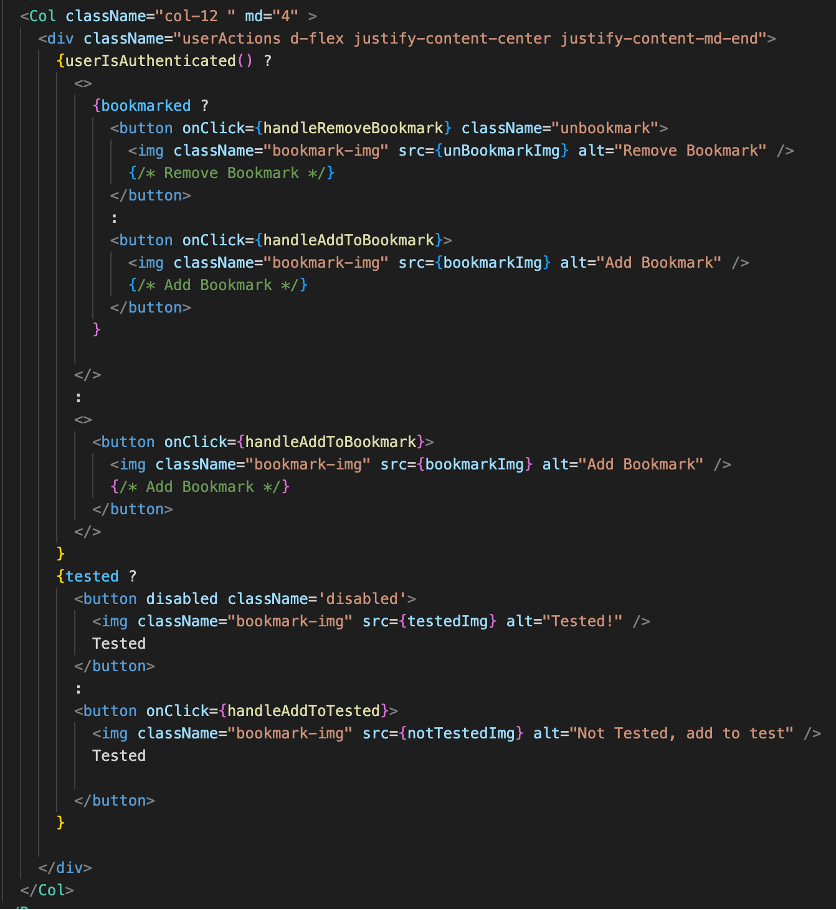
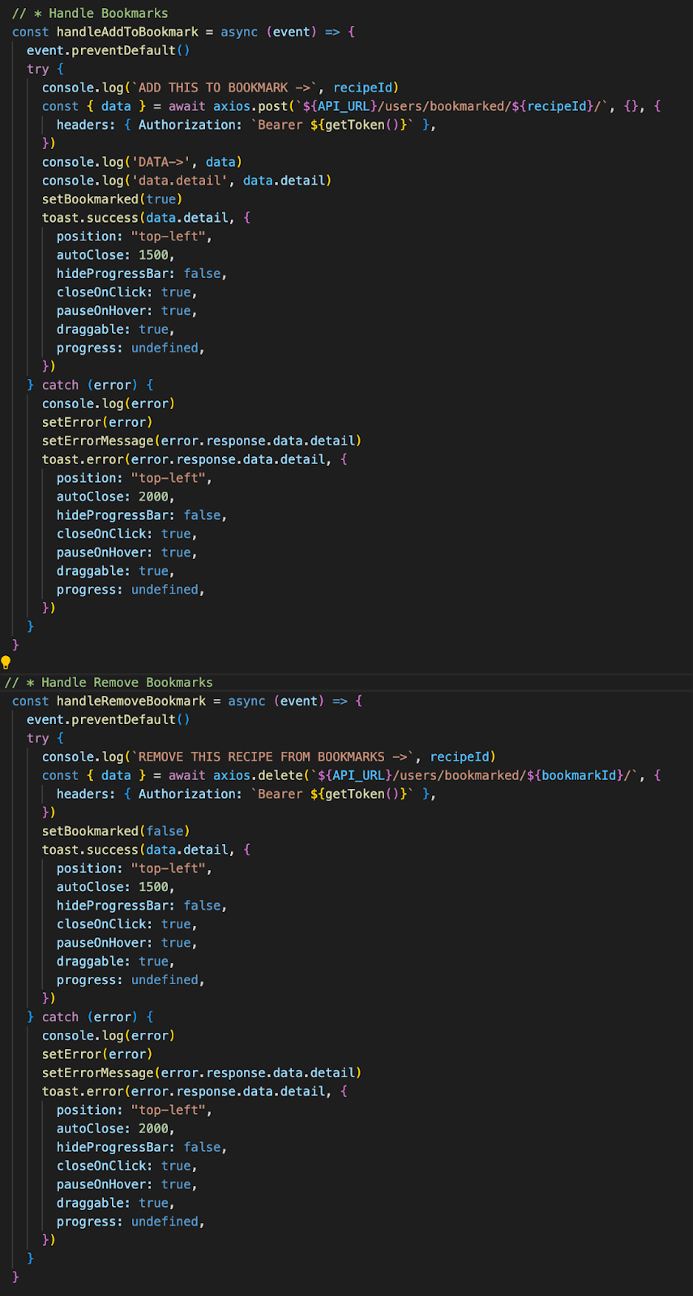
There are several functionalities in the recipe single page. Apart from requesting for data of the recipe with that certain ID, we also have to obtain the information about the current user to check if the current logged-in user is the creator of the recipe. An edit and delete button will only display if they are the creator of the recipe using conditional logic. Similarly, the bookmark and tested buttons have conditional logic according to the user data we got from the API. For the functionalities, we have to check between the bookmarked ID that is in a separate link table and check that the user that bookmarked matches the userID of the logged in user. We also have to check if it is already bookmarked in order to display the buttons differently. The same conditions were applied to tested recipes.
Your Recipe Page
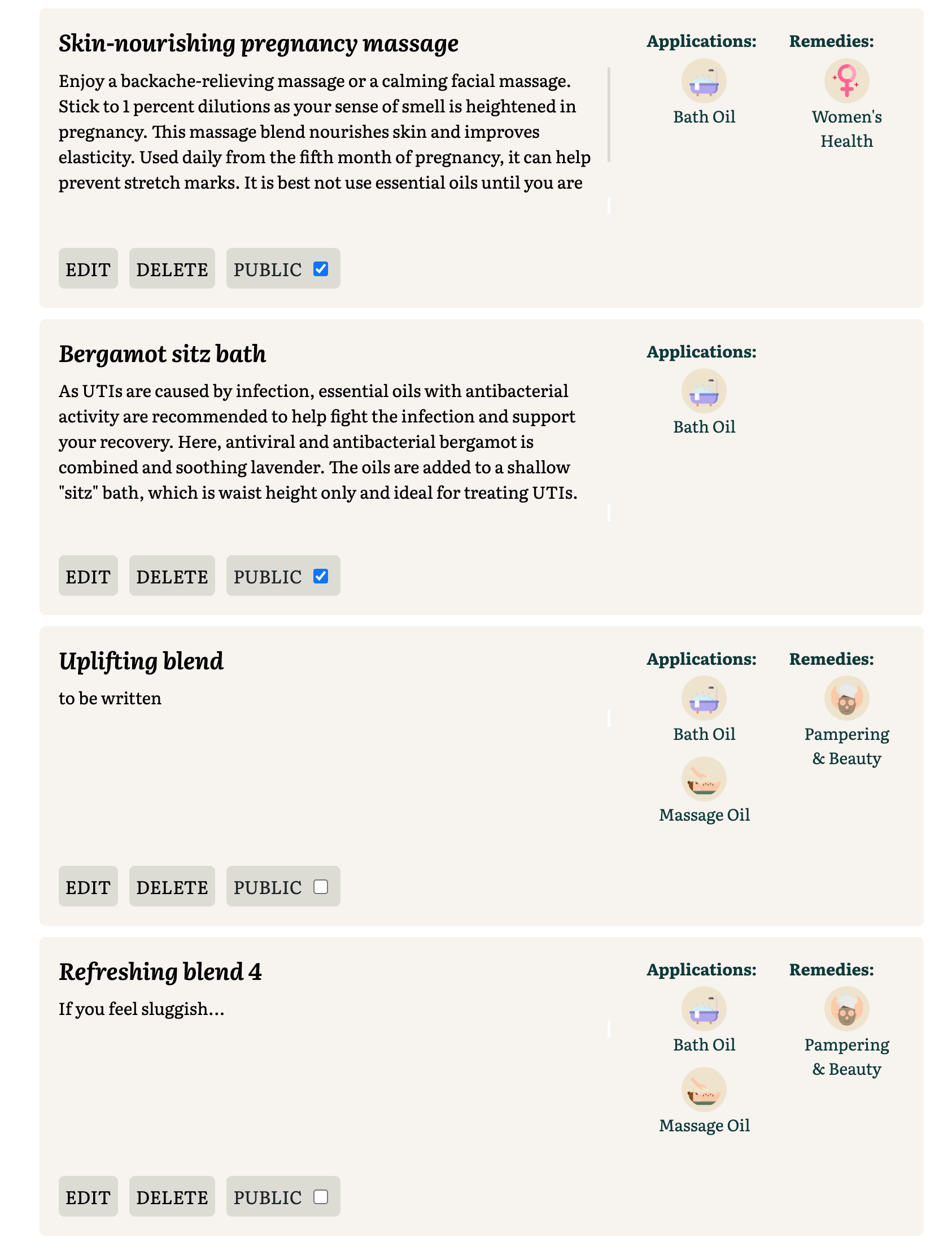
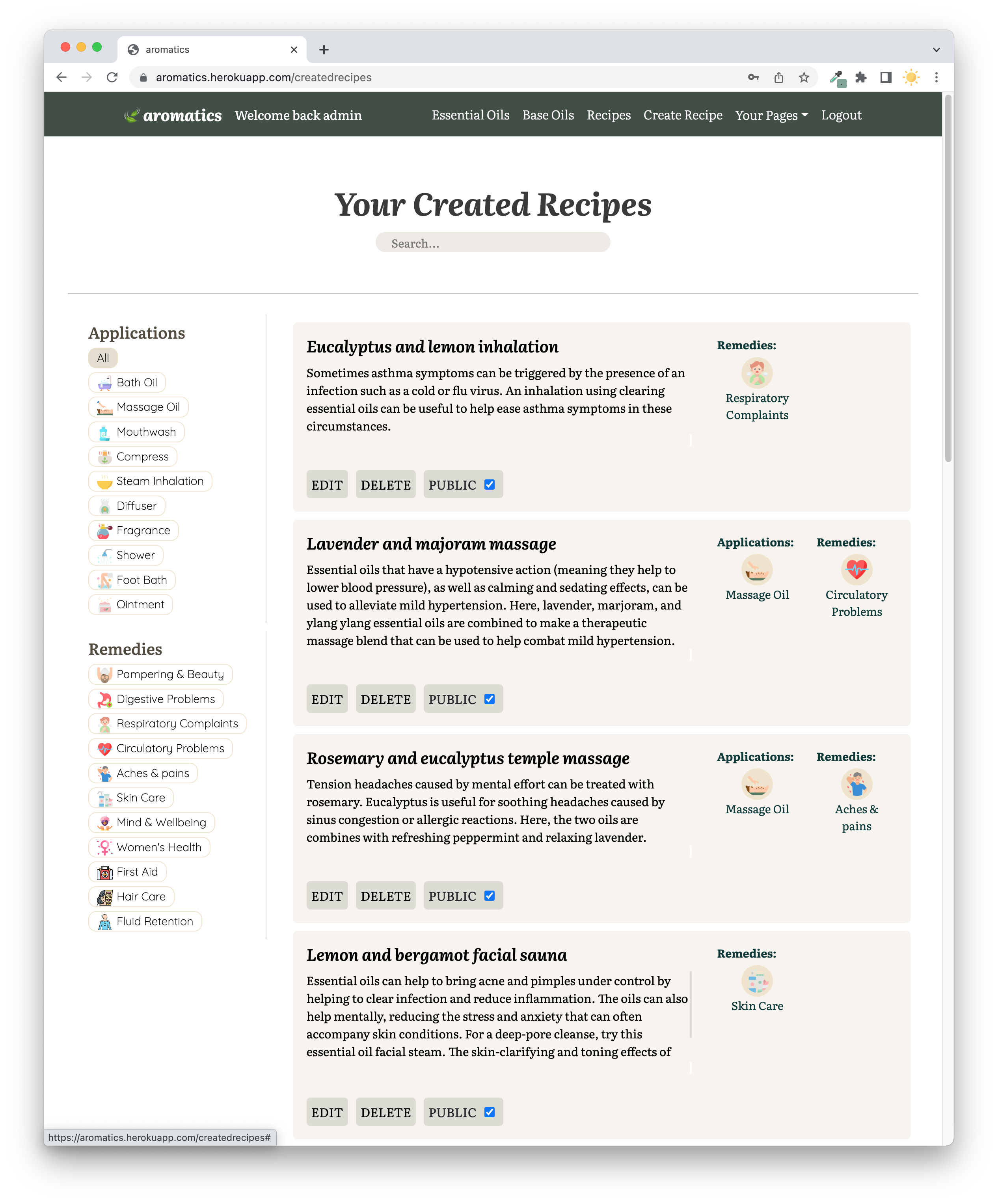
Similar logic on the edit and delete button was applied for the Your Recipe page, however, I added a public/private toggle which will reflect on the recipe index page. If the user ticks public, it will be included in the public recipe index page. When displaying the recipes, it is also sorted with the public recipes on the top of the page and the private on the bottom. Once the user toggles a recipe, the page will update and move the recipe to its position. This is done by using several useEffect hooks that is dependent on the update of the checkbox.
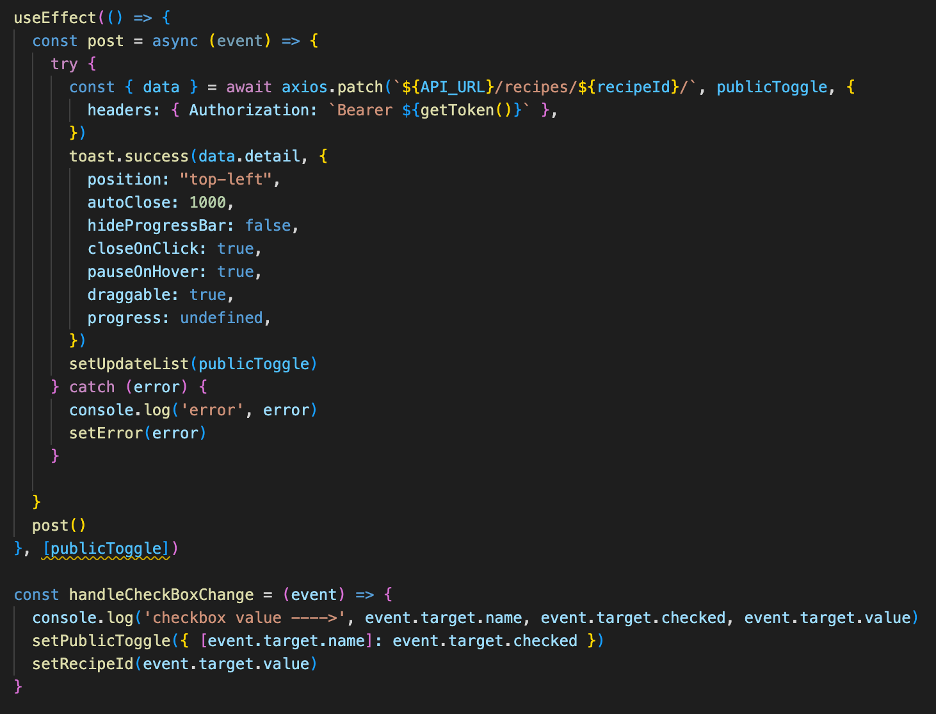
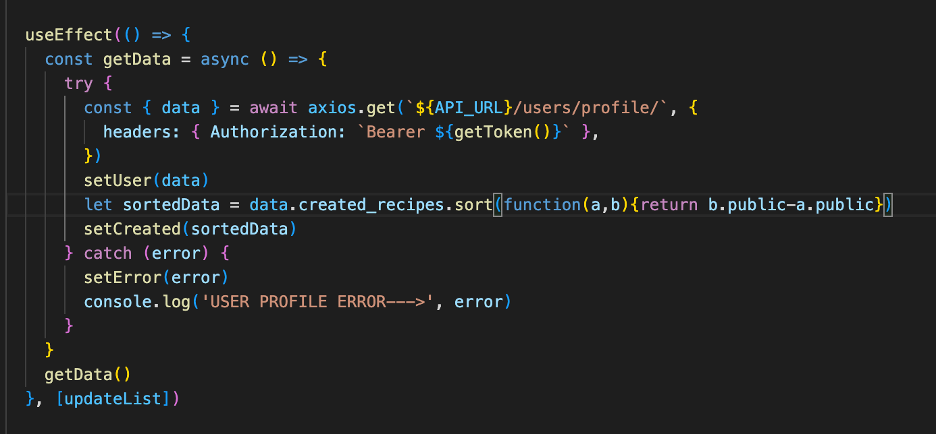
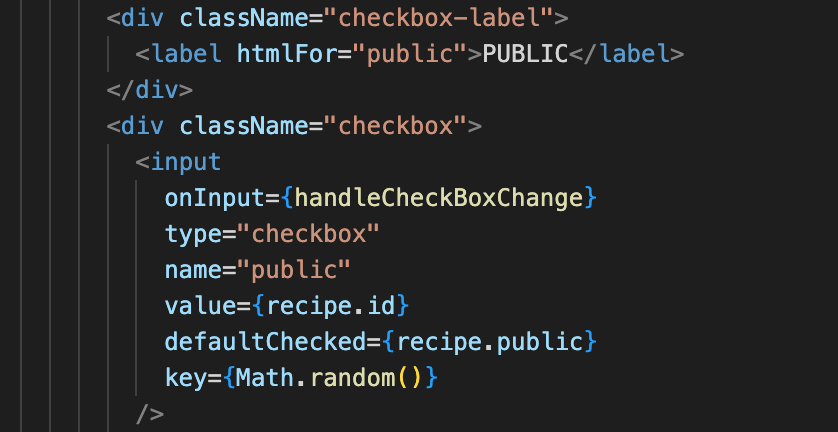
Since there are multiple checkbox toggles on the page, I had to generate a random number for the key in order to make every checkbox key unique when the checkbox is clicked. This way, React will be able to recognise which checkbox to obtain the data from after the handleCheckBoxChange function has been executed.
Create Recipe
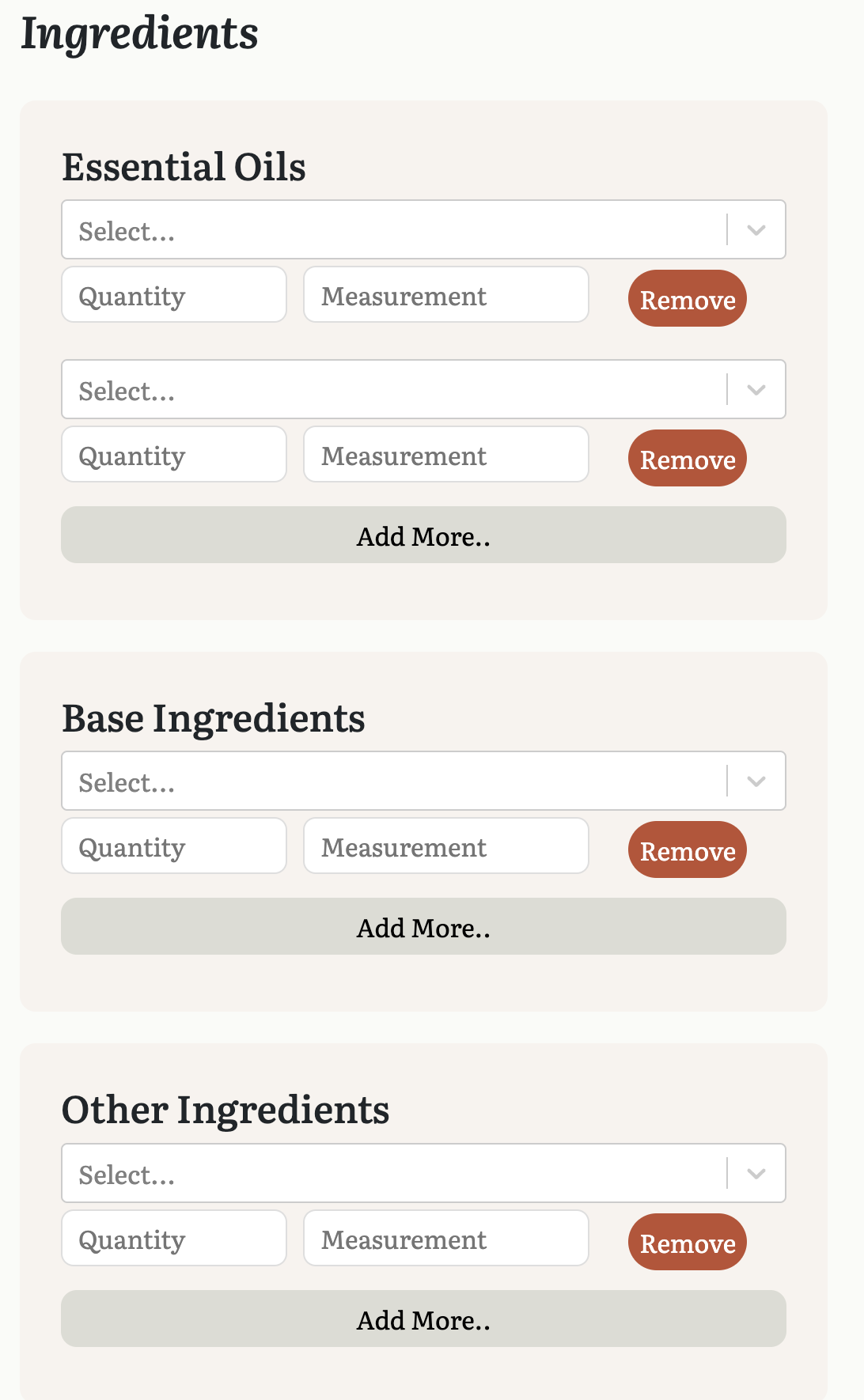
The most challenging part about this page is that we wanted the ingredients form to start with one entry, then expand when the user wants to add more ingredients by clicking the “Add More…” button. We created states for the ingredients, and used multiple useEffect Hooks for this section.
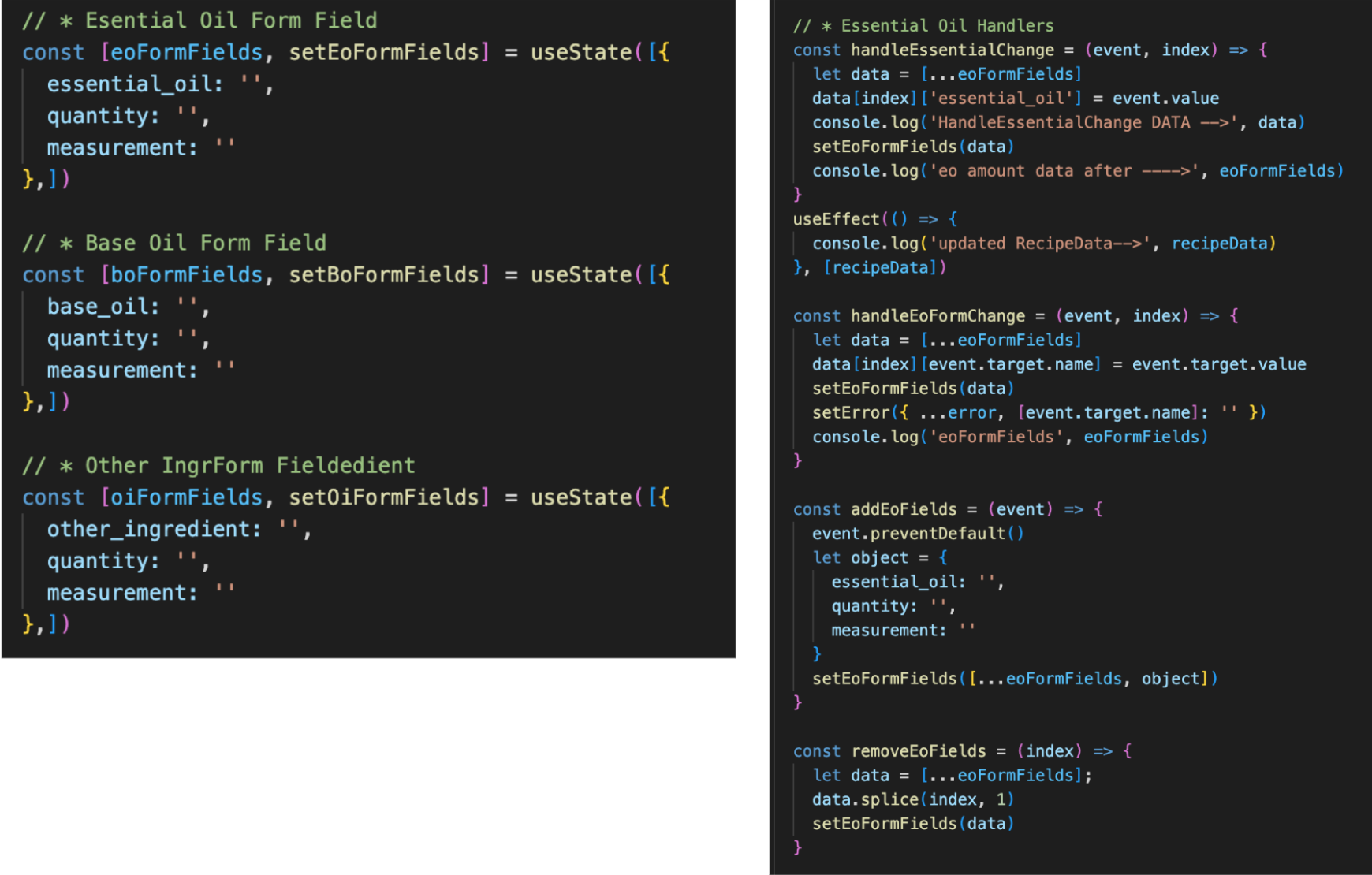
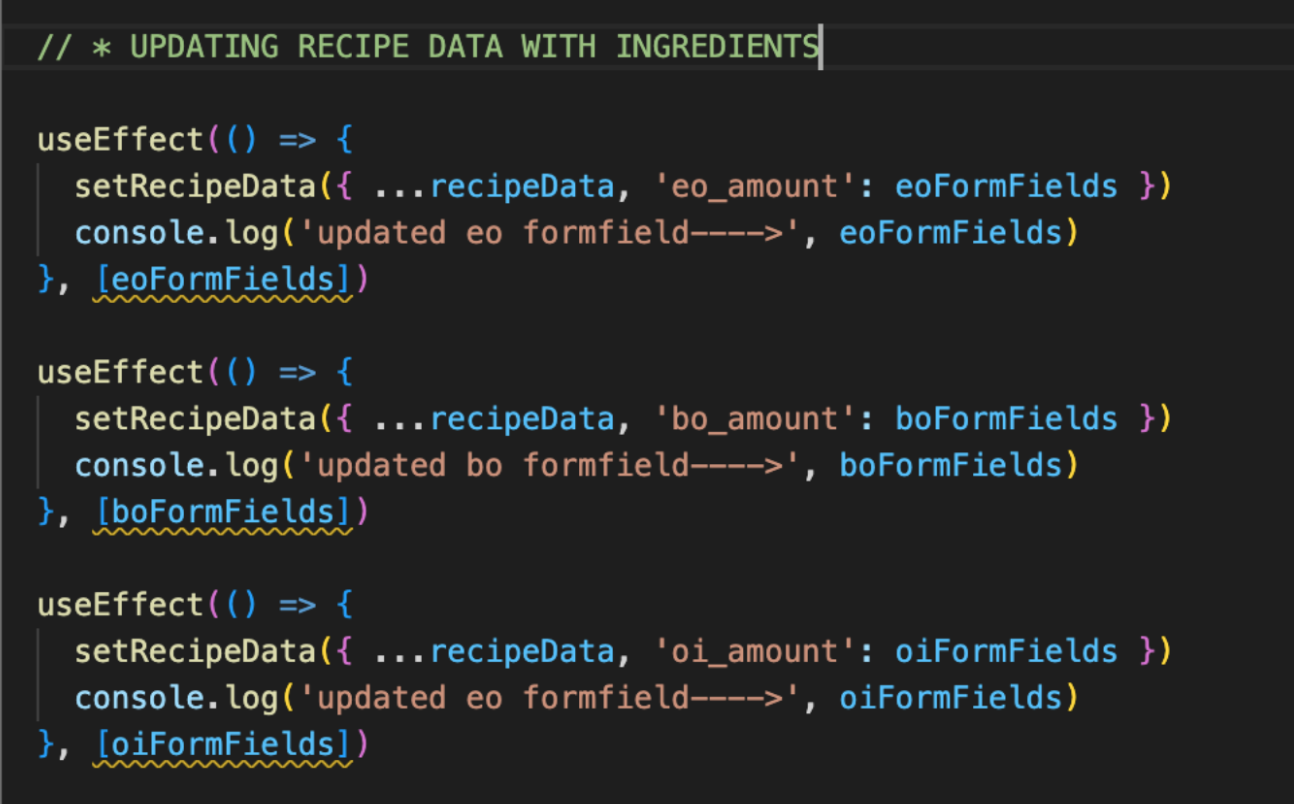
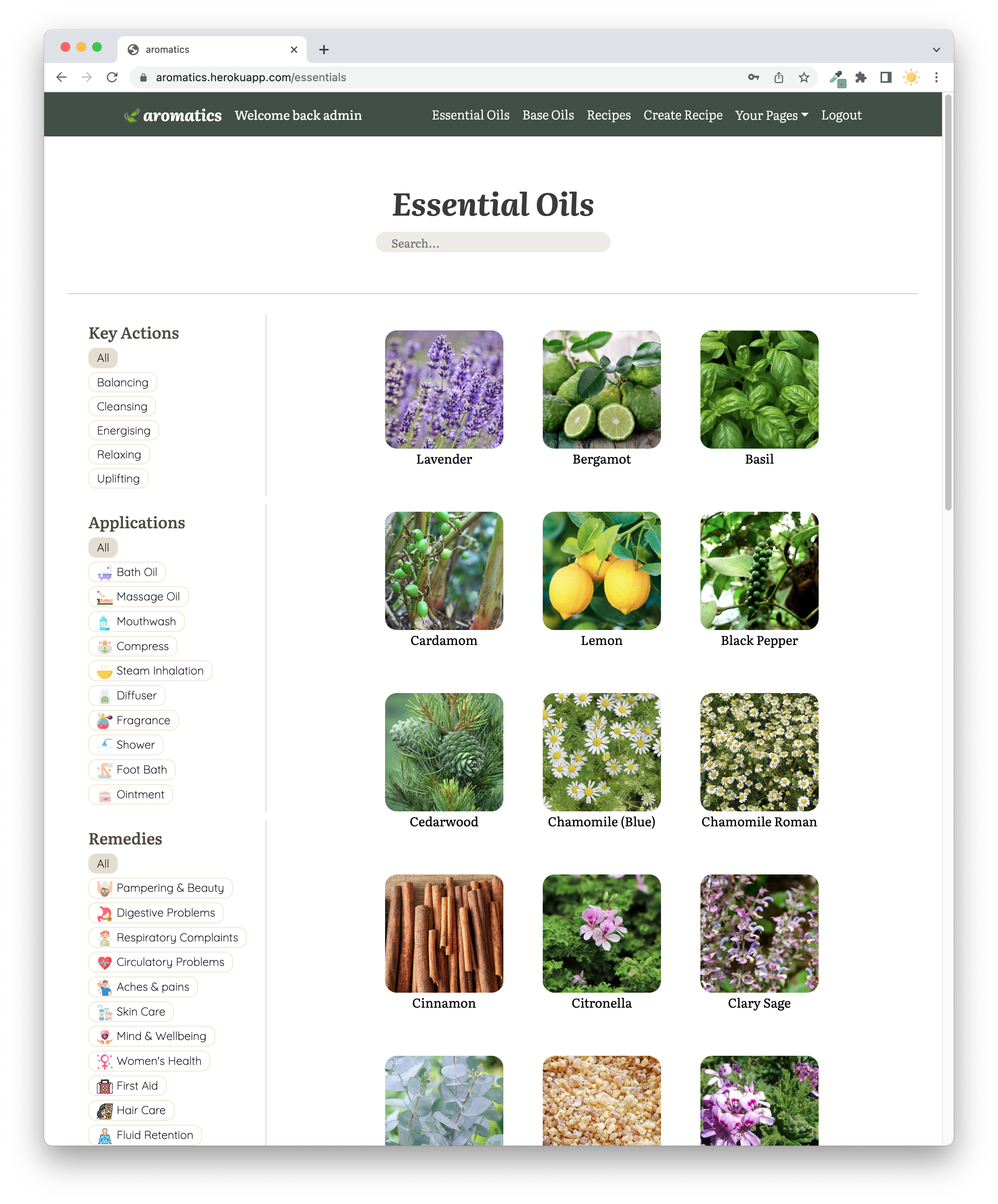
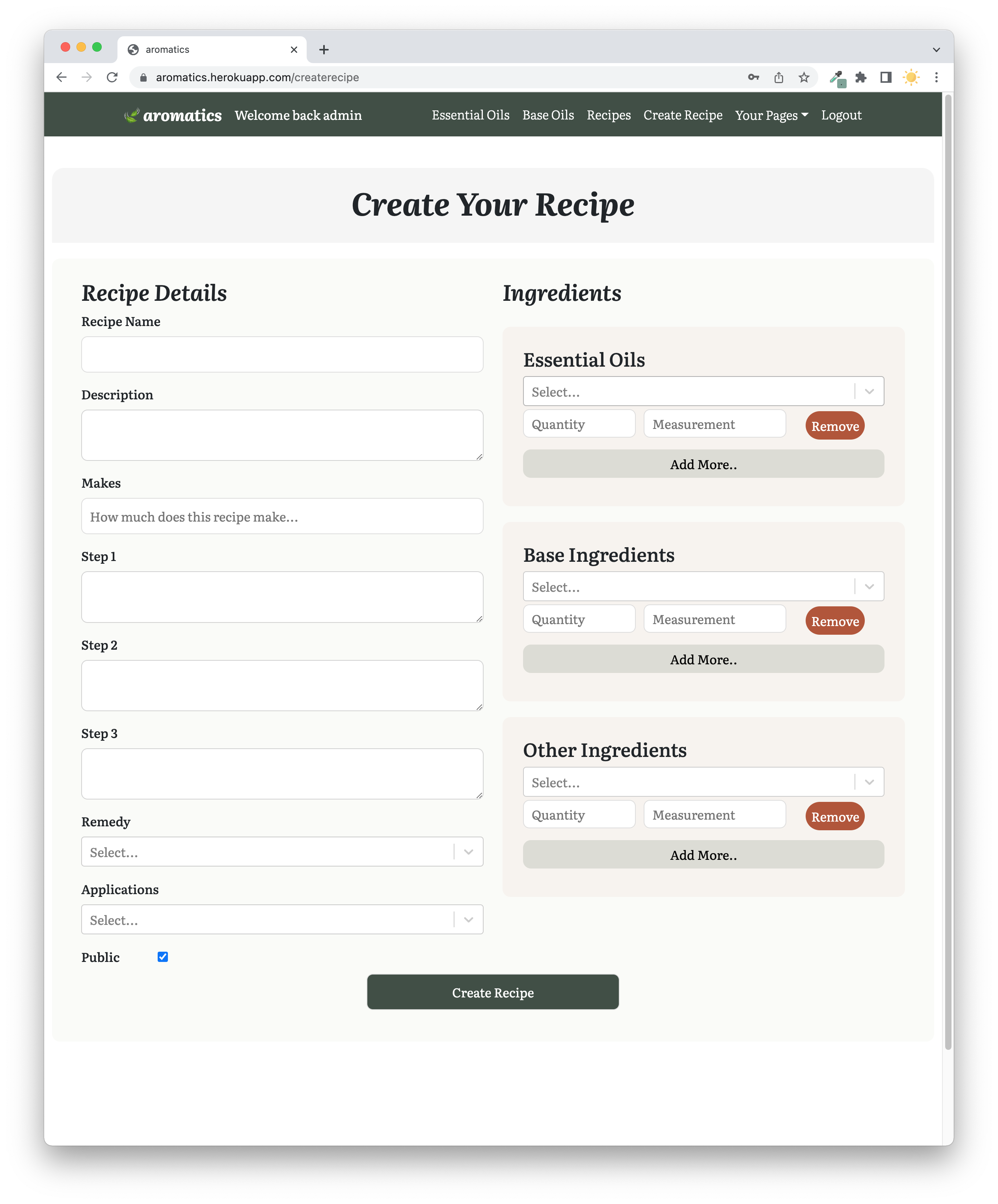
The main challenge for this project was the create and edit recipe function. It was the first time that me and Milly created a post request that involves data that is related to multiple tables, and it took us a lot of time to figure it out. During the first stage, we tried to submit all the data and realised that it is in different formats from the format that is required from the model and they all could not be created at the same time. We then learned that we have to manipulate the request data before actually saving it to the tables in the backend.
For the edit recipe function, it was very difficult for us, since we are also trying to pre-populate the input fields. Pre-populating and updating the main recipe table is possible, however for the ingredients table, we tried to manage how we would pre-populate and parse the changed data to the backend. It requires a huge amount of data manipulation to distribute them to different tables which we decided to be an improvement to the project in the future.
Moreover, working with the public toggle was very challenging for me since there are many actions that are linked together. It took a lot of trial and error before coming to the finished product to get the hooks into place. This made me understand the conditions and the functionalities of React Hooks on a deeper level.
This is the second time I’m working with Milly, and the second time we both built a full-stack application. It is our first time working with a relational database, and we tried to implement what we have learned from previous projects such as planning the database and stylings in this project. I am more than happy that we as a pair were able to build this complete product with many different functionalities and manage to create a database with 17 related models in total within a short time of being introduced to relational databases, Postgres, and Django REST framework. We agreed that from the past projects, a good design of the database is very important and we went out of our comfort zones to ensure that we would design the database as thoroughly as we can for this project. I am also proud that I was able to create the ERD that helped with the actual building process of the backend, and we ended up not having to worry about the relationships and where the models should go from that diagram. There are many parts that we thought we could not achieve but did achieve in the end such as the private and public toggle and having a fully functional saved recipe page.
Furthermore, the application has many layers that the users can click into just as we planned, where they can click into the name of essential oils on each page, the name of the commented user or recipe owner and view the recipes they have created, and more. We also learned a great deal on the frontend side which we utilized all the skills we have learned throughout the course and beyond. We also paid attention to the stylings managed to make everything responsive and functional on mobile.
Bugs
- The error handler for non-logged-in users when they try to bookmark or mark recipe as tested still displays “invalid token”
- The google authentication is not working on Heroku
Future Improvements
- Complete the function for user to edit the ingredients on their recipe
- Ensure the cards on the landing page is responsive
- Add a blends generator which was originally in our stretch goal where users can get randomly generate blends from essential oils that blends well together and create a recipe from it
- Improve the stylings to make it look more clean