Instagram is a photo sharing app using Parse as its backend.
Time spent: 15 hours spent in total
The following required functionality is completed:
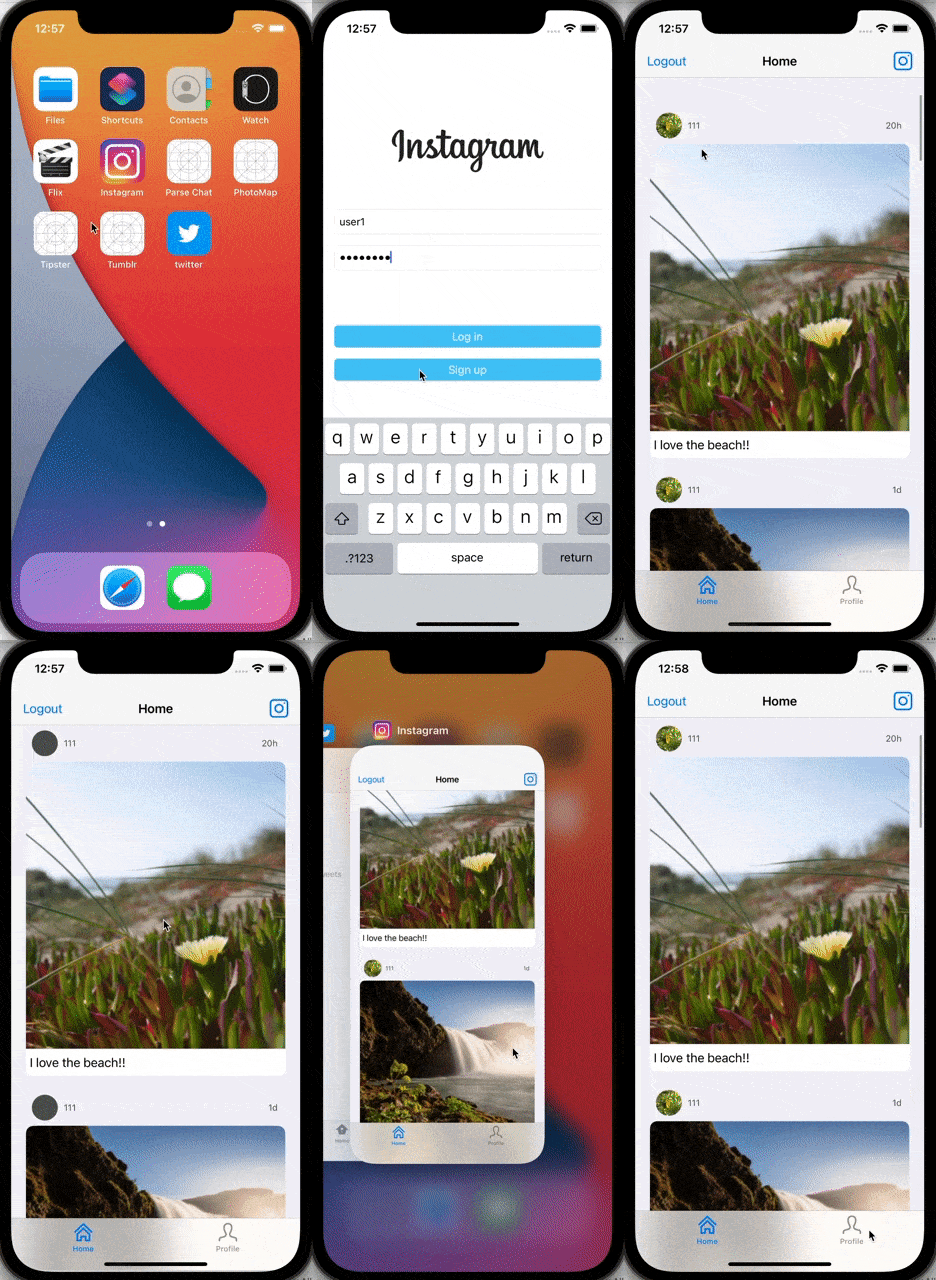
- User can sign up to create a new account using Parse authentication
- User can log in and log out of his or her account
- The current signed in user is persisted across app restarts
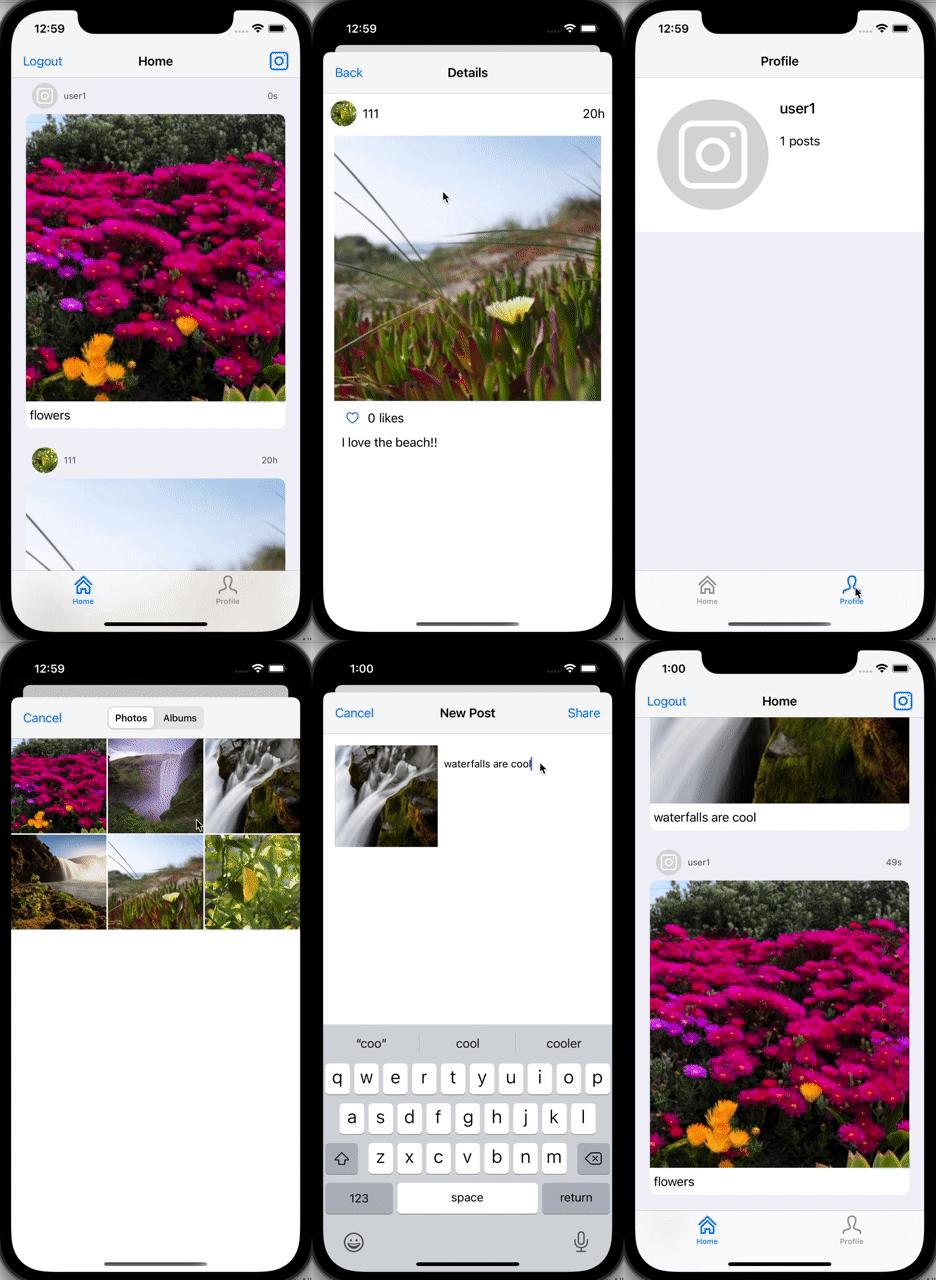
- User can take a photo, add a caption, and post it to "Instagram"
- User can view the last 20 posts submitted to "Instagram"
- User can pull to refresh the last 20 posts submitted to "Instagram"
- User can tap a post to view post details, including timestamp and caption.
The following optional features are implemented:
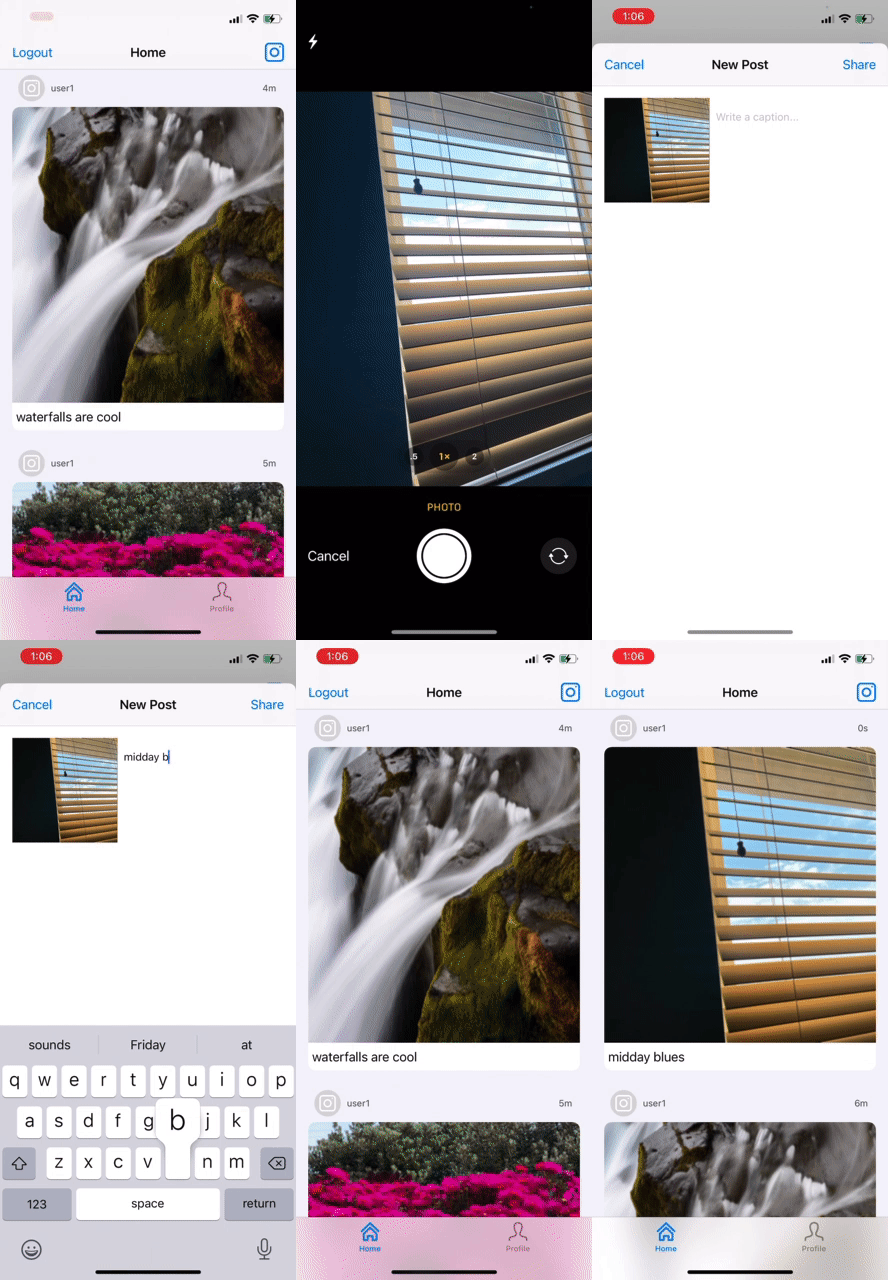
- Run your app on your phone and use the camera to take the photo
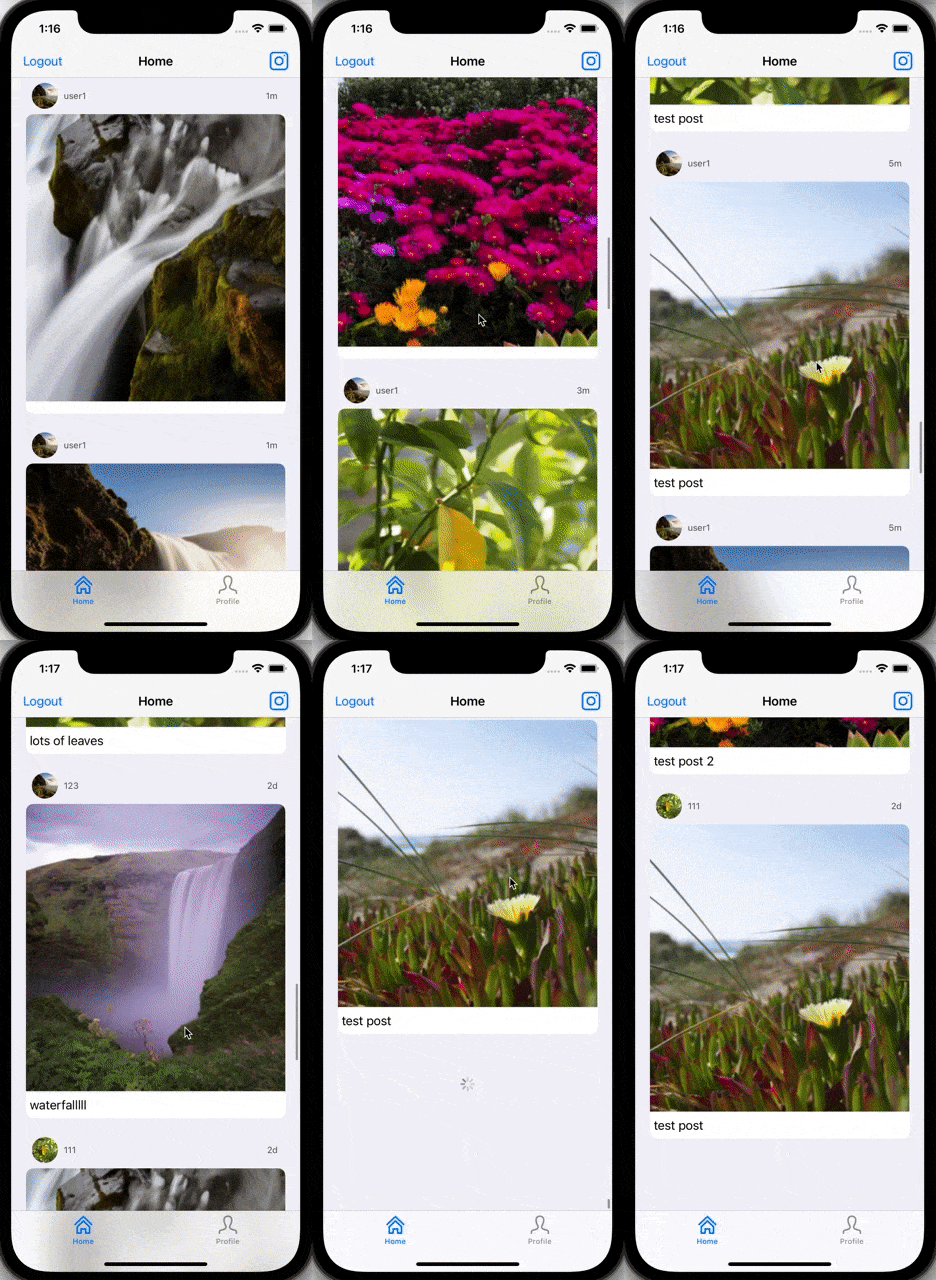
- User can load more posts once he or she reaches the bottom of the feed using infinite scrolling.
- Show the username and creation time for each post
- User can use a Tab Bar to switch between a Home Feed tab (all posts) and a Profile tab (only posts published by the current user)
- User Profiles:
- Allow the logged in user to add a profile photo
- Display the profile photo with each post
- Tapping on a post's username or profile photo goes to that user's profile page
- After the user submits a new post, show a progress HUD while the post is being uploaded to Parse
- User can comment on a post and see all comments for each post in the post details screen.
- User can like a post and see number of likes for each post in the post details screen.
- Style the login page to look like the real Instagram login page.
- Style the feed to look like the real Instagram feed.
- Implement a custom camera view.
The following additional features are implemented:
- List anything else that you can get done to improve the app functionality!
Please list two areas of the assignment you'd like to discuss further with your peers during the next class (examples include better ways to implement something, how to extend your app in certain ways, etc):
- Refactor or storing data in such a way to reduce the number of network calls made during the execution of the application.
- Adding a friend or follow system to the app so only posts made by friends are seen, rather than posts from all users.
Here's a walkthrough of implemented user stories:
User sign up/log in, user persistence:
Create a post, view posts, refresh posts, post details:
Running the app using the phone camera:
Loading more posts with infinite scrolling:
Viewing other user profiles, using tab bar, uploading profile picture, liking photos:
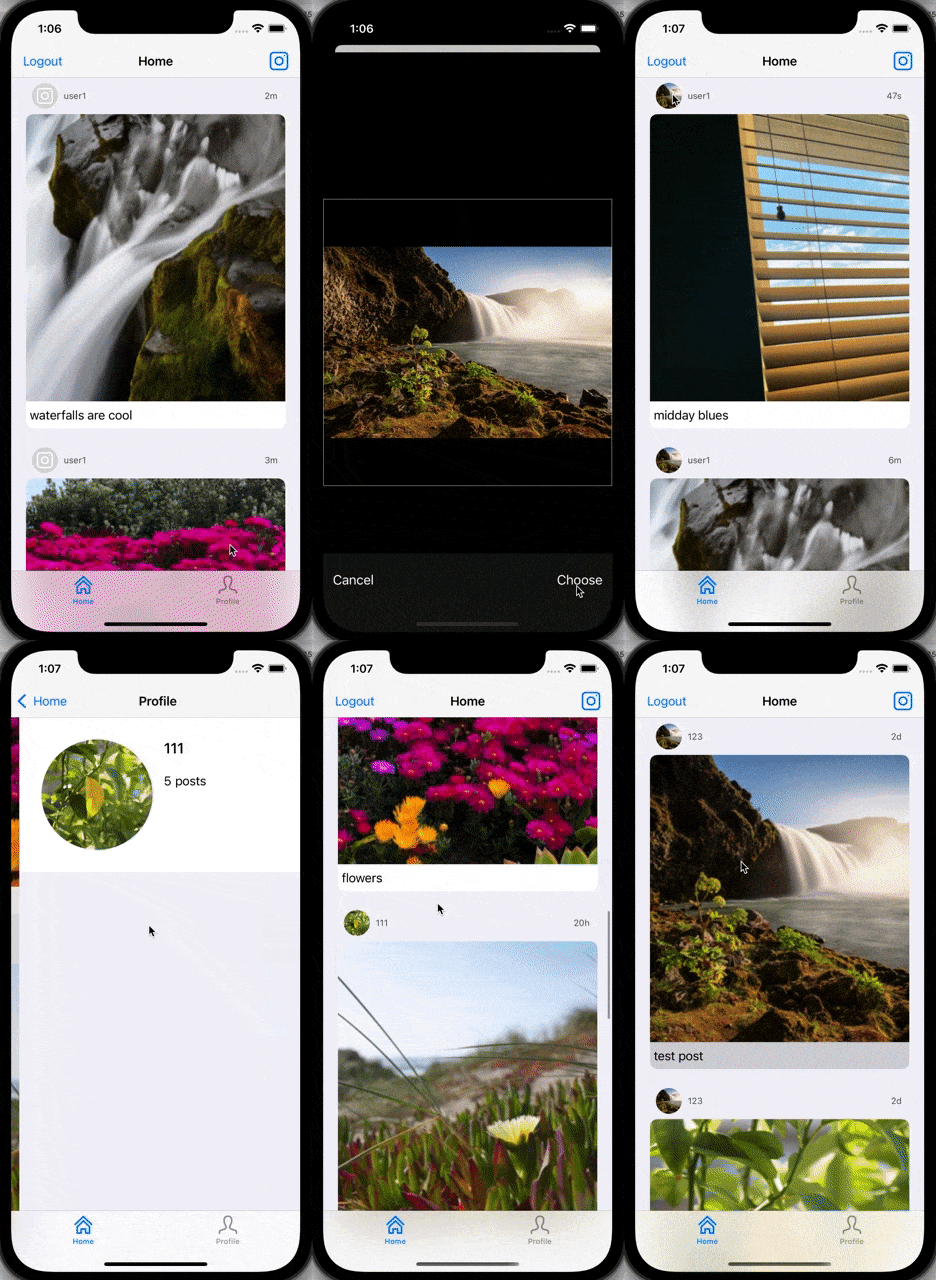
GIF created with EzGif.com.
- The screen did not switch to login page after logging out, which was resolved by changing the screen in the SceneDelegate.
- Switching to the profile tab initially did not bring up the profile of the current user, which required moving code from viewWillAppear to the viewDidLoad function.
- Had issues with getting the TapGestureRecognizer to correspond with the section it was currently in, which required getting the superview of the TapGestureRecognizer and passing the section number through it.
Copyright 2021 Felianne Teng

Licensed under the Apache License, Version 2.0 (the "License");
you may not use this file except in compliance with the License.
You may obtain a copy of the License at

    http://www.apache.org/licenses/LICENSE-2.0

Unless required by applicable law or agreed to in writing, software
distributed under the License is distributed on an "AS IS" BASIS,
WITHOUT WARRANTIES OR CONDITIONS OF ANY KIND, either express or implied.
See the License for the specific language governing permissions and
limitations under the License.