Branch Chat is a server-first, non-linear branching chat app built with RedwoodSDK React Server Components (RSC) on Cloudflare Workers.
The project is designed around branchable conversations, Durable Object persistence, and server-owned chat orchestration.
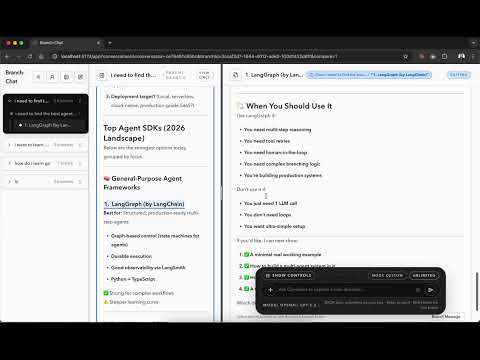
Click the preview image to watch the YouTube demo.
- Architecture:
Docs/architecture.md - Local setup:
Docs/setup.md - Environment variables and bindings:
Docs/env-vars.md - Contributing:
CONTRIBUTING.md - Security policy:
SECURITY.md
- Routing and rendering use RedwoodSDK primitives in
src/worker.tsx(defineApp,route,render). - Conversation graph state persists in Cloudflare Durable Objects:
ConversationStoreDO(per-conversation graph + messages)ConversationDirectoryDO(conversation list metadata)AccountDO(per-user BYOK metadata + composer preference)
- Mutations run through server functions in
src/app/pages/conversation/functions.ts("use server"). - Client islands in
src/app/components/**handle interaction-only concerns (pane resizing, keyboard shortcuts, optimistic UI).
- Personal production (private): Cloudflare Access-protected
/appwith verified Access assertion identity and encrypted BYOK persistence (AUTH_REQUIRED=true,AUTH_TRUST_IDENTITY_HEADERS=true,AUTH_ACCESS_JWKS_URL,AUTH_ACCESS_AUDIENCE,AUTH_COOKIE_SECRET,BYOK_ENCRYPTION_SECRET). - OSS self-host: auth optional by default (
AUTH_REQUIREDoff); BYOK is still required before send, and ifBYOK_ENCRYPTION_SECRETis unset the app uses session-only BYOK keys (cleared on reload).
Use this when you want your personal deployment protected by Cloudflare Access login.
- Configure Worker runtime values in Cloudflare:
AUTH_REQUIRED=trueAUTH_TRUST_IDENTITY_HEADERS=trueAUTH_ACCESS_JWKS_URL=https://<team>.cloudflareaccess.com/cdn-cgi/access/certsAUTH_ACCESS_AUDIENCE=<your-access-aud>AUTH_ALLOW_LEGACY_COOKIE=falseAUTH_ALLOW_SELF_ASSERTED_SIGN_IN=falseAUTH_ALLOW_INSECURE_UNSIGNED_COOKIE=falseLANDING_HOSTED_URL=/sign-in?redirectTo=/app(optional, used by landing login CTA)
- Configure Worker secrets in Cloudflare:
OPENAI_API_KEYAUTH_COOKIE_SECRETBYOK_ENCRYPTION_SECRET
- In Cloudflare Zero Trust, enable at least one login method:
Zero Trust -> Settings -> Authentication -> Login methods
- Add a Cloudflare Access application for your app route:
Zero Trust -> Access -> Applications -> Add application -> Self-hosted- Domain: your app host (for example
chat.example.com) - Path:
/app* - Policy: allow your user/group/email
- Recommended: add matching Access applications for:
/events*(streaming)/_uploads*(uploads)
- Verify in an incognito window:
https://<your-host>/appprompts Access login then loads the apphttps://<your-host>/remains public landing
- Install dependencies:
pnpm install
- Copy local env template:
cp .dev.vars.example .dev.vars
- Add required keys in
.dev.vars(at minimumOPENAI_API_KEY). - Optional but recommended for persisted BYOK keys: set
BYOK_ENCRYPTION_SECRET. - For private production-style auth locally: set
AUTH_REQUIRED=true,AUTH_COOKIE_SECRET,AUTH_TRUST_IDENTITY_HEADERS=true,AUTH_ACCESS_JWKS_URL, andAUTH_ACCESS_AUDIENCE. - Start local development:
pnpm dev
- Open http://localhost:5174, then use
Log Infrom the landing page (or go directly to/sign-in?redirectTo=/appwhen self-asserted sign-in is enabled for your mode). - If
AUTH_REQUIREDis off, you can also open/appdirectly with guest fallback auth.
pnpm dev: Start Vite + RedwoodSDK dev server.pnpm types: Run TypeScript type checking.npm run test: Run Node's test runner (node --test).npm run lint: Run TypeScript checks as the current lint gate.pnpm release: Build and deploy with Wrangler.
This project is licensed under the MIT License. See LICENSE.