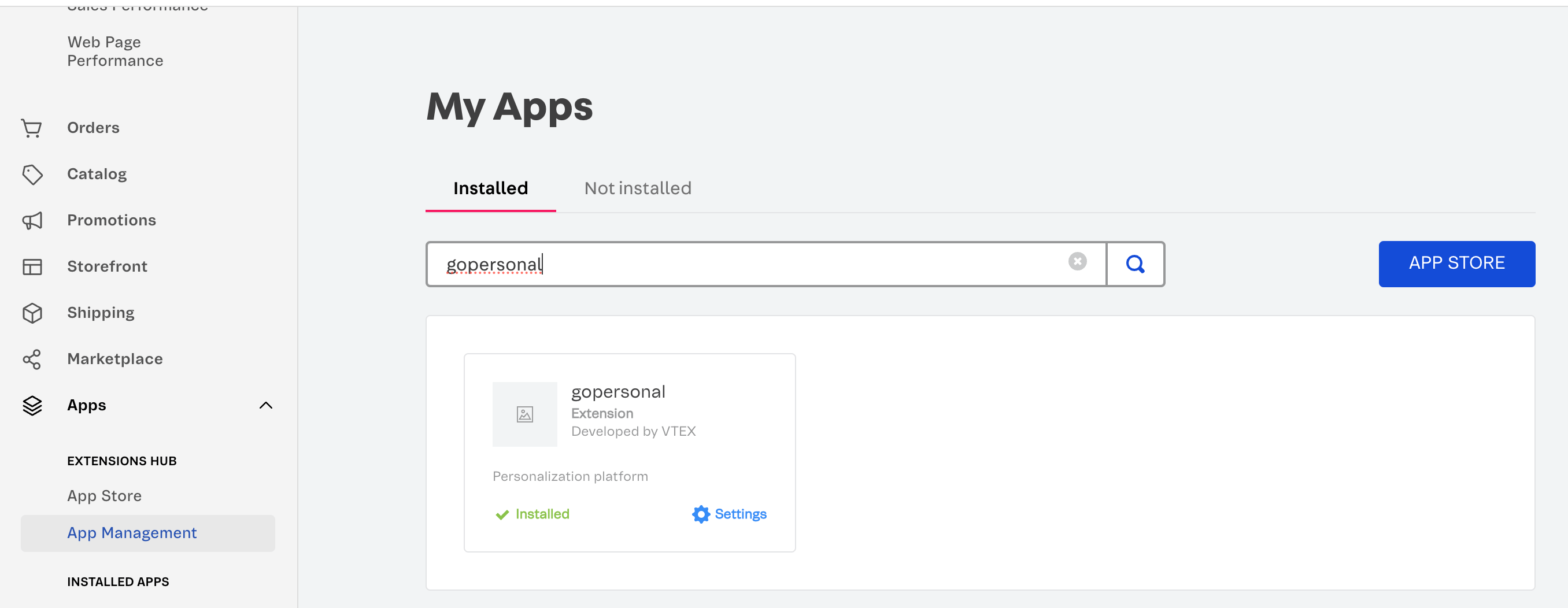
Follow the steps below to install the gopersonal VTEX app in your store.
Step 1: Change the vendor in the manifest.json file to your store account name.
Step 2: Check the VTEX IO documentation here.
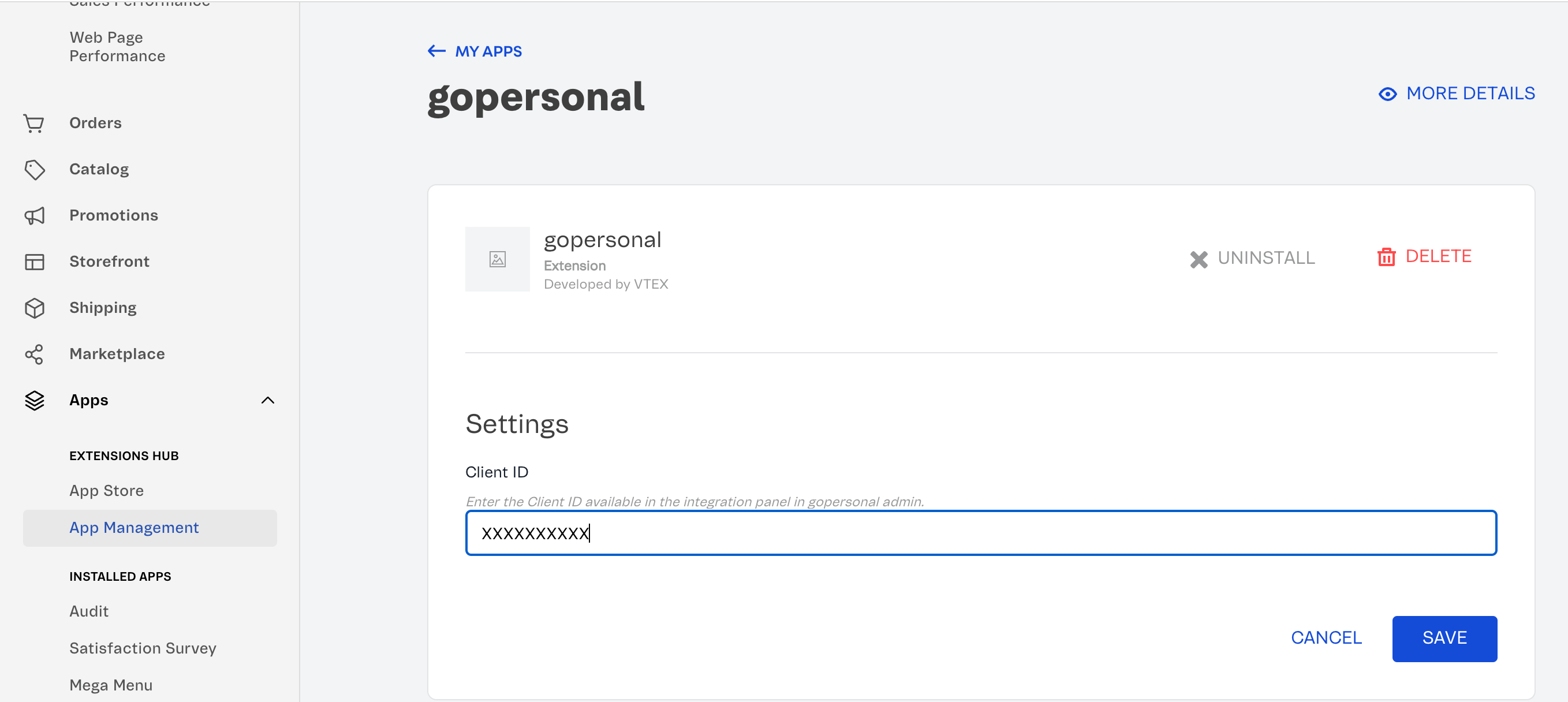
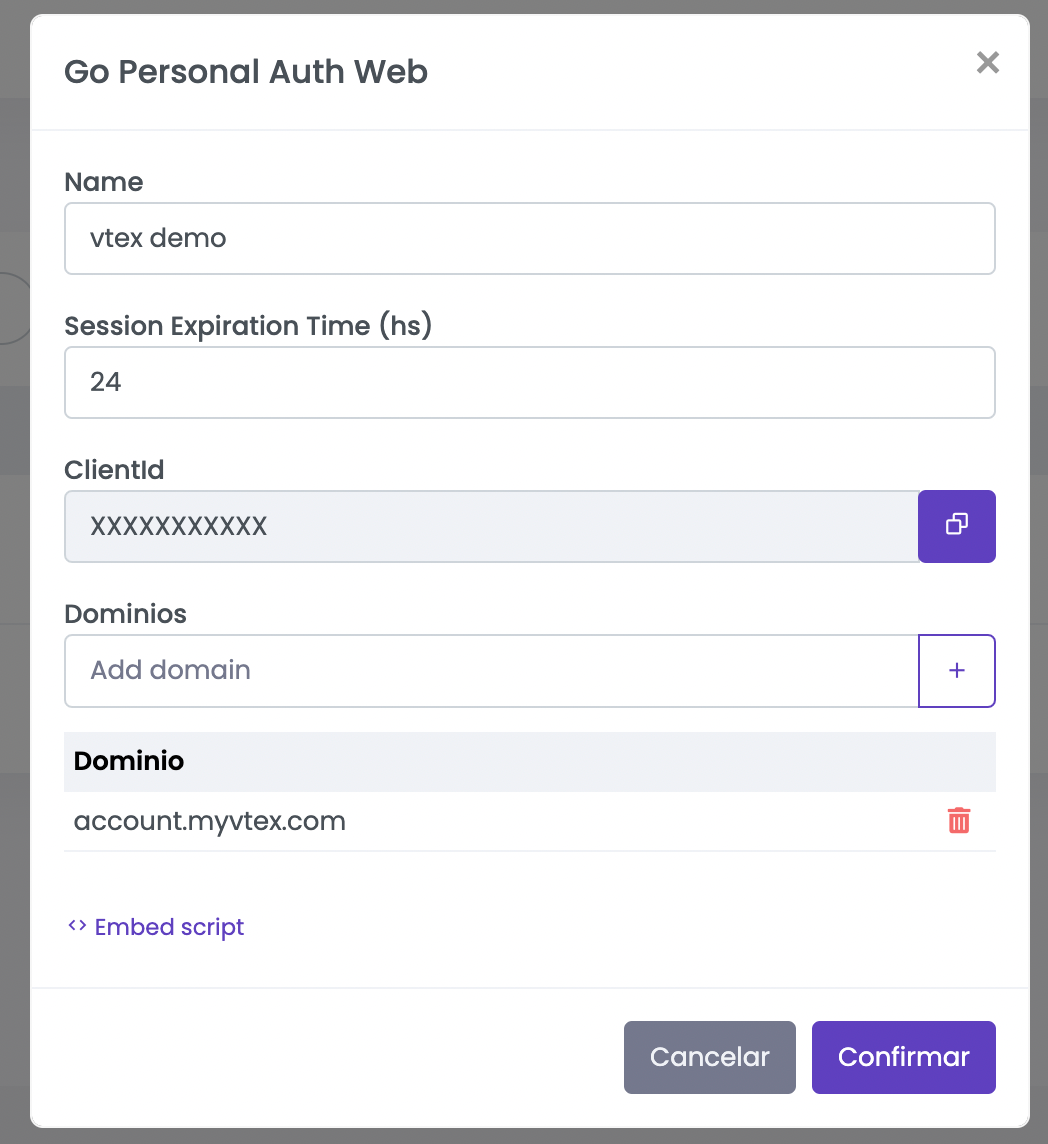
Step 3: Add your clientId in the VTEX app configurations You can get your clientId in the integration panel once created.
Step 3: In your VTEX admin in the App Management section go to gopersonal App.