The first part is focused on gathering the network information for allthe machines involved. This includes confirming the IP address of the machine used for carrying out the attacks, as well as finding the IP addresses of the target machine on the network. After collecting those, the next step for each of the target machine is to collect more information regarding each one such as OS versions, Open ports, and so on.
- IP addresses / Live hosts Discovery
To locate the IP address of the Machine that will be carrying out the tests, in this case, amachine running Kali OS, the commandif configis used, as shown in the figure below:
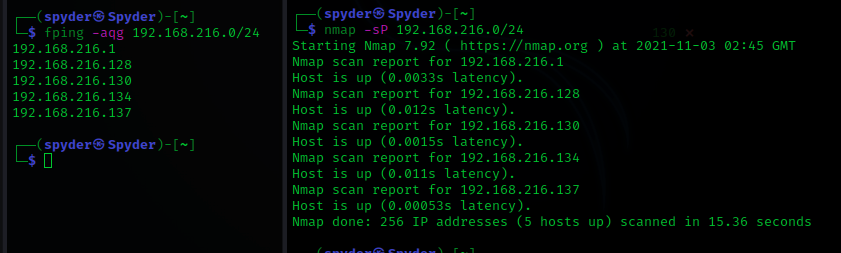
Now we know that the IP address of the Target Machine is: 192.168.216.134 on our network, and the IP address of the Host Machine is: 192.168.216.137. We now move on to find out more about the Target Machine itself.
- Analysis on Target Machine
The web browser when accessing the machine shows the following content:

nmap banner grabbing as well as further identification is also carried out using the commands, and the output are shown in the figures that follow:
1. nmap −−script=banner 192.168.216.134

2. nmap −A −V −p− −sC −sV 192.168.216.134

3. nmap −A 192.168.216.134
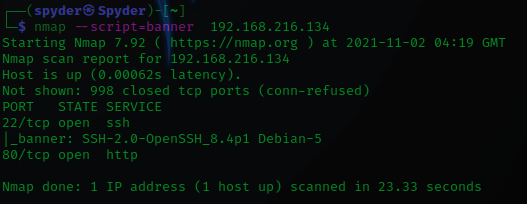
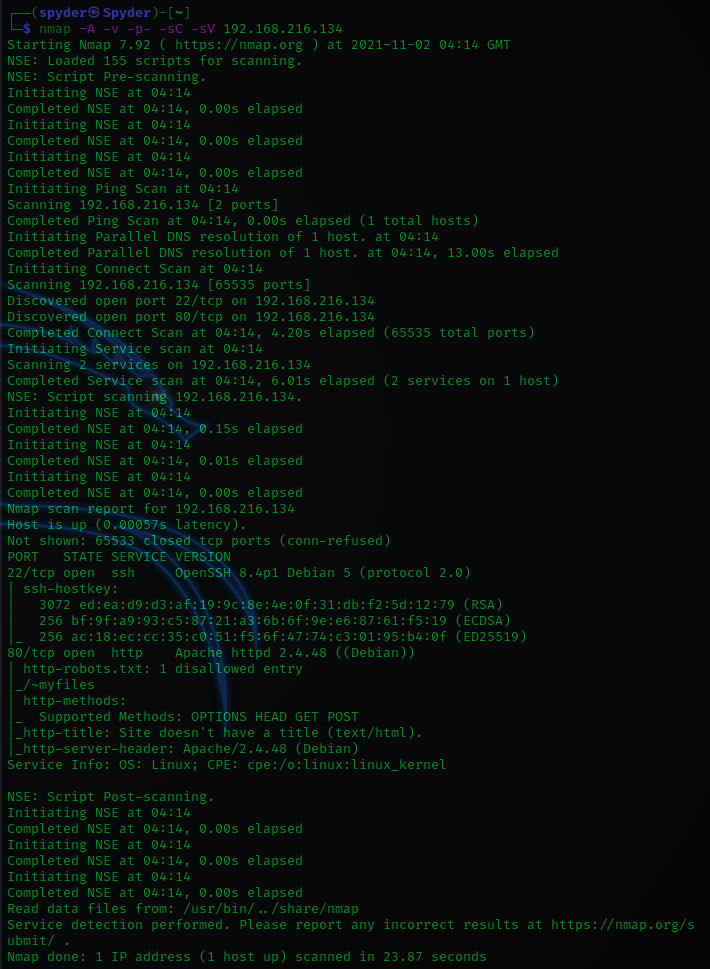
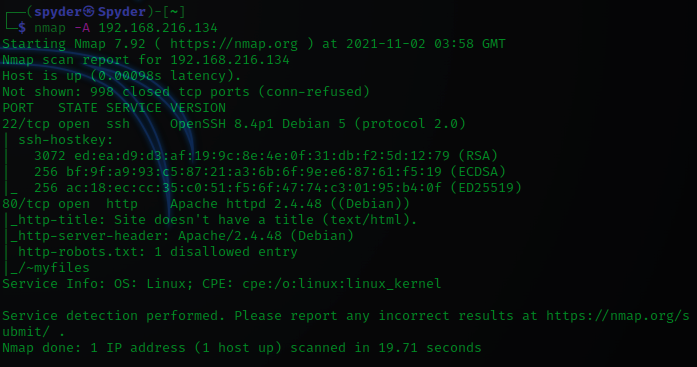
As gathered from the outputs posted above, the OS version is displayed as Linux, and the only open ports are ssh and http.
Enumerating the http port option, and from the results from the nmap commands that were previously run, there is one disallowed entry visible named myfiles, which when opened in a web browser shows the following: