 +
+

- Features
- Installation
- Supported Devices and Operations
- How to Configure?
- Services (Optional)
- Changelog
- How to contribute?
- Disclaimer on Using Logos
The CatLINK custom integration provides seamless support for integrating your CatLINK Scooper and Litterbox devices into Home Assistant. This integration allows you to monitor, control, and automate your CatLINK devices directly from your Home Assistant setup, enhancing the convenience and care of your feline friends.
-
Scooper/Litterbox Device Integration: Effortlessly connect your CatLINK Scooper and Litterbox devices to Home Assistant, enabling centralized control and monitoring within your smart home environment.
-
Real-Time Status Monitoring: Track essential metrics such as work status, alarm status, weight, litter weight, cleaning times, and more. All relevant data is available in real-time, ensuring you stay informed about your pet's litterbox usage.
-
Mode Selection: Choose between different modes of operation (Auto, Manual, Time) to customize the behavior of your CatLINK devices according to your needs and preferences.
-
Advanced Actions: Perform specific actions such as initiating a clean cycle, pausing the device, or changing the litter bag directly from Home Assistant.
-
Comprehensive Logging: Access detailed event logs for all activities, including manual and auto-clean events, cat visits with associated cat details, and other device operations. This feature helps you keep track of your pets' habits and the device's performance.
-
Customizable Alerts and Automations: Set up notifications and automate tasks based on the state of your CatLINK devices. For example, receive alerts when the litterbox is full or automatically start a cleaning cycle during quiet times.
-
Entity Attributes: The integration exposes various attributes related to your CatLINK devices, such as litter weight, total and manual clean times, alarm status, and more, allowing for detailed customization and automation.

Download and copy
custom_components/catlinkfolder tocustom_componentsfolder in your HomeAssistant config folder
wget -O - https://get.hacs.vip | DOMAIN=catlink REPO_PATH=hasscc/catlink ARCHIVE_TAG=main bash -- Copy this code to file
configuration.yamlshell_command: update_catlink: |- wget -O - https://get.hacs.vip | DOMAIN=catlink REPO_PATH=hasscc/catlink ARCHIVE_TAG=main bash -
- Restart HA core
- Call this
service: shell_command.update_catlinkin Developer Tools - Restart HA core again

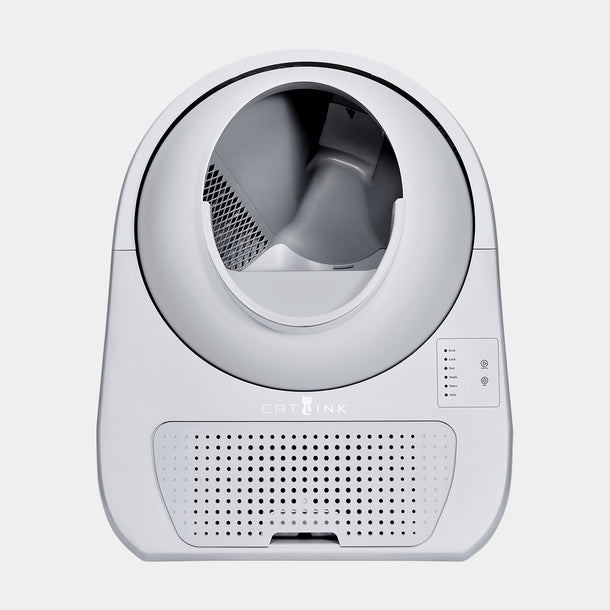
- Changing Operation Mode (Auto, Manual, Time)
- Actions (Cleaning, Pause, Change Garbage Bag)
- Wastebin Full flag
- Litter weight measurement
- Litter days left
- Deodorant replacement countdown in days
- (NEW) Reset litter and deodorant buttons
- Occupacy flag
- Cleaning count
- Knob status
- Garbage Tobe status
- Online status
- Logs & Errors
- Entities: sensor, binary sensor, select, switch, button
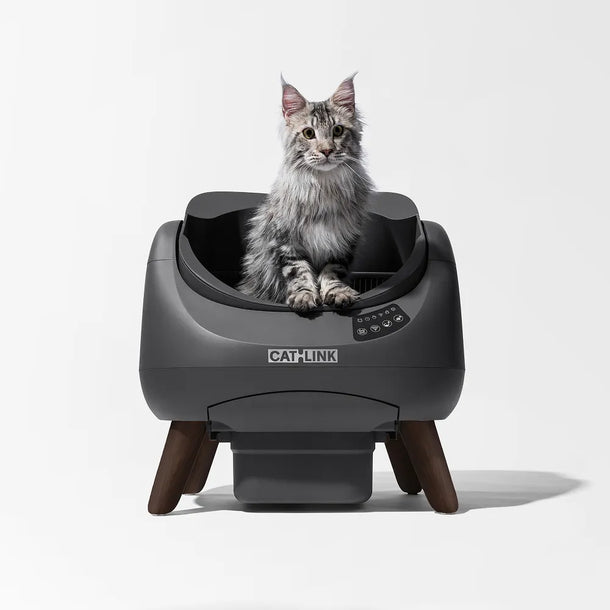
- Changing Operation Mode (Auto, Manual, Time, Empty)
- Actions (Start, Pause)
- Deodorant replacement countdown in days
- Litter days left
- Litter weight measurement
- Reset litter and deodorant buttons
- Occupacy flag
- Cleaning count
- Temperature (Celsius)
- Humidity
- Online status
- Logs & Error
- Entities: sensor, binary sensor, select, switch, button

- Feed Button
- Food tray weight
- Online status
- Logs & Error
- Entities: sensor, binary sensor, button
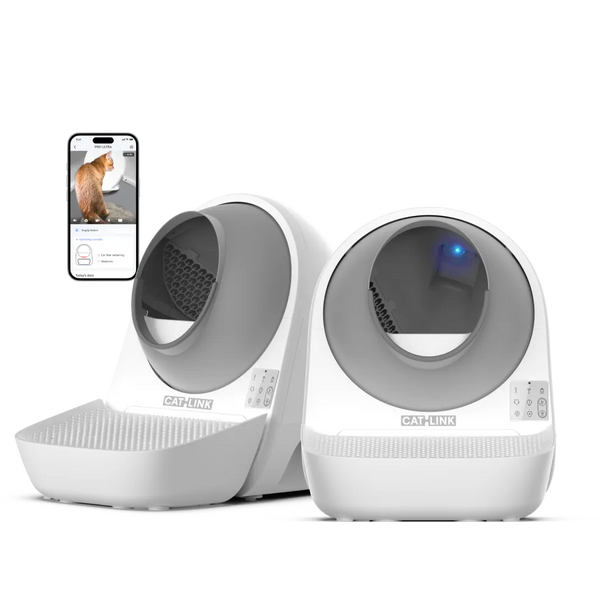
- Changing operation mode (Auto, Manual, Scheduled)
- Actions (Clean, Pause, Cancel, Pave)
- Litter weight, remaining days, and deodorant countdown
- Quiet mode, child lock, indicator light, keypad tone
- Notice switches and pet stats
- Entities: sensor, binary sensor, select, switch, button
! Recommend sharing devices to another account, because you can keep only one login session, which means that you'll have to re-login to CATLINK each time your HA instance pulls the data.
Just use ConfigFlow. Enter your phonenumber (eg. +493034994004) and password.
That's it.
It will automatically discover your Region, Cats & Devices.
service: catlink.request_api
target:
  entity_id: sensor.scooper_xxxxxx_state # Any sensor entity in the account
data:
  api: /token/device/union/list/sorted
  params:
key: valSee CHANGELOG.md for release notes.
Please visit CONTRIBUTE, and be aware of this.
Disclaimer on Using Logos: Please note that the logos used in this documentation, including the CatLINK and Home Assistant logos, are the property of their respective owners.
Trademark Acknowledgment: The CatLINK and Home Assistant logos are trademarks of their respective companies. This documentation uses these logos solely for informational and illustrative purposes. No endorsement by or affiliation with the trademark holders is implied.
Usage Restrictions: Ensure that you have the appropriate permissions or licenses to use these logos in your own materials. Unauthorized use of logos can result in trademark infringement or other legal issues.
Modifications: If you modify or resize the logos for use in your projects, ensure that the integrity of the logos is maintained and that they are not used in a misleading or inappropriate manner.
By using these logos in your documentation or materials, you acknowledge and agree to comply with all applicable trademark laws and the usage guidelines set by the respective trademark holders.