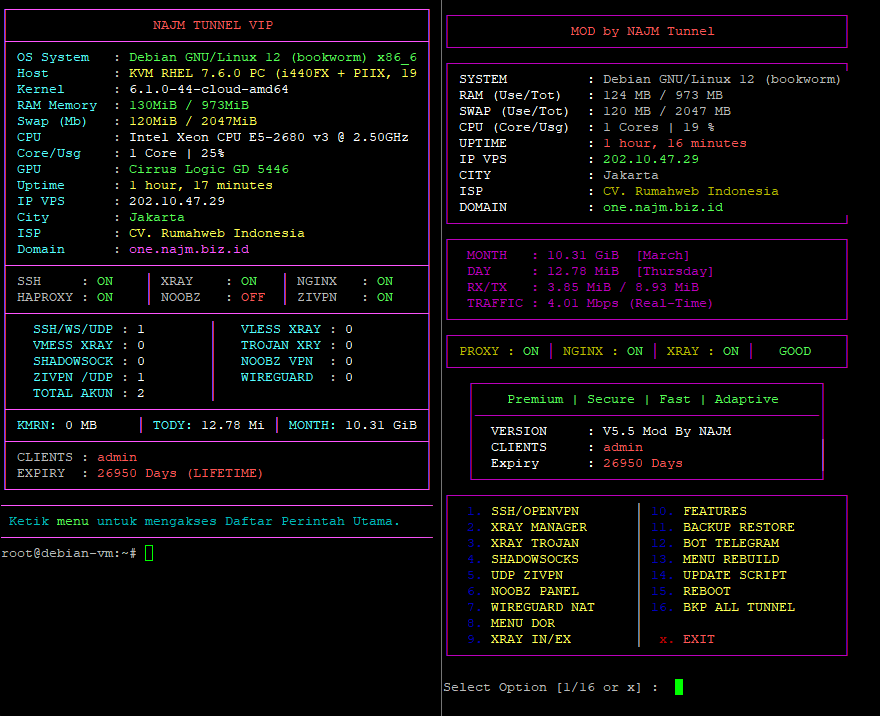
[ScreenShot Main Menu]
Rekomendasi OS: Debian 11 / Debian 12 (Stable)
- VPS KVM / VM full virtualization
- RAM minimal 1 GB (Rekomendasi 2GB atau Lebih)
- Akses root SSH
- Internet stabil
- OS target: Debian 11 / 12 /ubuntu 22.04
- Disarankan VPS kosong / fresh install (Silahkan Rebuild)
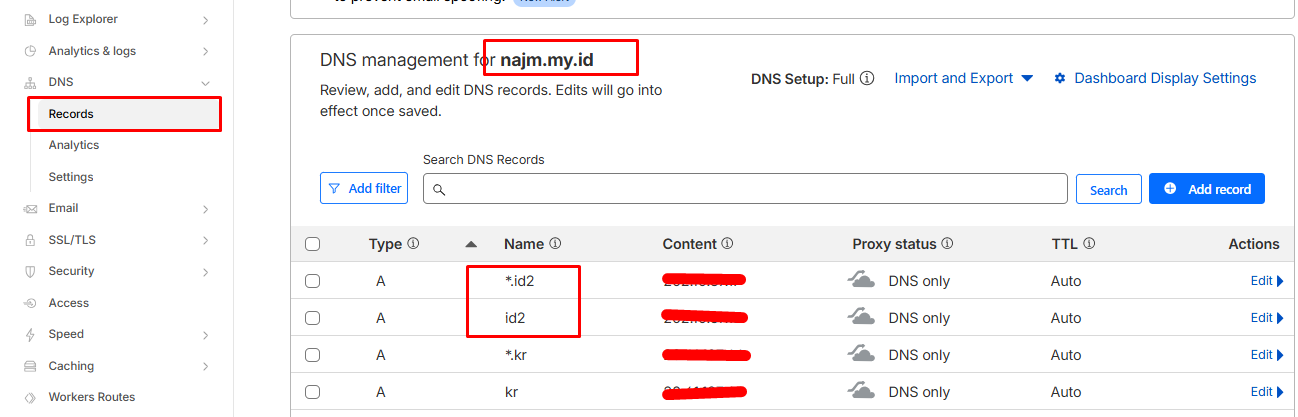
- Pointing Cloudflare Sudah di setting
- Open all inbound ports 0-65535
- Open all outbound ports 0-65535
- Allow All Protocol (Any Protocol)
wget https://raw.githubusercontent.com/bin456789/reinstall/main/reinstall.sh && chmod +x reinstall.sh && bash reinstall.sh debian 12 && rebootTunggu proses selesai → VPS otomatis reboot.
Error -bash: sudo: command not found
cat <<'EOF' > /usr/local/bin/sudo && chmod +x /usr/local/bin/sudo
#!/bin/sh
if command -v /usr/bin/sudo >/dev/null 2>&1; then
    exec /usr/bin/sudo "$@"
fi
if [ "$(id -u)" -eq 0 ]; then
    exec "$@"
fi
echo "sudo not installed and you are not root" >&2
exit 1
EOF
Update Repo
sudo apt update && sudo apt upgrade -y && sudo apt install -y screen wget curl jqJalankan Jika Ram di bawah 4Gb:
wget https://raw.githubusercontent.com/ica4me/auto-script-free/main/make-swap.sh && chmod +x make-swap.sh && bash make-swap.shPersiapan Sebelum instalasi Utama.
wget -qO- https://raw.githubusercontent.com/ica4me/auto-script-free/main/install/install-setup.sh | bashDaftarkan IP
sudo bash -c 'curl -fsSL --retry 3 --retry-delay 2 --connect-timeout 10 https://raw.githubusercontent.com/ica4me/auto-script-free/main/romsip.sh | bash'4) Install Auto Script setup.sh (wajib)
wget https://raw.githubusercontent.com/ica4me/auto-script-free/main/setup.sh
chmod +x setup.sh
screen ./setup.sh
Gunakan screen agar instalasi tetap berjalan jika SSH terputus.
sudo bash -c 'curl -fsSL --retry 3 --retry-delay 2 --connect-timeout 10 https://raw.githubusercontent.com/ica4me/auto-script-free/main/install/finish-install.sh | bash'Fix ALL file usr-local-sbin Penganti comand (sed -i 's/\r$//' /usr/local/sbin/*), sed tidak aman.
wget -qO- https://raw.githubusercontent.com/ica4me/auto-script-free/main/fix-error/fix-usr-local-sbin.sh | bashFix Hproxy dan Nginx
wget -qO- https://raw.githubusercontent.com/ica4me/auto-script-free/main/fix-error/fix-proxy-nginx.sh | bashJika masih error jalankan ini (Jika error: Ganti Let's Encrypt menjadi ZeroSSL)
wget -qO- https://raw.githubusercontent.com/ica4me/auto-script-free/main/fix-error/zerossl.sh | bashFix Xray Failed Start (Jika error)
wget -qO- https://raw.githubusercontent.com/ica4me/auto-script-free/main/fix-error/fix-xray.sh | bashREPAIR IPTABLES NAT PREROUTING
wget -qO- https://raw.githubusercontent.com/ica4me/auto-script-free/main/fix-error/Iptables-nat-repair.sh | bashm-rebootFix Systemctl yang hilang
wget -qO- https://raw.githubusercontent.com/ica4me/auto-script-free/main/fix-error/fix-systemctl.sh | bashFix Xray file config.json hilang
wget -qO- https://raw.githubusercontent.com/ica4me/auto-script-free/main/fix-error/restore-xrayconfjson.sh | bashInstal ulang Xray (file xray hilang)
bash -c "$(curl -L https://github.com/XTLS/Xray-install/raw/main/install-release.sh)" @ install -u www-data --version 1.8.4
Alternatif Install ulang Xray
# Pindah ke direktori root
cd /root

# Unduh Xray versi 1.8.4
wget -O Xray-linux-64.zip https://github.com/XTLS/Xray-core/releases/download/v1.8.4/Xray-linux-64.zip

# Ekstrak file binary xray ke /usr/local/bin/
unzip -o Xray-linux-64.zip xray -d /usr/local/bin/

# Berikan hak akses (permission) agar bisa dieksekusi
chmod +x /usr/local/bin/xray

# Hapus file zip sisa instalasi
rm Xray-linux-64.zip

# Pastikan folder dan file log dimiliki oleh www-data
chown -R www-data:www-data /var/log/xray
mkdir -p /var/run/xray
chown www-data:www-data /var/run/xray

# Muat ulang konfigurasi systemd
systemctl daemon-reload

# Restart Xray
systemctl restart xray

# Cek kembali statusnya
systemctl status xray
Pastikan:
- Login sebagai root
- Internet VPS aktif
- Tidak ada firewall blocking
Gunakan screen:
screen -rGunakan Port 22/2003/2026
ssh root@ip-vps -p 2003Website:
Github:
https://github.com/ica4me
Reinstall Script:
https://github.com/bin456789/reinstall
Go Free
Selamat VPS Anda siap digunakan 🚀
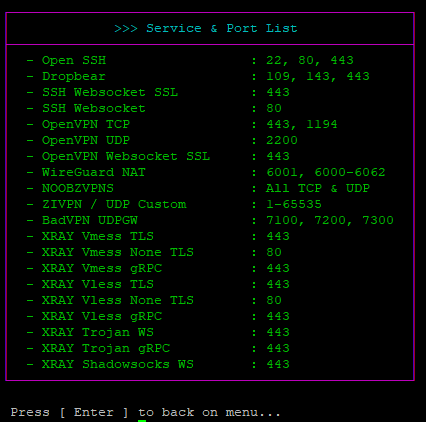
Service & Port List
Setting CloudFlare
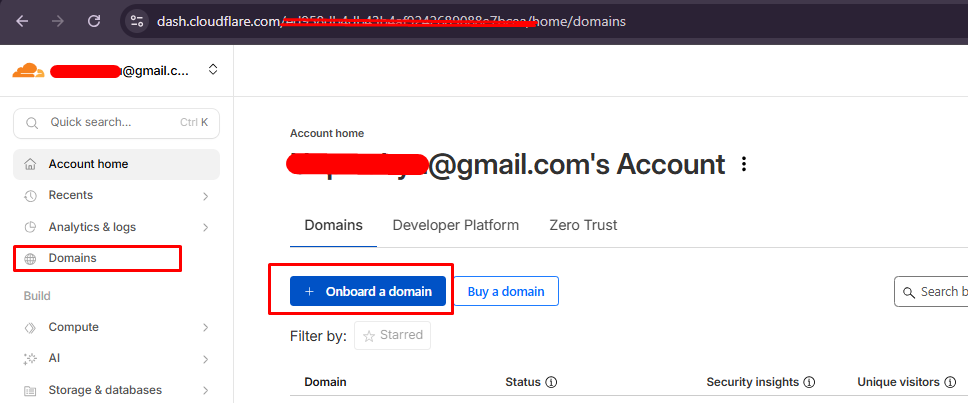
- Pointing Domain
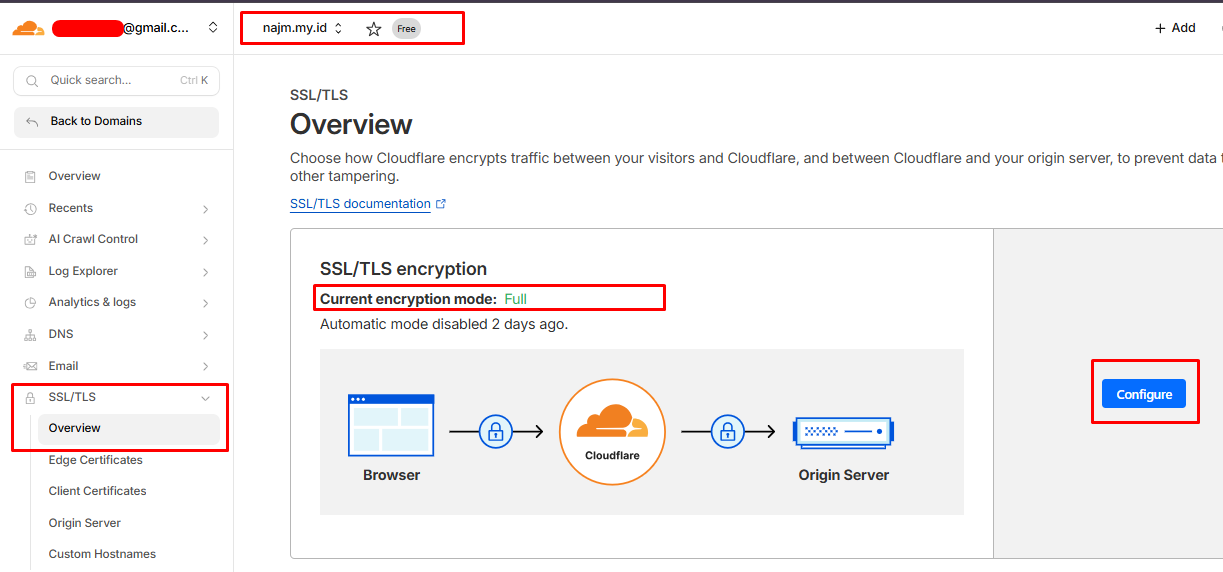
- TLS/SSL Harus pilih yang FULL
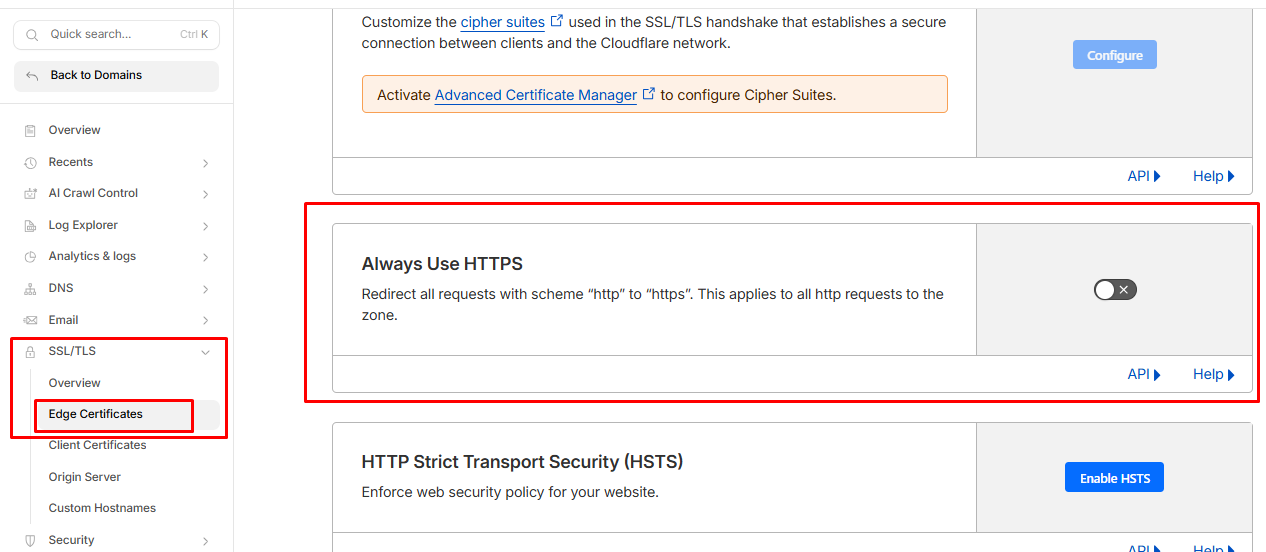
- Always HTTPS harus dimatiin
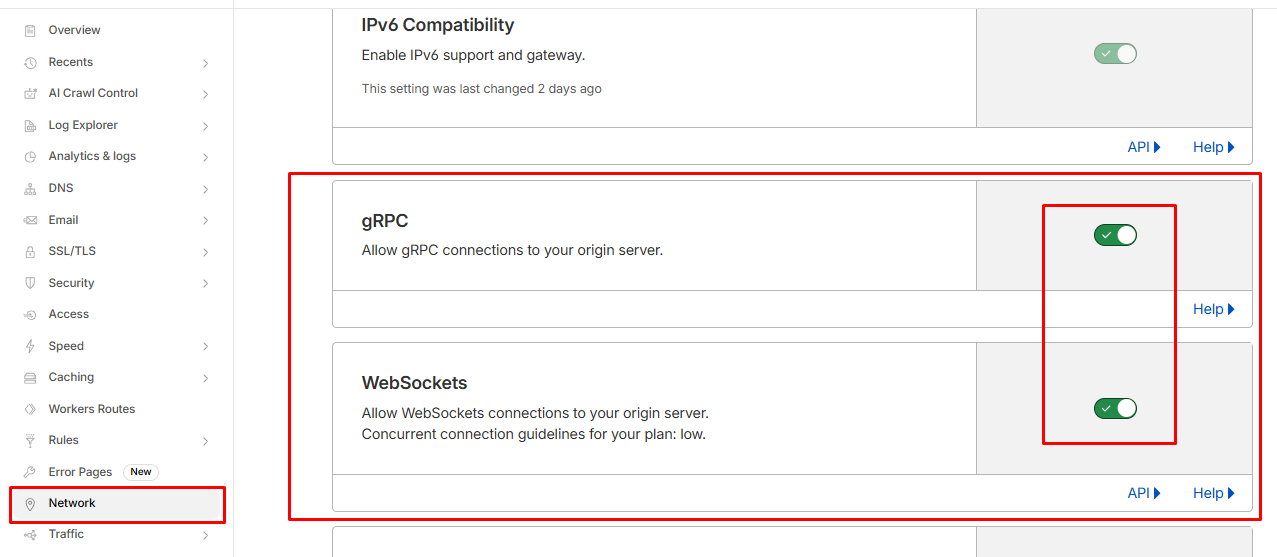
- Network aktifin WebSocket dan gRPC
- Tambahkan wilcard agar support bug pakai wildcard