This repository is a customized fork of the original Webstudio Docs release. The main changes are:
- Optional simple access gate — hides the site behind a basic token link and browser cookie
- Viewer-only iframe embedding —
index.phpcan be embedded in an iframe, whileeditor.phpstays protected against framing. - Split public viewer and admin editor —
index.phpis now the read-only public frontend, whileeditor.phpcontains the authenticated editing UI. - Shared frontend assets — styles and translations were moved into
assets/app.cssandassets/i18n.jsso both entry points stay in sync. - German language support — the interface now includes built-in German translations with centralized language configuration.
- Broader translation coverage — UI texts that were still hardcoded are now routed through the shared i18n layer.
- Optional Google Translate button — the translate button is now optional and can be disabled in settings.
- Saved page feedback — page helpfulness feedback is now persisted through the API.
- Configurable share section visibility — the share block in the page sidebar can be shown or hidden from settings.
- Optional single-space navigation mode — the top space tabs can be hidden automatically when only one space exists.
- Role-aware shortcuts — admin-only keyboard shortcuts are hidden or blocked for non-admin users.
- Built-in password change flow — admins can change the password from settings without rerunning setup.
- HTML-capable footer content — footer areas now support full HTML content instead of plain text only.
- Manual space reordering — spaces can be moved left or right directly in the editor.
- Safer page deletion — removed pages and related rating files are archived into
data/trash/pagesinstead of being deleted outright. - Editable page IDs and internal link picker — page URLs can be customized and internal links can be selected from a searchable page list.
- Clipboard image paste support — pasted screenshots and copied images can be uploaded directly into the editor.
- Selectable divider styles — delimiter blocks can render as stars, a solid line, a dashed line, or dots.
- Preserved table line breaks — multi-line table cells now keep their line breaks during save and render.
- PHP 8.5 compatibility updates — the fork includes fixes for current PHP deprecations and edge cases.
- Header slash menu fix — the header slash menu behavior was corrected in the customized frontend.
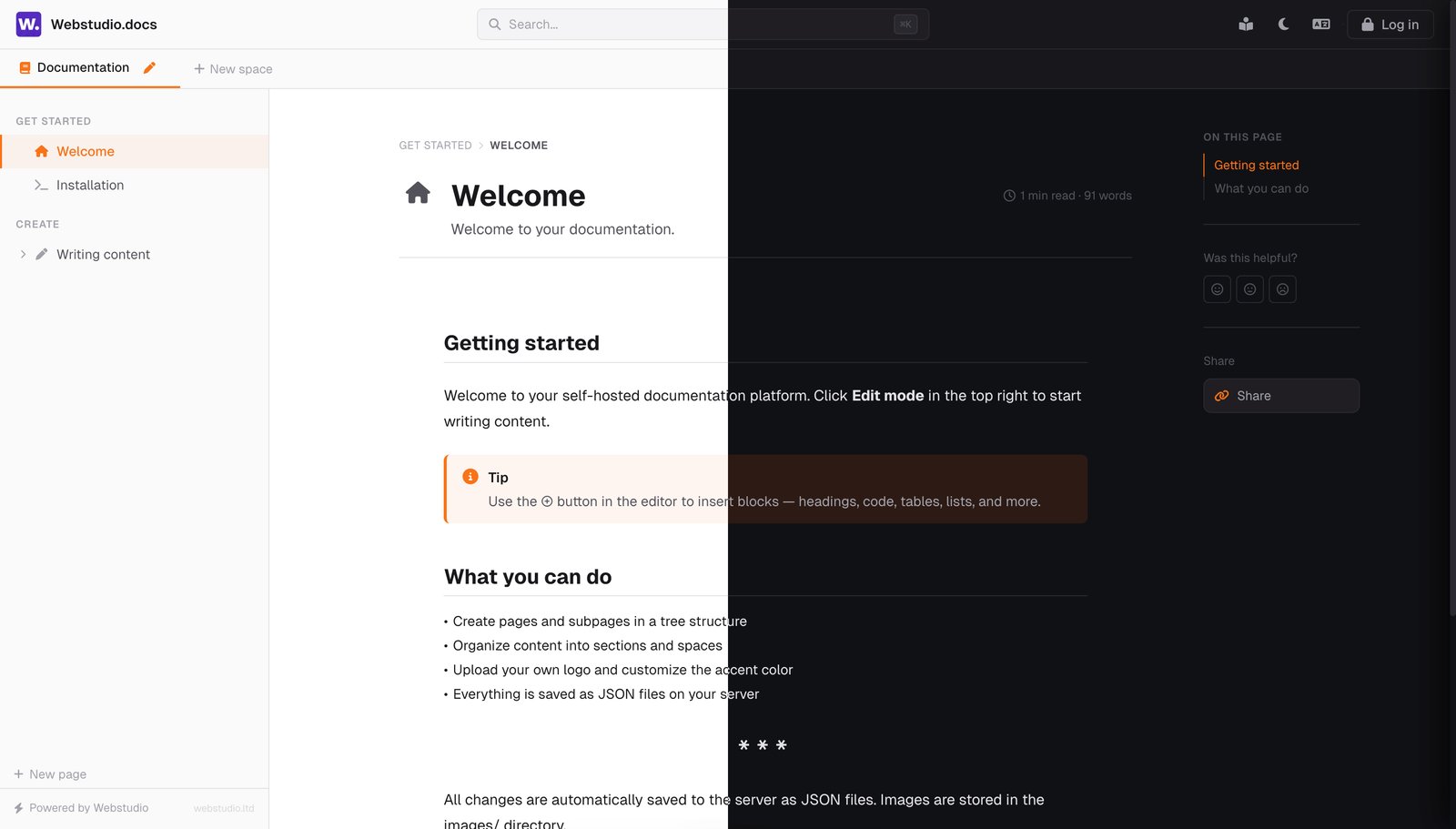

Open-source, self-hosted documentation platform.
A free GitBook alternative — plain PHP, no database, no build process.
Upload to any PHP hosting and start writing.
Changes in This Fork • Quick Start • Features • Screenshots • Roadmap • Contributing



We're a web agency that got tired of paying $65/month per site for GitBook. So we built our own docs platform and open-sourced it.
The result:
- Still lightweight — plain PHP, JSON storage, and a simple file-based structure without framework overhead.
- No database — everything is stored as JSON files on your server.
- No build process — no npm, no webpack, no config files. Upload and done.
- Self-hosted — your server, your data, your domain. No vendor lock-in.
- Free forever — MIT license, no usage limits, no per-user pricing.
We use it in production for our own client projects. It works. It's fast. And it costs nothing.
Try it yourself: docs.web-studio.sk — password: DemoPassword@123
Requirements: Any PHP 7.4+ hosting with write permissions. That's it.
This fork also includes compatibility fixes for current PHP 8.5 behavior.
# 1. Clone
git clone https://github.com/jnkb/webstudio-ltd-docs.git

# 2. Upload the project files to your PHP server
#    keep the folder structure intact (`assets/`, `data/`, `images/`)

# 3. Open editor.php in your browser → set your admin password → start writing
Readers use index.php. Admin editing, settings, and authentication live in editor.php.
No npm install. No environment variables. No database migrations. No Docker. Just upload the project and you have a documentation site.
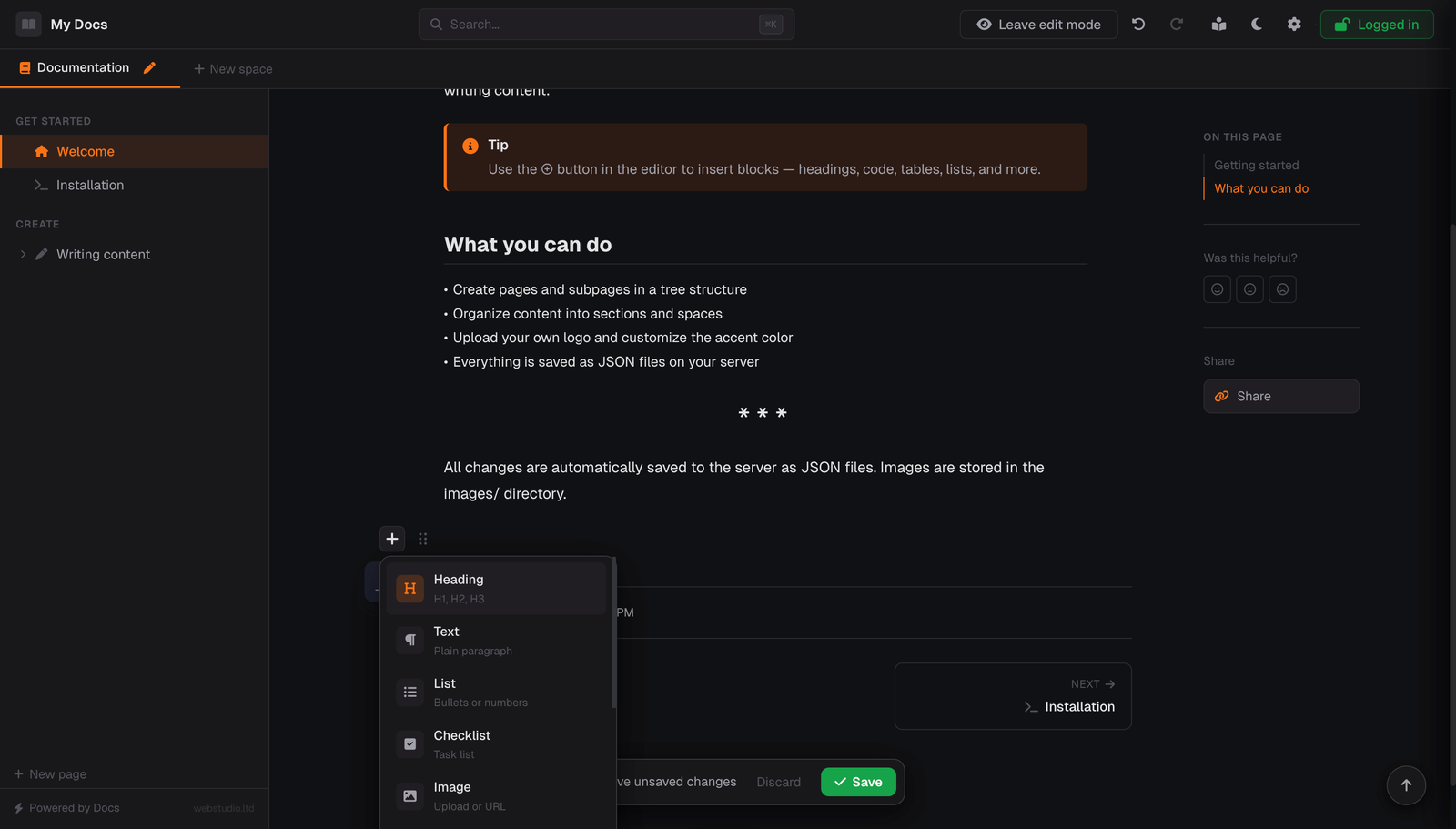
- Slash commands — type
/anywhere to search and insert any block type - Block picker — click ⊕ to browse all available blocks
- Headings, paragraphs, lists, checklists — the basics, done right
- Code blocks with syntax highlighting (Prism.js, 200+ languages) and one-click copy button
- Tables with header rows and preserved line breaks inside cells
- Images — upload, paste from clipboard, paste a URL, or drag & drop
- Callouts — info, tip, warning, danger with custom titles
- Collapsible sections — perfect for FAQs
- Timeline — ideal for changelogs and release notes
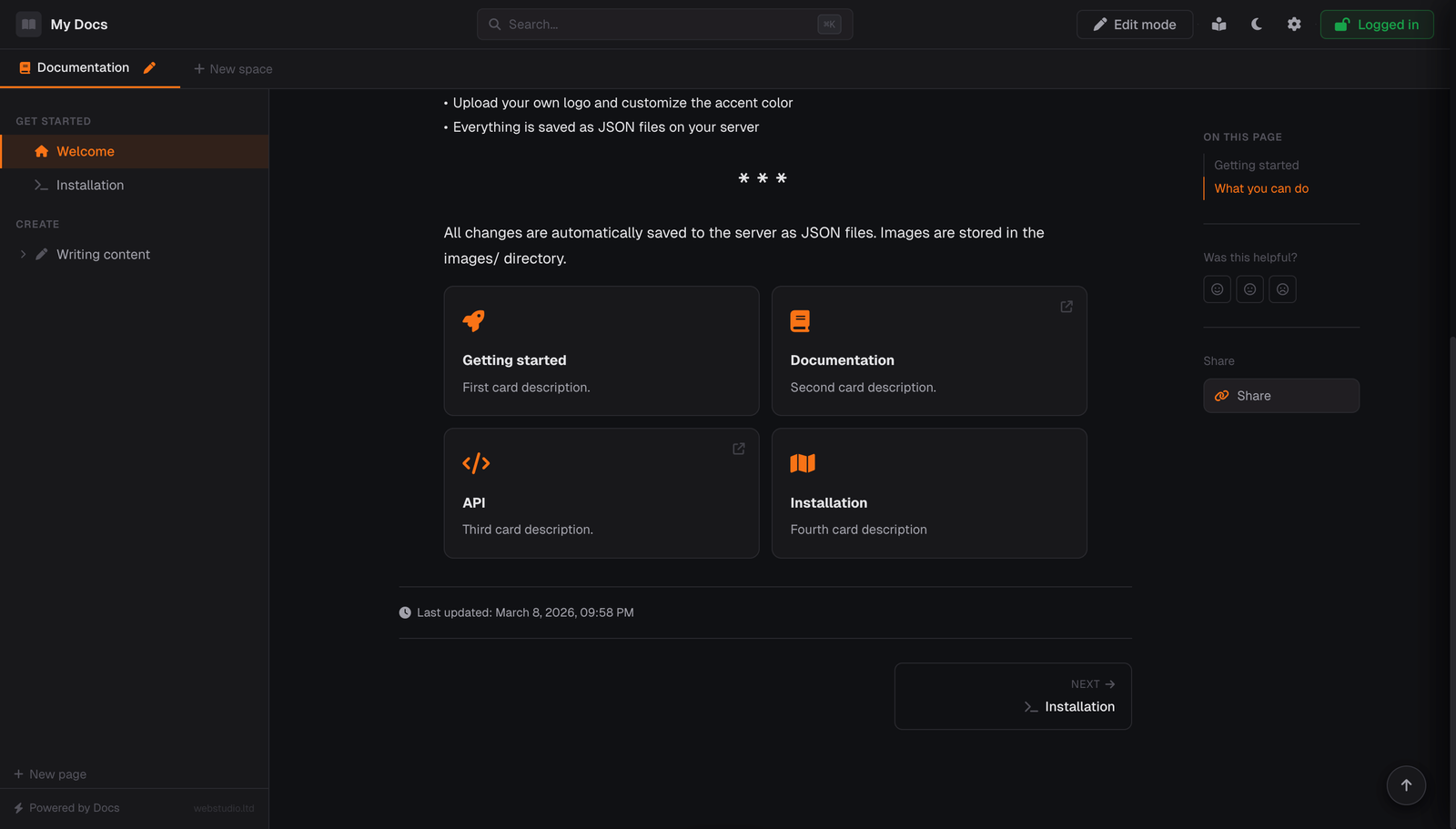
- Cards — icon grids with links to internal pages or external URLs
- Video embeds — YouTube, Vimeo
- Quotes, delimiters, inline code, markers — including selectable divider styles
- Internal page links — searchable page picker for linking cards and rich text to other docs pages
- Editable page IDs — control clean URLs manually when you need stable or custom slugs
- Drag & drop block reordering with visual drop indicator
- Undo / Redo with full history (Ctrl+Z / Ctrl+Shift+Z)
- Spaces — separate documentation sections (like GitBook spaces), with manual left/right reordering in the editor
- Tree structure — pages, subpages, sections, and nested drag & drop reorder
- Full-text search — Ctrl+K searches titles, subtitles, and page content
- Table of contents — auto-generated from headings with scroll spy
- Per-page feedback — readers can mark a page as helpful, neutral, or not helpful, and ratings are saved
- Optional single-space mode — hide the top space switcher when your docs only use one space
- Keyboard navigation — ← → for prev/next page, ? for all shortcuts
- Breadcrumbs and previous/next page links
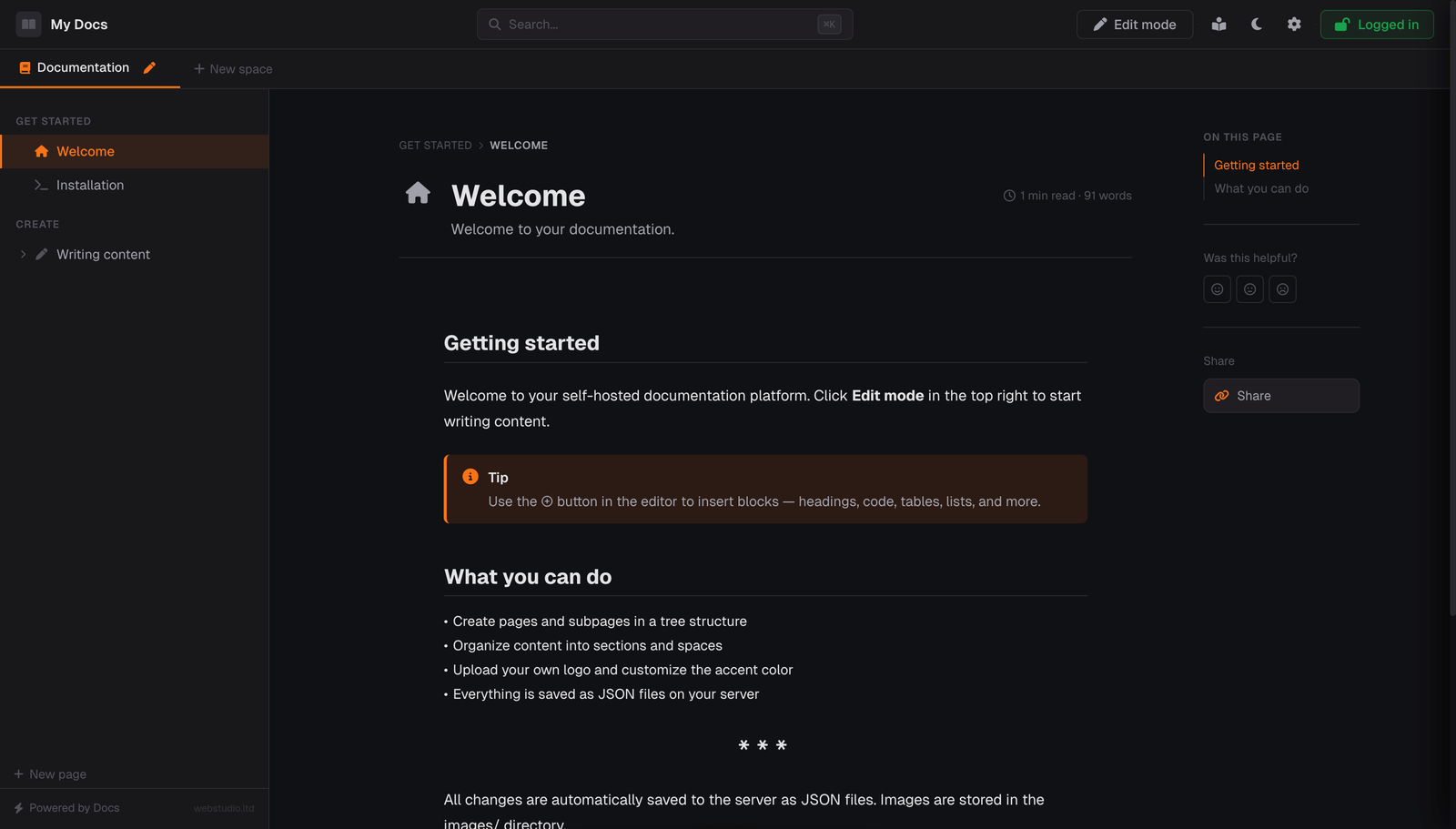
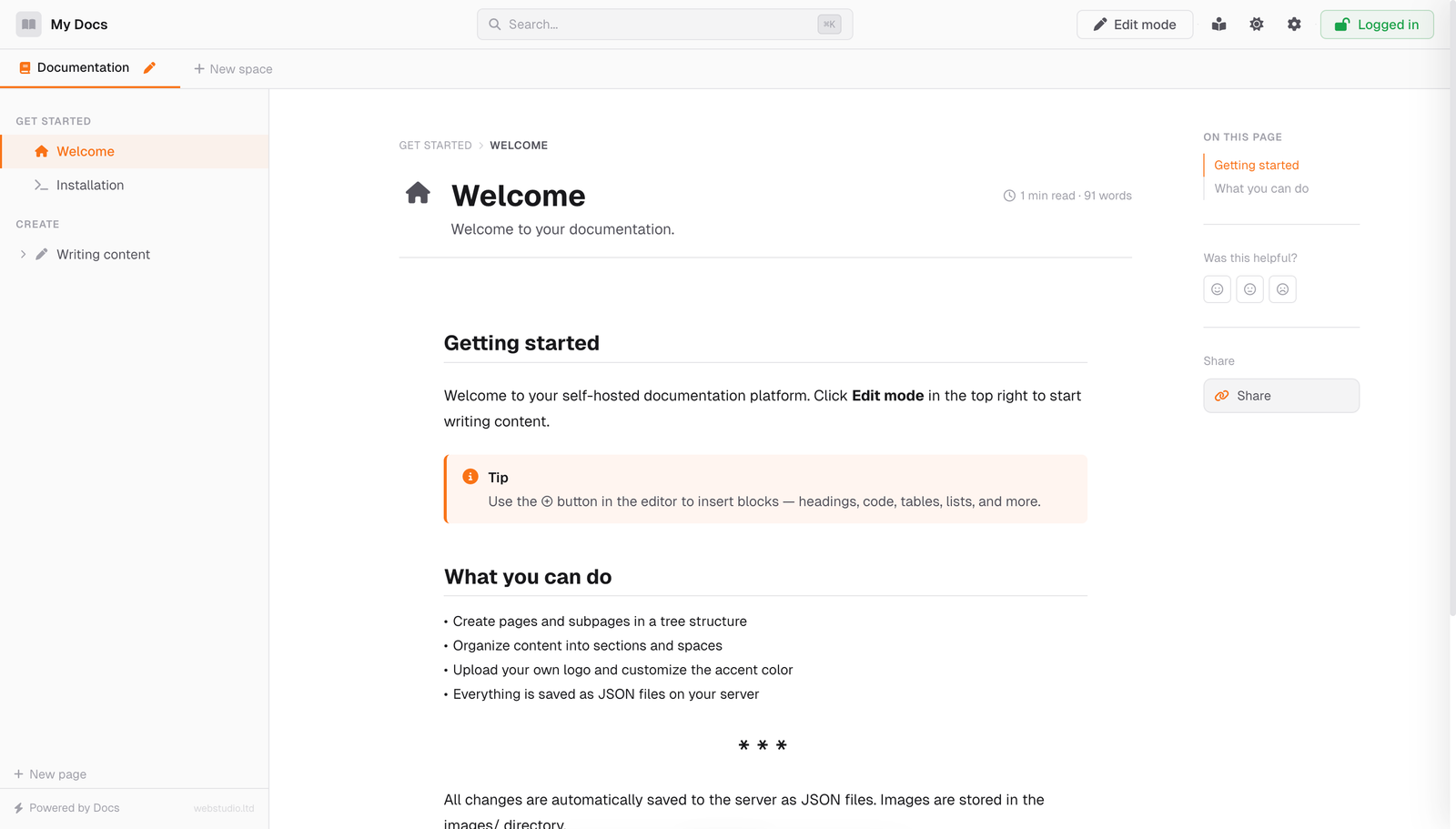
- Dark & Light mode — one-click toggle
- 7 accent colors + custom color picker
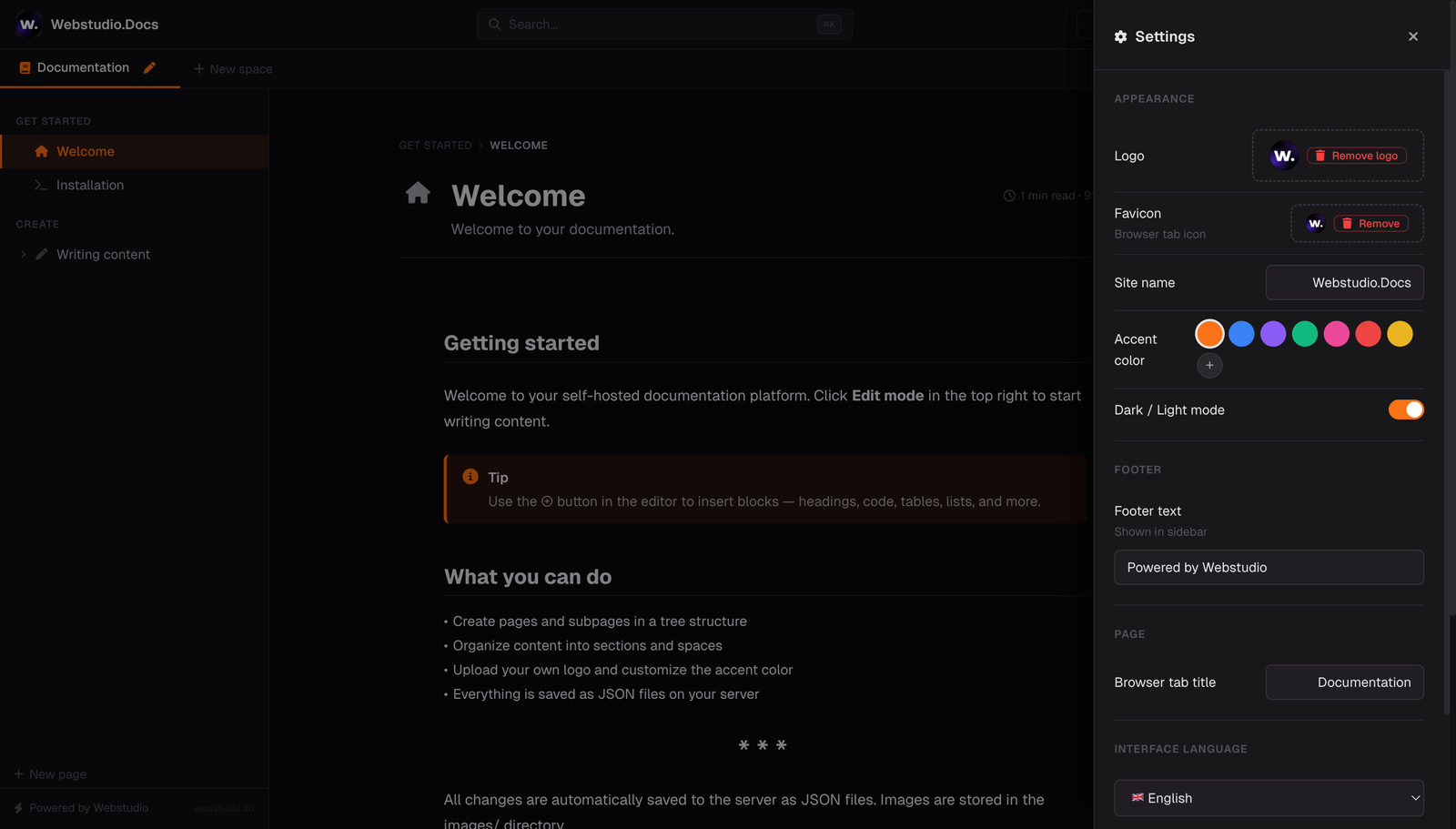
- Custom logo & favicon — upload in settings
- Cover images — per-page with drag-to-reposition and gradient covers
- Reading mode — distraction-free focused view
- Mobile responsive — works on phones and tablets
- Dynamic OG images — auto-generated with page title, description and your brand colors
- Clean URLs —
?page=installationnot?page=_x7f2k9 - Twitter cards, meta descriptions, canonical URLs — all automatic
- Configurable share sidebar — show or hide the share block in the page sidebar from settings
- Per-page titles —
Installation — My Docsin browser tab
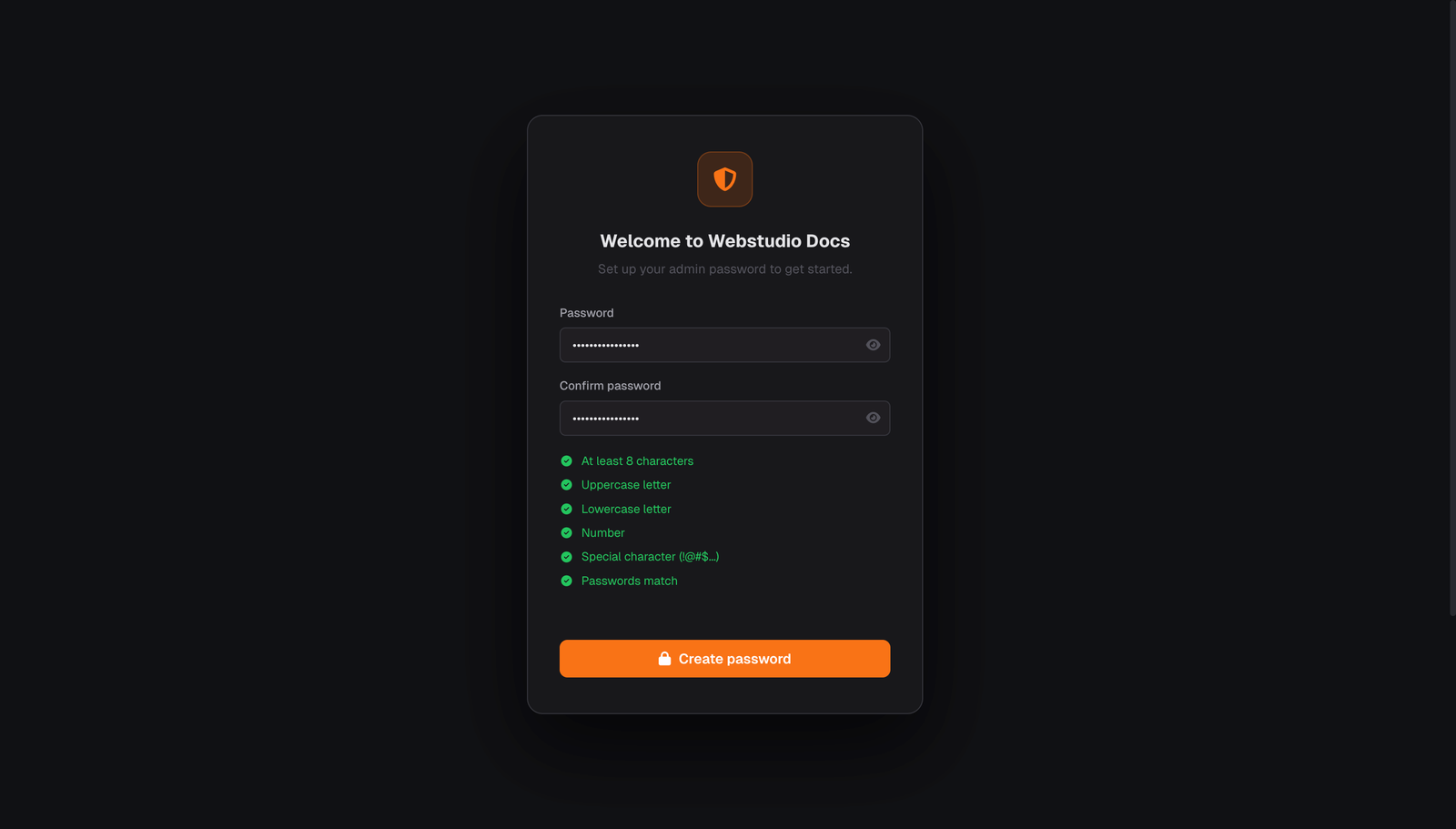
- Setup wizard — first-run password setup with strength validation
- Bcrypt hashing — passwords stored securely, never in plain text
- Rate limiting — 10 attempts per 5 minutes, brute force protection
- Change password flow — update the admin password later from Settings without rerunning setup
.htaccessprotection — blocks direct access to data files- Optional simple access gate — hides the site behind a basic token link and browser cookie
- Install-scoped cookies and sessions — multiple docs instances on the same domain do not collide with each other
- Viewer-only iframe support —
index.phpmay be embedded;editor.phpremains frame-blocked - No database — no SQL injection possible. Ever.
- Easy to extend — it's just HTML, CSS, JS and PHP. No framework, no abstraction layers
- i18n ready — English, German, and Slovak built-in, with broader translation coverage across the UI
- Safer file-based cleanup — deleted pages and related rating files are moved into
data/trash/pages - PHP 7.4+ friendly — updated to stay compatible with current PHP 8.5 behavior
- Page templates — Blank, Documentation, Changelog, API Reference, Tutorial, FAQ
- Auto-save — never lose work
| Dark Mode | Light Mode |
|---|---|
 |
 |
| Block Editor | Cards with Links |
|---|---|
 |
 |
| Setup Wizard | Settings Panel |
|---|---|
 |
 |
Webstudio Docs is actively developed. Here's what we're working on:
- Multi-user support with roles (admin / editor / viewer)
- Markdown import & export
- More languages (French, Spanish, Czech — PRs welcome!)
- Page versioning / history
- Keyboard shortcuts in sidebar navigation
- And more...
We're building a Premium version with advanced features for teams and businesses — AI-powered writing tools, integrations, analytics, and more.
Pricing model: One-time purchase. No monthly fees. No per-user charges. Every purchase directly funds the continued development of the free open-source version.
👉 Want early access? Star this repo and watch for releases — we'll announce it here first.
your-docs-site/
├── access_guard.php ← Shared optional access gate helper
├── index.php      ← Public viewer (read-only frontend + OG tag generation)
├── editor.php     ← Admin editor UI
├── api.php        ← Backend API (pages, spaces, images, settings)
├── auth.php       ← Authentication (setup wizard, login, sessions)
├── .htaccess      ← Security (blocks /data/ from direct access)
├── assets/
│   ├── app.css    ← Shared styles for viewer + editor
│   └── i18n.js    ← Shared translations, icons, language config
├── data/
│   ├── index.php      ← Directory protection helper
│   ├── access_key.txt ← Optional simple access gate token
│   ├── auth.json      ← Hashed password (bcrypt)
│   ├── settings.json  ← Site configuration
│   ├── spaces.json    ← Space definitions
│   ├── pages/         ← One JSON file per page
│   └── trash/
│       └── pages/     ← Archived deleted pages and rating files
└── images/
    └── og/            ← Auto-generated social sharing images
In this fork, index.php is the public reader frontend and iframe entry point. Open editor.php when you want to log in, edit content, manage spaces, or change settings. When the optional access gate is enabled, access_guard.php enforces the unlock cookie for both flows.
- Open
assets/i18n.js - Copy the entire
en: { ... }block - Rename to your language code (e.g.
de,fr,es) - Translate the values
- Add the matching locale mapping in
LANG_LOCALES - Select it in Settings → Interface language and test both
index.phpandeditor.php - Submit a PR — we'd love to include it!
.htaccess is Apache-only. For Nginx, add this to your server block:
location /data/ { deny all; return 403; }
location ~ \.json$ { deny all; return 403; }If you want to hide the docs from casual visitors, search engines, or AI crawlers, you can enable a very simple token-based access gate.
This is intentionally not a high-security system. It is only a rudimentary access barrier for shared links and basic privacy. Do not rely on it to protect sensitive data.
How it works:
- Put a token value into
data/access_key.txt. - Open the site once with
?token=YOUR_TOKENappended to the URL. - The app sets a browser cookie for the docs domain.
- In
index.php, the token is removed from the visible URL after the first successful load, so internal viewer navigation and shared page links stay clean. - After that, the browser can access
index.php,editor.php,api.php, andauth.phpwithout the token as long as the cookie is still accepted and present.
Example:
data/access_key.txt
my-share-token-123https://your-domain.example/?token=my-share-token-123Notes:
- The first non-empty line of
data/access_key.txtis used as the token value. - Lines starting with
#are ignored, so you can keep short comments in the file. - If
data/access_key.txtis empty or missing, the simple access gate is disabled. - The token is only needed for the initial unlock request; the viewer no longer appends it to internal page URLs after that.
- The cookie is browser-based, so each browser or device must be unlocked once.
- Access cookies and auth sessions are namespaced per installation path, so multiple docs instances on the same domain stay isolated.
- If you embed the docs in an iframe, only
index.phpis intended to be embedded.editor.phpstays frame-blocked on purpose. - For iframe embedding, use HTTPS so the access-gate cookie can be sent reliably by modern browsers.
- This is meant to reduce accidental exposure, not to replace real authentication or server-side security.
index.php is the supported embeddable entry point. The admin editor in editor.php is intentionally not embeddable.
Example:
<iframe
  src="https://your-domain.example/index.php?page=installation"
  width="100%"
  height="900"
  style="border:0"
  loading="lazy"
></iframe>
If the optional access gate is enabled, unlock the viewer once with ?token=... on the docs domain first. After that, normal viewer navigation keeps clean URLs without repeating the token parameter.
This project exists because of the community. Contributions welcome:
- 🐛 Bug reports — found something broken? Open an issue
- 🌍 Translations — add your language, it's just one object to translate
- 💡 Feature ideas — we read every suggestion
- 🔧 Pull requests — code improvements, new block types, accessibility fixes
| GitBook Free | GitBook $65/mo | Webstudio Docs | |
|---|---|---|---|
| Price | $0 (limited) | $65/month/site | Free forever |
| Self-hosted | ✗ | ✗ | ✓ |
| Custom domain | ✗ | ✓ | ✓ (your server) |
| Per-user fees | 1 user only | $12/user/month | No per-user pricing |
| Setup time | Account signup | Account + payment | Upload project files |
| Database | Cloud only | Cloud only | None needed |
| Data ownership | Theirs | Theirs | 100% yours |
| Block editor | ✓ | ✓ | ✓ (14 block types) |
| Code highlighting | ✓ | ✓ | ✓ (200+ languages) |
| Full-text search | ✓ | ✓ | ✓ |
| Dark mode | ✓ | ✓ | ✓ |
| OG images | ✓ | ✓ | ✓ (auto-generated) |
| Custom branding | ✗ | ✓ | ✓ (logo, colors, favicon) |
| Vendor lock-in | Yes | Yes | None |
MIT — use it for anything. Personal projects, client work, startups, enterprises. Free forever.
Built with ♥ by webstudio.ltd
We built this because we needed it. We open-sourced it because everyone deserves
good documentation tools without paying a monthly subscription.
If Webstudio Docs saves you time or money, consider giving us a ⭐
It helps others discover the project and keeps us motivated to ship more.