This is a Fork from the ME3 Private Server Emulator.
It is modified to allow playing the Coop-Missions of the Syndicate 2012 Game from Starbreeze Studios / Electronic Arts
Currently this is a heavy WIP and will only run with the PC or Xbox360 Version of the Game. Also it currently only allows multiplayer for the PC Version, on Xbox360 instead you can use it to start the Coop-Missions and play them solo.
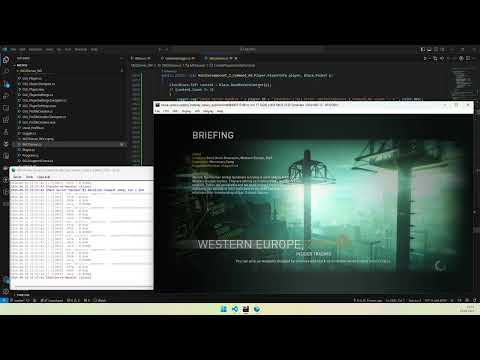
- A legal copy of the game on one of the supported platforms.
- Windows PC, to host the services
- Docker installed (only needed for Xenia/Xbox360 web services)
Download the Latest Release and extract the contents somewhere on your harddisk.
Edit the following files:
conf/conf.txt| Replace the current values ofRedirectIPandREDIHOSTwith the IP-Adress of your Windows PCXenia-WebServices/titles/45410923/servers.json| Replace the current value ofaddresswith the IP-Adress of your Windows PC (only needed for Xbox360/Xenia)
Then execute the file Syndicate2012Server.exe. Your private server is now prepared! Other Players can connect to your server, they only have to do the steps for the corresponding client, mentioned below.
Note: Docker is only needed for Xenia (Xbox 360) web services (
docker compose upfor the xenia-backend and xenia-database services).
For the PC-Client you have 2 choices:
- Run the Game unmodified
- Pro: no need to modify any game files
- Con: if you have another game that utilizes the domain
gosredirector.ea.comyou will most likely brick that other game
-
- Pro: you won't affect other games multiplayer experience
- Con: you will have to patch a game file
Edit your hosts file under %windir%\system32\drivers\etc and enter your IP Address and set it to gosredirector.ea.com
Edit your hosts file under %windir%\system32\drivers\etc and enter your IP Address and set it to gosredirector.local
Use a Hex-Editor like HxD to edit the game file System/Win32_x86_Release/MSystem.dll and look for the string gosredirector.ea.com. Replace it with gosredirector.local and add the Hex-Code 00 directly after the string
Edit conf/conf.txt and set the value of LOCAL_FQDN to True. Then restart Syndicate2012Server.exe.
- Start the game and select
CO-OP - You will have to enter login credentials. The service comes with
4premade usersplayer1,player2,player3andplayer4, the password for all is1234 - If you want additional users, simply create new ones in the server using
Tools -> Create Player Profile - Within the game select
Create private game - If another user shall join, he simply has to select
Play quick matchto join the previously created game
For help visit the official Discord-Channel
- Dump your original Game-DVD using your Xbox360 to an USB-Device (many Tutorials exist for that).
- Grab a release (i.e. v3.0.0) of Xenia Canary Netplay
- Start it once and exit right away
- Edit the file
xenia-canary-netplay.config.tomland set the value ofapi_addresstoapi_address = "<YOUR-IP-ADDRESS>:36000/", i.e.api_address = "192.168.1.100:36000/" - Then start xenia again and launch the game
The game itself runs pretty decent on SteamOS and Ubuntu using Steam (add Syndicate as a non-steam game) and by turning on the compatibility using Proton (i.e. Proton 9.0-4, best results so far with GE-Proton7-43).
The Server runs natively on Linux. To run the dependency services:
docker compose build
docker compose up
- Fix Coop / Multiplayer for Xbox360
- Save Stats of each Player
- Add support for PS3 Version
- Enable Cross-Platform play
This project includes a Dev Container configuration. You can open it in VS Code with the Dev Containers extension or use GitHub Codespaces for a ready-to-go Linux development environment.
To run the GUI from within the Dev Container, allow local connections to your X display on the host first:
xhost local:Clone the repository with submodules:
git clone --recurse-submodules https://github.com/kadrim/Syndicate2012PSE.git
cd Syndicate2012PSE
Restore and build:
dotnet restore ME3Server_WV.sln
dotnet build ME3Server_WV.slnTo create a self-contained executable (no .NET runtime required on the target machine):
Windows:
dotnet publish ME3Server_WV/ME3Server_WV.csproj -c Release -r win-x64 --self-contained true -o publish/win-x64Linux:
dotnet publish ME3Server_WV/ME3Server_WV.csproj -c Release -r linux-x64 --self-contained true -o publish/linux-x64The UI is built with Avalonia and runs cross-platform on Windows and Linux.
- Warranty Voider
- Erik JS
- Zlofenix
- Bshtornado
- Balázs
- Aim4kill
I developed this project in my free time. If you like it and want to support future updates, feel free to donate here:
Thanks in advance :-)
THIS SOFTWARE IS PROVIDED "AS IS" AND ANY EXPRESSED OR IMPLIED WARRANTIES, INCLUDING, BUT NOT LIMITED TO, THE IMPLIED WARRANTIES OF MERCHANTABILITY AND FITNESS FOR A PARTICULAR PURPOSE ARE DISCLAIMED. IN NO EVENT SHALL THE REGENTS OR CONTRIBUTORS BE LIABLE FOR ANY DIRECT, INDIRECT, INCIDENTAL, SPECIAL, EXEMPLARY, OR CONSEQUENTIAL DAMAGES (INCLUDING, BUT NOT LIMITED TO, PROCUREMENT OF SUBSTITUTE GOODS OR SERVICES; LOSS OF USE, DATA, OR PROFITS; OR BUSINESS INTERRUPTION) HOWEVER CAUSED AND ON ANY THEORY OF LIABILITY, WHETHER IN CONTRACT, STRICT LIABILITY, OR TORT (INCLUDING NEGLIGENCE OR OTHERWISE) ARISING IN ANY WAY OUT OF THE USE OF THIS SOFTWARE, EVEN IF ADVISED OF THE POSSIBILITY OF SUCH DAMAGE.

